

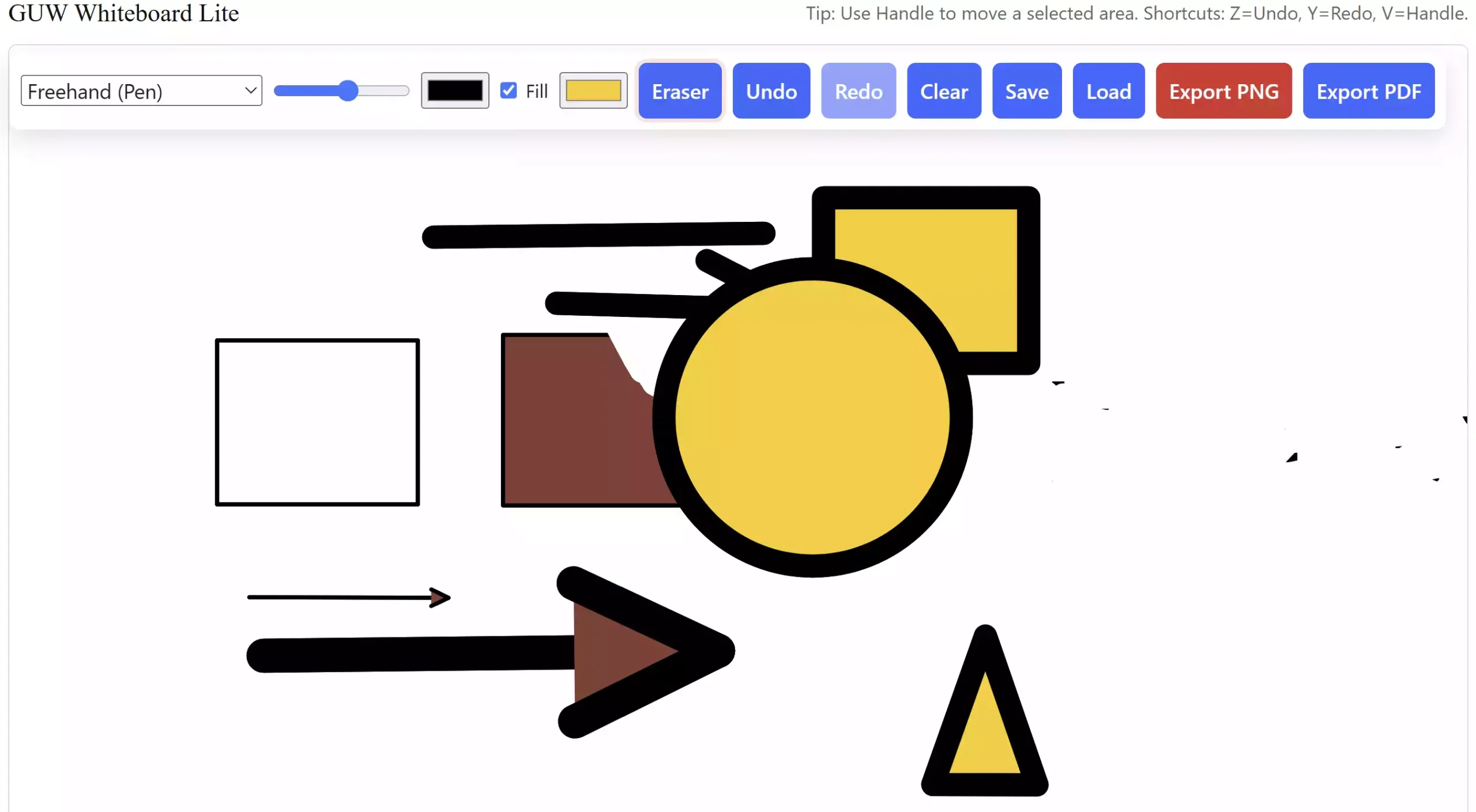
What is GUW Whiteboard Lite? GUW Whiteboard Lite is a free, browser-based drawing pad designed for quick sketches, diagrams, and note-taking. It works entirely on your computer without uploading files to any server, making it secure and lightweight. You can draw freehand, add shapes, insert text, use an eraser, and even export your work as PNG or PDF.
Why Would a Beginner Use GUW Whiteboard Lite?
Many users just need a fast and easy way to sketch ideas without installing heavy software. GUW Whiteboard Lite runs in your browser, autosaves your work, and lets you export results in seconds. Beginners will appreciate the clean design and simple toolbar controls.
Main Features of GUW Whiteboard Lite
- Freehand drawing with adjustable thickness and colors
- Shapes, including rectangle, circle, triangle, and arrows
- Text tool with movable, editable labels
- Fill color toggle for shapes
- Eraser button for quick corrections
- Undo/Redo support (also with keyboard shortcuts Z and Y)
- Handle tool (V) for moving items around
- Autosave to your browser storage with Save/Load options
- Export as PNG or PDF with a white background
How to Use GUW Whiteboard Lite
Step 1. Open the GUW Whiteboard Lite tool in your browser.
Step 2. Choose a tool from the floating toolbar — pen, shape, text, or arrow.
Step 3. Adjust stroke thickness, colors, or fill before drawing.
Step 4. Use Undo (Z) or Redo (Y) if you make a mistake.
Step 5. When finished, click Export to save your work as PNG or PDF.
Safe Use Tips for Beginners
- Always export important sketches; autosave is local to your browser.
- Use the eraser tool for clean corrections instead of overwriting.
- Keep your drawings simple for easier editing and exporting.
When GUW Whiteboard Lite Can Help You
This tool is ideal for quick brainstorming sessions, educational diagrams, presentation sketches, and personal note-taking. Teachers, students, and office workers can all benefit from its speed and simplicity.
Download GUW Whiteboard Lite
No installation is needed. Just visit the live tool page here: GUW Whiteboard Lite.
Frequently Asked Questions About GUW Whiteboard Lite
Q1. Do I need to install anything?
No, GUW Whiteboard Lite runs directly in your browser.
Q2. Can I move text or shapes after drawing?
Yes, use the handle tool (shortcut V) to reposition items.
Q3. Is my data uploaded online?
No, everything stays in your browser. Exports are generated locally.
Q4. Can I use it on mobile?
Yes, it works on mobile browsers, though a larger screen is recommended.
Conclusion
GUW Whiteboard Lite is a simple yet powerful online drawing pad that saves you time and keeps everything lightweight. Whether you want to sketch, annotate, or create diagrams, this free tool gets the job done with no setup required.
Looking for related free utilities? You can also try our Image Compressor & Resizer for shrinking large graphics, or organize your documents with the Free PDF Merger.