

GUW Tree Notes — Smartboard is a compact, privacy-first web tool built for quick idea capture and lightweight project planning. It runs entirely in the browser, supports per-note background colors (default yellow), lets you reorder notes with drag & drop, and includes JSON Export / Import so you can back up or move notes between devices.
Why use Tree Notes?
This tool is ideal when you want a distraction-free, fast way to collect ideas and organize them in a simple tree or list structure. Use it for meeting notes, feature lists, storyboarding, or maintaining a running ideas log — all without installing software.
Key Features
- Browser-based: no server account needed; data is stored locally in your browser.
- Color-coded notes: choose a background color for each note (default yellow).
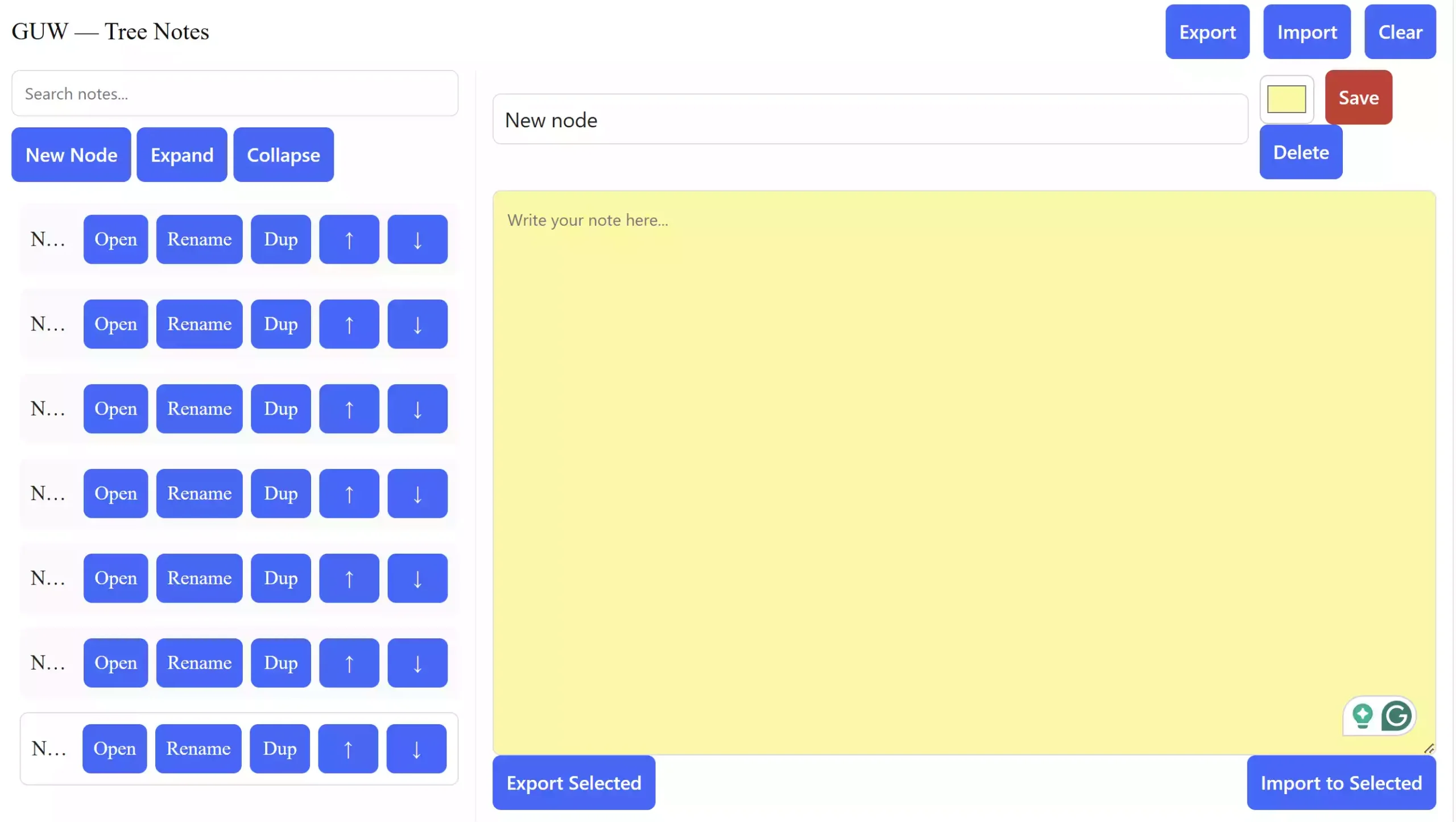
- Drag & drop reordering and simple node controls (Open / Rename / Duplicate / Move Up / Move Down).
- JSON Export & Import: export your entire dataset or a single note.
- Accessible keyboard navigation and responsive layout.
How to Use GUW Tree Notes
- Open the live tool: GUW Tree Notes — Smartboard.
- Click New Node to create a note; it will appear in the left panel and be auto-selected.
- Type a title and note content in the right editor.
- Use the color picker to change the note’s background instantly.
- Click Save to store it in your browser (localStorage).
- Use the controls on the left (Open / Rename / Dup / ↑ / ↓) to manage or reorder notes.
- Use Export to back up or Import to restore from JSON files.
Other Related Tools on GearUpWindows
Pros
- No signup or server storage required.
- Fast, intuitive, and runs entirely in the browser.
- Per-note colors make grouping and prioritization easy.
Considerations
- Notes are stored locally in your browser. Export if you need a backup.
- For multi-device use, export and import your JSON file between devices.
Frequently Asked Questions
Q: Where are my notes stored?
A: In your browser’s localStorage. Use Export to back up your notes.
Q: How do I transfer notes between devices?
A: Export the dataset (JSON) on one device and import it on another.
Q: Can I export a single note?
A: Yes, export it as JSON. The importer recognizes both full and single-note files.
Q: Will clearing notes remove them permanently?
A: Yes, unless exported first. Use Export before clearing.
Conclusion
GUW Tree Notes — Smartboard is a simple yet powerful way to organize your ideas, projects, and daily thoughts in one structured place. With its color-coded notes, drag-and-drop reordering, and JSON backup features, it delivers a clean, fast, and privacy-friendly workspace — right in your browser. Whether you’re a student, developer, writer, or planner, this tool keeps your ideas safe, organized, and accessible anytime without needing an account or software install.
Start using it today at GUW Tree Notes — Smartboard and experience effortless idea management the GearUpWindows way.