

When it comes to free image editing software, Paint.NET is a popular option that has been around since 2004. Developed as a student project at Washington State University, Paint.NET has come a long way and is now one of the most versatile and powerful image editing software programs available for free. If you prefer creating quick sketches or drawings directly in your browser, you can also try GUW PaintBoard, a free online painting tool from GearUpWindows that lets you draw and export instantly.
What is Paint.NET?
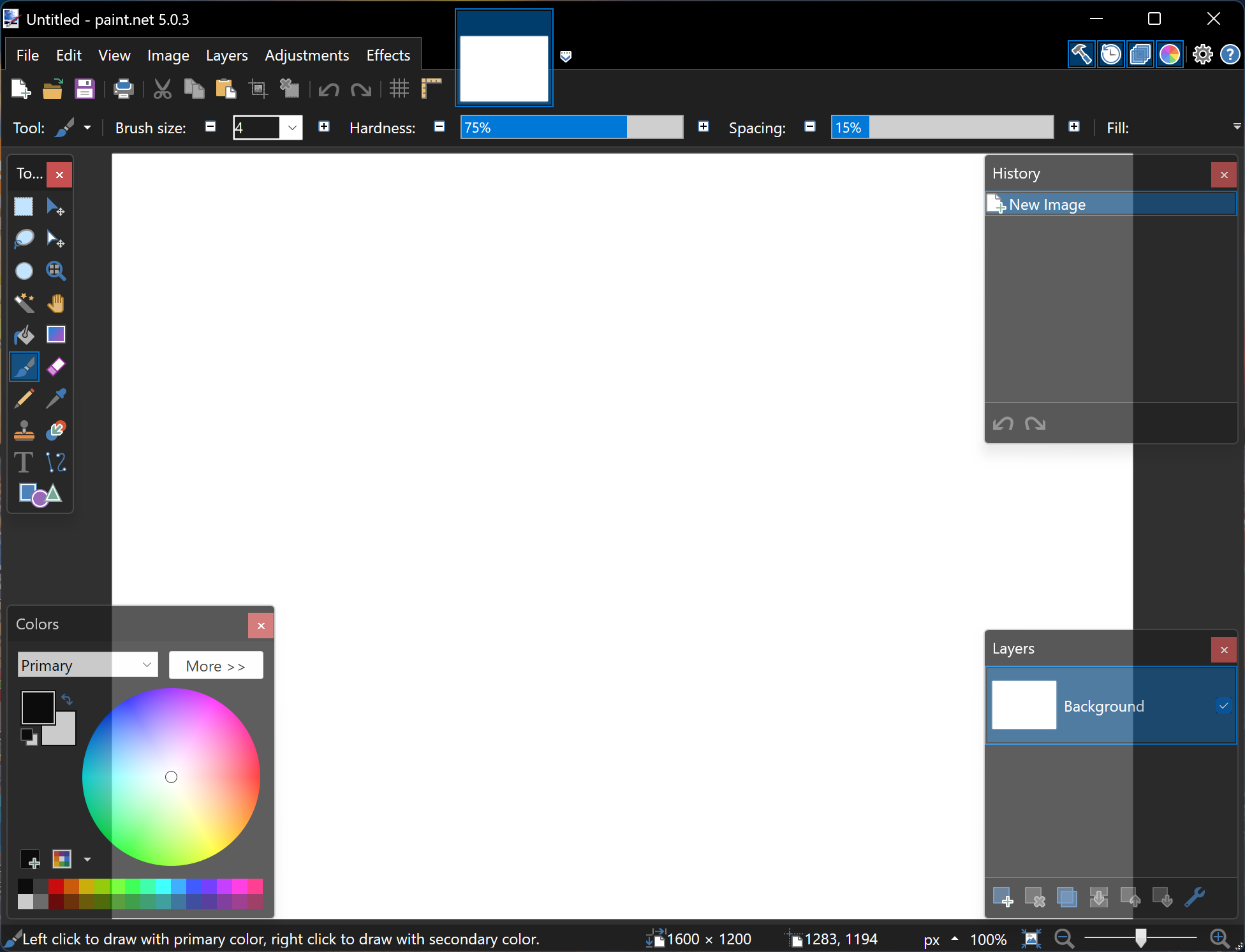
Paint.NET is a Windows-based image editing software that offers an intuitive interface and a wide range of features, making it a great option for both beginner and advanced users. It is often compared to Adobe Photoshop in terms of its capabilities, although it is important to note that Paint.NET is not as feature-rich as Photoshop.
The software supports a wide range of file formats, including JPEG, PNG, BMP, GIF, and TIFF. It also offers a number of advanced features, including layers, customizable filters, and a variety of selection tools. If you want a lightweight desktop image viewer with editing support, IrfanView is another excellent freeware option worth exploring.
Key Features
- User-friendly Interface: One of the standout features of Paint.NET is its user-friendly interface. The interface is clean and simple, making it easy to navigate for users of all levels of experience.
- Layers: It supports layers, allowing users to work with multiple layers in a single image. This is particularly useful when working on complex images and allows users to make changes to individual layers without affecting the rest of the image.
- Selection Tools: This offers a variety of selection tools, including a lasso, magic wand, and rectangle. These tools allow users to select specific areas of an image for editing.
- Customizable Filters: The software offers a range of customizable filters, including blur, sharpen, and emboss. These filters can be applied to specific areas of an image and can be adjusted to create a variety of effects. Users who often edit RAW photos can also try RawTherapee, another powerful open-source alternative.
- History Panel: The program includes a history panel that tracks all changes made to an image. This is particularly useful when working on complex images, as it allows users to easily undo changes and revert to an earlier version of the image.
- Plugin Support: Paint.NET supports plugins, allowing users to extend the functionality of the software. There is a wide range of plugins available, including additional filters, color adjustments, and image effects. Similarly, Gimphoto also supports plugins, making it a great choice for professionals who prefer a Photoshop-style layout.
- System Requirements: Paint.NET is a Windows-based software and is compatible with Windows 7 SP1 or newer, including Windows 8, 10, and Win 11. The software requires a minimum of 1GB of RAM and a graphics card that supports DirectX 10 or higher.
Download Paint.NET
You can download this free software from CNET.
Conclusion
Overall, Paint.NET is a powerful and versatile image editing software that offers a range of features for users of all levels of experience. Its user-friendly interface and advanced features, such as layers and customizable filters, make it a popular choice for both personal and professional use. For those who enjoy experimenting with creative editing, PhotoScape is another free software that complements Paint.NET’s capabilities perfectly. If you are looking for a free and powerful image editing software for Windows, Paint.NET is definitely worth checking out. With its range of features and easy-to-use interface, it is sure to meet the needs of most users.