

Looking for a reliable, secure, and free VPN to use on your Windows 11 or 10 PC? PrivadoVPN Free might be exactly what you need. With a generous 10GB monthly data allowance, solid privacy features, and no intrusive ads, it strikes a strong balance between security and usability. In this detailed review, we’ll explore everything you need to know about PrivadoVPN Free — from its features and limitations to how it compares with other popular free VPNs like ProtonVPN, Windscribe, and Hide.me.
What is PrivadoVPN Free?
PrivadoVPN is a Swiss-based VPN service that emphasizes user privacy. The free version includes many of the same protections as the paid plan, including a no-log policy and strong encryption. The only major restrictions are the monthly data cap and a limited number of server locations.
Key Features of PrivadoVPN Free
- 10GB Monthly Data — Perfect for safe browsing, banking, or occasional streaming.
- 13 Server Locations — Connect to servers in the US, UK, Canada, France, Germany, and more.
- Zero-Log Policy — Based in Switzerland, which has strong privacy laws.
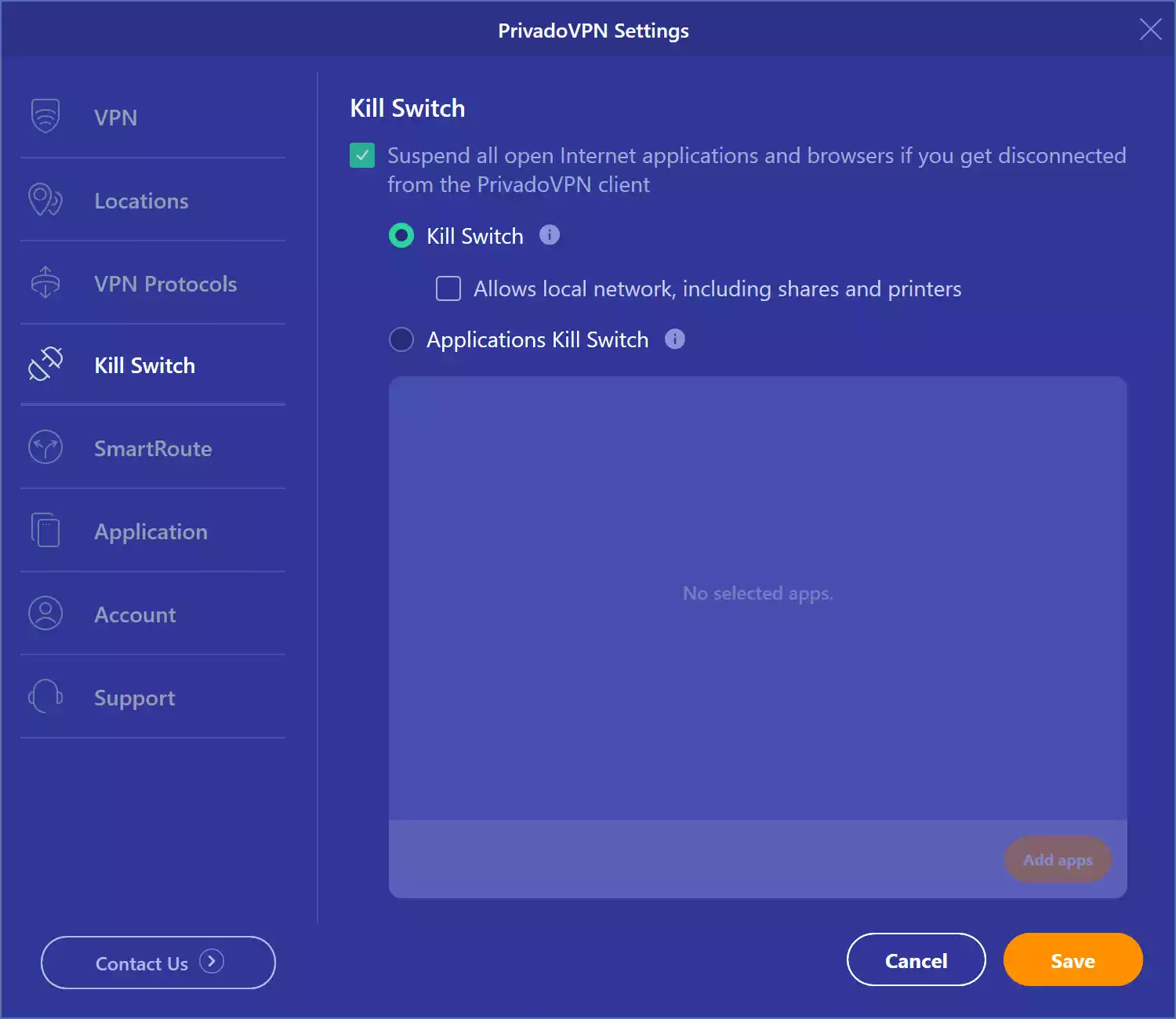
- Kill Switch — Automatically blocks internet traffic if the VPN connection drops.
- Split Tunneling — Choose which apps use the VPN tunnel and which don’t.
- Ad-Free Experience — No annoying banners or pop-ups, even for free users.
- 256-bit AES Encryption — Military-grade encryption for maximum protection.
Device Compatibility
PrivadoVPN Free supports Windows 11 and 10 with dedicated apps. It also offers clients for macOS, Android, and iOS. However, the free plan has limitations on other platforms like Fire TV and routers, where full features or unlimited devices are available only on paid plans.
How to Use PrivadoVPN Free on Windows 11/10?
Step 1. Go to the official PrivadoVPN website and download the Windows app.
Step 2. Install, launch the app, and create a free account using your email address, username, and password. Confirm your email to activate the free plan.
Step 3. Log in with your credentials.
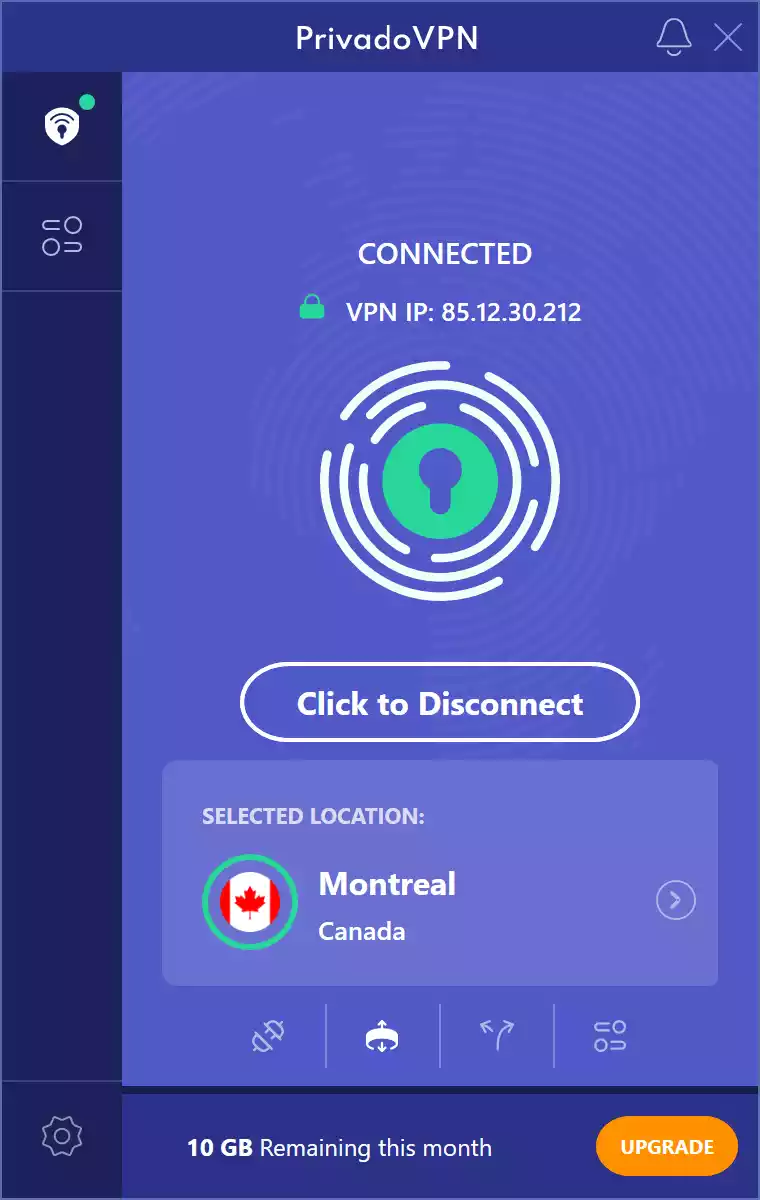
Step 4. Choose one of the available free server locations and click “Click to Connect.”
Ease of Use & Interface
The Windows app has a simple, modern interface. The dashboard shows your connection status, selected server, and data usage for the month. Switching servers is smooth, and the app feels lightweight compared to some bulkier VPN clients.
Performance and Speed
With 10GB of data, PrivadoVPN Free is suitable for secure browsing and occasional streaming. Speeds were consistent across most free servers in testing, with smooth 720p and 1080p playback on US and UK servers. Heavy downloading may require the paid plan.
Security and Privacy
Based in Switzerland, PrivadoVPN benefits from strong privacy laws and follows a strict no-log policy. The Kill Switch is essential for public Wi-Fi or sensitive activity, blocking all traffic if the VPN drops.
Use Cases: Who Should Use PrivadoVPN Free?
- Secure browsing on public Wi-Fi.
- Occasional streaming without ads or tracking.
- Accessing geo-restricted sites for light use.
- Safe online banking with encrypted connections.
If you are a heavy streamer or need unlimited data, upgrading to the paid plan or trying ProtonVPN Free may be better.
Set up Tips & Tricks
- Maximize your 10GB by avoiding large downloads.
- Pick servers closest to you for better speeds.
- Enable Kill Switch and Split Tunneling for control.
- Check data usage in-app to prevent interruptions.
Comparison: PrivadoVPN vs Other Free VPNs
Compared to ProtonVPN Free, PrivadoVPN offers a defined 10GB monthly data cap but more server locations (13 vs ProtonVPN’s 3). ProtonVPN wins on unlimited data but has fewer locations. Windscribe Free matches the 10GB cap but allows expandable data via promotions and has more than 10 server options. Hide.me Free offers unlimited data, but only 5 locations.
All four services are ad-free and include a Kill Switch. For Split Tunneling, PrivadoVPN, Windscribe, and Hide.me support it, while ProtonVPN does not. PrivadoVPN’s Swiss jurisdiction and privacy-first approach make it appealing for users who value security as much as performance.
Limitations of PrivadoVPN Free
- 10GB monthly limit — not ideal for heavy streamers.
- No access to the full server list.
- Fewer platform features than the paid version.
- One device limit on the free plan.
Summary Comparison
PrivadoVPN Free delivers more server locations and features like Split Tunneling compared to ProtonVPN Free, but with a monthly cap. Windscribe offers similar limits but more customization. Hide.me delivers unlimited data but fewer locations. PrivadoVPN’s ad-free setup, Swiss jurisdiction, and strong privacy policies make it stand out for casual users.
Is PrivadoVPN Free Worth It?
Yes. PrivadoVPN Free offers excellent privacy, ease of use, and decent speeds, making it a solid choice for everyday users who don’t exceed 10GB per month.
Frequently Asked Questions (FAQ)
Does PrivadoVPN Free work on Windows 11 and 10?
Yes, it’s compatible with both Windows 11 and 10.
Can I stream Netflix?
Streaming access is not guaranteed on free servers. Paid servers are more reliable for streaming.
Is 10GB per month enough?
Yes for light browsing, email, and occasional streaming. For heavy use, consider the paid plan.
Do I need to register?
Yes. Email registration is required to activate the free plan.
Final Thoughts
PrivadoVPN Free offers a secure, ad-free experience with generous features for a free VPN. While it can’t match the unlimited data of ProtonVPN Free or Hide.me Free, it’s an excellent choice for privacy-focused users who want stable speeds and clean apps without spending a dime.
Looking for another trusted option? Opera VPN is worth considering if you want a completely free, no-registration VPN that’s built directly into the Opera browser. While it doesn’t offer the same level of server choice or encryption features as standalone apps like PrivadoVPN Free, it’s incredibly convenient for quick privacy on public Wi-Fi or bypassing simple geo-blocks without installing extra software. Best of all, since it’s part of the browser, there’s no data cap — making it ideal for casual streaming and everyday browsing.