

Writing online often requires you to keep track of words and characters, whether it’s for an essay, article, blog post, or even a social media caption. Our free Word & Character Counter tool helps you instantly measure words, characters, lines, and paragraphs. It even gives you an estimated reading time — all without uploading anything. Everything runs directly in your browser for complete privacy.
What is the Word & Character Counter?
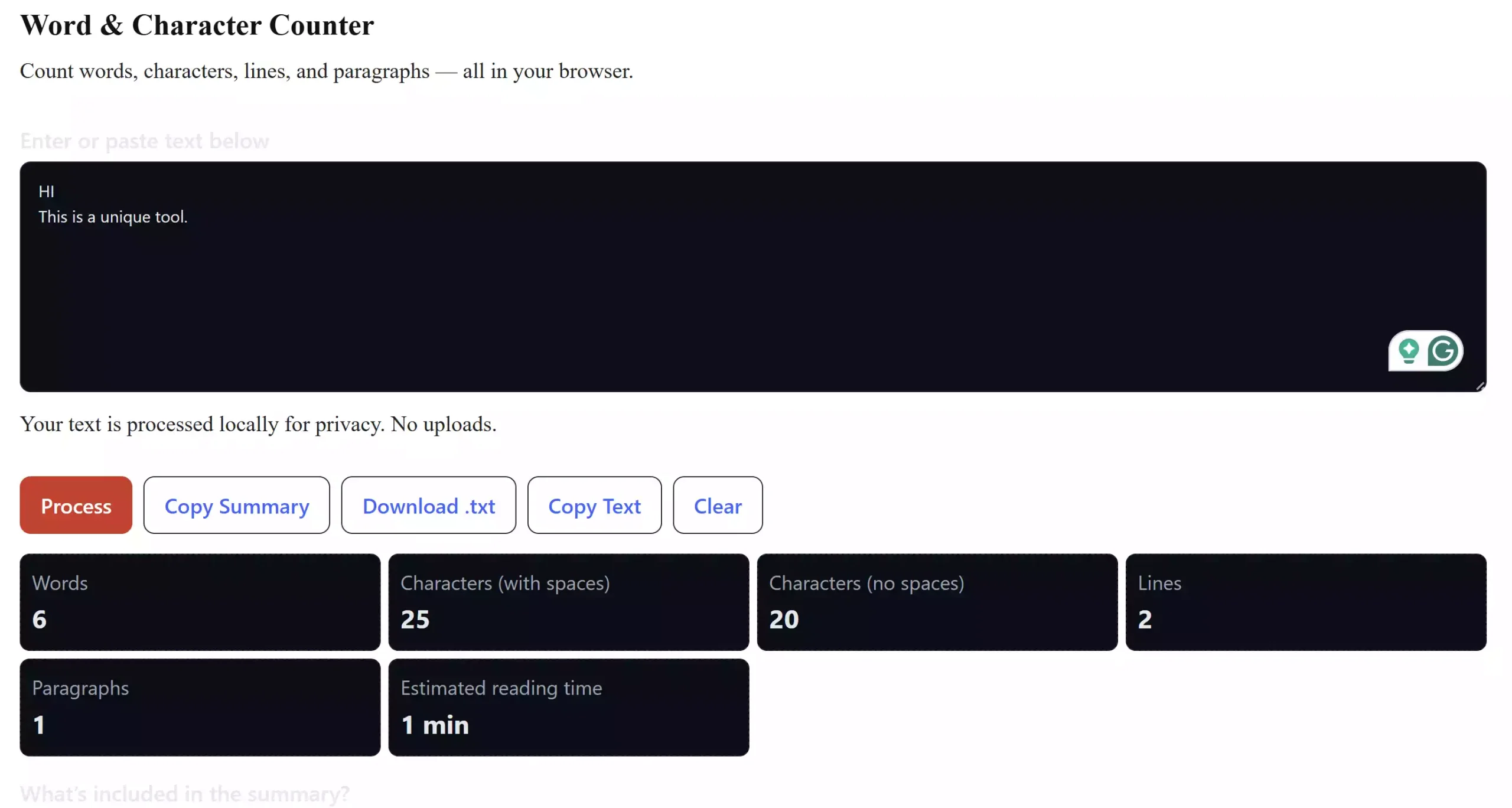
The Word & Character Counter is a simple online tool that lets you paste or type text and instantly see word count, character count (with and without spaces), line count, paragraph count, and estimated reading time. Unlike other services, it does not send your text to any server — the entire process happens locally on your device.
Why Would a Beginner Use This Tool?
Beginners often struggle with knowing how long their content is or whether it meets certain requirements. For example, college assignments might require a minimum word count, while Twitter/X posts have a strict character limit. With this tool, you don’t need to guess — just paste your text and check instantly.
Main Features of the Word & Character Counter
- Instant word count and character count (with and without spaces)
- Counts lines and paragraphs
- Estimates reading time based on an average of 200 words per minute
- Works directly in your browser — no uploads, 100% private
- Copy or download summary as a text file
- Clear and process buttons for quick control
How to Use the Word & Character Counter
Using the tool is very simple. Just scroll to the box below, type or paste your text, and the tool will automatically update counts in real time. If needed, click the red Process button to manually refresh. You can also copy the summary, download it as a .txt file, or copy the original text again with one click.
Safe Use Tips for Beginners
Since everything runs inside your browser, your text never leaves your device. However, always make sure you are using the tool on a trusted website (gearupwindows.com) to ensure your data stays safe. For extra privacy, you can also clear the text box using the Clear button after finishing your work.
When This Tool Can Help You
This tool is useful in many situations:
- Checking word limits for school or college assignments
- Writing SEO articles or blog posts
- Making sure your tweets or social media posts don’t exceed character limits
- Estimating how long an article will take to read before publishing
If you want to further clean up or format your text before counting, you can also try our Text Cleaner & Formatter tool.
Try the Word & Character Counter
Use the live tool below. Simply type or paste your text to see instant counts.
Conclusion
The Word & Character Counter is a free, lightweight, and privacy-friendly solution for anyone who needs to measure text length quickly. Whether you are a student, writer, blogger, or social media manager, this tool helps you stay on top of word and character limits without any hassle.
Frequently Asked Questions About the Word & Character Counter
Does this tool work offline?
No, you need to open the page in your browser, but once loaded, it processes text locally without internet uploads.
Is my text safe?
Yes. The tool runs fully in your browser and does not send your content to any server.
What is the average reading speed used?
The counter uses 200 words per minute, which is the standard average adult reading speed.
Can I copy or download the results?
Yes, you can copy the summary to your clipboard or download it as a plain .txt file.