

Nowadays, remote work has become a norm for many. Whether you’re accessing files, running software applications, or providing IT support, having reliable remote desktop software is a must. For Mac users, finding the right remote desktop solution can be tricky, especially if you’re looking for something that offers seamless performance, strong security, and cross-platform compatibility. If you’re on the hunt for the best remote desktop software for Mac free, look no further. AnyViewer stands out as one of the top choices for 2025. Offering an intuitive user interface, robust security features, and excellent performance, it’s perfect for both individuals and businesses. Let’s dive deeper into what makes AnyViewer the best remote desktop app for Mac users.
Overview of AnyViewer remote desktop software for Mac
AnyViewer is a powerful and versatile remote desktop software that allows Mac users to access their computers from anywhere. Whether you need to work from home, provide IT support, or collaborate with a team, AnyViewer makes remote desktop connections easy and secure.
Key features of AnyViewer for Mac
AnyViewer offers several standout features that make it an excellent choice for Mac users:-
- Real-Time HD Screen Sharing: Stream your Mac’s screen in Ultra HD at 60 frames per second, with minimal latency, ensuring smooth remote access—even for demanding tasks that require high performance.
- Cross-Device Access: Control your Mac from various devices, including other Macs, Windows PCs, iPads, iPhones, and Android devices. This cross-platform compatibility is perfect for users working across diverse operating systems.
- Effortless File and App Access: Open, modify, and work with the latest files directly through a seamless Mac remote desktop connection—no need to upload them to the cloud. You can also run complex software like video editing tools or CAD applications remotely from your Mac.
- Secure Connections: Security is a top priority. AnyViewer ensures your data remains protected with encrypted connections, multi-level password protection, two-factor authentication, and other advanced security features.
- Quick and Reliable Customer Support: AnyViewer’s customer support team is always ready to help. Whether you’re using it for personal or business purposes, you can rely on prompt and efficient assistance whenever you need it.
How AnyViewer enhances remote work for Mac users?
AnyViewer offers several features that significantly improve remote work for Mac users across different scenarios:-
- For Businesses: AnyViewer makes it easy for businesses to enable remote access to Mac computers, allowing employees to work from home or while traveling without sacrificing security or performance. Employees can seamlessly access their files, use essential software like QuickBooks, or run Adobe Creative Suite tools from virtually anywhere.
- For Education: Educational institutions can leverage AnyViewer to enhance remote learning experiences. Students can remotely access lab computers and use resource-heavy applications like AutoCAD or Adobe Premiere Pro directly from their personal devices, including tablets and Chromebooks, ensuring uninterrupted access to essential software.
- For Individuals and Small Teams: AnyViewer provides the best remote access solutions for small businesses and freelancers for working remotely. It allows you to access your Mac from any device, enabling you to work efficiently, whether you’re at home, in a cafe, or even on vacation.
Steps to set up AnyViewer on Mac
Getting AnyViewer set up for remote desktop access on your Mac is fast and simple. Follow these simple steps to connect to a remote system:-
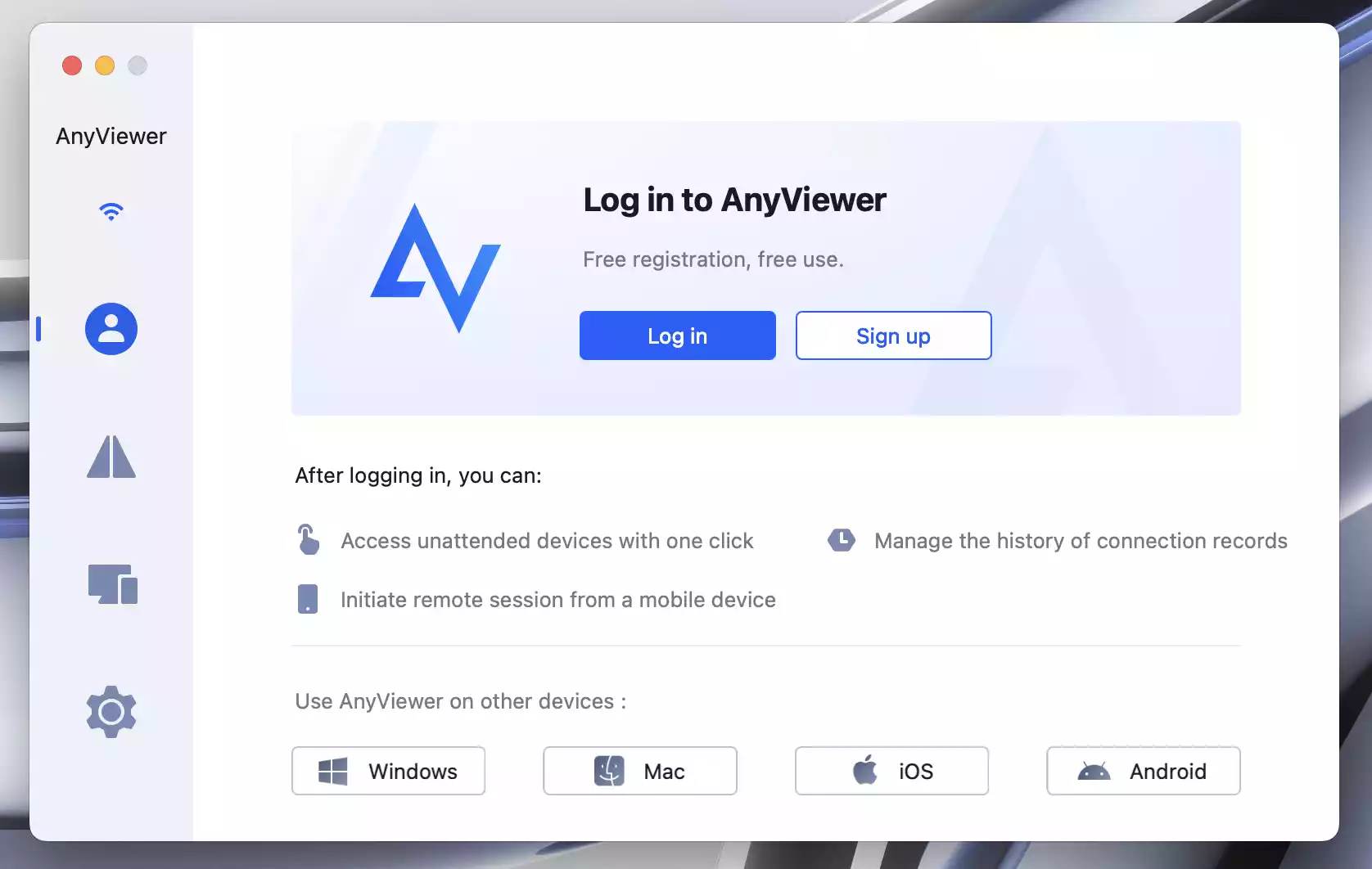
Step 1. Download the AnyViewer app on both your Mac and the device you want to access, like a Windows PC.
Step 2. Create an account and log in.
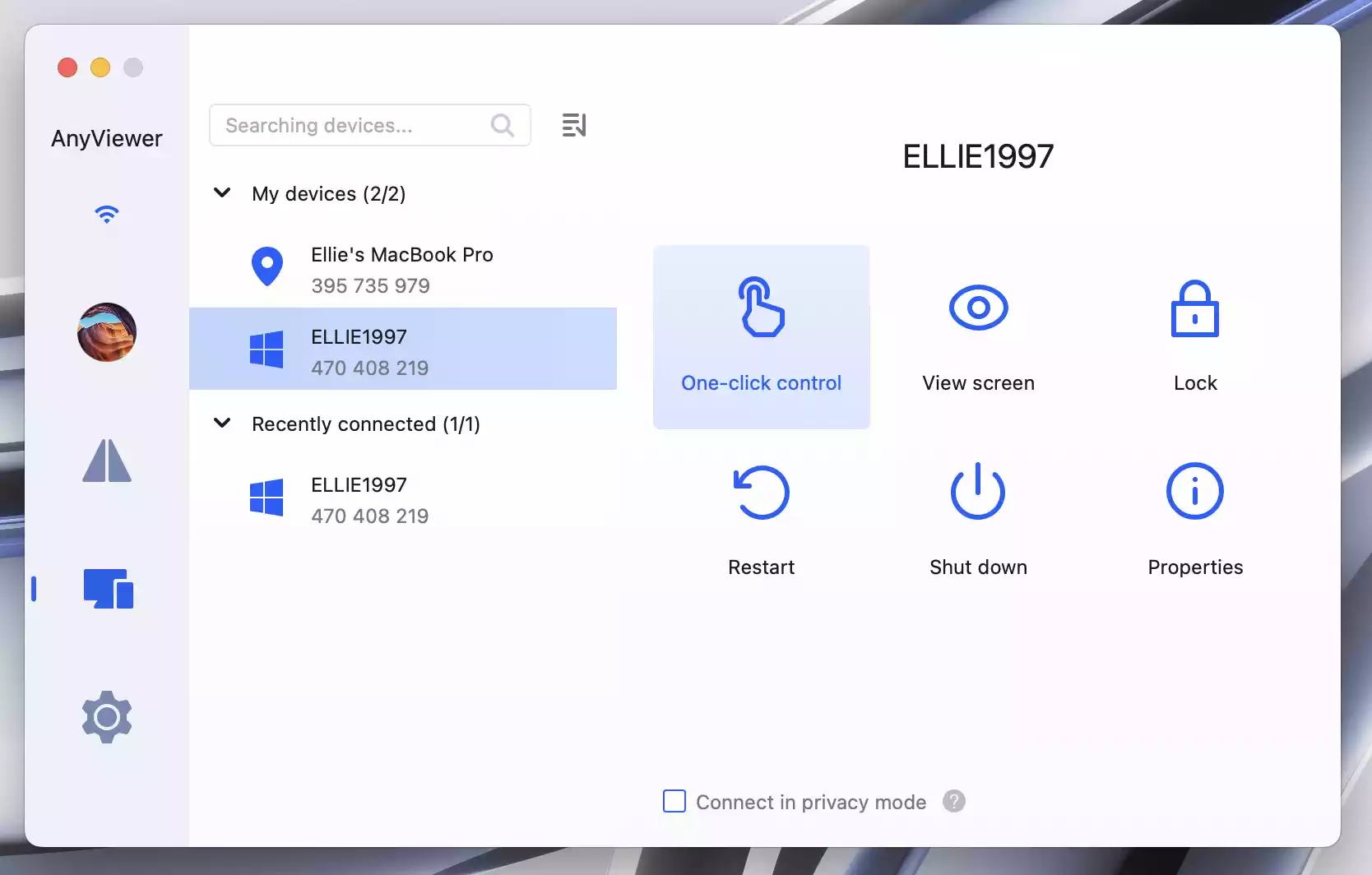
Step 3. On your Mac, select your Windows PC from the list of devices and click “One-click control” to start the connection.
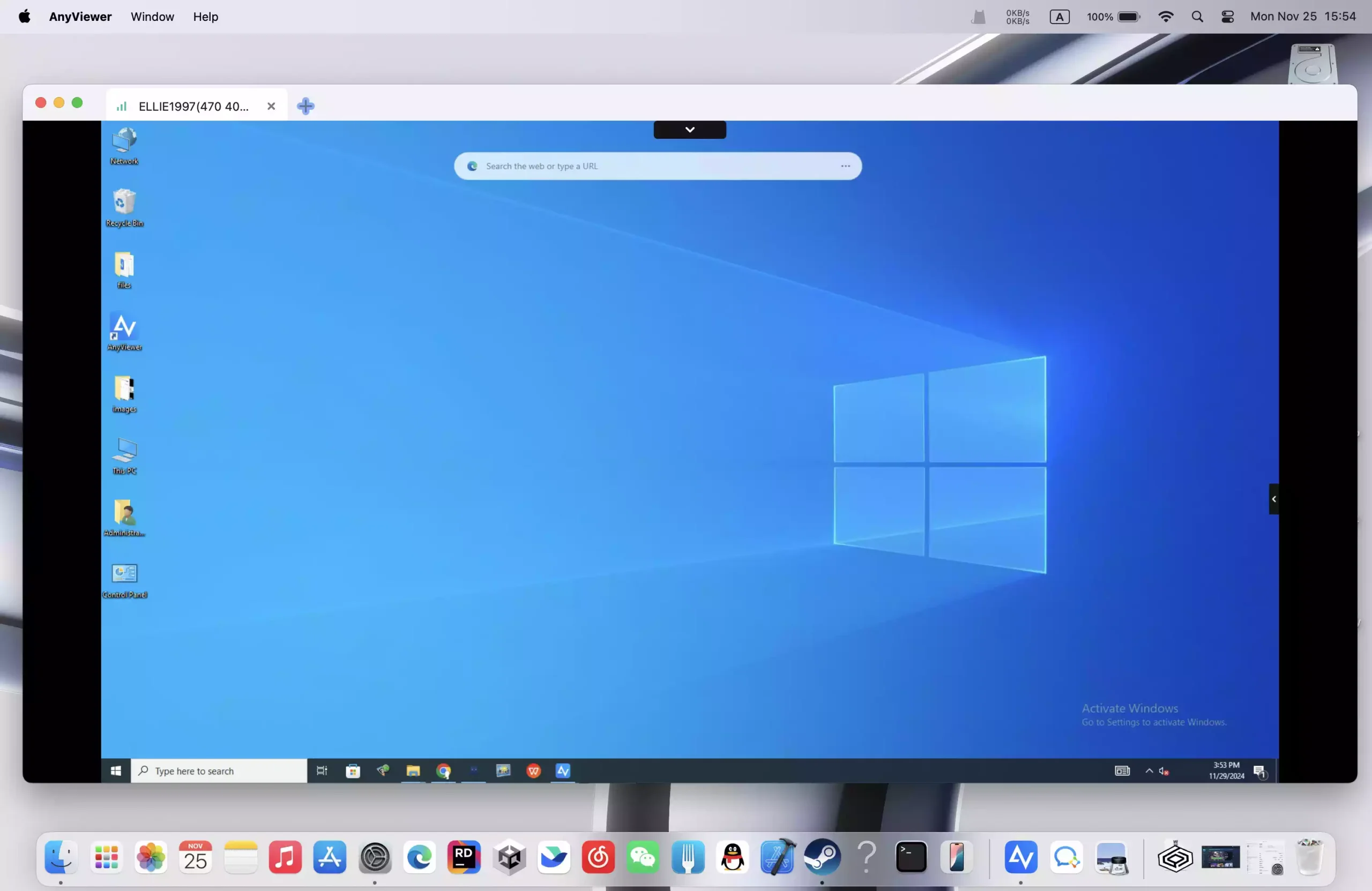
Step 4. Once connected, control your Windows PC from your Mac as if you’re sitting right in front of it.
Tip: For additional features like unlimited simultaneous sessions and enhanced security options (such as privacy mode), consider upgrading to a Professional or Enterprise plan. These options are ideal for business users or anyone needing more advanced functionality.
The bottom line
If you’re looking for the best remote desktop software for Mac, AnyViewer is a top contender in 2025. With its user-friendly interface, high-performance connections, and robust security, AnyViewer offers everything you need for seamless, secure remote access to your Mac computer. Whether you’re a business owner, student, or individual professional, AnyViewer provides the flexibility and functionality you need to work from anywhere.