

CrystalDiskInfo is a free, open-source utility that helps you monitor and analyze the health of your hard drive or SSD. Lightweight, fast, and beginner-friendly, it works with all modern versions of Windows. Whether you want to track your drive’s temperature, check its health status, or get detailed technical specifications, CrystalDiskInfo offers a simple way to stay informed.
In this gearupwindows guide, we’ll explore the key features, benefits, and reasons why this tool should be part of your regular PC maintenance routine.
Key Features of CrystalDiskInfo
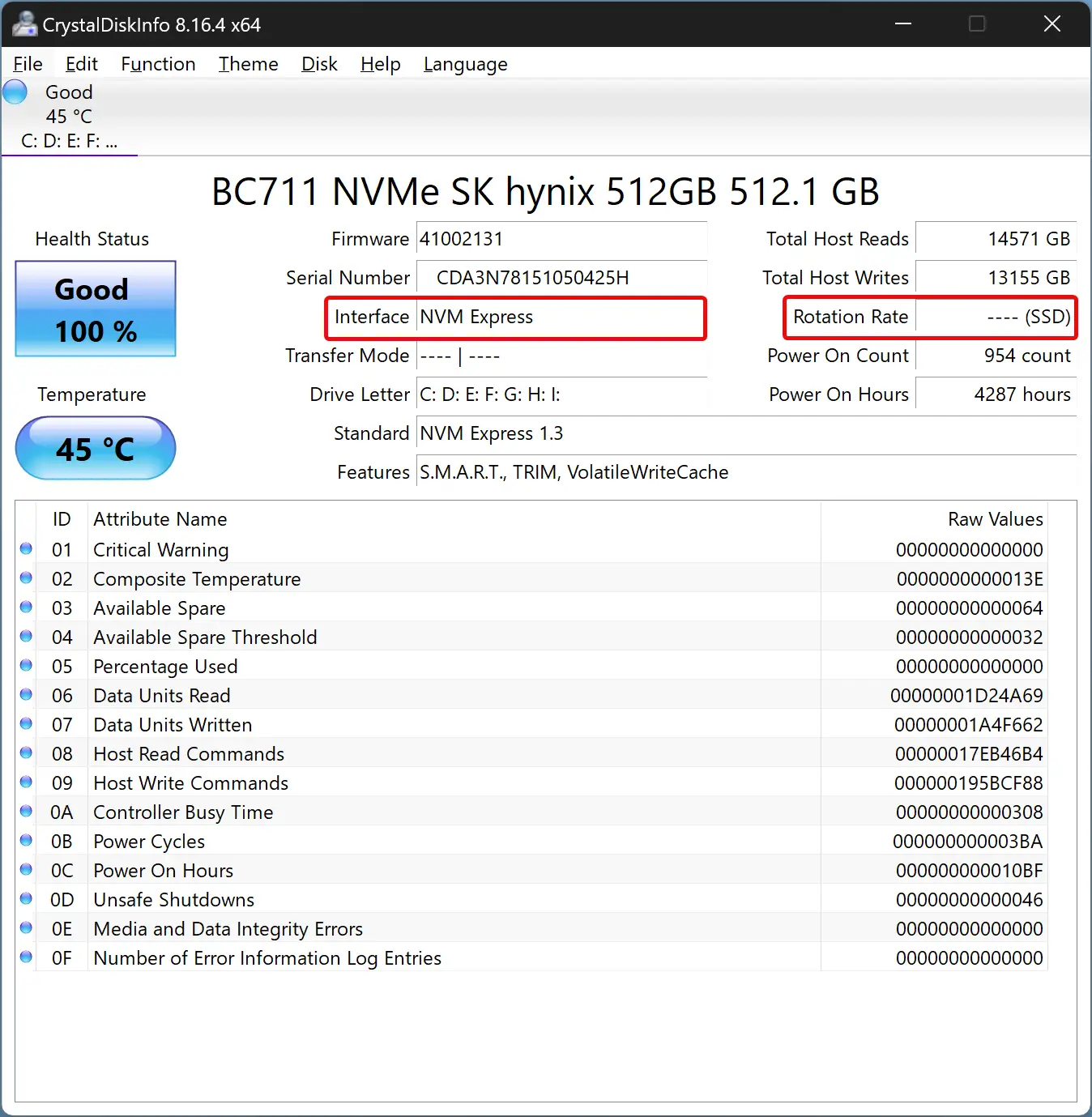
- Health Status Monitoring – Uses S.M.A.R.T. (Self-Monitoring, Analysis, and Reporting Technology) to display the current health of your HDD or SSD, warning you early about potential problems.
- Real-Time Temperature Tracking – Constantly monitors drive temperature and alerts you if it exceeds safe limits to prevent overheating damage.
- Detailed Drive Information – Shows model number, firmware version, total capacity, interface type, rotation speed (for HDDs), and more.
- User-Friendly Interface – A clean, graphical dashboard that even beginners can understand at a glance.
Main Benefits of Using CrystalDiskInfo
- Early Problem Detection – Identify potential drive issues before they lead to failure, giving you time to back up important data.
- Optimized Performance – By regularly monitoring the health of your hard drive or SSD, you can take steps to maintain smooth system performance.
- Peace of Mind – Knowing your storage device’s condition reduces the risk of sudden hardware failure and unexpected downtime.
Similar Free Tools You Can Try
If you’re interested in exploring other free utilities for checking and maintaining your drives, here are some great alternatives:
- HDDScan – A free diagnostic utility that tests and monitors hard drives and SSDs, offering surface tests and S.M.A.R.T. analysis.
- Macrorit Disk Scanner – Quickly checks your drives and USB disks for bad sectors with a simple, portable interface.
- Ariolic Disk Scanner – A lightweight sector scanner for detecting bad blocks on hard drives and removable media.
- Victoria HDD Utility – An advanced tool for in-depth drive diagnostics and performance testing.
- CrystalDiskMark – From the same developers as CrystalDiskInfo, this benchmark tool tests the read and write speeds of your drives.
Download CrystalDiskInfo
You can get the latest version from its official website. Installation is quick, and the program is portable, meaning you can run it without permanently installing it.
Conclusion
CrystalDiskInfo is one of the most reliable free tools for monitoring hard drives and SSDs on Windows. With its combination of real-time health reporting, temperature alerts, and easy-to-read interface, it’s an essential addition to any PC user’s toolkit.