

In this gearupwindows guide, we’ll show you how to recover lost or deleted files using EaseUS Data Recovery Wizard Free. Whether you’ve accidentally deleted files or experienced a hard drive failure, this tool can help retrieve important data quickly and safely.
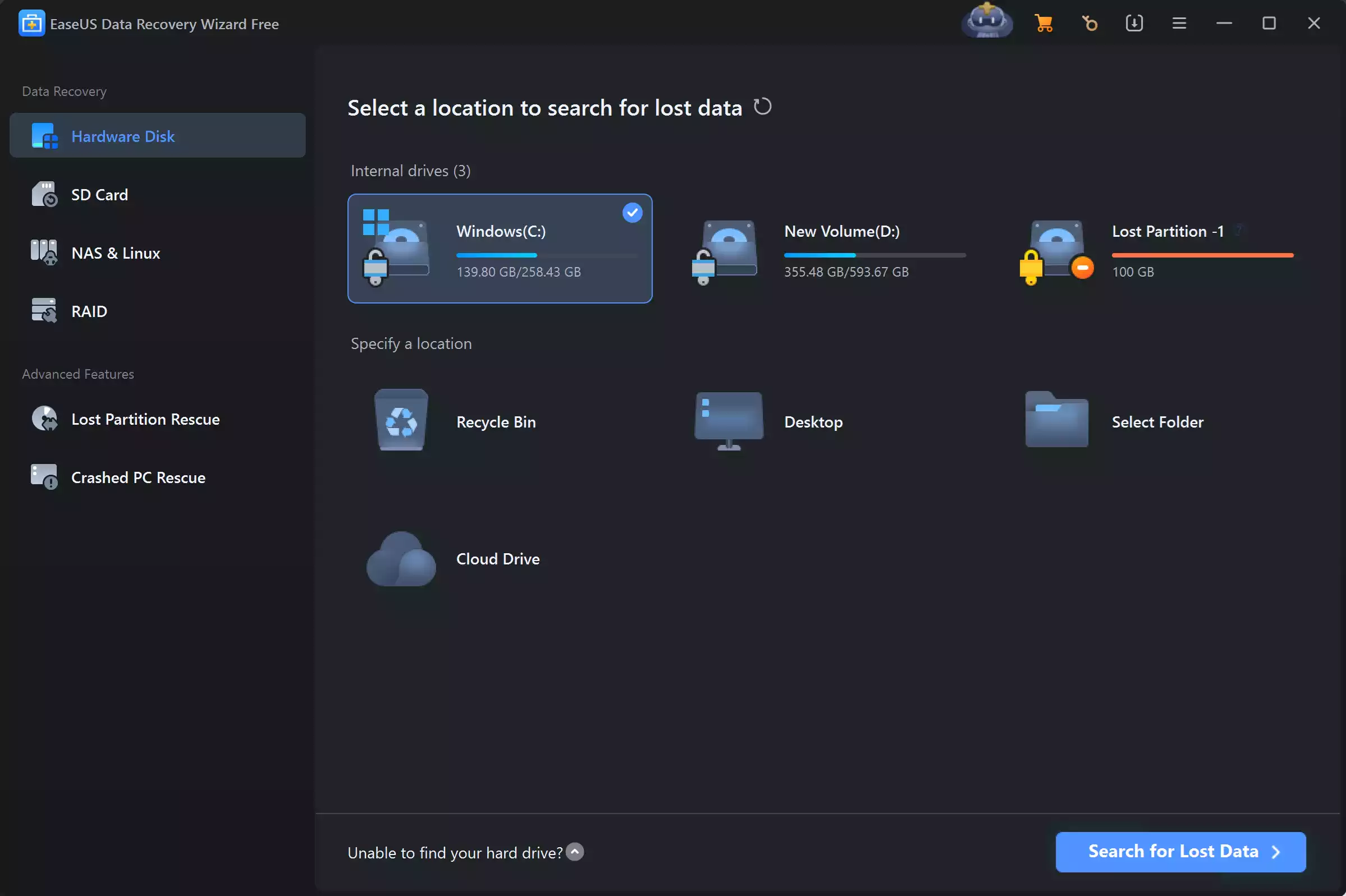
What Is EaseUS Data Recovery Wizard Free?
EaseUS Data Recovery Wizard Free is a popular file recovery tool for Windows. It helps you recover deleted files, lost partitions, and data from formatted or corrupted drives. You can use it on HDDs, SSDs, USB drives, memory cards, and more.
The free version allows recovery of up to 2GB of data, making it ideal for basic data recovery needs. It supports over 1000 file types, including documents, photos, videos, and emails.
Key Features of EaseUS Data Recovery Wizard Free
- Recovers deleted, formatted, or lost data
- Supports FAT, exFAT, NTFS, EXT2/3, and ReFS file systems
- Restores files from USB drives, memory cards, digital cameras, and other storage
- Offers a preview before recovery
- Filters results by file type, date, and size
- Recovers up to 2GB of data in the free version
How to Use EaseUS Data Recovery Wizard Free?
Follow the steps below to recover lost data:
Step 1. Download EaseUS Data Recovery Wizard Free from the official website and install it on your Windows PC. Do not install it on the same drive where you lost the data.
Step 2. Open the application. Select the location where your files were lost. It can be your desktop, recycle bin, or a specific drive.
Step 3. Click on the Scan button. The tool performs a quick scan followed by a deep scan to find more recoverable files.
Step 4. After scanning, preview the files by double-clicking. Select the files you want to restore and click on Recover. Save the files to a different drive to avoid overwriting.
When to Use EaseUS Free Recovery Tool?
- Accidental file deletion
- Reformatted or corrupted drives
- Partition loss
- Virus or malware attacks
- RAW drive or inaccessible storage
Limitations of Free Version
Although the free version is powerful, it has some limitations:
- Maximum of 2GB recovery
- No bootable media support
- No advanced tech support
If you need unlimited recovery or system crash recovery, consider upgrading to the Pro version.
Is EaseUS Safe to Use?
Yes, EaseUS Data Recovery Wizard is safe and trusted by millions of users worldwide. It does not harm your device or files during scanning or recovery. However, always download it from the official website to avoid bundled software.
EaseUS vs Other Free Recovery Tools
Compared to many free tools like Recuva and Disk Drill, EaseUS offers a more user-friendly interface and deeper scan results. It is ideal for home users and beginners needing basic recovery without much technical effort.
Conclusion
EaseUS Data Recovery Wizard Free is a reliable and beginner-friendly tool for recovering deleted or lost files. With support for various file types and devices, it helps you restore up to 2GB of data at no cost. If you’re looking for an easy solution with proven results, EaseUS is worth trying.
For more data recovery options, explore our guide on the best free data recovery software for Windows.