

GUW PDF Search & Extract is a lightweight yet powerful browser tool developed by GearUpWindows that allows you to locate specific text inside any PDF document and instantly extract only the pages you need. Unlike cloud-based services, every operation runs entirely on your device — ensuring complete data privacy and zero file uploads. It’s ideal for students, law firms, and business professionals who deal with large multi-page documents and need to isolate important sections fast.
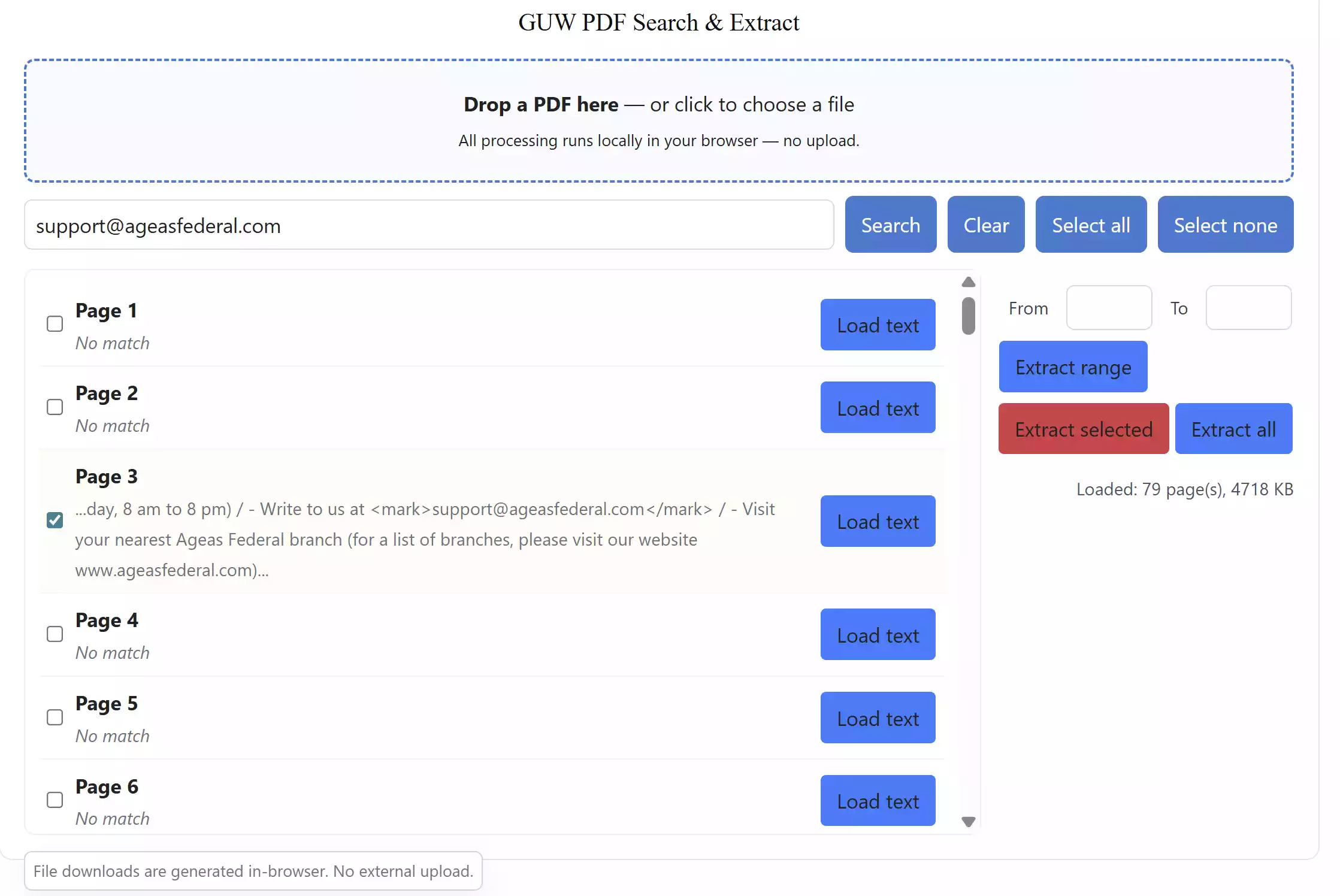
Why Use GUW PDF Search & Extract?
This tool combines the power of a PDF reader and an extractor in one compact interface. Simply load your document, enter a keyword, and the tool highlights matching pages for instant selection. You can then export specific pages, a custom range, or the entire file as a brand-new PDF without losing layout or quality. It integrates seamlessly with other GearUpWindows tools, such as the GUW PDF Page Reorder to rearrange pages and the PDF Metadata Viewer Editor for quick metadata adjustments, giving you a complete offline workflow.
Main Features of GUW PDF Search & Extract
- Offline operation: Runs fully in your browser — no uploads, no privacy risks.
- Keyword search: Quickly find and highlight pages containing specific words or phrases.
- Smart extraction: Save selected pages or custom ranges into a new PDF instantly.
- Preserves layout: Keeps fonts, formatting, and images exactly as in the source file.
- Privacy-first design: Ideal for sensitive documents like contracts or research papers.
How to Use GUW PDF Search & Extract
Step 1. Open the GUW PDF Search & Extract tool in your browser and drop your PDF into the workspace.
Step 2. Enter any word or phrase to instantly highlight matching pages.
Step 3. Choose pages individually or define a range to extract.
Step 4. Click “Extract range” or “Extract selected” to generate a new PDF file — all handled locally in your browser.
Pro Tip for Better Results
After extracting your pages, you can compress the final PDF using the GUW PDF Compressor Optimize tool to reduce file size for sharing or archiving. For legal or business bundles, apply numbering with the PDF Bates Numberer with Stamps to keep pages properly indexed.
When GUW PDF Search & Extract Comes in Handy
- Extracting specific topics from lengthy ebooks or research reports.
- Isolating contract sections with client or case names.
- Preparing study summaries or presentations from manuals.
- Creating document bundles securely — completely offline.
Frequently Asked Questions about GUW PDF Search & Extract
Q1. Is GUW PDF Search & Extract free to use?
Yes, it’s completely free and runs entirely in your browser without installation.
Q2. Does it work offline?
Absolutely. Once the page is loaded, the entire tool works offline, keeping your files private and secure.
Q3. Can I combine this with other GearUpWindows PDF tools?
Yes. It integrates perfectly with the GUW PDF Compressor, Bates Numberer, and Page Reorder Tool.
Q4. Will my files be uploaded to any server?
No. Everything is processed locally on your device — your files never leave your system.
Conclusion
GUW PDF Search & Extract offers a secure, installation-free way to search within and split PDF files directly in your browser. It’s private, fast, and built for professionals who value confidentiality. Combine it with GUW PDF Page Reorder and PDF Metadata Viewer Editor for a full offline document toolkit under the GearUpWindows suite.