

GUW Paintboard is a browser-based drawing and annotation tool that lets you sketch, add shapes, write text, and edit images instantly without installing anything. It works on both desktop and mobile devices, offering a smooth experience whether you are using a mouse, trackpad, or touchscreen.
Unlike traditional software that requires installation, GUW Paintboard runs directly in your browser, so you can start drawing immediately. You can upload an image, add annotations, draw shapes like rectangles, circles, triangles, and arrows, and then export your work as a PNG file. Undo/redo, zoom, and object resizing are also supported.
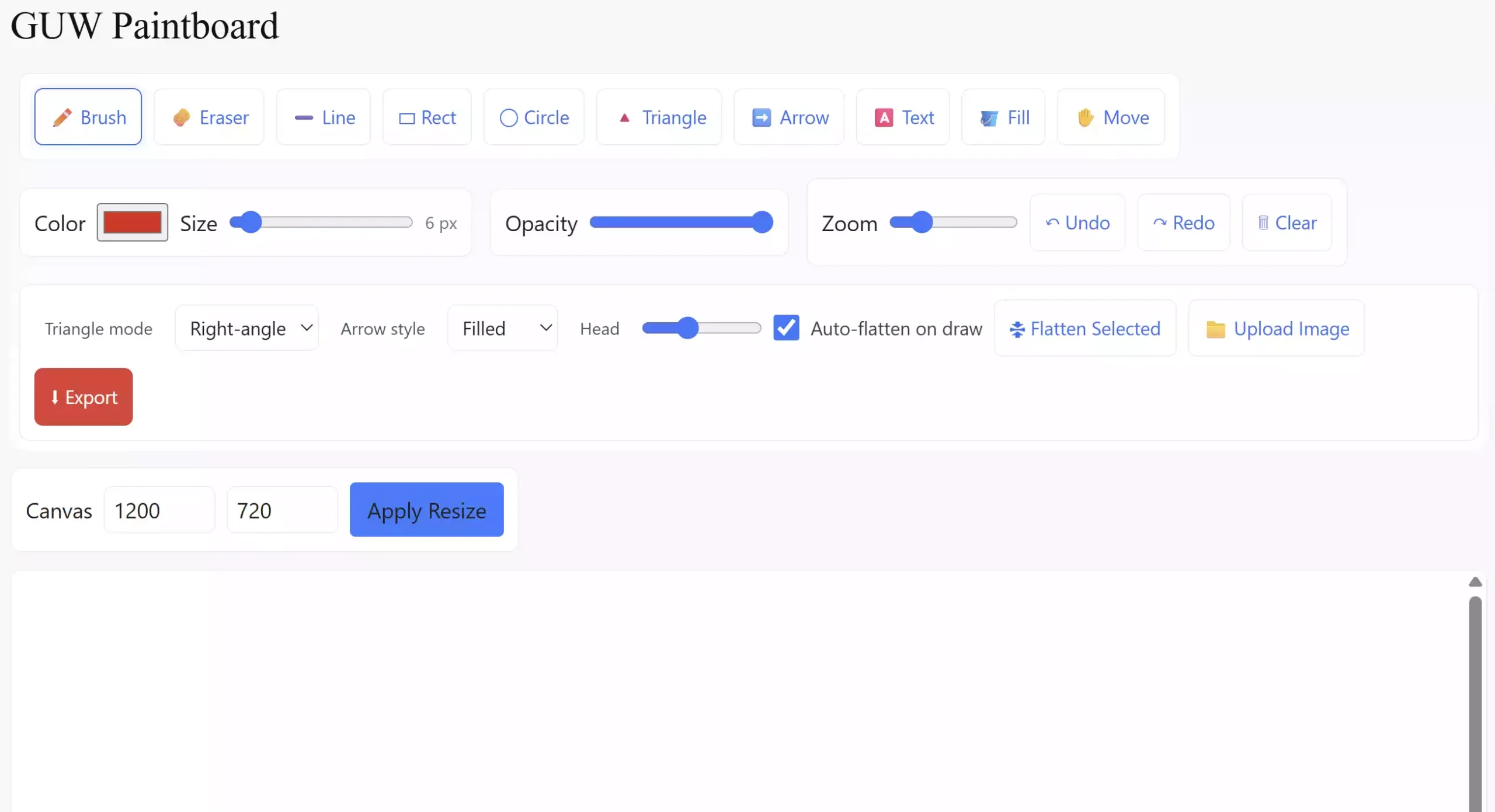
Key Features of GUW Paintboard
- 🖌️ Brush & Eraser — draw freely or erase mistakes with adjustable size and opacity.
- 🔺 Shapes — add rectangles, circles, triangles (right-angle, isosceles, equilateral), and arrows with customizable styles.
- 🅰️ Text Tool — insert text on canvas with improved mobile/touch support.
- 🪣 Flood Fill — color-fill areas with tolerance-based smoothing to avoid gaps.
- 📤 Export — download your canvas as a PNG image in one click.
- 📁 Upload & Flatten — import images, resize or move them, and flatten into the canvas to draw directly on them.
- ↶ Undo/Redo — go back or forward through your edits with Ctrl+Z and Ctrl+Y.
- 📱 Mobile Friendly — touchscreen support for drawing, resizing, and adding text.
How to Use GUW Paintboard
Getting started with GUW Paintboard is simple:
Step 1. Open GUW Paintboard in your browser.
Step 2. Select a tool from the toolbar — Brush, Shape, Text, Fill, or Move.
Step 3. Upload an image if you want to annotate or edit an existing picture.
Step 4. Use keyboard shortcuts (b for Brush, e for Eraser, a for Arrow, y for Triangle, etc.) to work faster.
Step 5. When finished, click Export to save your creation as a PNG.
Why Choose GUW Paintboard?
If you’ve ever wished for a quick paint-like app without downloading heavy software, this tool is perfect for you. It combines the simplicity of Microsoft Paint with extra modern features like zoom, object manipulation, and touch support. Whether you need to create quick diagrams, annotate screenshots, or make simple sketches, GUW Paintboard gives you everything you need in a clean interface.
Related Tools on GearUpWindows
If you enjoyed GUW Paintboard, you might also want to check out:
- GUW Whiteboard Lite — a minimal whiteboard tool for quick brainstorming.
- GUW Image to PDF Converter — turn images into PDF documents easily.
- GUW Image Compressor — reduce image file sizes without losing quality.
Pros and Considerations
Pros:
- No installation required — works directly in your browser.
- Free to use on any device.
- Supports multiple shapes and annotation tools.
- Undo/Redo, zoom, and export features make editing flexible.
Considerations:
- Currently exports only in PNG format.
- Advanced layering and filters (like Photoshop) are not available — this is designed for quick edits and drawings.
Frequently Asked Questions (FAQ)
Q. Is GUW Paintboard free?
Yes, it’s completely free and works in any modern browser.
Q. Can I use it on my phone?
Yes, it supports touchscreens and mobile devices with responsive controls.
Q. What file formats can I export?
Currently, you can export your drawing as PNG images.
Q. Can I upload and edit images?
Yes, you can upload any image, move/resize it, and draw directly on it.
Conclusion
GUW Paintboard brings a simple yet powerful drawing and image annotation experience right inside your browser. With support for shapes, text, flood fill, undo/redo, and export, it’s a perfect replacement for quick edits when you don’t want to open heavyweight software. Try it today and unleash your creativity instantly.