

Opera One is Opera’s big redesign focused on speed, clarity, and built-in AI. Between its Modular Design, Tab Islands, and a multithreaded compositor for smooth UI, it aims to feel lighter than Chrome while packing privacy tools you’d normally add via extensions. After using it for everyday browsing, multitasking, and streaming, here’s how Opera One actually performs — and how it stacks up against Chrome, Edge, Firefox, Brave, and Vivaldi.
What is Opera One?
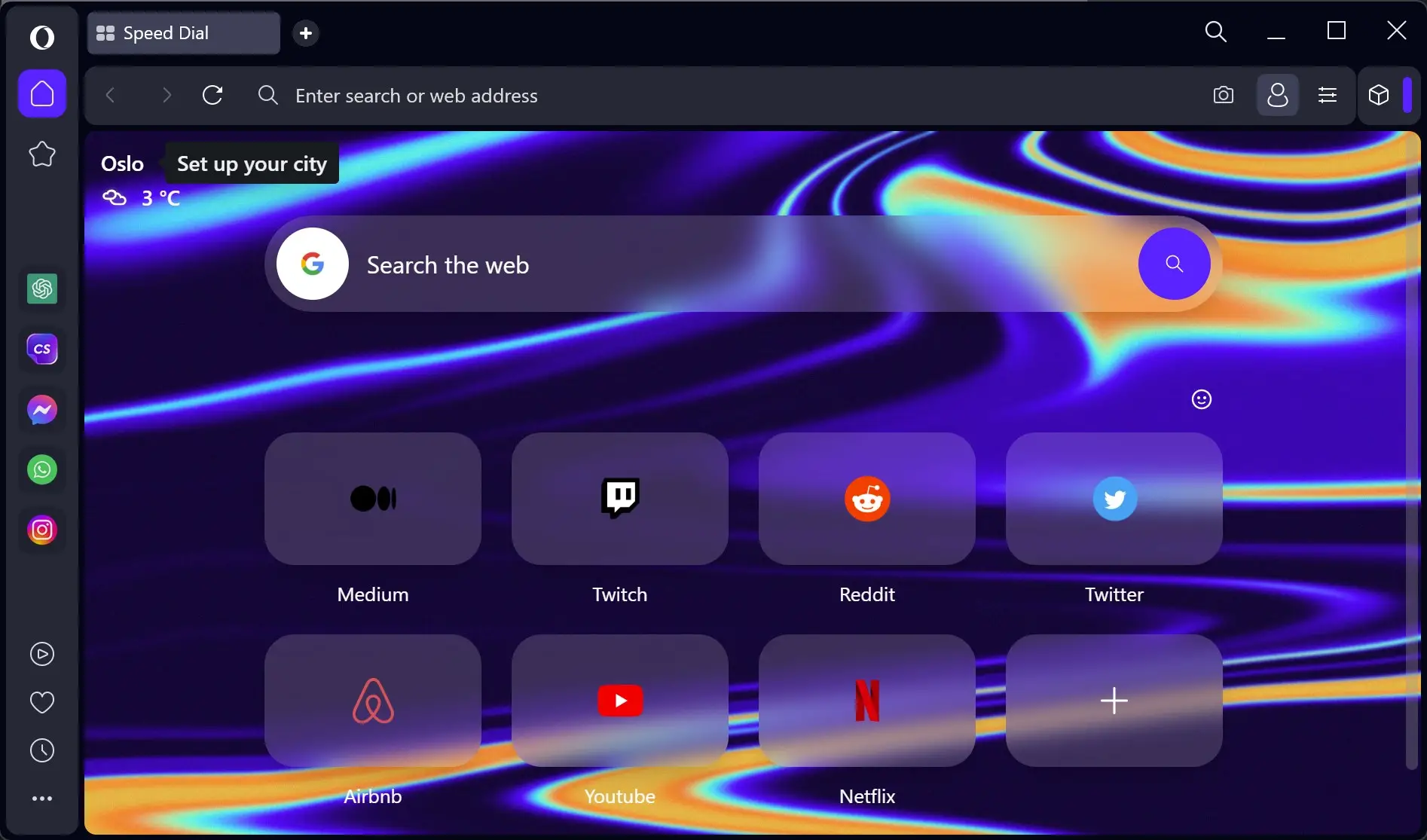
Opera One is the latest generation of the Opera browser built on Chromium. It keeps extension compatibility but adds Opera-only features: an adaptive Modular Design, Tab Islands for automatic tab grouping, Aria (Opera’s AI assistant), plus quick hooks to ChatGPT, and a built-in ad blocker and VPN. The goal is a cleaner UI that stays fast even with lots of tabs open.
What’s New & Why It Matters
Modular Design (Cleaner, Context-Aware UI)
Opera One surfaces only what you need. Elements in the sidebar and address bar expand or stay out of the way depending on context. The result is less clutter and fewer clicks.
Tab Islands (Automatic Tab Grouping)
Open related pages and Opera One groups them into color-coded “islands.” You can collapse or drag them, rename groups, and jump between tasks faster — especially helpful when shopping or researching.
Multithreaded Compositor (Smoother UI)
Rendering work is split across threads, so animations and scrolling feel snappier, even on busy pages. It’s most noticeable on laptops where Chrome can stutter with many tabs.
Built-in AI & Privacy Tools
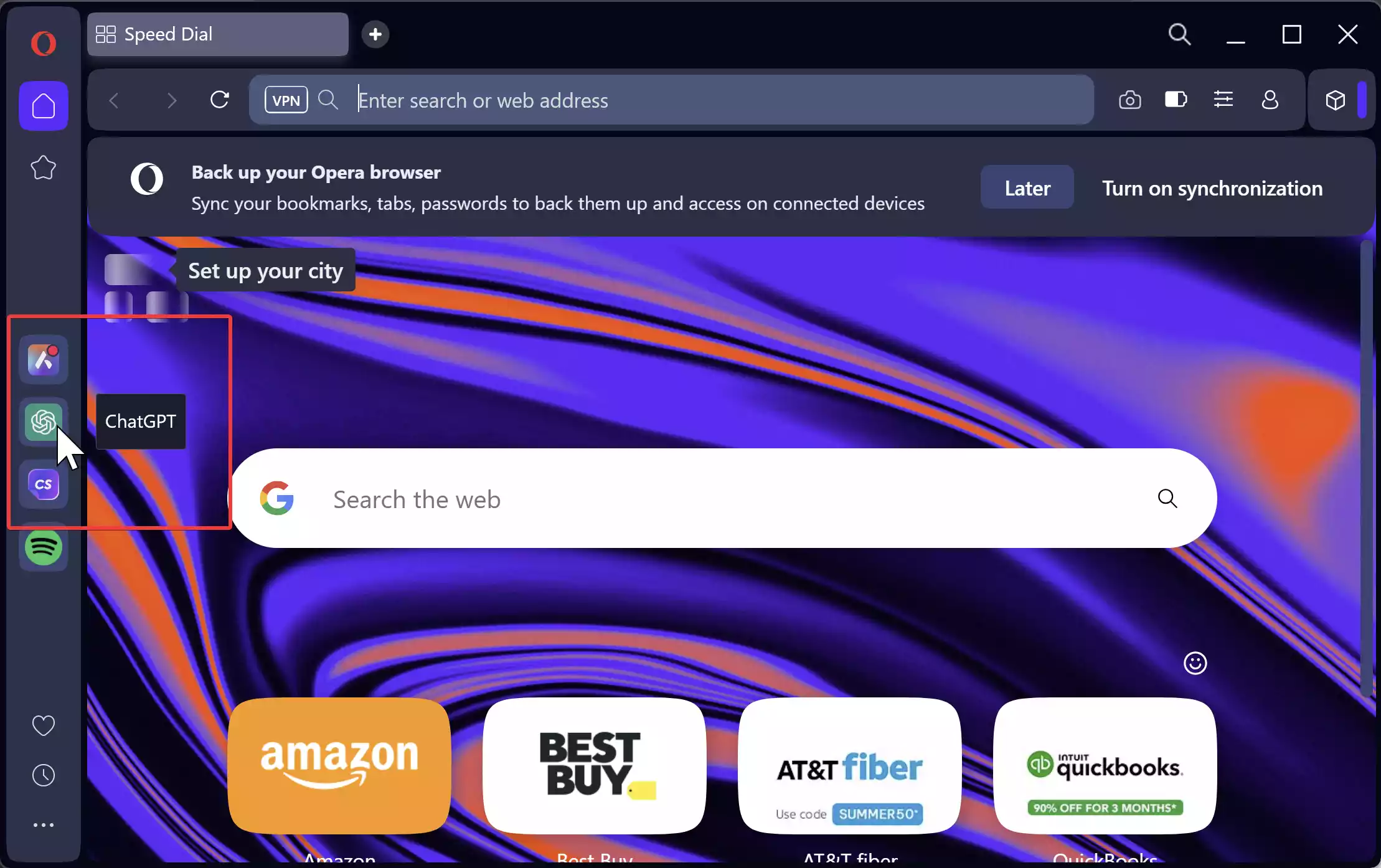
Opera One bakes in Aria (Opera’s AI), quick access to ChatGPT/ChatSonic, and a free VPN toggle. The ad blocker is on by default. It’s an attractive “just works” setup for casual users who don’t want to hunt for extensions.
Performance & Daily Use (Our Take)
Startup & Scrolling: Quick launch and noticeably smooth scrolling on long pages. The compositor work shows here.
Heavy Tabs: With many tabs across multiple islands, memory usage is comparable to Chrome, but the UI stays responsive longer.
Streaming & Meetings: No issues with YouTube or video calls. Integrated ad blocking reduces page noise and speeds up news sites.
How to Use Opera One on Windows
Step 1. Visit the Opera One official website and download the Windows installer.
Step 2. Run the installer and import bookmarks/history from your current browser if prompted.
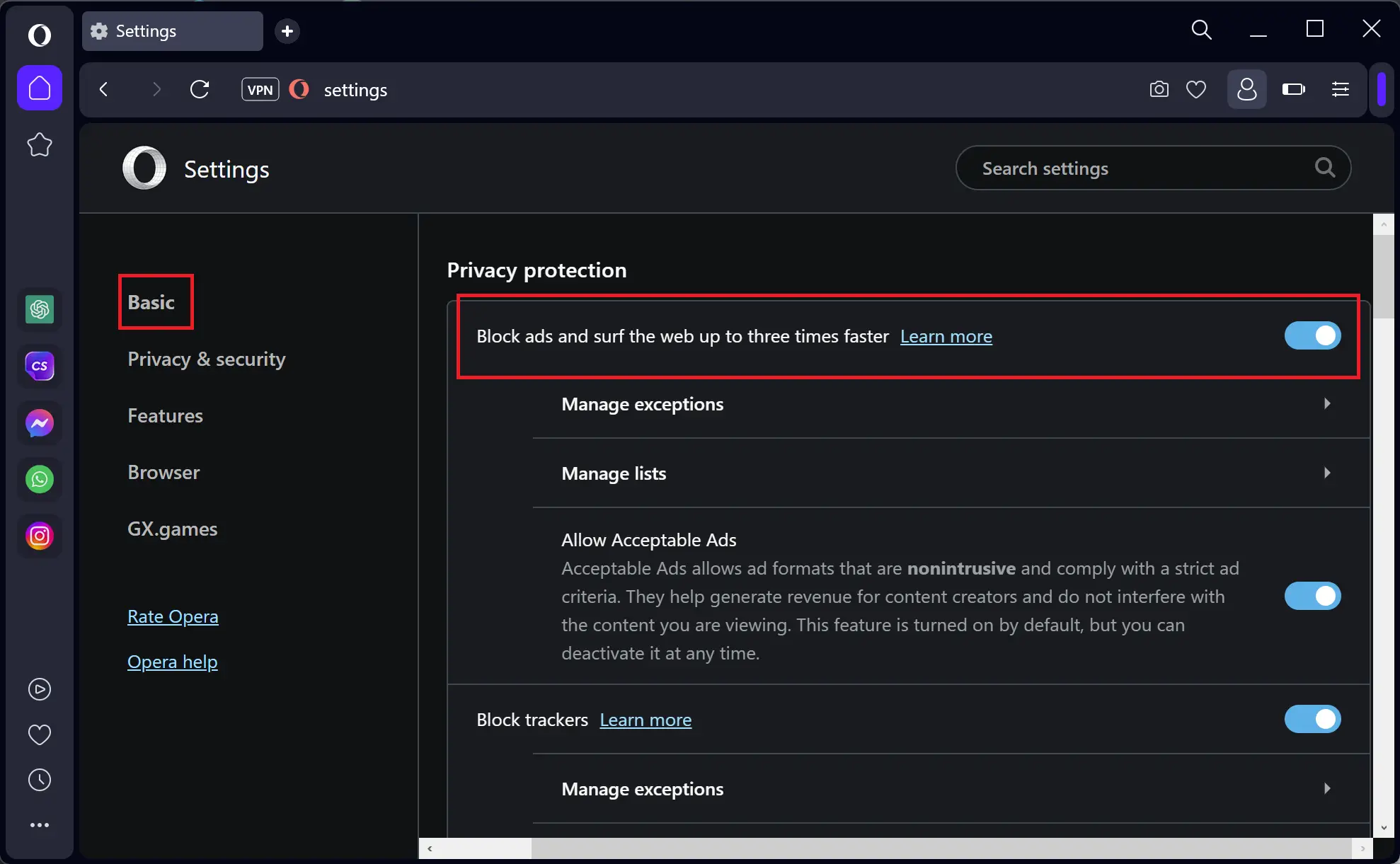
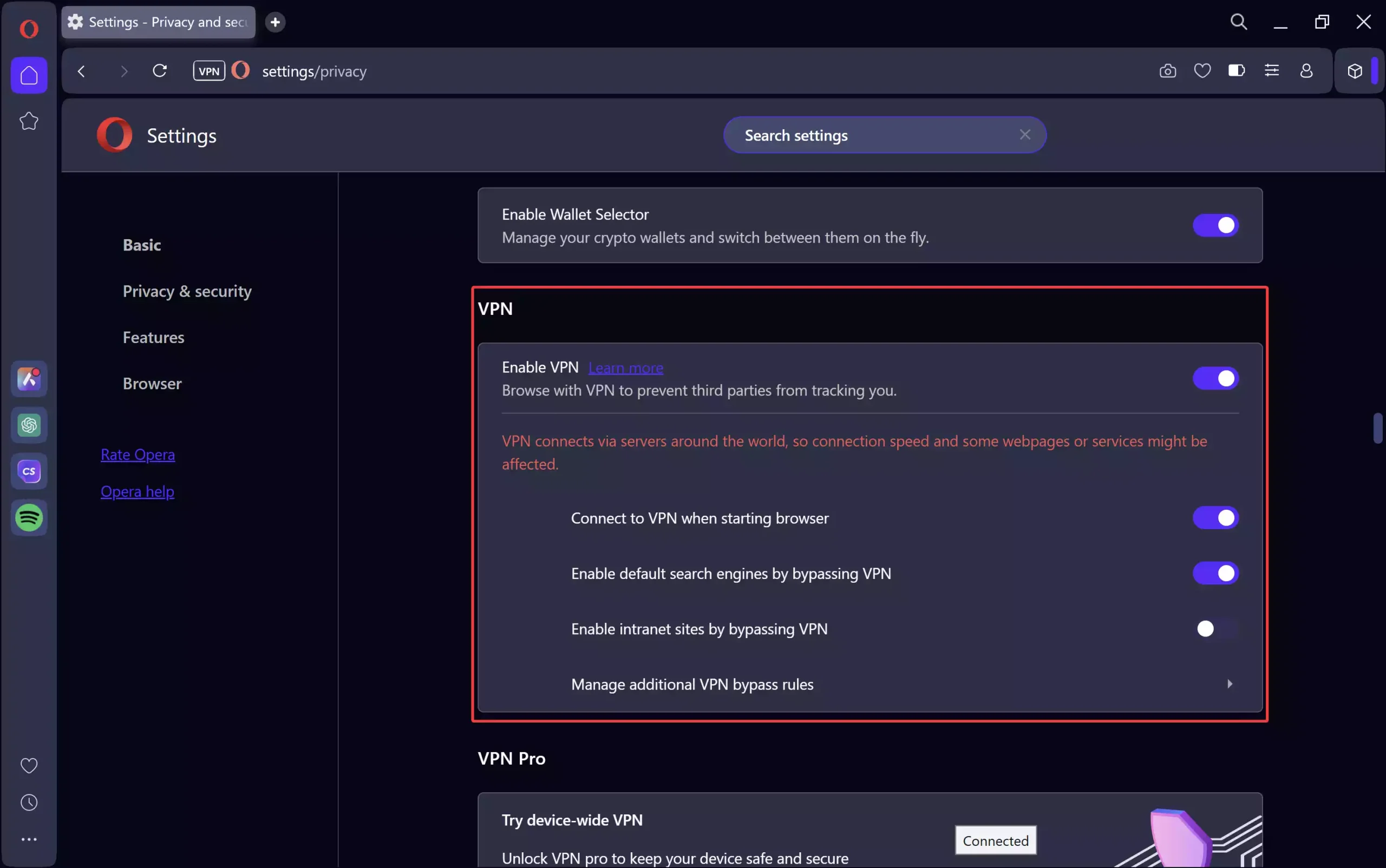
Step 3. Open Settings → Privacy to confirm ad blocking is enabled, then toggle the VPN badge in the address bar if you want encrypted browsing.
Step 4. Click the sidebar’s AI button to enable Aria and AI Prompts (you can also pin ChatGPT).
Step 5. Open a few related pages — Opera One will auto-create a Tab Island. Rename islands, collapse them, or merge as you like.
Step 6. Personalize the sidebar (right-click → Sidebar setup) to keep only what you use daily.
Privacy Notes & VPN Pairings
Opera’s free VPN is convenient for basic privacy, but if you want a separate, full-device VPN with more locations and controls, pair Opera One with one of these (all reviewed on Gear Up Windows):
- ProtonVPN Free — unlimited data, strong privacy stance; three free locations.
- Windscribe Free — 10 GB/month (expandable), split tunneling, and extras.
- Hide.me Free — unlimited data and robust settings; no email required to start.
Opera One vs Other Browsers
Opera One vs Chrome: Chrome still leads on raw extension ecosystem depth, but Opera One feels lighter to use with Tab Islands and a tidier sidebar. Built-in AI, VPN, and ad blocking reduce your need for add-ons. If you live in Google services, Chrome stays comfortable; if you want smarter tab management and built-ins, Opera One wins.
Opera One vs Microsoft Edge: Edge offers tight Windows integration and solid performance, plus its own AI tie-ins (Copilot). Opera One’s UI is less cluttered, Tab Islands are simpler than Edge’s Collections/Workspaces, and the built-in VPN is a plus. Edge is best for Microsoft 365 users; Opera One feels friendlier for everyday multitaskers.
Opera One vs Firefox: Firefox is the privacy purist’s choice with an independent engine and deep customization. It lacks Opera’s integrated AI and Tab Islands, but offers powerful containers and extensions. If you want independence and configurability, pick Firefox; if you want easy AI + auto grouping, Opera One is easier out of the box.
Opera One vs Brave: Brave is strong on privacy and speed with Shields and built-in blocking. Opera One answers with a smoother UI, simpler tab grouping, and friendlier AI/Sidebar apps. Brave for minimalism and crypto-leaning features; Opera One for modular UI and mainstream AI tools.
Opera One vs Vivaldi: Vivaldi is the power user’s sandbox (command chains, vertical tabs, endless tweaks). Opera One is less tweak-heavy but faster to grasp, with “automatic” organization via Tab Islands. If you love dialing every knob, Vivaldi; if you want smart defaults, Opera One.
Pros & Cons
What We Like
- Clean, adaptive UI with Modular Design — less clutter, faster focus.
- Tab Islands automatically keeps research and shopping organized.
- Smooth animations and scrolling thanks to the multithreaded compositor.
- Built-in AI, ad blocker, and VPN — usable without extensions.
- Sidebar apps (messengers, media) reduce tab juggling.
Where It Falls Short
- Some users may prefer Chrome’s massive extension ecosystem and familiarity.
- Built-in VPN is browser-only (not system-wide) and limited in locations.
- Tab Islands are great, but power users may still want Vivaldi-level controls.
Tips & Power Moves
- Right-click the sidebar → Sidebar setup to remove clutter and add your top apps.
- Rename Tab Islands by topic (e.g., “Trip planning”) to jump faster later.
- Use AI Prompts to summarize long pages or draft emails inside the browser.
- Pair with ProtonVPN Free if you want whole-device VPN protection beyond the browser.
Download Opera One
Get the latest installer from the official Opera One website. After installation, import your Chrome/Edge bookmarks to switch in minutes.
Final Verdict
Opera One is the most approachable “smart” Chromium browser right now. Tab Islands reduce tab chaos without forcing new habits, the interface feels fluid, and built-in AI/Privacy tools mean fewer extensions to babysit. If you want a modern, fast browser with organization that just happens and AI that’s a click away, Opera One is an easy recommendation. Chrome still wins for maximal extension depth and Google lock-in; Vivaldi is for tinkerers. For everyone else, Opera One strikes the best balance of speed, clarity, and capability.
FAQs
Does Opera One have a built-in VPN?
Yes — it’s browser-only and good for casual privacy. For system-wide coverage, pair Opera One with a dedicated app like ProtonVPN Free or Hide.me Free.
Is Opera One faster than Chrome?
UI smoothness is excellent thanks to the multithreaded compositor. Raw page speeds are similar to other Chromium browsers, but the UI tends to feel snappier under load.
Can I use Chrome extensions in Opera One?
Yes. Opera One supports Chromium extensions, so most Chrome Web Store add-ons work.
Is Aria AI free?
Aria is built in and free to use for typical tasks like summarizing, explaining, or drafting.