

If you’ve ever received a PDF file and wished you could quickly grab its text without installing heavy software, our PDF to Text Reader tool is here to help. This free online tool lets you extract text directly from your PDF files, listen to it with text-to-speech, or download the text as a clean TXT file.
What is PDF to Text Reader?
PDF to Text Reader is a browser-based utility that allows you to open any PDF file and instantly convert its content into plain, readable text. Since it runs fully online, you don’t need to install anything on your PC. Just upload your file, click extract, and you’re done.
Why Use a PDF to Text Reader?
- Fast text extraction – get clean text from PDF documents in seconds.
- Read aloud option – use built-in text-to-speech to listen to PDF content.
- Works on any device – desktop, laptop, or mobile browser.
- Free to use – no hidden charges or registration required.
Main Features of Our Tool
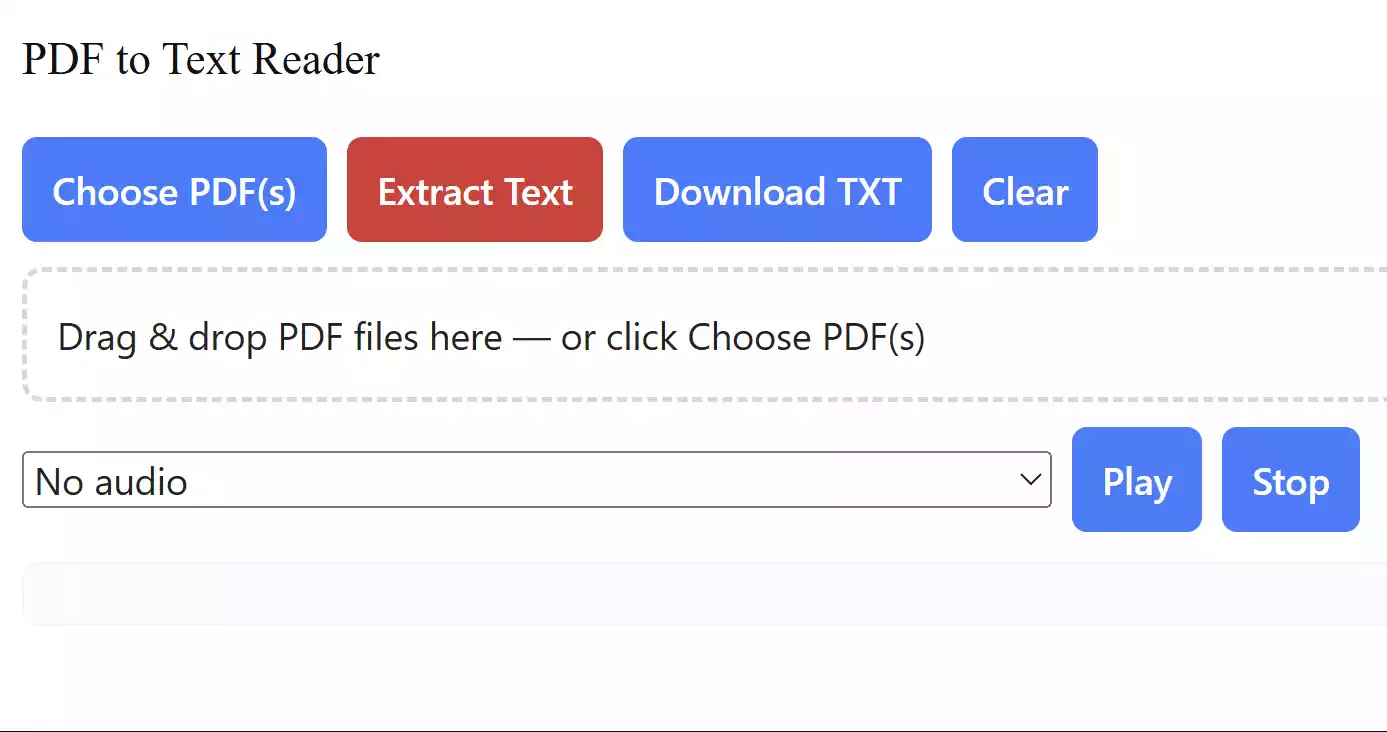
- Upload PDFs by clicking or drag-and-drop.
- Extracts text from each page of your PDF file.
- Download the extracted text as a .txt file for offline use.
- Listen to the extracted text using text-to-speech with voice selection.
- Clear output anytime to start fresh with a new file.
How to Use the PDF to Text Reader
Follow these simple steps:
Step 1. Go to the PDF to Text Reader page on GearUpWindows.
Step 2. Click on “Choose PDF(s)” or drag your PDF file into the drop zone.
Step 3. Press the red “Extract Text” button to start processing.
Step 4. Wait a moment for the tool to extract text from each page.
Step 5. Use “Download TXT” to save the extracted text, or click “Play” to listen.
Step 6. Hit “Clear” if you want to process another file.
Pros of PDF to Text Reader
- Completely free and online.
- No installation or registration required.
- Supports multiple PDF files at once.
- Includes playback with text-to-speech.
Considerations
- This tool extracts embedded text from PDFs. If your PDF is a scanned image, you’ll need an OCR tool instead.
- Very large PDFs may take extra time to process, depending on your device’s performance.
Other Free Tools You May Like
If you often work with documents, you may also find these free tools helpful:
- Free PDF Merger – combine multiple PDF files into one.
- PDF to Excel/CSV Converter – convert tables and data into spreadsheets.
- PDF to Word Converter – turn PDF content into editable Word documents.
Frequently Asked Questions About PDF to Text Reader
Q: Does this tool work with scanned PDFs?
A: No, scanned PDFs require OCR. You can try our PDF OCR tool instead.
Q: Can I use this on mobile?
A: Yes, the tool works in any modern mobile browser.
Q: Is my data safe?
A: Yes, the tool processes everything inside your browser. No files are uploaded to our servers.
Conclusion
With our PDF to Text Reader, you can easily extract text from any PDF file, listen to it, or download it as a TXT file – all directly in your browser. It’s free, fast, and designed for everyone, from students to professionals. Try it today and simplify how you handle PDF files.