

Windows users are familiar with the Run dialog box, a handy tool for quickly launching applications, executing commands, and opening URLs. While the default Run box serves its purpose, it lacks a modern touch and advanced features. That’s where Run by FireCube (also known as Run 11) comes in. Developed by FireCube Studios, this utility software takes the Windows Run dialog box to the next level with its Fluent UI integration and GPT-powered natural language processing (NLP). Let’s explore the features and benefits of Run by FireCube and how it can enhance your Windows experience. If you enjoy optimizing your Windows experience, you might also like Wintoys, a modern tool for tweaking and maintaining your PC effortlessly.
What is Run by FireCube?
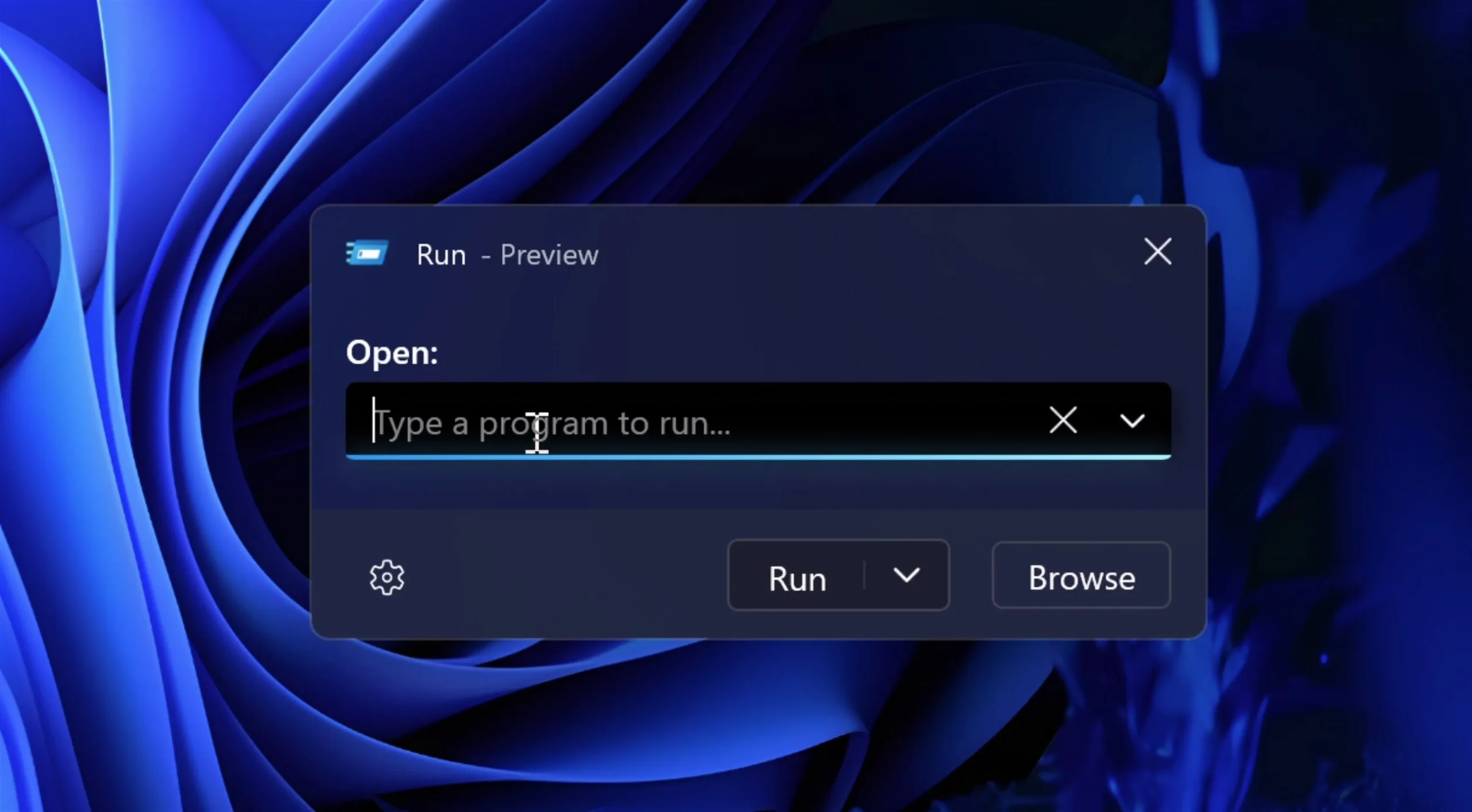
Run by FireCube revolutionizes the traditional Windows Run dialog by integrating modern aesthetics and smart functionality. With Fluent UI styling, GPT-powered natural language commands, and productivity-focused features like dark mode, history tracking, and keyboard shortcuts, it delivers a sleek, intuitive, and efficient command execution experience. Whether you’re navigating apps, websites, or settings, Run by FireCube ensures seamless interaction with your system. You can also explore Fluent Search, another productivity-focused app that uses a modern UI and offers lightning-fast local and web search capabilities.
Key Features
- Fluent UI Design: Modern, consistent interface aligned with Windows 11 aesthetics.
- Natural Language Commands: Use GPT-powered NLP to execute actions using plain English.
- Command History: Access your last 30 executed commands quickly and easily.
- Dark Mode Support: Reduce eye strain and improve usability in low-light conditions.
- Tray Integration: Access Run by FireCube from the system tray anytime.
- Keyboard Shortcuts: Operate without the mouse for faster interaction.
- Windows Compatibility: Fully supports Windows 11 and 10.
If you prefer AI-powered assistants for your workflow, check out BingGPT, which lets you integrate chat-based commands right into your desktop.
For advanced users who love personalizing Windows functionality, tools like Wintoys and FixWin 11 can further enhance performance and repair system issues with ease.
Download Run by FireCube
You can download Run by FireCube (Run 11) directly from the Microsoft Store.
FAQs
Q1. Is Run by FireCube free to use?
Yes, it’s completely free and available through the Microsoft Store.
Q2. Does Run by FireCube support Windows 10?
Yes, it supports both Windows 10 and Windows 11 seamlessly.
Q3. What makes Run by FireCube different from the default Run dialog?
It features a Fluent UI, GPT-powered natural language support, dark mode, and command history—making it far more advanced and user-friendly.
Q4. Can I execute web searches or URLs directly from Run by FireCube?
Yes, you can launch web searches, applications, and URLs directly within the app.
Conclusion
Run by FireCube is a free utility software that enhances the Windows Run dialog box by incorporating Fluent UI and GPT-powered NLP. With its modern design, intuitive natural language processing, history of recent commands, dark mode support, tray integration, and keyboard shortcuts, Run by FireCube revolutionizes the way you interact with your Windows system. Whether you’re a power user or a casual computer user, this software provides a user-friendly experience that improves productivity and simplifies your workflow.
Upgrade your Windows Run dialog box today with Run by FireCube and enjoy a seamless and enhanced computing experience. To explore more creative and functional desktop tools, check out NiceTaskbar, a free utility that allows you to customize your Windows 11 taskbar for a modern and stylish look.