

When persistent symptoms remain even after trusted scans, a deeper specialist helps. Adlice Protect (RogueKiller) – Free Edition is a portable on-demand malware cleaner designed to tackle stubborn threats like rootkits, registry hijacks, and hidden startup entries—often missed by standard antivirus tools. Want to compare it with other trusted tools? See our full roundup of Best Free One-Time Malware Scanners for Windows.

What is Adlice Protect (RogueKiller) Free?
Adlice Protect (formerly RogueKiller Anti-Malware) is a Windows security product with a Free tier for on-demand scanning and removal. It also offers portable builds you can run without installation. Premium editions add real-time protection, while a Technician license allows use across multiple PCs. The Free version is ideal as a second-opinion cleaner when malware slips past your main antivirus.
Why Choose It?
If your PC still misbehaves after running trusted cleaners like Malwarebytes AdwCleaner, Dr.Web CureIt!, Adlice Protect (RogueKiller) can dig deeper. It excels at finding rootkits, fake processes, and persistence tricks that hide in the registry or boot records. For stubborn infections, it pairs well with aggressive tools like Norton Power Eraser.
Key Features (Free Edition)
- Portable Scanner — Run without installation, perfect for USB drives.
- Rootkit Detection — Uncovers stealth infections, hooks, and MBR tampering.
- System Repair Tools — Fix HOSTS/Proxy/DNS changes and broken shortcuts.
- Cloud/Heuristic Analysis — Classifies unknown items with AI-assisted detection.
- Command-Line Version — RogueKillerCMD supports scripted or Safe-Mode scans.
How to Use Adlice Protect (RogueKiller) Free
Step 1. Download the Free edition (Installer or Portable).
Step 2. Run the executable as Administrator.
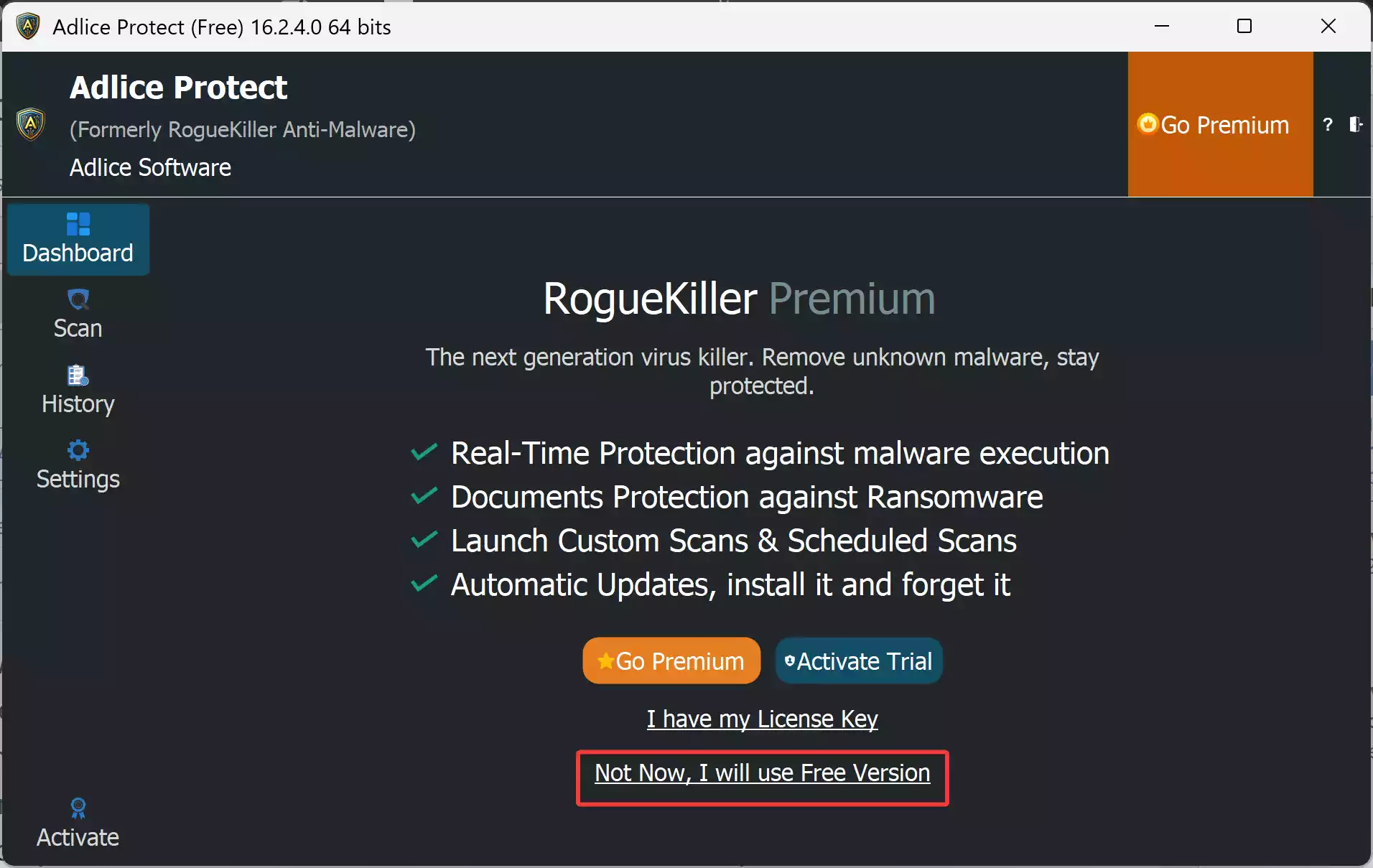
Step 3. Click “Not Now, I will use Free Version” at the bottom to use its free version.
Step 4. Click Scan.
Step 5. Review detections carefully. Add to the Exclusions any items you’re not sure about before cleaning. You can find this option under its Settings.
Step 6. Choose Full or Quick scan.
Step 7. Click Start to begin the scanning process.
Step 8. Apply repairs if needed (HOSTS/Proxy/DNS) and reboot when prompted.
For entrenched infections, try the command-line version or boot into Kaspersky Rescue Disk for an offline scan.
Safe Use Tips
- Pair it with a real-time antivirus such as Microsoft Defender.
- Always check suspicious entries before deleting to avoid breaking Windows functions.
- For browser-related problems, consider running Sophos Scan & Clean alongside RogueKiller.
When It Helps Most
- Persistent malware alters registry, services, or DNS settings.
- Rootkits and hidden hooks resist basic scanners.
- Fake antivirus or scareware blocks cleanup tools.
- PC shows hijacked shortcuts or repeated redirects even after scans.
Download Adlice Protect (RogueKiller) Free
Get the latest Free edition (Installer or Portable) from the official site.
Pros & Considerations
Pros
- Portable builds, great for USB rescue kits.
- Strong rootkit and persistence detection.
- Repair functions for common malware changes.
Considerations
- No real-time protection in the Free version.
- Interface may feel advanced for beginners.
- Best results require the internet for cloud verdicts.
FAQs
Is it still called RogueKiller?
Yes, but it is now offered under the Adlice Protect brand. The same engine powers both Free and Premium tiers.
Does it replace my antivirus?
No. It’s designed as a portable, on-demand cleaner. Always keep a real-time antivirus running.
Can it run in Safe Mode?
Yes. The RogueKillerCMD version is especially effective in Safe Mode for stubborn malware.
Conclusion
Adlice Protect (RogueKiller) Free is a powerful, portable malware cleaner that excels at detecting rootkits, registry hijacks, and stealthy persistence. Use it alongside tools like Emsisoft Emergency Kit or Comodo Cleaning Essentials (CCE) for layered, second-opinion cleaning when regular antivirus scans fall short.