

In a world where browsers are turning into smart assistants, BrowserOS is taking a bold step forward. It’s not just another Chromium-based browser — it’s a complete AI operating system for your web experience. Designed for users who want privacy, automation, and cutting-edge browsing control, BrowserOS blends traditional Chrome power with modern AI intelligence.
Unlike Chrome, Edge, or Opera, BrowserOS isn’t trying to sell you features or push online services. Instead, it lets you automate your browsing, integrate AI tasks, and even use your own local models for maximum privacy.
What is BrowserOS?
BrowserOS is an AI-powered web browser built on the Chromium engine — the same foundation behind Chrome, Brave, and Opera. The difference lies in its automation core: BrowserOS comes with an integrated AI agent that can understand natural-language instructions. You don’t just click — you tell it what to do.
For example, instead of manually typing and navigating to multiple websites, you could say “compare the best free Windows cleanup tools” — and BrowserOS automatically opens tabs, searches, and compiles the data. Think of it as browsing with a built-in personal assistant.

Beyond automation, BrowserOS emphasizes privacy and user control. Your search history, form data, and cookies stay local, and the AI assistant runs either with your own API key or an optional local LLM (Large Language Model). That means no data leaks to remote servers — a strong advantage over cloud-dependent AI browsers.
Key Features of BrowserOS
1. Natural Language Browsing
This is where BrowserOS shines. You can instruct the browser like a person: “Open Gmail and compose a new message,” or “Summarize this article for me.” It translates these into mouse clicks and keyboard actions behind the scenes. It’s not a chatbot window — it’s a functional agent that can interact with web pages on your behalf.
2. Local AI Integration
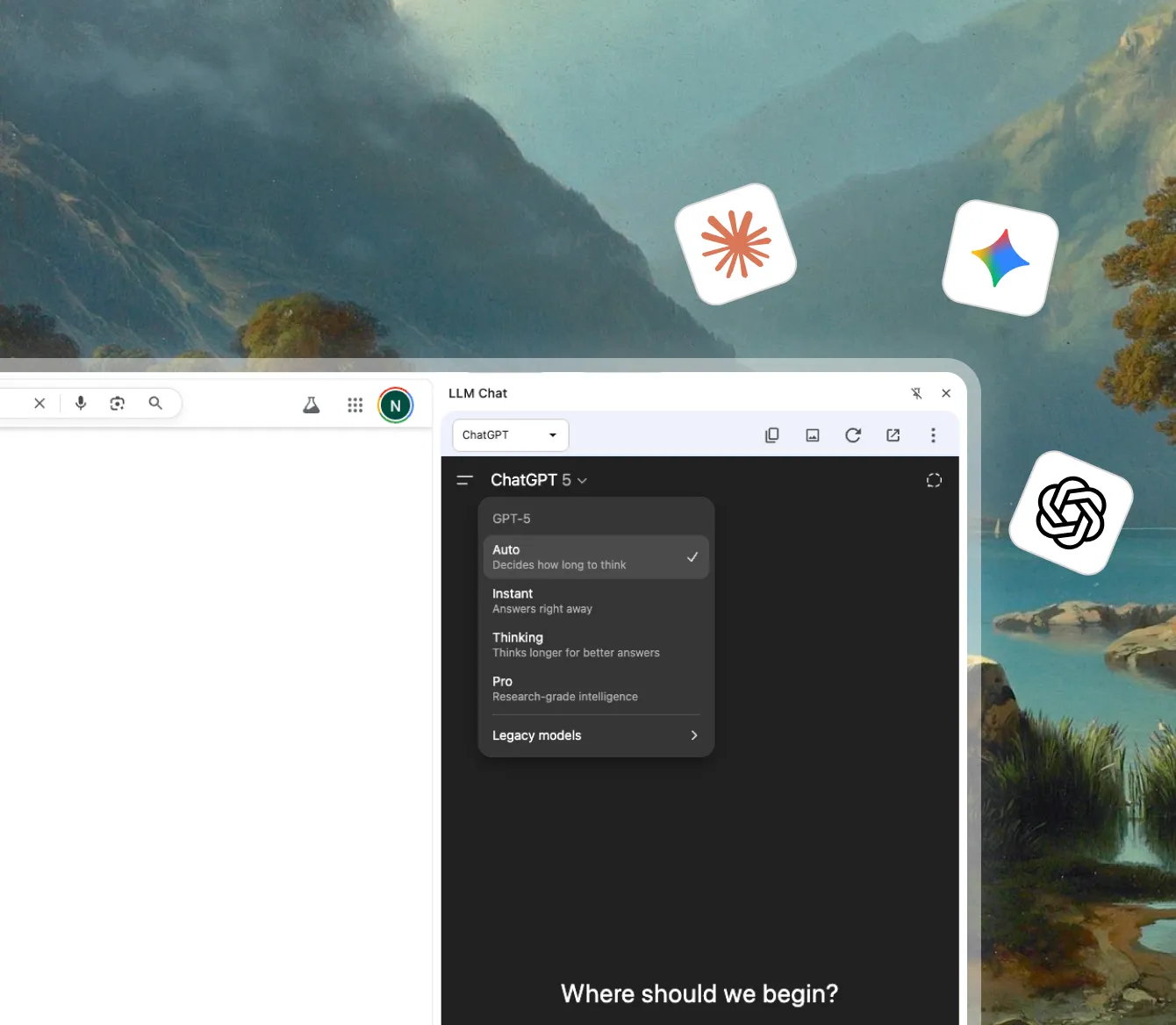
Unlike browsers that depend entirely on the cloud (like Edge Copilot), BrowserOS supports local AI inference. You can integrate models from platforms like Ollama or your own API from OpenAI, Anthropic, or Mistral. This gives users control over cost, privacy, and performance.
3. Privacy-First Design
BrowserOS has zero telemetry. It doesn’t log browsing habits or sync your data to an account unless you choose to. Everything from form autofill to history is processed on-device.
4. Chromium Compatibility
Since it’s Chromium-based, BrowserOS supports all existing Chrome Web Store extensions, themes, and shortcuts. You get the same familiar layout but with an AI engine beneath it.
5. Multi-Platform and Developer Friendly
Available for Windows and macOS (with Linux in progress), BrowserOS is also open source. Developers can fork, modify, or extend its capabilities — a rare move in a world of closed browser ecosystems.
Installation and First Impressions
Installing BrowserOS feels similar to setting up Chrome. The installer is lightweight and doesn’t include any bundled offers. Once launched, you’re greeted with a clean interface — minimal icons, a neutral theme, and a sidebar that shows AI task suggestions.
The onboarding process introduces “BrowserOS Agent,” which offers voice or text-based prompts to automate browsing. Within minutes, you can connect your OpenAI API key or use a local AI backend. For non-technical users, there’s a simple setup wizard that configures defaults automatically.
Performance and Resource Usage
In daily use, BrowserOS performs just as fast as Chrome or Brave. Tab management is smooth, and despite the AI automation running in the background, CPU usage remains modest (around 2–5% idle). When you trigger AI tasks, usage spikes briefly, then returns to normal.
Compared to heavy browsers like Microsoft Edge with Copilot or Arc Browser, BrowserOS feels lighter and more responsive. The AI agent operates asynchronously, meaning it doesn’t freeze your page while running automation scripts.
BrowserOS vs Other Browsers
To understand where BrowserOS fits, let’s see how it compares to other modern browsers you might already know:
- Opera One focuses on modular browsing and tab islands. BrowserOS instead focuses on automation and AI control.
- Opera GX is built for gamers with CPU/RAM limits and Twitch integration — BrowserOS skips gimmicks for productivity.
- Vivaldi is all about customization and power-user features. BrowserOS targets efficiency and privacy.
- ChatGPT Atlas is OpenAI’s AI browser that embeds ChatGPT directly. BrowserOS, on the other hand, lets you use any AI model and even offline setups.
- Best Free Browser Security Extensions are fully compatible, since BrowserOS supports Chrome extensions.
Pros and Cons
✅ Pros
- Genuine AI-driven browsing (not just chat integration)
- Supports both cloud and local AI models
- No telemetry or hidden data collection
- Compatible with Chrome Web Store extensions
- Open-source and cross-platform
- Fast performance and minimal UI clutter
⚠️ Cons
- Still new — limited community and third-party themes
- Linux support is under development
- AI agent can sometimes misinterpret commands
- Requires setup knowledge if you want to use local models
When BrowserOS Can Help You
BrowserOS is built for people who multitask and value privacy. Whether you’re a writer, marketer, developer, or student, you can delegate repetitive browsing actions to its AI agent. It’s also great for professionals who research online or fill out forms frequently — tasks that AI can automate easily.
If you’re the type who opens 20 tabs to find one piece of data, BrowserOS can drastically reduce that effort. It’s like having a digital co-pilot that works across websites, not just one interface.
System Requirements
- Operating System: Windows 10/11, macOS 12+, Linux (coming soon)
- Processor: Dual-core 64-bit CPU or higher
- RAM: 4GB minimum (8GB recommended for local AI)
- Disk Space: ~350MB
- Internet: Required for online AI APIs and sync
Download BrowserOS
You can get the latest version from the official site: https://www.browseros.com/. Installation is quick, and updates are handled automatically through the browser’s internal updater.
FAQs
1. Is BrowserOS really free?
Yes, BrowserOS is free to download and use. There are no hidden costs, though optional advanced AI integrations may be offered later.
2. Does BrowserOS work with Chrome extensions?
Absolutely. BrowserOS supports the full Chrome Web Store library since it’s built on Chromium.
3. How does BrowserOS protect privacy?
The browser doesn’t send telemetry or behavioral data. Everything from cookies to search history remains stored locally on your device.
4. Can I run BrowserOS offline?
Basic browsing works offline. However, AI commands and automation that rely on APIs need an internet connection unless you use a local LLM setup.
5. Who created BrowserOS?
BrowserOS is developed by a small independent team backed by Y Combinator, focusing on transparent and open browser innovation.
Final Verdict – Is BrowserOS Worth Trying?
BrowserOS feels like a glimpse into the future of browsing. It merges the familiar comfort of Chrome with the intelligence of an AI agent — and does it without compromising privacy. While it’s still in early development, its potential is clear: smarter workflows, fewer clicks, and more control over your browsing data.
For tech-savvy users, AI enthusiasts, and privacy advocates, BrowserOS is definitely worth testing. For casual users, it might take a few updates before it becomes your daily driver — but it’s already a refreshing alternative to browsers overloaded with ads and tracking.
If you’re exploring the next generation of AI browsers, also check out ChatGPT Atlas – OpenAI’s official AI browser that integrates ChatGPT directly into the browsing experience.
Conclusion
In short, BrowserOS is a bold experiment that delivers real promise. It automates your workflow, respects your privacy, and keeps the web open-source. With time and community support, it could become a powerful tool in the AI-powered internet of tomorrow.
Download BrowserOS today and experience what the future of smart browsing looks like.