

If you’ve been struggling with duplicate files, empty folders, or unused temporary data, then Czkawka might be the tool you’re looking for. Czkawka is a free, open-source program written in Rust, designed to quickly clean up your system. It’s lightweight, cross-platform (Windows, Linux, macOS), and known for its blazing-fast performance.
Why Would a Beginner Use Czkawka?
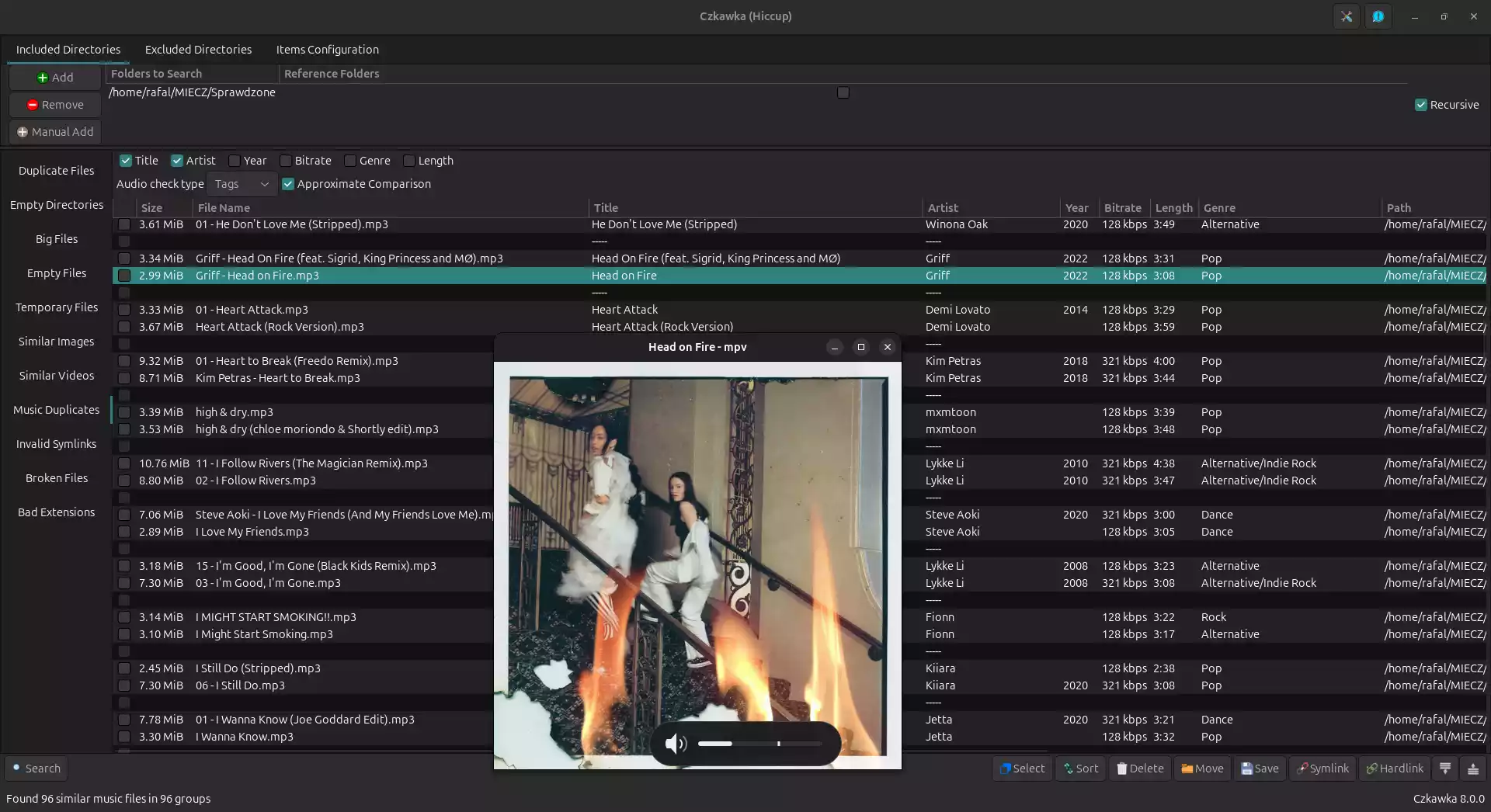
Beginners often want a simple way to reclaim disk space without digging through complicated options. Czkawka offers a clean interface with straightforward categories like duplicate files, empty folders, or invalid symbolic links. You just choose what you want to scan, and Czkawka takes care of the rest — no technical knowledge required.
Main Features of Czkawka
- Duplicate file finder – Detects exact duplicates and similar files (images, videos, music).
- Empty folder remover – Quickly scans and deletes unnecessary empty directories.
- Large file scanner – Finds space hogs so you can free up storage.
- Temporary and junk cleaner – Detects cache, thumbnails, and leftover temporary files.
- Cross-platform – Works on Windows, Linux, and macOS with the same interface.
- Fast performance – Written in Rust, optimized for speed and efficiency.
How to Use Czkawka
Using Czkawka is simple:
- Download and install Czkawka for your operating system.
- Open the app and select the type of scan: duplicates, empty folders, large files, or junk cleanup.
- Choose the folder(s) or drives to scan.
- Click Search and wait for results.
- Review detected items and safely delete, move, or ignore them.
If you are also dealing with oversized images, you may want to try our Image Compressor & Resizer to further save disk space.
Safe Use Tips for Beginners
- Always double-check duplicates before deletion — sometimes the same file is needed in multiple projects.
- Use the “Move to Trash/Recycle Bin” option instead of permanent delete to recover mistakes easily.
- Run one category at a time (like duplicates first, then empty folders) for better control.
When Czkawka Can Help You
Czkawka is particularly useful in situations like:
- Cleaning up duplicate images in a photography library.
- Finding and removing large, forgotten files that eat up SSD space.
- Deleting leftover junk and cache files that slow down your system.
- Organizing music collections by removing repeated tracks.
For comparing text-based files side by side, you can also explore our Diff Checker tool.
Frequently Asked Questions About Czkawka
Is Czkawka free?
Yes, Czkawka is 100% free and open-source, available for Windows, Linux, and macOS.
Does Czkawka support similar image detection?
Yes. It can find not just exact duplicates but also similar-looking images, even if they’ve been resized or slightly edited.
Is Czkawka portable?
Czkawka provides both installer and portable versions depending on your OS, so you can carry it on a USB stick if needed.
Is it safe for beginners?
Absolutely. Its interface is simple, and you can choose safe delete methods like moving items to the Trash/Recycle Bin.
Download Czkawka
You can download the latest version of Czkawka from its official GitHub page. It provides Windows installers, Linux packages, and macOS builds.
Conclusion
If you want a powerful yet easy-to-use cleaner for duplicates, empty folders, and junk files, Czkawka is a great choice. Its cross-platform support and lightning-fast performance make it one of the best free utilities for keeping your system organized. Combined with tools like an EXIF Cleaner, you can maintain a clutter-free and efficient computer.