

As a researcher, academic, writer, copywriter, or content creator, ensuring error-free and plagiarism-free content is essential. Grammarly software is a powerful writing assistant that checks grammar, punctuation, and plagiarism, making it a must-have tool. With both free and paid versions available, Grammarly makes it easy to optimize your writing and produce high-quality content without errors. For quick online grammar refinement, you can also try our GUW Readability Grammar Checker – a simple yet effective alternative for on-the-go writers.
Grammarly software is the perfect tool for researchers, academics, writers, copywriters, and content creators who want to produce error-free and plagiarism-free content. This powerful writing assistant checks for grammatical errors, punctuation mistakes, and plagiarism, ensuring that your content is of the highest quality. Whether you’re writing a blog post, book chapter, or proofreading an article, Grammarly is easy to use and one of the most popular writing assistants available. By checking your grammar and spelling with Grammarly, you can produce content that meets high standards and stands out from the crowd.
What is Grammarly?
If you’re looking for a writing tool that can check your spelling, grammar, punctuation, and plagiarism in real-time, look no further than this handy extension. With the power of Grammarly software at your fingertips, you can trust that your writing will be error-free and polished to perfection. Millions of writers and researchers depend on Grammarly to ensure the quality of their content. The best part? It works seamlessly across all your favorite platforms, including Microsoft Word, Facebook, WordPress, and more. Don’t settle for less than perfect writing – install this Grammarly extension today and take your content to the next level.
To explore a browser-based option for quick grammar checks, visit our Readability Grammar Checker — a completely free tool for checking readability, grammar, and writing flow online.
As a freelance content writer, producing error-free content is essential, which is why I regularly use the premium version of Grammarly software. This powerful tool allows me to check for grammatical, spelling, plagiarism, and proofreading errors in my writing, ensuring that my work meets high-quality standards.
When it comes to reviewing Grammarly, its key features must be highlighted. This software offers real-time checking of spelling, grammar, punctuation, and plagiarism, and it works seamlessly with various platforms like Microsoft Word, Facebook, WordPress, and many more.
Using Grammarly can significantly improve the quality of your writing, and utilizing its Premium version can offer even more benefits, such as advanced suggestions for vocabulary enhancement, clarity, and conciseness. By using Grammarly, you can produce error-free, high-quality content that will engage your readers and build your reputation as a writer.
Background of Grammarly
Grammarly is a highly advanced tool for writers, which allows them to check their content for grammar and plagiarism. It was first released in San Francisco in 2009 and is available for free or purchase on web apps, desktops, laptops, and software plugins.
How does Grammarly Software Work?
Grammarly leverages the power of artificial intelligence to enhance your writing. With its advanced scanning capabilities, Grammarly identifies and highlights errors, mistakes, and other issues in your paper. Additionally, it offers valuable suggestions, conducts thorough plagiarism checks, and flags any instances of blatant plagiarism within your writing.
This software includes the following tools:-
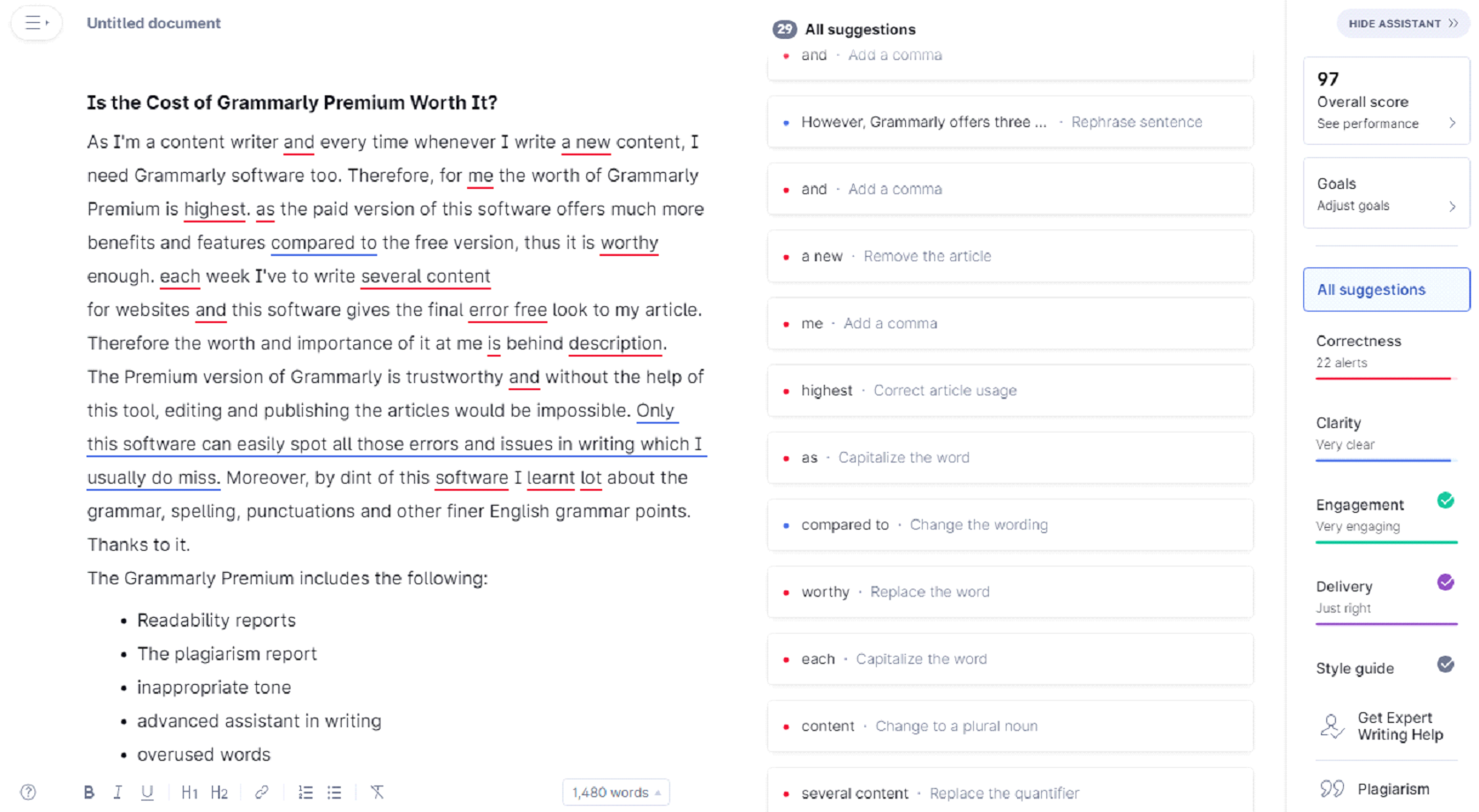
Grammar and Punctuation
By using this software, you can swiftly identify and correct grammar and punctuation mistakes in your writing. Grammarly provides real-time suggestions and guidelines to help you address any issues in your content. This powerful tool can detect and fix a wide range of errors, including misplaced apostrophes, grammatical inaccuracies, faulty commas, sentence fragments, and more.
Readability
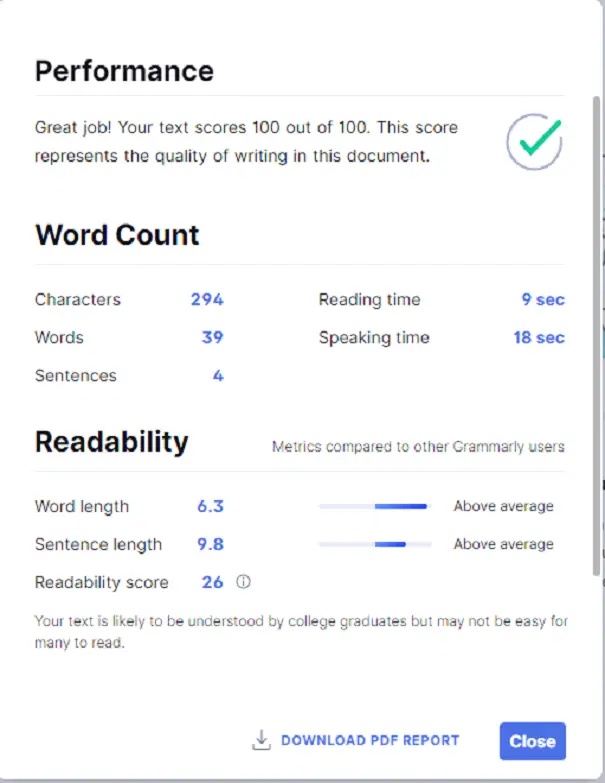
When crafting content, it’s important to prioritize readability, which refers to how easily your article can be understood by users. The higher the readability score, the more user-friendly and engaging your content becomes. Various factors affect readability, including paragraph length, concise sentences, use of common or familiar words, and other key elements.
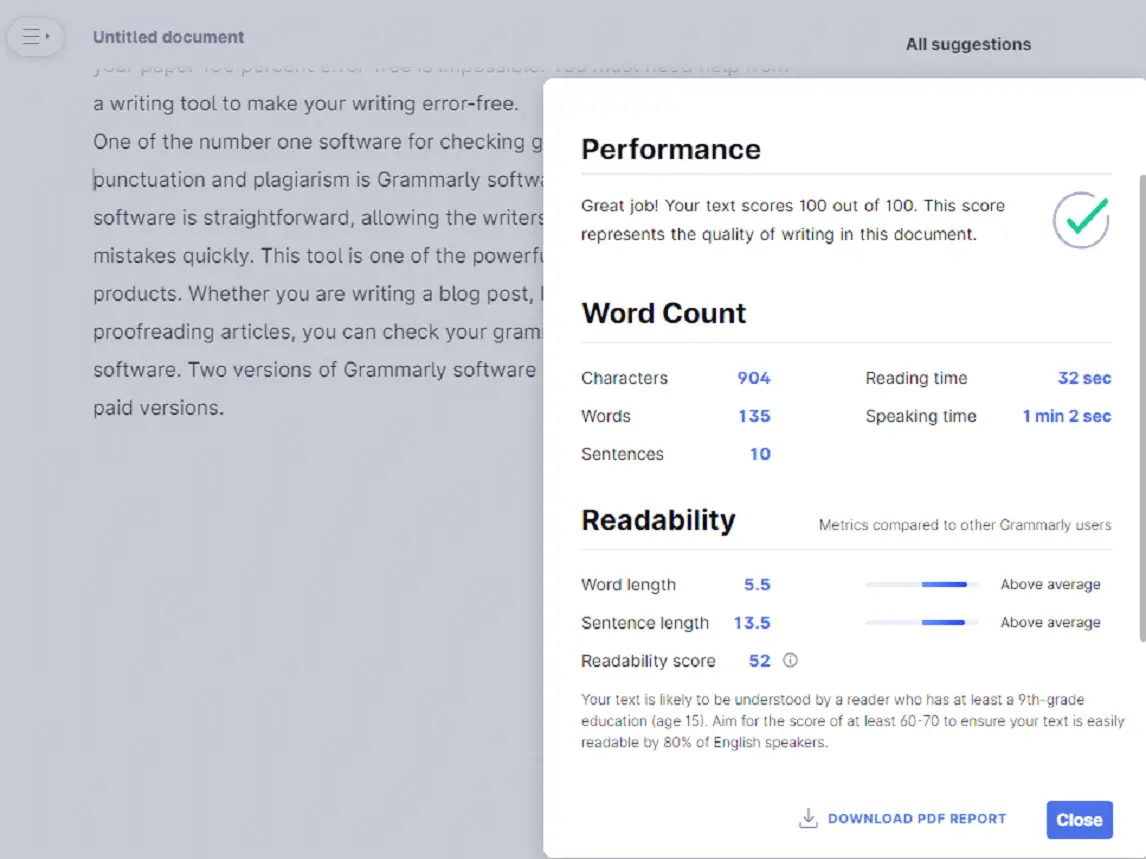
In addition to scanning sentences, passages, or paragraphs, Grammarly software determines your writing’s ideal age group. The following are the fundamental considerations in readability:-
- Character count
- Word count
- Sentence lengths
- Speaking time and
- Reading time
Checking Spelling Error
Using Grammarly’s spell checker tool, you can also add a custom dictionary and words, and you can even get better results when you purchase the Premium version.
Writing Assistance
At the heart of the Grammarly software is its writing assistant, which is powered by cutting-edge artificial intelligence technology. When you enter or upload your writing, the writing assistant scans the entire document and quickly identifies any problems. It then offers helpful suggestions to enhance the quality of your writing, making it more engaging and readable for your audience. With just a simple click, you can choose to accept or reject the proposed fixes and improvements that work best for you.
You can also proofread your text by listening to it using the Free Text to Speech Reader — an ideal companion for catching overlooked errors.
Writing Style
Like many writers, I have my own unique writing style. However, it’s important to ensure that your style is accessible to both software and readers. If your writing contains too many complex or unfamiliar words, the Grammarly software offers targeted suggestions for word choice and rewriting that are tailored to your intended audience. You can choose to accept or reject these recommendations, but it’s always wise to consider the impact they may have on your overall writing performance.
Reports Editing
Grammarly offers a downloadable report that you can send to another editor or writer. This report aims to improve your writing, and for this reason, it includes information and metrics.
Plagiarism Check
By uploading your document to Grammarly and selecting the Plagiarism Checking option, you can easily detect any instances of plagiarism within your content. This advanced software compares your writing to billions of webpages to identify potential matches. If your paper contains any plagiarism, Grammarly will display a percentage and a link that indicates how much of your writing is based on another source and where that information was found.
Before checking plagiarism, it’s recommended to clean and standardize your text using the Text Cleaner & Formatter Tool, which helps remove hidden formatting and unnecessary characters from your content.
Who Should Use the Grammarly Software?
The Grammarly software is a primary defense line for every researcher, copywriter, and content writer, regardless of whether they are native English speakers or not.
- Content writers
- Bloggers
- Copywriters
- Researchers
- Freelance writers
- Authors
- Content marketers and publishers
- Students
- Journalists
- Small business owners
Is Grammarly Premium Worth It?
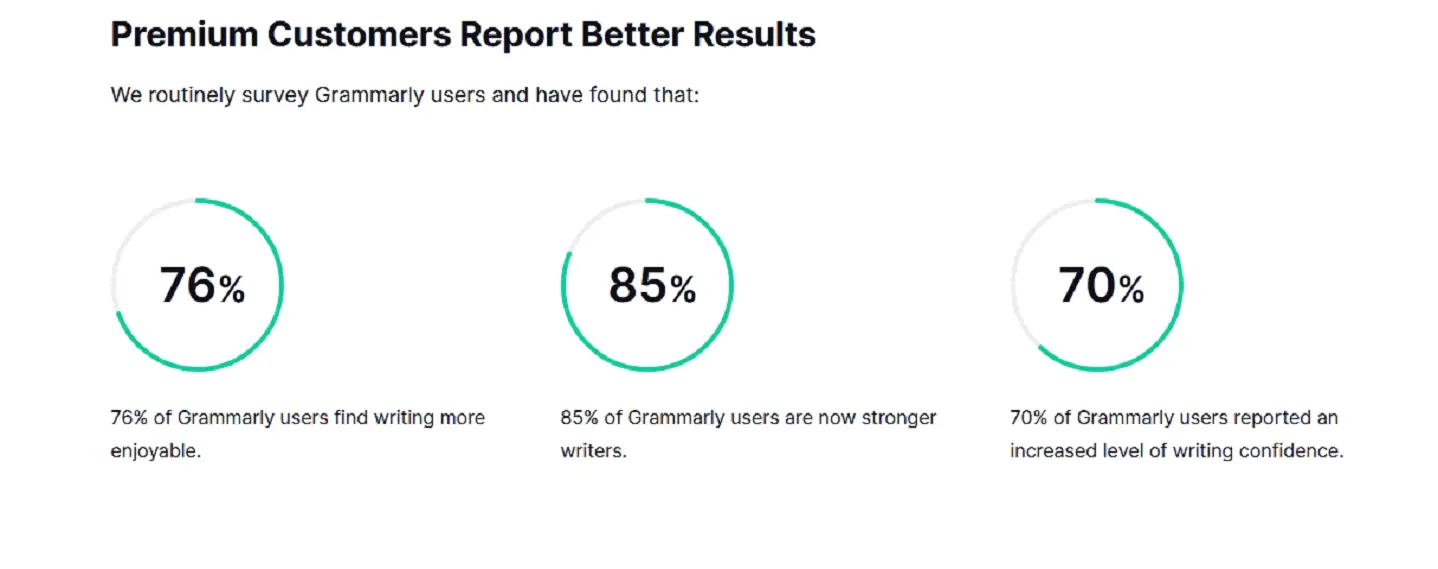
As a content writer, I rely on Grammarly software to ensure the quality and accuracy of my work. In my experience, Grammarly Premium is the most valuable version of the software. With its advanced features and benefits, this paid version provides a comprehensive solution for error-free writing. As I write content for websites on a weekly basis, this software is invaluable in giving my articles a polished, professional finish. The true value and importance of Grammarly lie in its ability to enhance the effectiveness of your writing.
To complement your writing process, you can also organize notes and ideas seamlessly using the GUW Smartboard, a perfect online workspace for writers and researchers.
Download Grammarly
You can download Grammarly from here.