

If you’re searching for a trustworthy free VPN that doesn’t compromise your privacy or bombard you with ads, Hide.me Free VPN is worth your attention. Unlike most free VPNs that come with data caps and limited features, Hide.me delivers a surprisingly rich experience — and best of all, it now offers unlimited data on its free plan.
In this detailed review, we’ll cover everything you need to know about Hide.me Free VPN, including its speed, privacy features, configuration options, and how it compares to other free VPN services like ProtonVPN Free, PrivadoVPN Free, and Windscribe Free VPN.
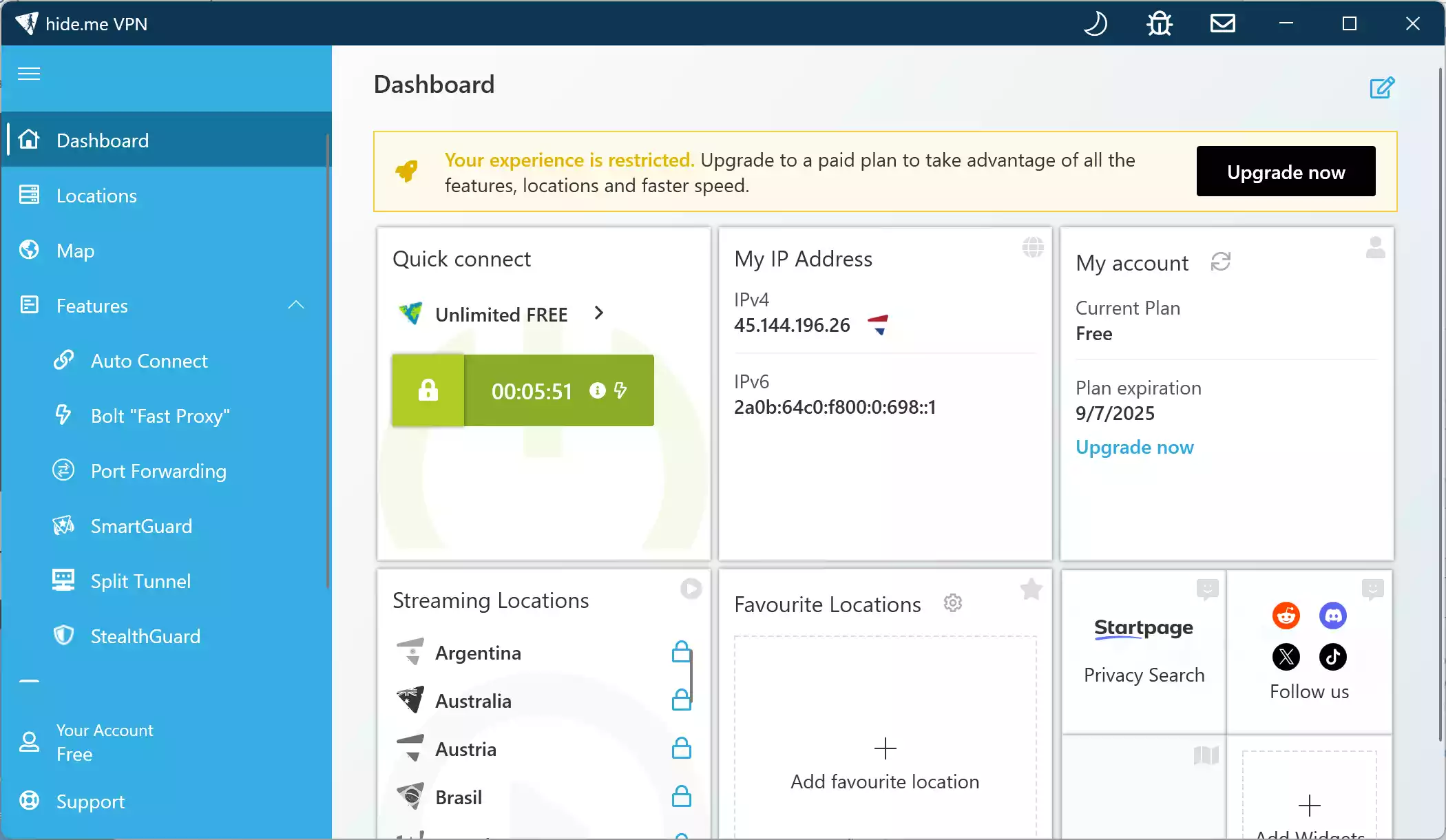
What Makes Hide.me Free VPN Stand Out?
Hide.me is a Malaysia-based VPN provider that has been around since 2012. Its reputation is built on transparency and strong encryption, and unlike many free VPNs, it has a strict no-logs policy that’s independently audited. For privacy-conscious users who want a no-cost option without aggressive advertising, Hide.me’s approach is refreshingly simple.
Unlimited Data Without Ads
The most appealing part? You get unlimited bandwidth and no intrusive ads — a rarity in the free VPN space. Previously, Hide.me capped free data at 10GB per month, but the provider now offers truly unlimited usage for free users. That makes it practical for daily browsing and extended sessions on public Wi-Fi.
Global Server Access
While premium users get access to 80+ locations, free users still benefit from a solid range of servers. The free plan allows connection to servers in the United States, Germany, the Netherlands, and Canada — sufficient for general browsing and even streaming some regional content when it works.
Speed and Performance
Speed is often a concern with free VPNs, but Hide.me performs well even without a premium subscription. During our testing, we were able to stream videos in HD, download files at decent speeds, and browse without interruptions. The WireGuard protocol — available even on the free plan — helps deliver faster and more stable connections compared to older protocols like OpenVPN.
Privacy and Security
Hide.me uses AES-256-bit encryption, along with secure VPN protocols like OpenVPN, IKEv2, and WireGuard. Your IP address remains hidden at all times, and DNS leaks are prevented through built-in protection features. Being headquartered in Malaysia is another privacy win, as the country has no mandatory data retention laws and is outside the 14 Eyes surveillance alliance.
Kill Switch Included
The free version includes a fully functional Kill Switch — a feature that instantly cuts off your internet if the VPN connection drops. This ensures your real IP address never leaks by accident, which is essential on public or shared networks.
No Registration Required
One of the most user-friendly features of Hide.me is that you can use it without creating an account. Simply download the app, connect, and start browsing — no email address required. This reduces friction and avoids sharing additional personal data.
How to Use Hide.me Free VPN on Windows 11/10?
Step 1. Visit the official Hide.me VPN for Windows page and download the installer. Run the setup file to complete the installation.
Step 2. Launch the app and create a free account using just a username and password — no email address is required.
Step 3. Log in with your credentials. The app will automatically detect your free plan and allow you to access the free servers.
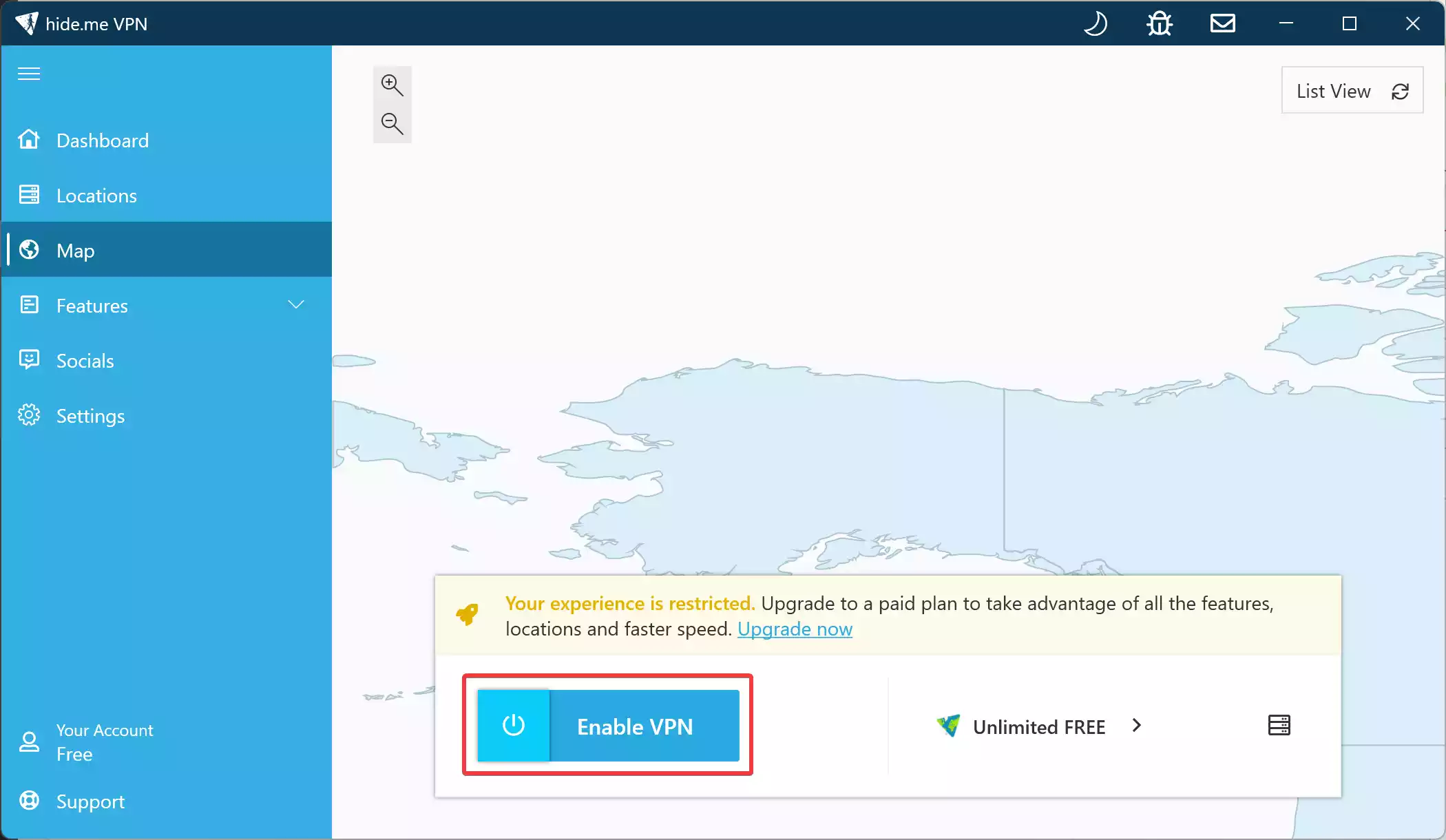
Step 4. Click the Enable VPN button to start encrypting your traffic.
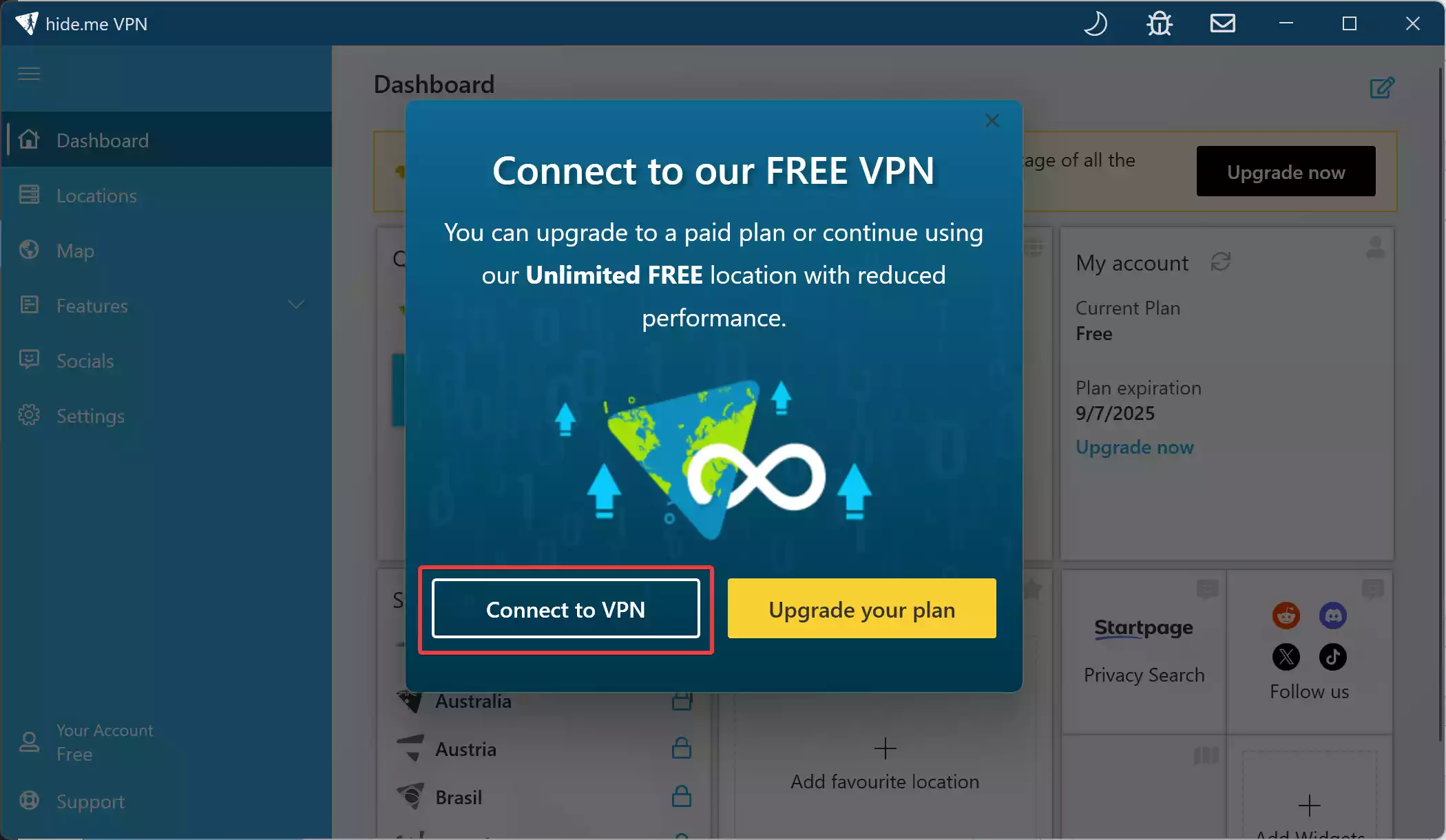
Step 5. Press the “Connect to VPN” button. Within seconds, your connection will be encrypted and secured.
Step 6. (Optional) Customize settings by clicking the gear icon in the top-left. Options include auto-connect on startup, protocol selection (WireGuard, OpenVPN, IKEv2), and Kill Switch/Split Tunneling preferences.

Configuration Options in Hide.me Free VPN
Hide.me’s Windows client offers a user-friendly interface that’s easy for beginners, while still allowing power users to tweak settings as needed. If you need speed, try WireGuard; if you need compatibility, switch to OpenVPN or IKEv2.
You can choose between WireGuard, OpenVPN, IKEv2, and SoftEtherVPN, with the default being automatically selected for optimal performance. The Kill Switch can be enabled in a single click to prevent IP leaks. Split Tunneling allows routing of specific apps through the VPN while others use your regular internet connection. Auto-connect ensures the VPN starts with Windows, and Custom DNS lets you set preferred resolvers for extra privacy.

Comparison with Other Free VPNs
When compared to rivals, Hide.me Free stands out for its unlimited data and lack of ads. PrivadoVPN Free gives you 10 GB per month, while ProtonVPN Free matches Hide.me’s unlimited data but offers only three server locations. Windscribe Free provides 10 GB monthly, but with 11 free locations — more than Hide.me’s seven.
All four VPNs include a Kill Switch and are ad-free. Hide.me’s biggest convenience is that you can use it without an email address, which neither ProtonVPN nor Windscribe allows. In terms of flexibility, Hide.me supports both Custom DNS and Split Tunneling, putting it on par with Windscribe and ahead of ProtonVPN, which lacks both features on its free plan. Streaming support is limited on Hide.me, ProtonVPN, and PrivadoVPN, while Windscribe offers partial access to some platforms.
Final Verdict: Is Hide.me Free VPN Worth It?
If you’re looking for a reliable, fast, and secure VPN that costs nothing, Hide.me Free VPN is a top-tier choice. It offers unlimited data, a kill switch, advanced protocol support, and zero ads — all without requiring an account. While the number of free server locations is limited compared to Windscribe, Hide.me’s speed and privacy-first approach make it ideal for daily use.
For users who value both convenience and serious protection, Hide.me Free VPN stands tall alongside ProtonVPN Free and Windscribe Free as one of the best free VPNs for Windows.
FAQs about Hide.me Free VPN
Is Hide.me really free?
Yes, Hide.me offers a genuinely free VPN plan with unlimited bandwidth, no ads, and strong security features — all without registration.
Does Hide.me Free VPN support streaming?
Streaming access is limited on the free plan. While you may be able to watch some region-specific content, platforms like Netflix may not work consistently.
Can I use Hide.me Free VPN on multiple devices?
Yes, you can install it on multiple devices, but only one device can connect at a time under the free plan.
Does Hide.me keep logs?
No. Hide.me follows a strict no-logs policy, and it’s been independently audited to confirm this claim.