

Ninite is a free web-based application that enables users to install or update multiple software programs simultaneously. This tool is especially helpful for those who have recently installed a new Windows operating system or reinstalled Windows and need to set up several essential applications. After installing the OS, users typically need to download and install their favorite programs from the internet.
What is Npackd?
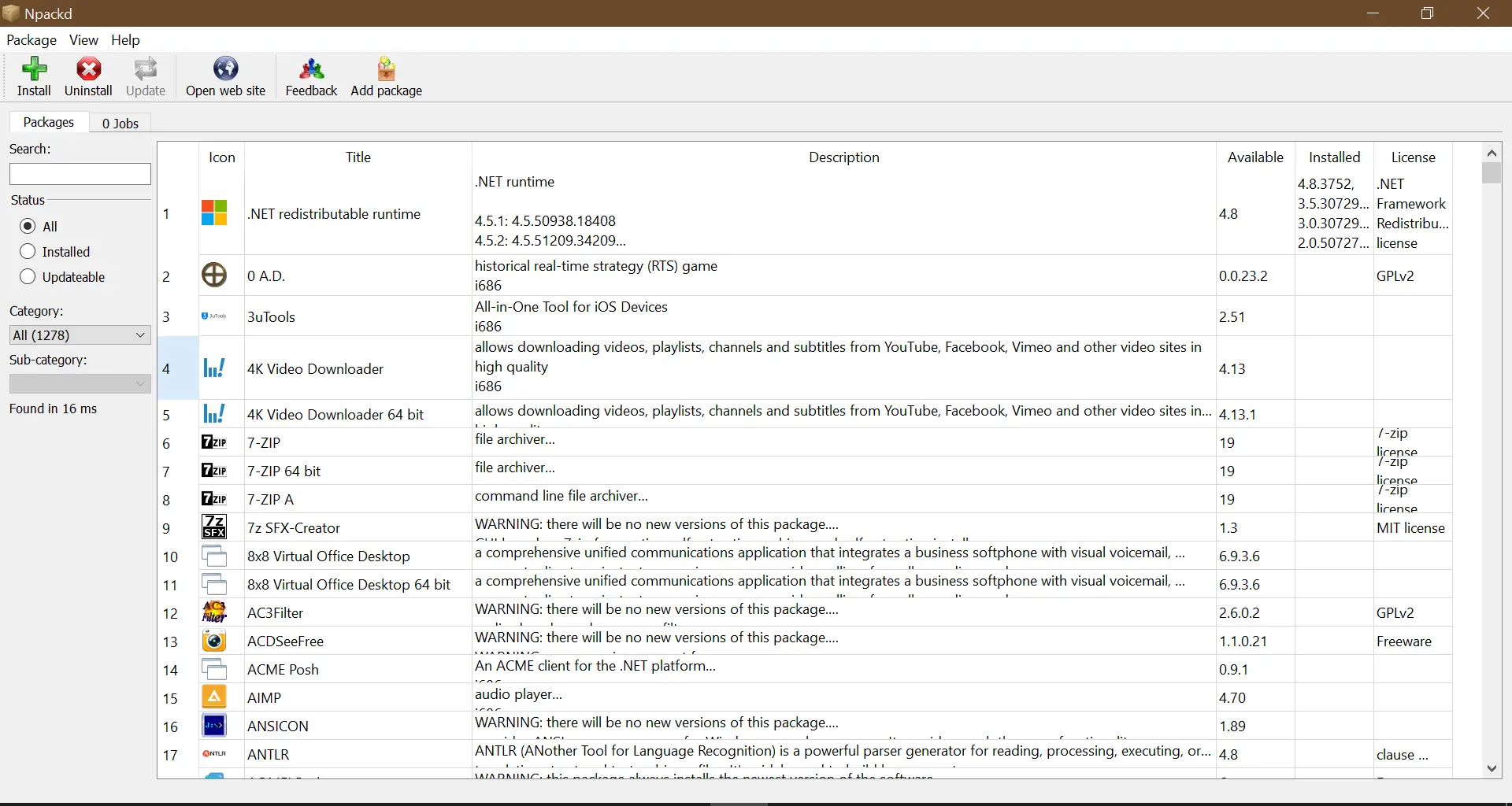 Npackd is another free software tool similar to Ninite, designed to install multiple applications from the internet in one go. It supports a vast library of over 1200 software programs and offers the ability to install, update, and uninstall applications in bulk on your PC.
Unlike Windows 10, which provides only three default methods for uninstalling apps, Npackd allows you to remove multiple applications at once—saving time and simplifying the process.
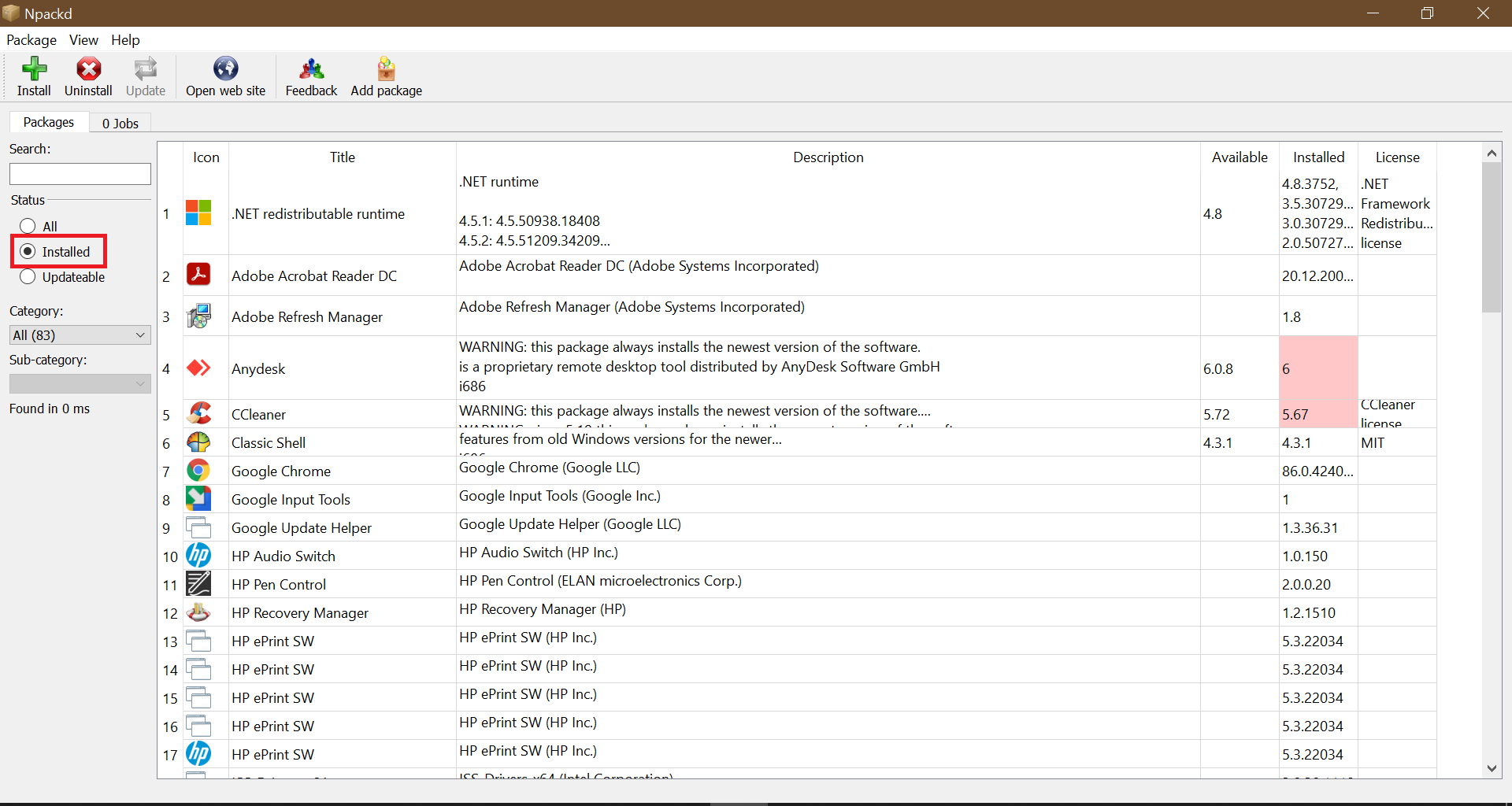
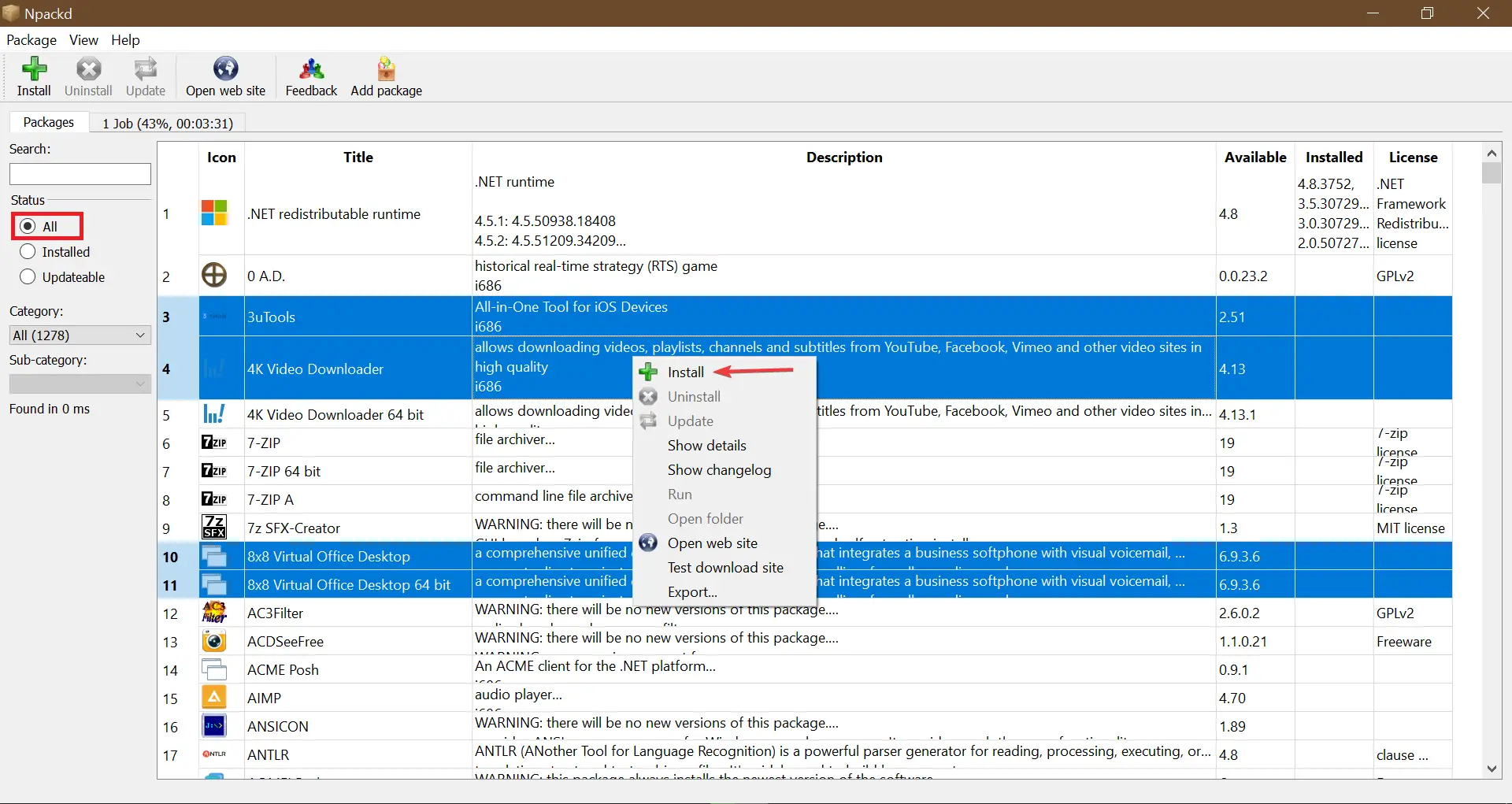
Once installed and launched, Npackd automatically scans your PC and displays all the installed applications. The list includes their icons, titles, descriptions, available versions, currently installed versions, and license information. By clicking the “Installed” radio button under the “Status” section, you can filter the view to see only the applications currently installed.
If updates are available, Npackd displays the newer version under the “Available” column. To update multiple applications, hold the “Ctrl” key, select the apps, right-click, and choose the “Install” option.
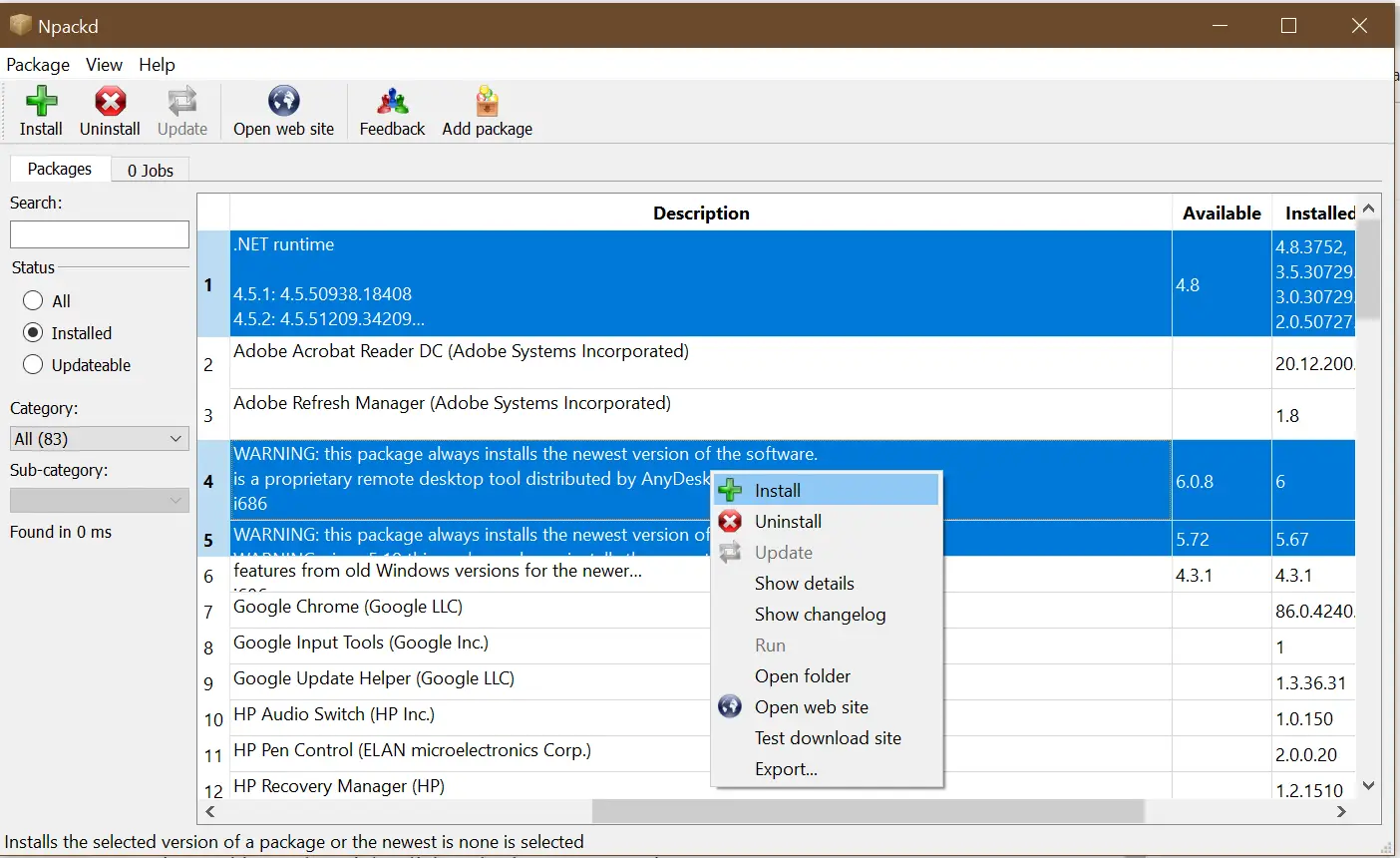
This creates a package for the selected applications.
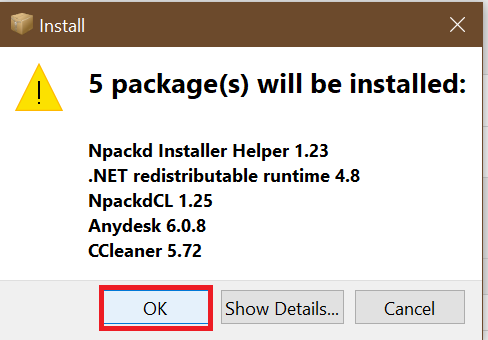
Click the “OK” button to begin downloading and installing updates automatically.
Similarly, to install new software, go to the “All” radio button under the “Status” section. Select multiple applications by holding the “Ctrl” key, right-click, and choose “Install.” This will create a new package and start installing the selected software.
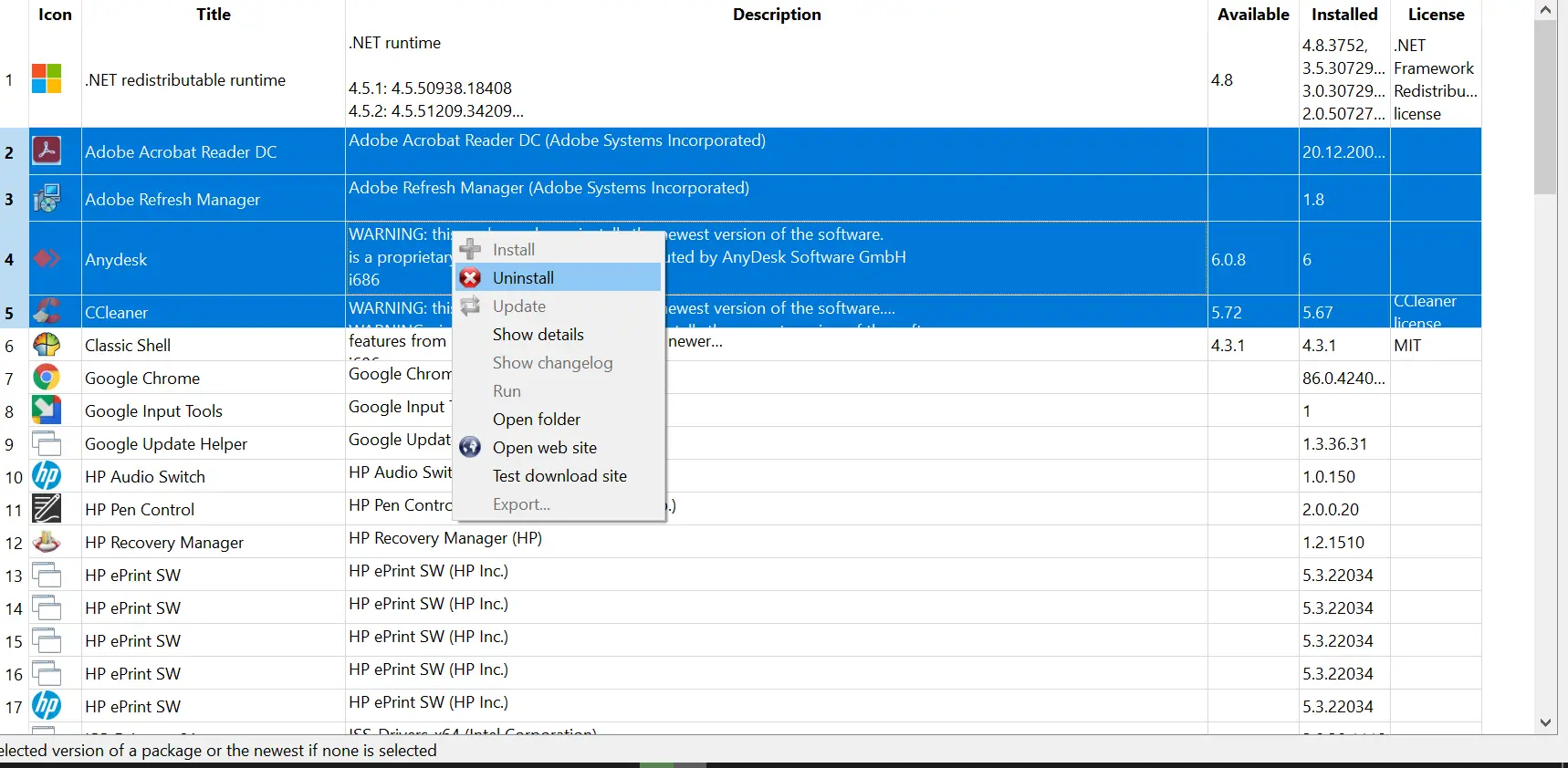
To uninstall multiple programs, go to the installed apps list, select the applications while holding the Ctrl key, right-click, and choose the Uninstall option.
Download Npackd
Npackd is compatible with both 32-bit and 64-bit versions of Windows. You can download the latest version from here.
FAQs
What is Npackd used for?
Npackd is a free package manager for Windows that lets you install, update, and uninstall multiple applications in one go. It helps automate software management and saves time.
Is Npackd safe?
Yes. Npackd is a long-established open-source tool. As with any software, ensure you download it only from its official site.
Does Npackd work like Ninite?
Yes. Both allow bulk application installation. However, Npackd offers more features, including uninstalling programs and updating installed apps automatically.
Can Npackd uninstall built-in Windows apps?
It can remove many third-party applications and some Microsoft Store apps, depending on support. Its main strength is bulk uninstalling traditional Windows programs.
How many software programs does Npackd support?
Npackd supports over 1200 applications, including browsers, utilities, media tools, and productivity software.
Do I need an internet connection to use Npackd?
Yes. Npackd downloads installers from the internet when installing or updating software.
Can I use Npackd on both 32-bit and 64-bit Windows?
Yes. It is compatible with both architectures and supports Windows versions commonly in use today.
Does Npackd automatically update apps?
Yes. It can check for newer versions and update multiple programs simultaneously with a single click.
Conclusion
Npackd is a powerful and user-friendly tool that helps users efficiently manage software installations, updates, and uninstalls on Windows PCs. With its ability to handle multiple programs at once, it saves considerable time and effort. Whether you’re setting up a new system or just want to keep your software updated, Npackd is a practical solution that simplifies the entire process.