

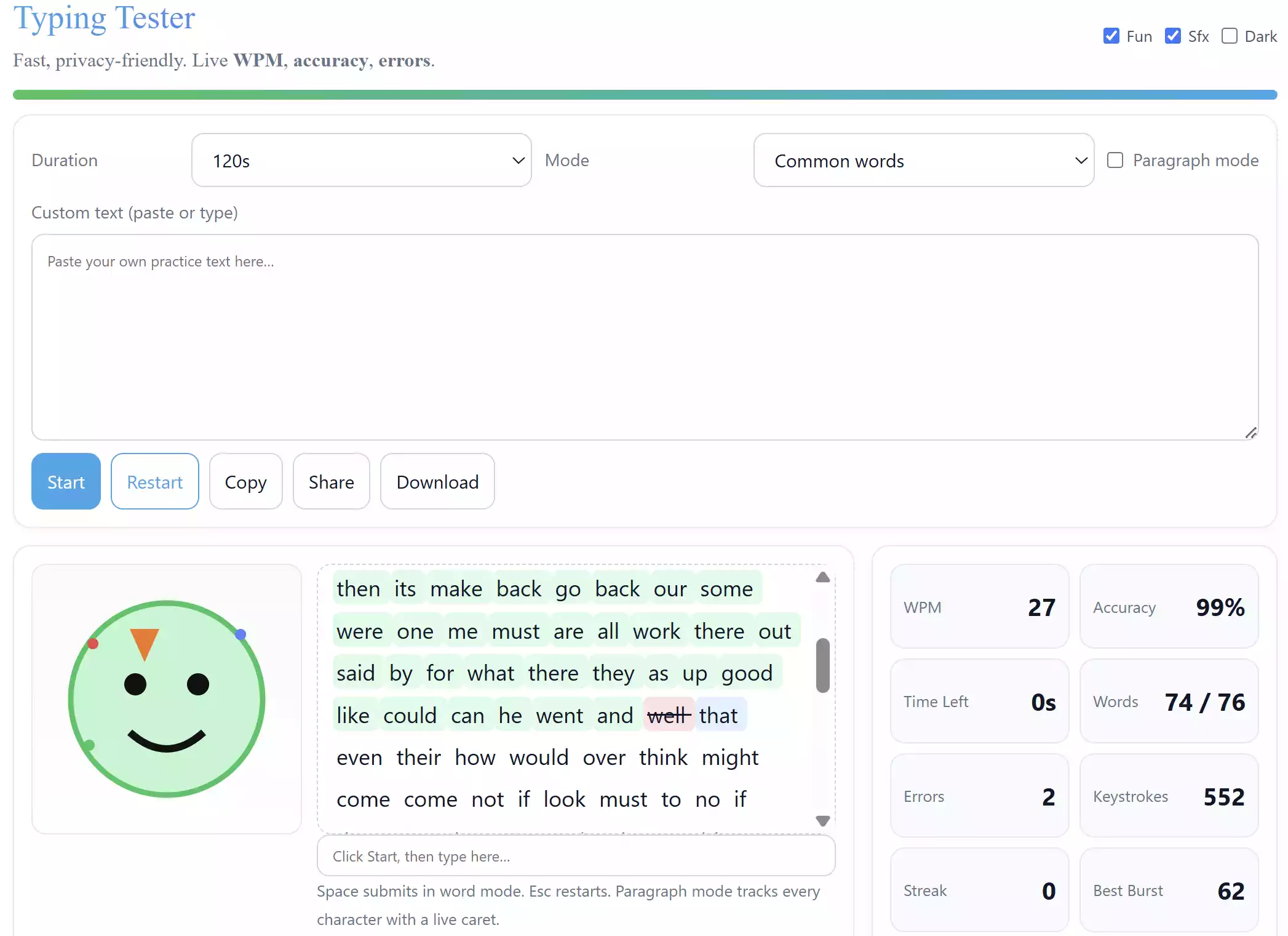
If you want to quickly check your typing speed and accuracy without installing any software, our new Online Typing Tester is the perfect solution. It runs entirely inside your web browser, meaning there is no download, no signup, and no tracking. Simply open the page, start typing, and instantly see your live WPM, accuracy percentage, error count, and more.
What is Online Typing Tester?
The Online Typing Tester is a free, browser-based tool that helps you practice typing. You can choose between word mode or paragraph mode, test yourself with built-in lessons, or even paste your own custom text. Everything happens in real time, so you can track your performance as you type.
Why Use Online Typing Tester?
Unlike downloadable programs, this tool works instantly on any modern device. Students, beginners, and professionals can use it to build confidence on the keyboard. It’s also a great way to warm up before long writing or coding sessions. If you prefer offline practice, you can also try our Pro Typing Tutor Portable, which runs without installation on Windows and macOS.
Main Features of Online Typing Tester
- Runs fully in your browser – no installation required
- Multiple modes: beginner lessons, home-row practice, words, sentences, numbers & symbols
- Custom text support – paste your own practice material
- Paragraph mode with live caret tracking and auto-scroll
- Real-time metrics: WPM, accuracy, words typed, errors, keystrokes, streaks, and burst speed
- Dark mode toggle and fun mascot reactions
- Lesson progression with local progress saving
- Share or download results for review
How to Use Online Typing Tester
Navigate to Free Typing Tester. Scroll below and click on Start. Begin typing in the input box and watch your stats update live. You can switch between word mode and paragraph mode, choose a test duration, or pick a lesson. Beginners can start with simple home-row lessons, while advanced users can challenge themselves with custom text or numbers and symbols.
Pros of Online Typing Tester
- No downloads, accounts, or ads – completely private
- Works on Windows, macOS, Linux, Android, and iOS
- Beginner-friendly with step-by-step lessons
- Fun visuals and sounds to keep you motivated
Considerations
- Requires a modern web browser (Chrome, Edge, Firefox, Safari)
- Progress is saved locally per browser – not synced across devices
- Best experience is on larger screens for paragraph mode
Frequently Asked Questions About Online Typing Tester
Is this typing tester really free?
Yes, it’s completely free to use online without ads or signup.
Do I need an internet connection?
You only need to load the page once. After that, the test runs entirely in your browser without sending any data online.
Can I use it for learning touch typing?
Yes. The built-in lesson mode introduces home-row practice and gradually unlocks more difficult levels. Beginners can improve accuracy before focusing on speed.
What if I prefer an offline tool?
You can download the Pro Typing Tutor Portable for Windows and macOS, which works without installation.
Conclusion
The Online Typing Tester is a fast, fun, and reliable way to improve your typing speed and accuracy directly in your web browser. With live stats, progress tracking, and lesson mode, it is suitable for both beginners and advanced users. Try it today and see how much your typing improves over time!