

Do you often receive PDFs that are too dark, inverted, or hard to read? The PDF Light Mode Converter is a free online tool that makes your documents instantly easier on the eyes. Simply upload a PDF, preview its pages, and convert it into a clean light-mode version—all without installing any software.
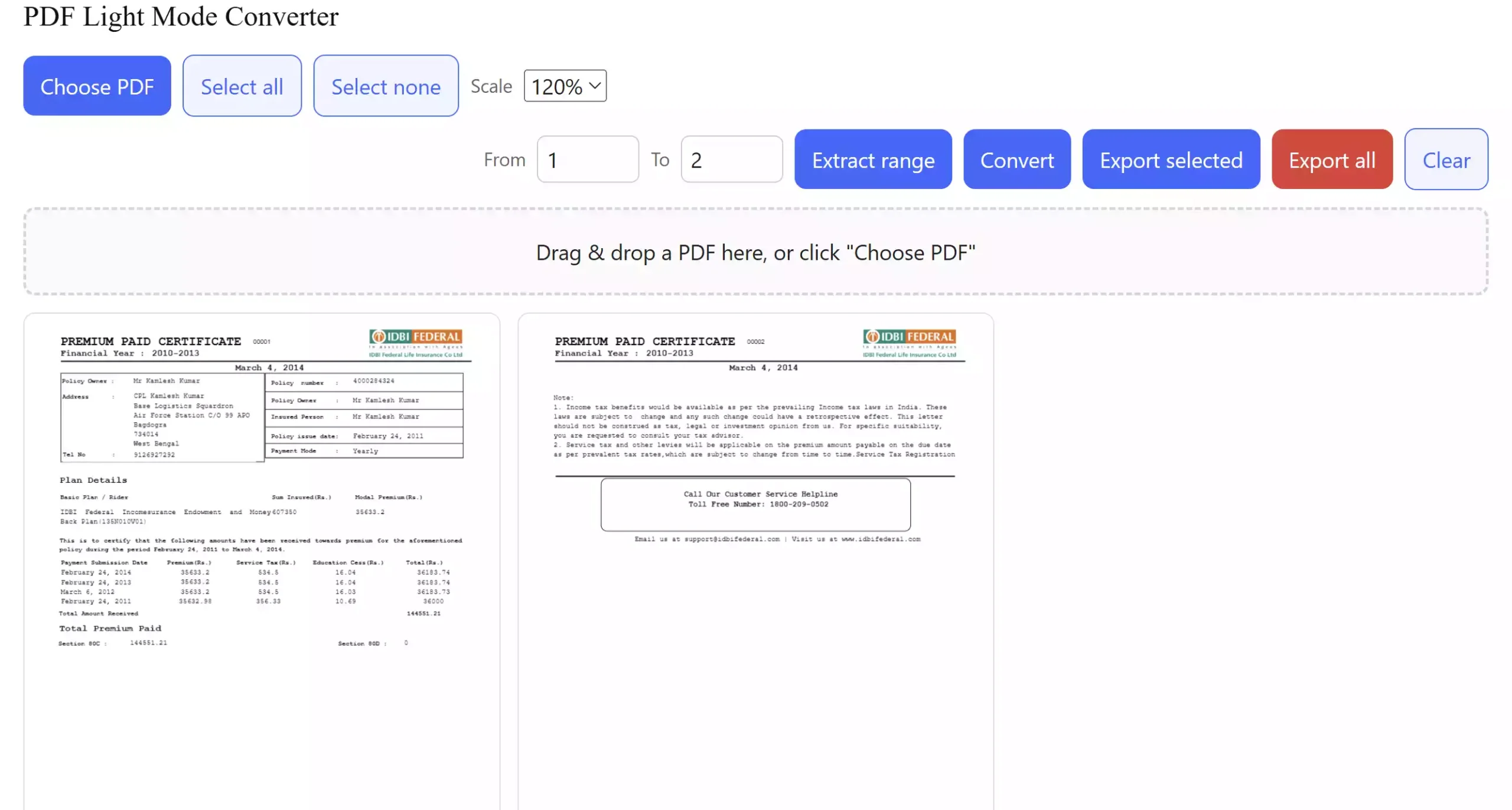
Why use the PDF Light Mode Converter?
Some scanned PDFs or documents created with dark themes can be difficult to print or read on standard screens. Our converter automatically inverts and brightens every page, giving you a clear version that is easier to work with. It runs entirely in your browser, so your files stay private and secure.
Key Features
- Instant conversion: Turn dark PDFs into light-mode with one click.
- Page controls: Rotate, delete/restore, or re-select pages before exporting.
- Flexible export: Save all pages, selected pages, or a page range into a new light PDF.
- Scale control: Adjust page rendering size for better previews.
- No installation: 100% browser-based, works on desktop and mobile.
How to use the PDF Light Mode Converter
Follow these quick steps:
- Open the PDF Light Mode Converter online tool.
- Click Choose PDF or drag and drop your file into the upload area.
- Preview all pages—rotate or delete any that you don’t need.
- Click Convert to brighten the entire document.
- Select Export all for a full PDF, Export selected for chosen pages, or Extract range to create a partial document.
- Download your new light-mode PDF instantly.
Other Related Tools
If you work with dark-themed documents, you may also find these tools helpful:
- GUW PDF Dark Mode Viewer – View dark PDFs in a comfortable light interface before saving.
- PDF Dark Mode Bulk Converter – Convert multiple PDFs into dark-mode style at once.
Pros and Considerations
Pros:
- Fast and free with no installation required
- Full control over individual pages
- Export options to suit different needs
Considerations:
- Performance may vary on very large PDFs in older browsers
- Best results on modern browsers like Chrome, Edge, or Firefox
FAQ
Q: Will my files be uploaded to a server?
A: No, all processing happens locally in your browser.
Q: Can I convert only certain pages?
A: Yes, you can select individual pages or define a page range before exporting.
Q: Does this tool work on mobile?
A: Yes, but for large PDFs, we recommend using a desktop browser for smoother performance.
Q: What’s the difference between this tool and the PDF Dark Mode Viewer?
A: The Dark Mode Viewer lets you preview dark PDFs in light mode. The Light Mode Converter actually creates a new lightened PDF that you can save or share.
Conclusion
The PDF Light Mode Converter is the perfect solution for anyone dealing with dark or hard-to-read documents. With its built-in preview, page controls, and multiple export options, you can easily customize and brighten your PDFs directly in your browser—no installation required. Whether you need to convert an entire file or just a few pages, this tool gives you full control and delivers a clean, easy-to-read result in seconds.