

Reading PDFs in a dark environment can be uncomfortable when every page blasts a bright white background. The GUW PDF Dark Mode Bulk Converter solves this by flipping your PDF into a reader-friendly dark theme. It processes single files or multiple PDFs in one go, gives you live page thumbnails, and lets you download results directly — even as a ZIP file for bulk projects.
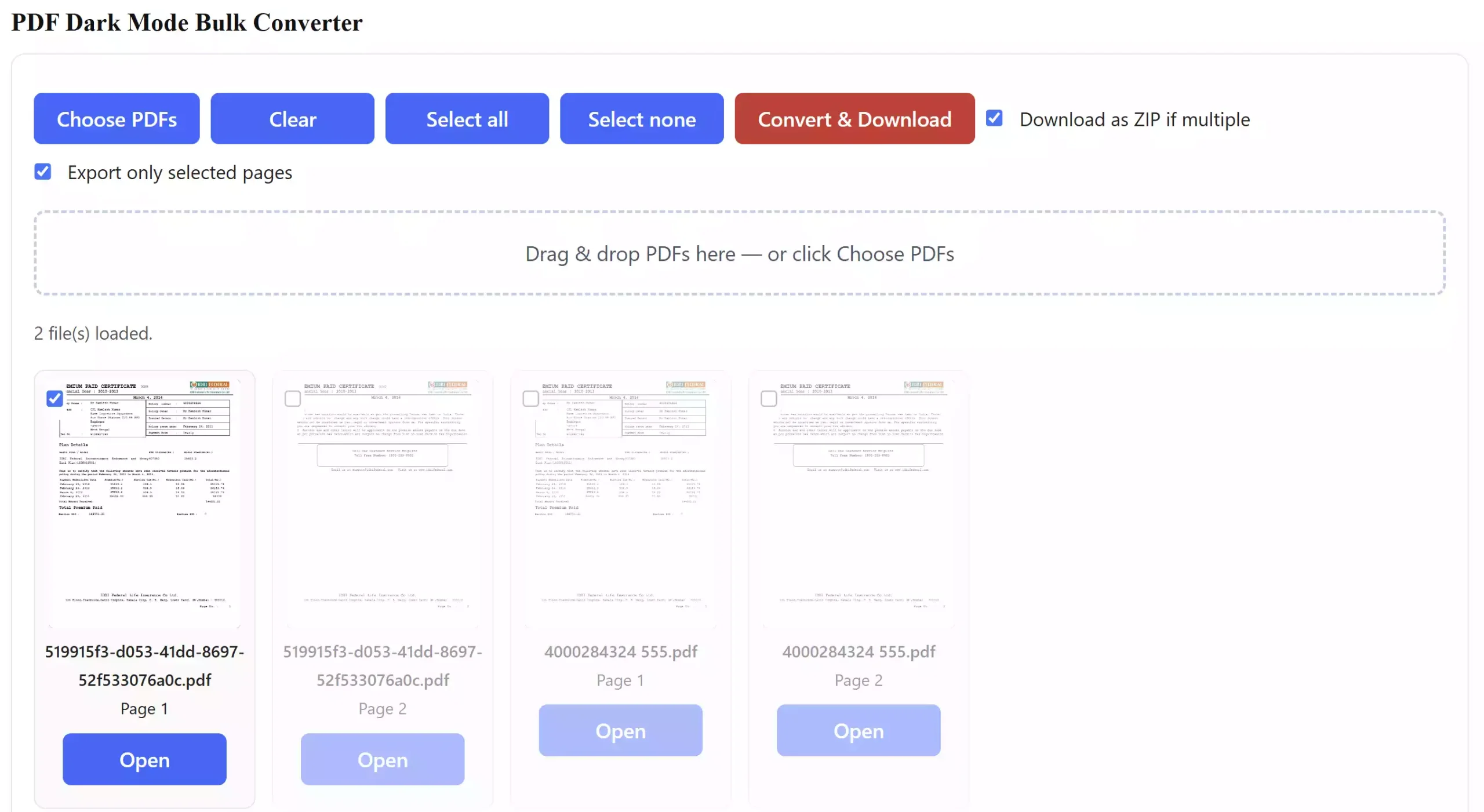
What is the GUW PDF Dark Mode Bulk Converter?
This is a browser-based free tool that automatically converts your PDFs into dark mode. Instead of harsh white backgrounds, you’ll see a comfortable black background with white text. The converter applies this effect page by page and preserves layouts, so your PDFs remain readable while being easier on the eyes.
Why Use a Dark Mode PDF Converter?
- Reduces eye strain when working in low-light conditions.
- Improves readability with a black background and white text.
- Bulk processing saves time if you have multiple PDFs to adjust.
- No software installation — it works entirely in your browser.
Main Features
- Upload single or multiple PDF files.
- Thumbnail preview of every page before conversion.
- Select all pages or only specific ones for export.
- Convert multiple files and download them as a single ZIP package.
- Fast, free, and works on Chromium, Firefox, and Safari.
How to Use the Tool
Step 1. Open the PDF Dark Mode Bulk Converter in your browser.
Step 2. Drag and drop your PDF files or click “Choose PDFs.”
Step 3. Preview thumbnails, tick/untick pages, and set options like ZIP download.
Step 4. Click “Convert & Download” to instantly save your dark-mode PDFs.
Safe Use Tips
All conversions happen on your device. The tool does not upload or store your files anywhere, so your documents stay private and secure.
When This Tool Helps You
Whether you’re a student reading lecture notes late at night, a professional going through long reports, or just someone who prefers dark mode for comfort, this tool ensures your PDFs don’t strain your eyes.
Other Handy PDF Tools
If you often work with PDF files, you might also want to check out tools like the Free PDF Merger or the GUW PDF Splitter Organizer to manage your documents more effectively.
Frequently Asked Questions
Q: Does this tool change the original PDF?
A: No, it only creates a new dark-mode PDF. Your original files stay untouched.
Q: Can I convert multiple PDFs at once?
A: Yes, you can load several files and download the results as individual dark-mode PDFs or in one ZIP archive.
Q: Does it work offline?
A: The tool runs client-side in your browser. Once loaded, it can process files without uploading them.
Q: Is the conversion permanent?
A: The exported PDFs will remain in dark mode. You can always keep your originals as backups.
Conclusion
The GUW PDF Dark Mode Bulk Converter is a simple but powerful solution for anyone who prefers reading in dark mode. Free, browser-based, and private — it’s an essential tool for night readers and bulk PDF processing.