

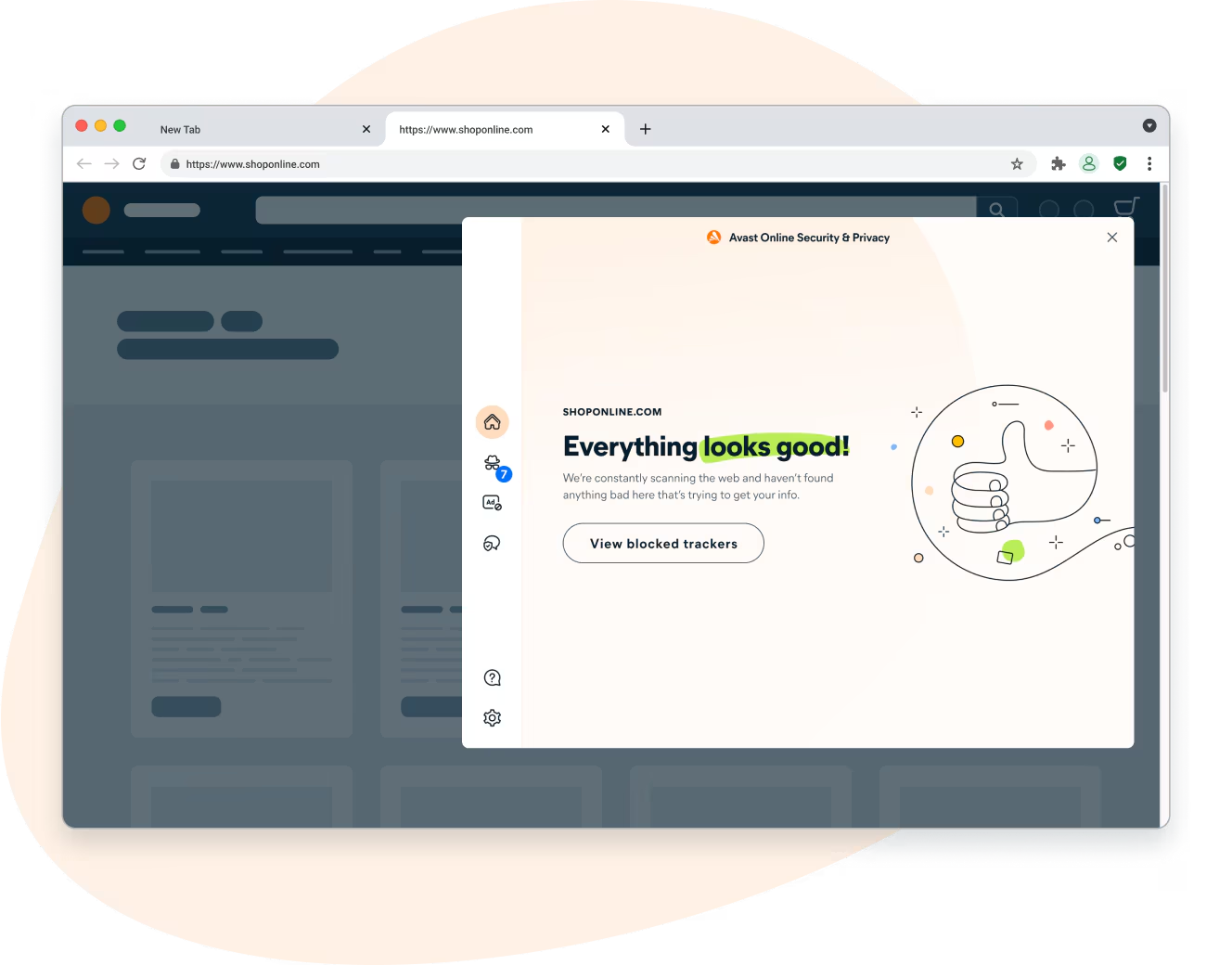
Avast Online Security & Privacy is a free browser extension that adds real‑time anti‑phishing, ad blocking, and tracker blocking to your everyday browsing. It helps you avoid malicious or fake websites and highlights site reputation so you can make safer clicks. The extension currently supports Google Chrome and Microsoft Edge.
What is Avast Online Security & Privacy?
Avast Online Security & Privacy is a lightweight add‑on that checks pages and links you visit, blocks dangerous sites, stops invasive tracking cookies, and shows website reputation indicators right in your browser. It’s designed to work quietly in the background while you browse, shop, or bank online.
Why Would a Beginner Use Avast Online Security & Privacy?
If you’re new to web security, confusing warnings and pop‑ups can be overwhelming. This extension simplifies protection by filtering risky content automatically. You’ll see clearer safety cues on search results and websites, fewer pop‑ups and trackers, and a smoother, faster browsing experience—without changing how you use your browser.
Main Features of Avast Online Security & Privacy
- Anti‑phishing protection – Warns you before you enter unsafe or look‑alike sites that try to steal logins and banking details.
- Ad & tracker blocking – Reduces clutter, speeds up page loads, and limits profiling by third‑party advertisers.
- Website reputation – Shows safety ratings to help you judge trustworthiness at a glance.
- Safer shopping & banking – Optionally opens sensitive tasks in a hardened environment if Avast Secure Browser is installed.
- Lightweight – Runs quietly with minimal impact on everyday browsing.
How to Use Avast Online Security & Privacy
Using the extension is straightforward and beginner‑friendly.
Step 1. Open Google Chrome or Microsoft Edge.
Step 2. Visit the official store page for your browser (links below).
Step 3. Click Add to Chrome or Get in Edge, then confirm to install.
Step 4. Look for the Avast shield icon near the address bar and pin it for quick access.
Step 5. Browse normally—click the icon anytime to see what’s being blocked or to adjust options.
Safe Use Tips for Beginners
For best results, keep your browser updated, avoid stacking multiple similar blockers, and run a second‑opinion malware scan occasionally. If you ever suspect an infection, try portable scanners like Emsisoft Emergency Kit, Kaspersky Virus Removal Tool (KVRT), or our roundup of the best free one‑time malware scanners. For safer shopping and category controls in Chrome, you can also look at the Paranoid Web Extension. If you prefer an all‑in‑one hardened browser, consider Avast Secure Browser.
When Avast Online Security & Privacy Can Help You
- You want extra protection against phishing and fake banking pages.
- Your favorite sites feel slow or cluttered due to ads and trackers.
- You prefer simple visual cues (reputation badges) before clicking links.
- You don’t want a heavy security suite, but still want safer browsing.
Pros and Considerations
- Pros: Real‑time phishing defense, clear site ratings, blocks many ads/trackers, and is easy to use.
- Considerations: Like many security extensions, it needs permission to read/inspect pages to protect you; Firefox support was discontinued, so use Chrome or Edge.
Download Avast Online Security & Privacy
Frequently Asked Questions About Avast Online Security & Privacy
Is Avast Online Security & Privacy free?
Yes, it’s free to use in supported browsers.
Does this replace my antivirus?
No. It protects your browsing, but you should still scan your PC periodically with tools like Emsisoft Emergency Kit or Kaspersky Virus Removal Tool (KVRT) to catch offline threats.
Will it slow down my browser?
It’s designed to be lightweight. Many pages actually load faster because ads and trackers are blocked.
Which browsers are supported?
Google Chrome and Microsoft Edge are supported. Firefox support has been discontinued.
Can I use it with another ad blocker?
Yes, but avoid stacking too many similar blockers to prevent conflicts or broken pages. Start with this extension alone and add others only if needed.
Conclusion
Avast Online Security & Privacy is an easy way to add ad blocking, tracker control, and anti‑phishing protection to your browser. Keep it paired with occasional scans from trusted free malware scanners for a simple, no‑cost security setup that helps you browse with confidence.