

Update: A new and fully updated guide for File Converter is now available. Please check the latest post here:
File Converter – Updated Features & New Format Support.
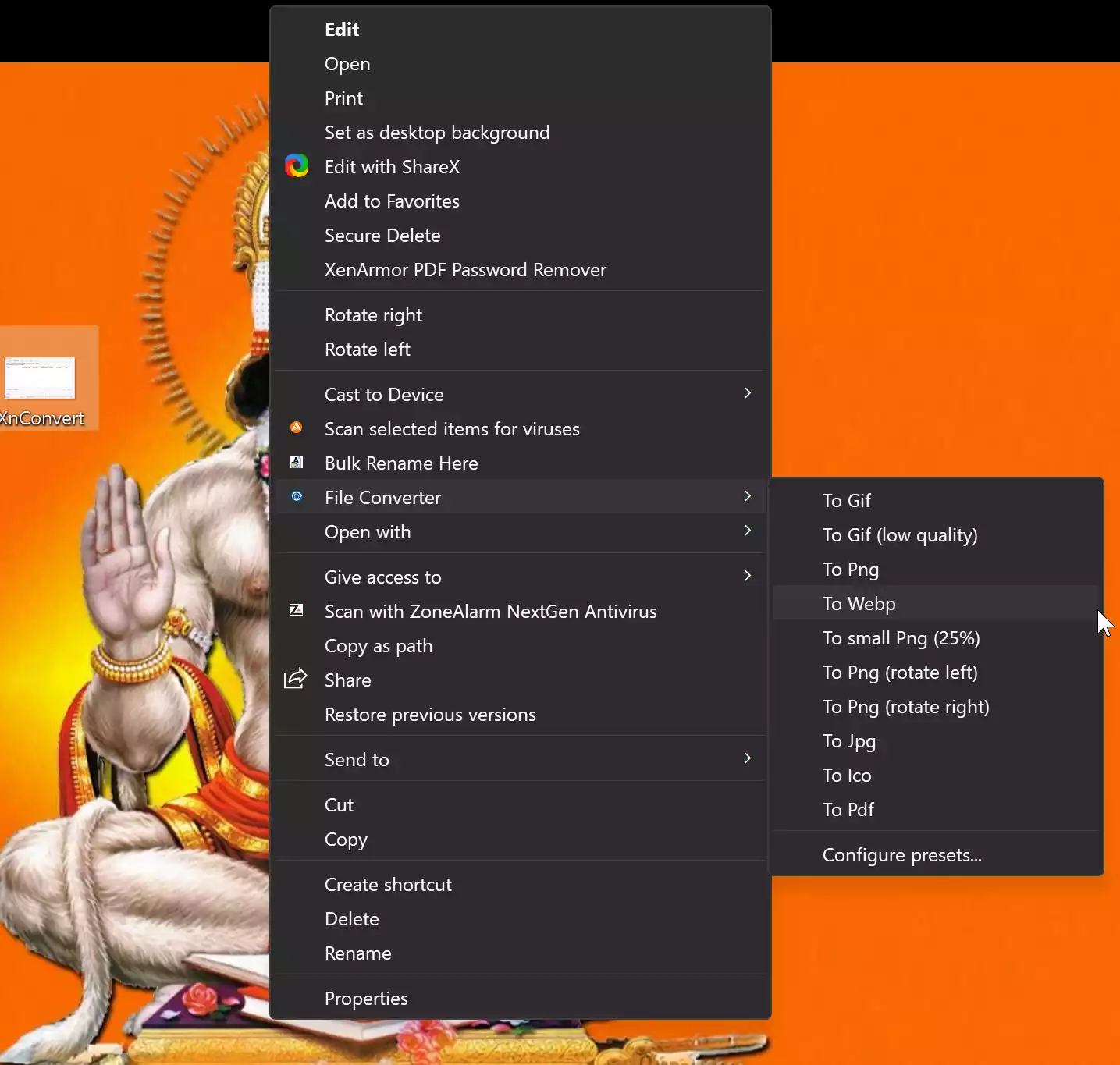
Are you tired of struggling with complex file conversion tools that require multiple steps to convert and compress your files? Look no further! File Converter is here to make your life easier. This user-friendly tool allows you to convert and compress your files with just a few clicks, right from your Windows Explorer context menu. And the best part is that it’s completely free!
Why File Converter?

File Converter is a lightweight yet powerful tool that supports a wide range of audio, video, image, and document formats. Whether you’re converting media files or office documents, this open-source utility makes the process effortless—right from your right-click menu. It’s completely ad-free and fully customizable.
The developers of File Converter understand the importance of keeping things simple and intuitive. The interface is designed to be lightweight, ensuring a smooth user experience. You won’t find any clutter or unnecessary features—just a straightforward tool focused on getting the job done efficiently.
Key Features
- Supports Multiple Formats: Convert audio (MP3, FLAC, AAC, etc.), video (MP4, MKV, AVI, etc.), images (PNG, JPG, WebP, etc.), and documents (PDF, DOCX, XLSX, etc.).
- Context Menu Integration: Perform conversions directly via the right-click menu.
- Custom Presets: Add, remove, or edit presets to fit your workflow.
- Office Document Support: Convert DOC, XLS, PPT files (requires Microsoft Office installed).
- Free and Open Source: Licensed under GPL v3, with no ads or tracking.
- User Documentation Available: Includes comprehensive guides and support materials.
- Compatibility: Supports Windows 7, 8, 8.1, 10, and 11.
Download File Converter
You can download the File Converter tool from its official website.
Conclusion
In conclusion, File Converter is a must-have utility for anyone looking for a simple, effective way to handle file conversions and compression. With its intuitive design, broad format support, and customizable presets, this tool makes managing your files easy and efficient. Say goodbye to overly complicated tools and enjoy seamless conversions with File Converter.
In this gearupwindows guide, we’ve shown you how this tool simplifies your file handling needs. You might also be interested in tools like the WebP Converter, Vovsoft WebP Converter, and XnConvert that help convert images quickly and effortlessly.