

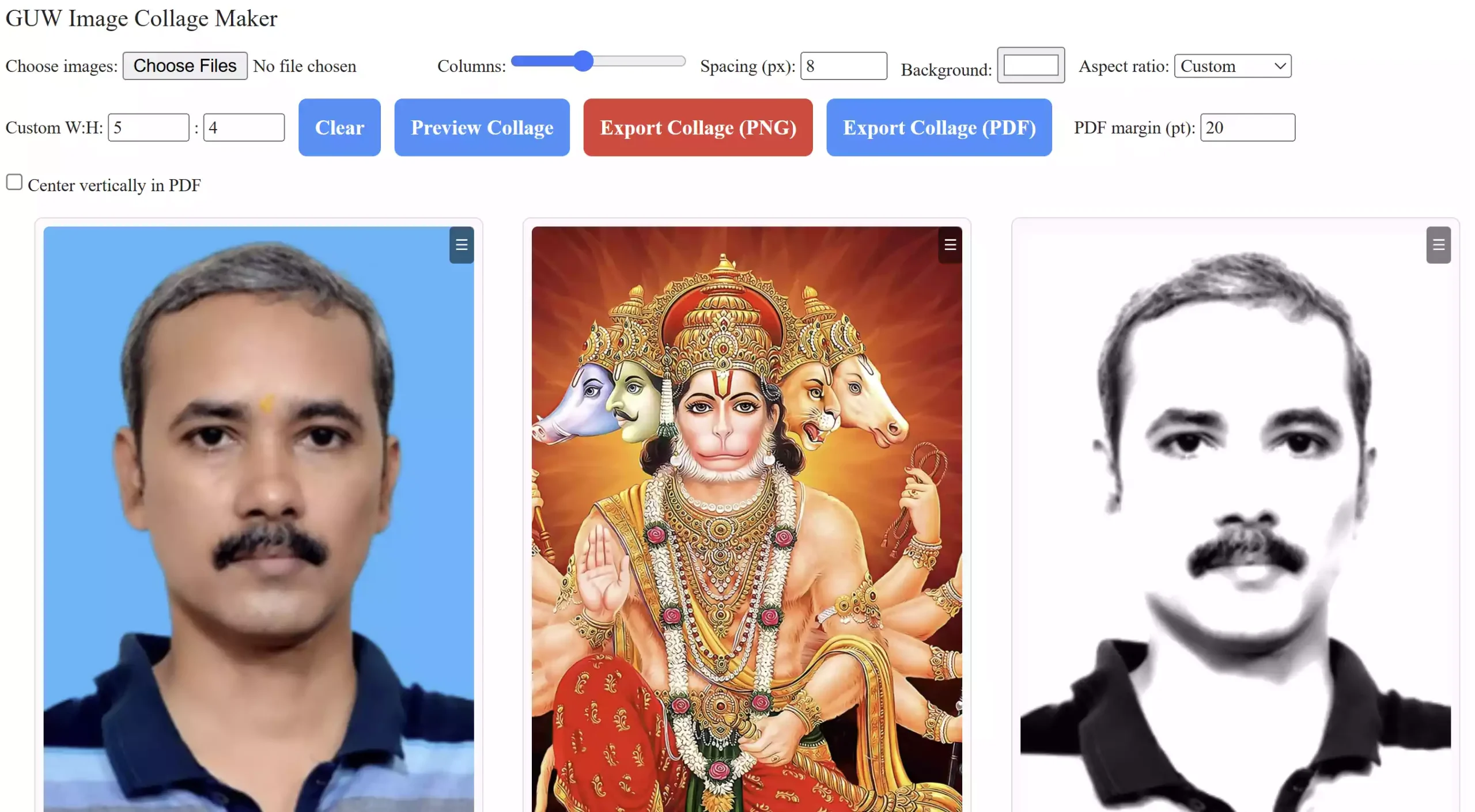
Looking for a quick and free way to create a collage? The GUW Image Collage Maker is a browser-based tool that lets you upload multiple photos, arrange them into a grid, rotate or resize each image, and remove any unwanted ones. You can preview your collage in real time and export the result as a PNG or PDF file — all without installing software.
Why Use GUW Image Collage Maker?
Unlike traditional editors, this tool runs entirely in your browser. That means:
- No installations – works instantly on Chrome, Edge, Firefox, and Safari.
- Full privacy – your images never leave your device.
- Flexible editing – rotate, zoom, and remove individual photos before finalizing.
- Multiple export options – save your collage as high-quality PNG or PDF.
How to Create a Collage Online
Follow these simple steps to design your custom collage:
Step 1. Open the GUW Image Collage Maker page.
Step 2. Click Choose Images and upload the photos you want to use.
Step 3. Adjust the number of columns, spacing, and background color.
Step 4. Use the per-image controls to rotate, zoom, or remove pictures as needed.
Step 5. Preview the collage to confirm the layout.
Step 6. Export your collage as a PNG or PDF file.
Key Features
- Upload multiple images at once.
- Drag-and-drop reordering.
- Rotate left/right and zoom controls per photo.
- Remove individual images without refreshing.
- Customizable columns, spacing, and aspect ratio.
- Instant preview in browser.
- Export as PNG or PDF with a single click.
- 100% client-side for speed and privacy.
Pros
- Lightweight and easy to use.
- No registration or watermark.
- Supports both image and document exports.
- Secure — nothing is uploaded to servers.
Considerations
- Large collages with many images may render slower.
- Best experience on desktop browsers, though mobile is supported.
Related Tools
If you work with visual content, you may also find these tools useful:
- GUW QR Code Generator – create QR codes online.
- GUW Barcode Generator – generate barcodes instantly.
FAQ
Q: Is my data safe when using this tool?
A: Yes, the entire process runs in your browser. No uploads to external servers.
Q: Can I undo removing an image?
A: Currently no undo option, but you can re-upload the removed image.
Q: Does it work on mobile devices?
A: Yes, the tool works on most mobile browsers, but editing is easier on desktop.
Conclusion
The GUW Image Collage Maker is a fast and reliable way to design collages directly in your browser. With options to rotate, zoom, remove, and reorder images, you stay in full control of the final layout. Once satisfied, you can export your work as a PNG or PDF in just one click. Since everything runs locally on your device, your photos remain private and secure. If you need a free, no-install solution for building collages, this tool is an excellent choice.