

Learning mathematics doesn’t have to feel boring anymore! The GUW Math Practice tool is designed to help young students, parents, and teachers build a strong foundation in basic arithmetic through play. This web-based tool turns everyday math drills into an enjoyable activity filled with bright colors, cheerful sounds, and on-screen celebrations.
What is GUW Math Practice?
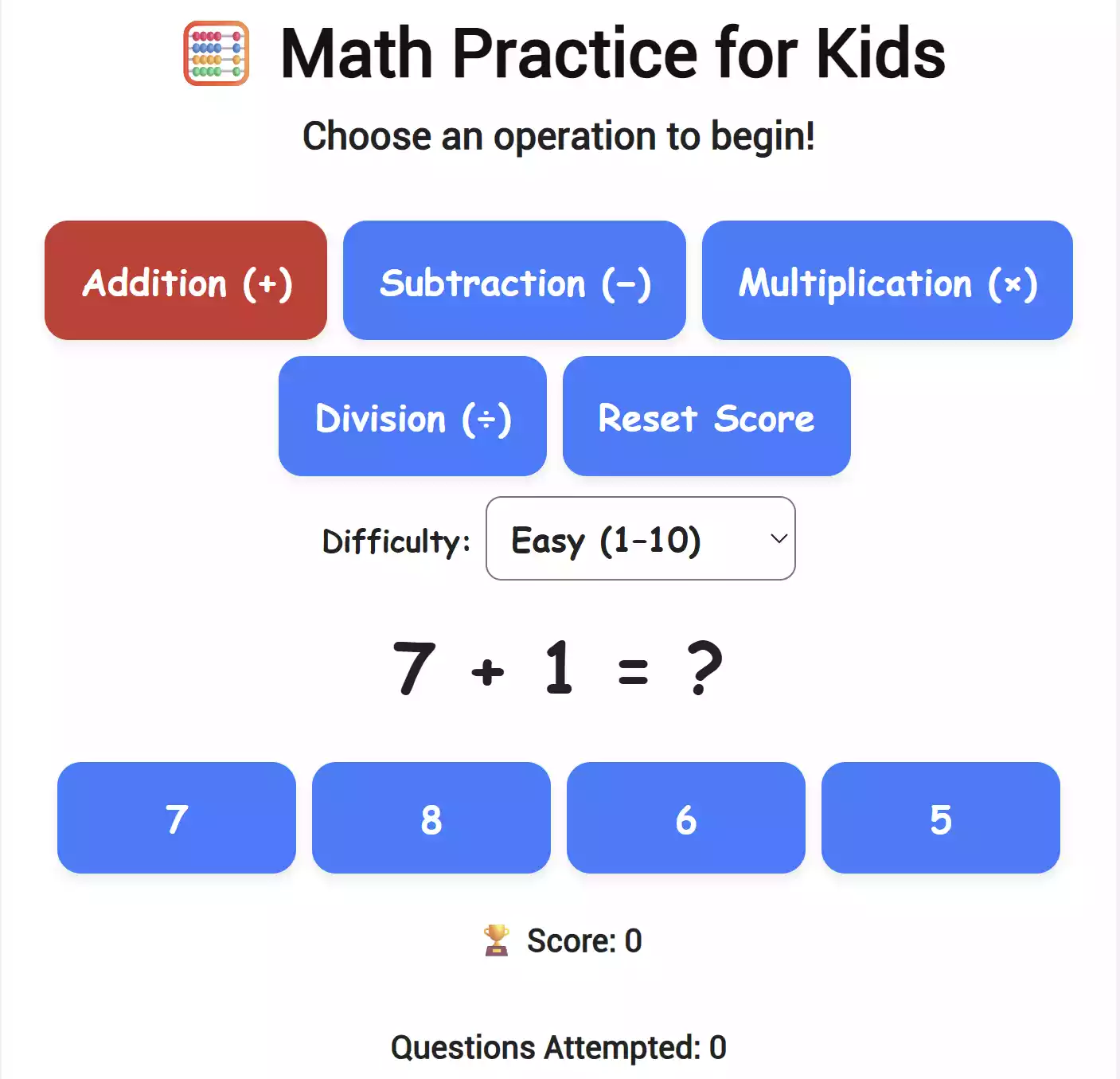
GUW Math Practice is a free, browser-based learning tool created for elementary-level students. It covers the four essential operations — addition, subtraction, multiplication, and division — so that kids can improve their skills step by step. Every correct answer brings a colorful confetti burst and a trophy animation to keep motivation high!
Why Kids and Parents Love This Tool
- Instant feedback: Children instantly see whether their answer is correct or not, with a friendly message and celebration.
- Automatic progression: After every answer, a new question appears automatically — no need to click “Next.”
- Built-in sounds: Positive tones for correct answers and gentle tones for mistakes make learning interactive even on mobile devices.
- Colorful trophies & confetti: Visual rewards help children stay motivated.
- Three difficulty levels: Easy (1-10), Medium (1-20), and Hard (1-50).
- Mobile-friendly: Works perfectly on touchscreens, tablets, and laptops.
- Completely private: No logins, ads, or tracking — everything runs inside your browser.
How to Use GUW Math Practice
- Open the tool page: GUW Math Practice.
- Pick a math operation — Addition, Subtraction, Multiplication, or Division.
- Select a difficulty level (Easy, Medium, Hard).
- Type your answer in the big bold box and press Submit.
- Watch your confetti, listen to the celebration sound, and continue automatically to the next question!
- Tap Reset Score anytime to start over.
Designed for Every Device
The interface is optimized for children’s use — large, colorful buttons, bold text, and touch-friendly layouts make it ideal for classroom tablets or laptops. Parents can also use it at home for short daily math practice sessions.
Educational Value
Studies show that gamified repetition improves focus and memory retention in early learners. The GUW Math Practice tool combines visual and audio feedback to reinforce understanding of number relationships and arithmetic operations. Teachers can project it on classroom screens or let students use it individually.
More Helpful Learning Tools on GearUpWindows
- Typing Tester – practice typing speed and accuracy.
- GUW Smartboard – Notes & Ideas Organizer – encourage students to write and brainstorm creatively.
- GUW Whiteboard Lite – quick drawing and explaining math problems visually.
Start Using It Now
Ready to turn math learning into fun? Try it instantly here:
Key Highlights
- Free & private – no registration needed
- Automatic next-question flow
- Touchscreen & mobile-ready design
- Real-time sound & visual rewards
- Perfect for classroom or home use
Frequently Asked Questions about GUW Math Practice
Q: Is this tool free?
Yes, it’s 100% free and runs locally in your browser.
Q: Does it store any data?
No, all progress resets when you close or refresh the page — nothing is uploaded.
Q: Will it work on phones and tablets?
Yes, the layout adapts automatically and opens the on-screen keyboard when you tap “Type answer.”
Q: Can teachers use it offline?
Yes. Once the page loads, it works offline until refreshed.
Q: Are there sounds and trophies?
Absolutely! Correct answers trigger cheerful tones, confetti, and a trophy animation for positive reinforcement.
Conclusion
GUW Math Practice makes learning basic math both entertaining and effective. Whether you’re a teacher preparing exercises or a parent supporting your child’s progress, this tool provides an engaging way to master arithmetic skills. Try it today and watch children smile while they learn!
Created for young learners by GearUpWindows to make math practice joyful again.