

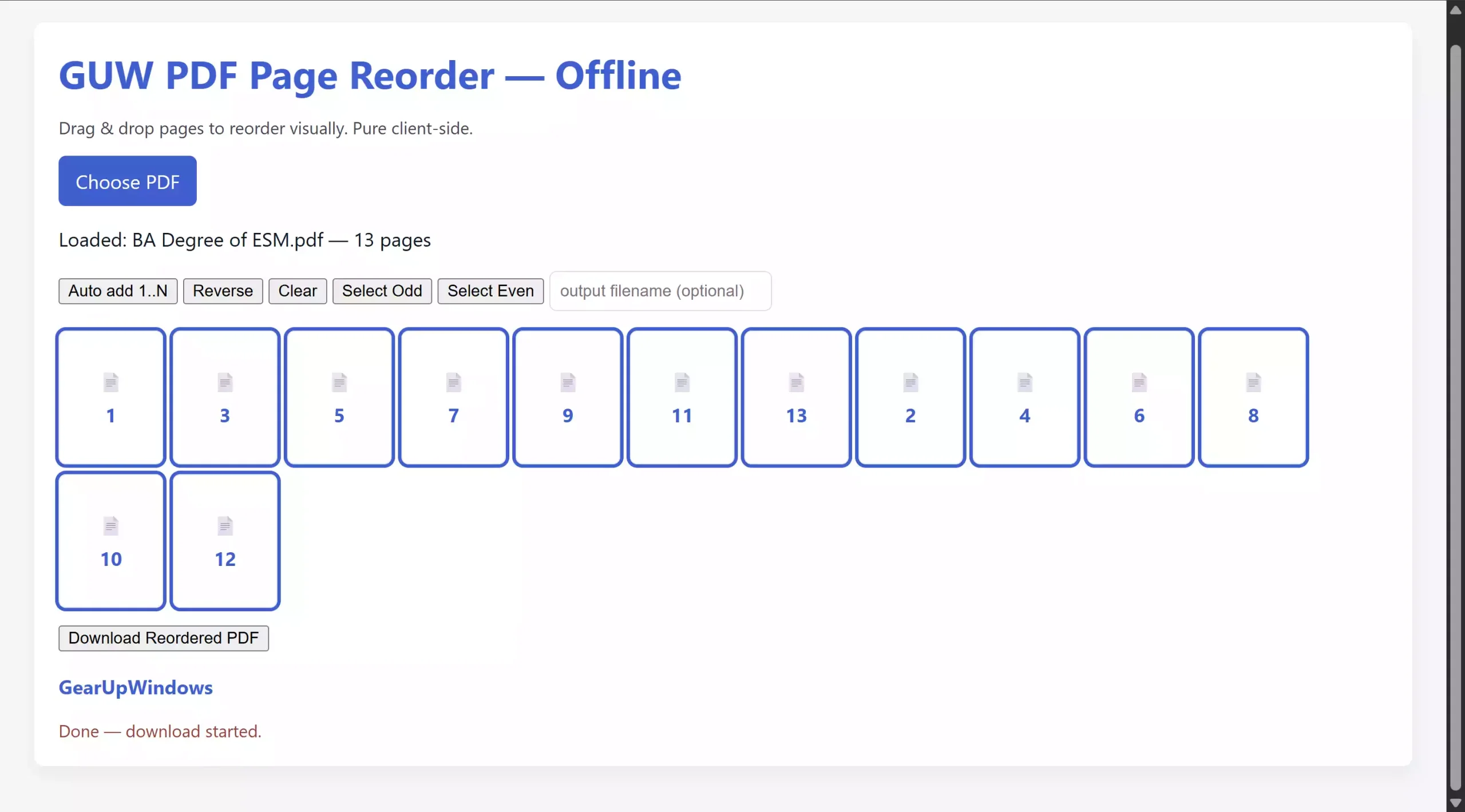
Working with PDF files can sometimes feel restrictive, especially when you want to quickly rearrange the order of pages or remove certain sections. Most online tools either limit usage, show annoying ads, or raise privacy concerns because you must upload documents to external servers. To solve this problem, we created a new free utility – GUW PDF Page Reorder. It is an offline, browser-based tool that runs directly on your computer and lets you reorder PDF pages with simple drag-and-drop.
You can download GUW PDF Page Reorder here and start using it instantly. No installation, no registration, and no hidden limits.
Why is this tool useful?
Imagine you have a scanned PDF where the pages are not in the right order, or maybe you’ve combined multiple documents and now want to reorganize them. Instead of re-scanning or paying for premium software, GUW PDF Page Reorder makes the job as easy as dragging icons on your screen. Because it works fully offline, it’s also much safer than web-based solutions.
Key features
- Drag & drop reordering – visually move pages into your desired order.
- Auto add 1..N – quickly load all pages in sequence.
- Reverse order – flip the entire document with one click.
- Select Odd / Even pages – handy for printing, splitting, or extracting sections.
- Exclude pages – simply leave them out of the order, and they won’t appear in the output.
- Offline and private – no file ever leaves your machine.
How to use GUW PDF Page Reorder
Step 1. Download and extract the ZIP file.
Step 2. Open index.html in your browser (works on Chrome, Edge, Firefox, Brave, etc.).
Step 3. Click Choose PDF and upload your document.
Step 4. Drag page tiles to reorder them, or use the built-in shortcuts like Auto add, Reverse, Odd, and Even.
Step 5. Click Download Reordered PDF to save your updated file.
Better than online services
Many online PDF editors make you upload files to the cloud. That’s fine for public documents, but if you’re dealing with personal data or sensitive business reports, you shouldn’t risk privacy. Because GUW PDF Page Reorder works locally, you never send your files anywhere. It’s also faster because there’s no waiting for uploads or downloads.
Other free PDF tools you might like
This new reorder tool fits well alongside other free utilities we’ve published. For example:
- If you need to encrypt a PDF with a password, try our Free PDF Encryptor.
- Need to split a large PDF or combine sections? Use the GUW PDF Splitter Organizer.
- Large file size? The PDF Compressor will reduce it without losing quality.
- You can also view and edit PDF metadata if you want to remove author or hidden details.
- Prefer dark mode reading? Try the PDF Dark Mode Viewer.
Compatibility
The tool runs on Windows, macOS, and Linux — basically any system with a modern browser. No installation required, just open the HTML file. You can even carry it on a USB drive for portable use.
FAQs
Is GUW PDF Page Reorder completely offline?
Yes. Once you download the ZIP, you don’t need the internet. Everything runs inside your browser.
Do I need to install software?
No installation. Just open the HTML file in a browser.
Can I remove pages with this tool?
Yes. Any page you don’t include in your final order will be excluded.
Is it free?
Yes. Like all GearUpWindows tools, it’s completely free to use.
Conclusion
GUW PDF Page Reorder is a must-have for anyone who frequently works with PDF files. It combines simplicity, speed, and privacy in one lightweight offline package. Whether you need to reorganize lecture notes, prepare professional reports, or just fix a jumbled document, this free tool makes the process effortless. Download it today and enjoy complete control over your PDFs without relying on online services or heavy software.