

Reliance Jio, a pioneer in the Indian telecom industry, has expanded its digital footprint with the launch of JioSphere Browser. It is based on Google’s Chrome browser. This innovative browser is designed to offer fast, secure, and user-friendly web browsing, tailored to meet the evolving demands of Indian internet users. With advanced features, seamless performance, and Jio’s robust network backing it, JioSphere browser is set to revolutionize how users experience the web.
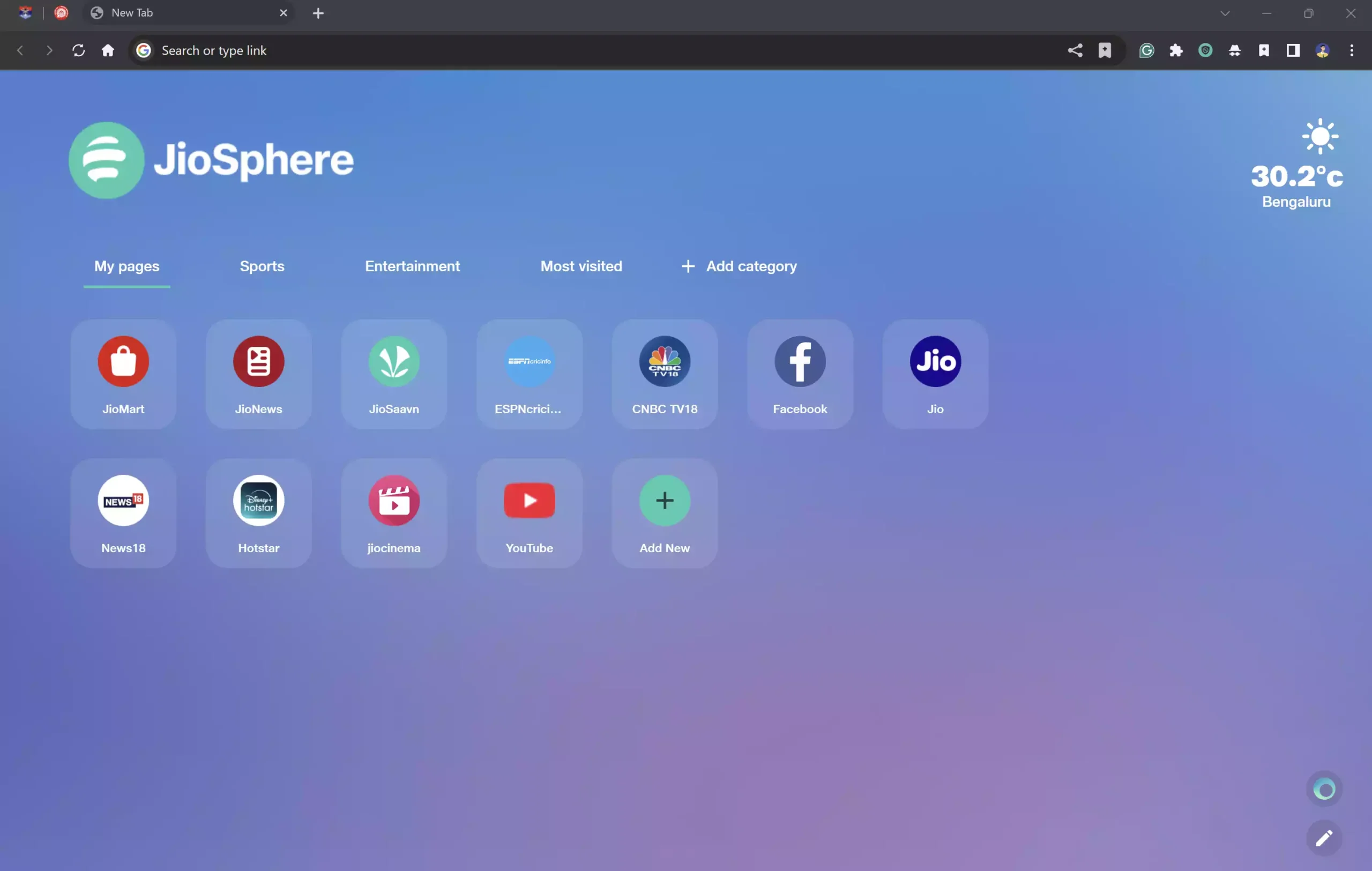
Key Features of JioSphere Browser
1. Blazing Fast Speed: JioSphere leverages Jio’s high-speed network infrastructure, ensuring quick page load times even with heavy multimedia content. The optimized architecture reduces lag, providing a smooth browsing experience.
2. Data-Saving Mode: Considering the data-conscious nature of many Indian users, JioSphere Browser comes with an intelligent Data Saver Mode. This feature compresses web pages, images, and videos, helping users save significant amounts of mobile data without compromising quality.
3. Secure Browsing: Security is a top priority for JioSphere Browser. It offers robust protection against phishing attacks, malware, and malicious websites. With enhanced HTTPS encryption, users can browse confidently, knowing their personal information is safe.
4. Intuitive User Interface: The browser sports a clean, minimalistic design with an easy-to-navigate interface. Its customizable homepage allows quick access to favorite sites, bookmarks, and personalized news feeds, enhancing usability for both tech-savvy and casual users.
5. Voice Search Integration: Incorporating advanced voice recognition technology, JioSphere Browser allows users to perform searches using voice commands, making it convenient for those who prefer hands-free browsing or have difficulty typing.
6. Multi-Tab Management: Managing multiple tabs is seamless with JioSphere Browser’s efficient tab management system. It allows easy switching, closing, and organizing of tabs, ensuring a clutter-free browsing experience.
7. Offline Mode: One of the standout features is the Offline Mode, enabling users to save web pages for offline reading. This is particularly useful in areas with inconsistent internet connectivity.
8. Personalized Content Feed: JioSphere Browser curates a personalized content feed based on user preferences. Powered by AI algorithms, it delivers relevant news, articles, and videos, keeping users updated with the latest trends.
How to Download and Install JioSphere Browser?
Follow these steps to download and install JioSphere browser on your device:-
For Android Users
Step 1. Visit the Google Play Store.
Step 2. Search for “JioSphere Browser.”
Step 3. Tap Install and wait for the download to complete.
Step 4. Open the app, sign in with your Jio account (optional), and start browsing.
For iOS Users
Step 1. Open the App Store.
Step 2. Search for “JioSphere Browser.”
Step 3. Download and install the app.
Step 4. Launch the browser and enjoy seamless web surfing.
For Windows and Mac Users
Step 1. Navigate to the JioSphere webpage.
Step 2. Download and install the app.
Step 3. Launch the browser and enjoy seamless web surfing.
Pros and Cons of JioSphere Browser
Pros:
- Fast and secure browsing experience,
- Data-saving features,
- User-friendly interface with voice search,
- Offline reading support,
- Regular updates and security patches.
Cons:
- Limited availability on non-Jio networks (in some cases)
- Lacks some advanced features compared to global competitors like Chrome or Firefox.
Conclusion
JioSphere Browser is a promising addition to the digital ecosystem, offering a blend of speed, security, and user-centric features. Its data-saving capabilities, personalized content, and robust performance make it an excellent choice, especially for Indian users looking for an optimized browsing experience. As Reliance Jio continues to innovate, JioSphere Browser is set to become a key player in the mobile browsing landscape.
Also Read: How to Block or Bypass YouTube ads in JioSphere browser?