

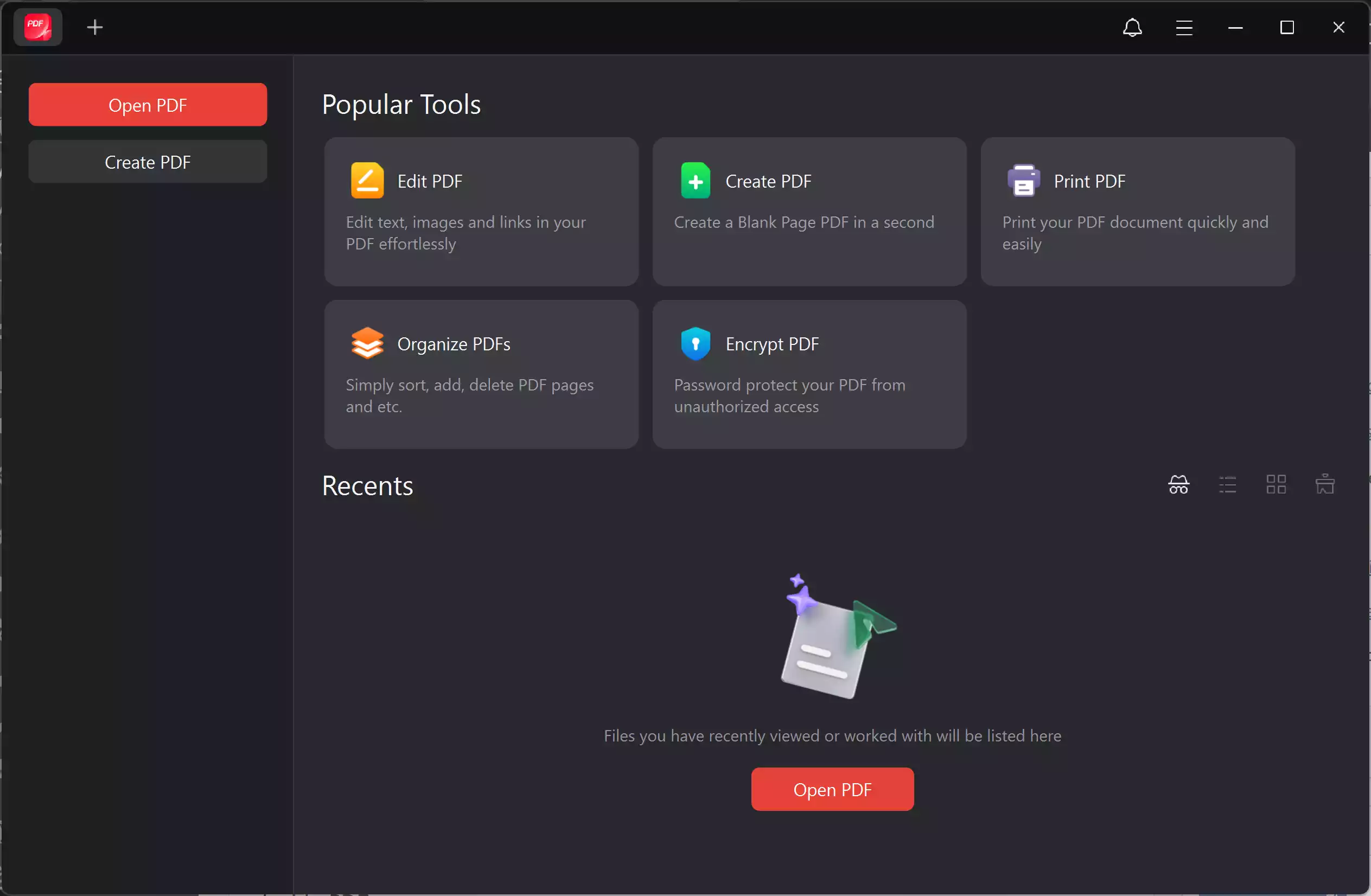
JOPDF is a free PDF application that helps you tackle all your PDF tasks with ease — edit text and images, annotate, organize pages, protect files, and print, all without complicated steps. It’s designed to be beginner-friendly and fast, so you spend less time fighting files and more time getting work done.
What is JOPDF?
JOPDF is an all-in-one PDF editor and reader that bundles editing, annotation, page management, conversion, and protection into a single, free desktop app. It ships with tools to edit text and images inside a PDF, add and remove annotations, rearrange pages, merge/split files, and apply passwords or encryption — with no registration required.
Key Features
Edit PDF files: Modify text, change fonts and sizes, and replace or resize images inside PDFs.
Annotate & markup: Highlight, underline, strike-through, freehand draw, and add sticky notes or comments.
Page management: Reorder pages, extract pages, remove pages, and reverse page order quickly. See guides and tools for page operations.
Merge & split: Combine multiple PDFs or split a big file into smaller documents.
Protect & unlock: Password-protect PDFs with encryption or remove a password if you have the rights to do so.
Export & convert: Export to common formats and extract images or text as needed.
When JOPDF Can Help You
Use JOPDF when you need to edit a PDF quickly (fix typos, replace images), annotate documents for review, merge handouts, secure a file before sharing, or extract images and text from a PDF for reuse.
Why Would a Beginner Use JOPDF?
JOPDF focuses on a simple interface, clear menus, and step-by-step guides. It avoids clutter and offers common PDF tools that most people need — without subscriptions, trials, or forced signups.
Supported Platforms & System Requirements
JOPDF runs on Windows and macOS, with Linux support noted as coming soon. Official pages list compatibility details and minimum system specs for each platform. For Windows, it supports Windows 11/10/8.1/8/7 (32/64-bit) and lists modest CPU, RAM, and disk requirements; macOS builds support macOS 10.13+ and are optimized for Apple Silicon chips.
How to Get JOPDF (Download & Install)
Download the official installer from the JOPDF website. The official download center shows separate installers for Windows and macOS and step-by-step install instructions.
Download (official): https://www.jopdf.com/
After downloading:
Step 1. Run the installer.
Step 2. Follow on-screen prompts.
Step 3. Launch JOPDF and open a PDF to begin editing.
How to Use — Quick Tasks
Edit text: Open the PDF → select Edit mode → click text to change, add text, add image, add link, then save.

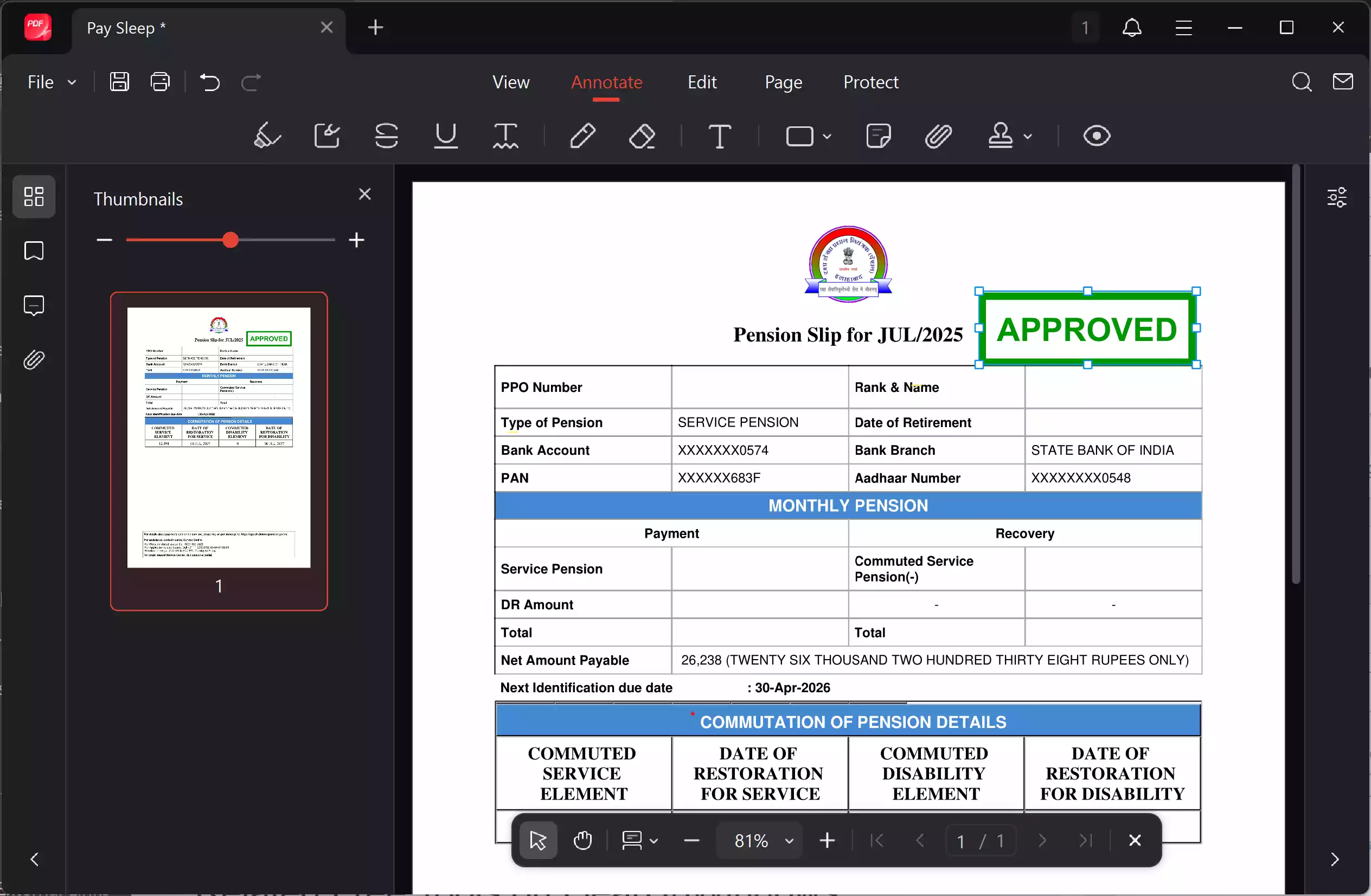
Add annotations: Choose Annotate → pick highlighter, note, freehand, etc → apply and save.
Note: While using this application, I found that some of the annotation tools were not working.
Reorder pages: Open the page manager, drag pages into order, and save. If you prefer a focused tool for pages, try our internal page reordering guide. Reorder PDF pages for free

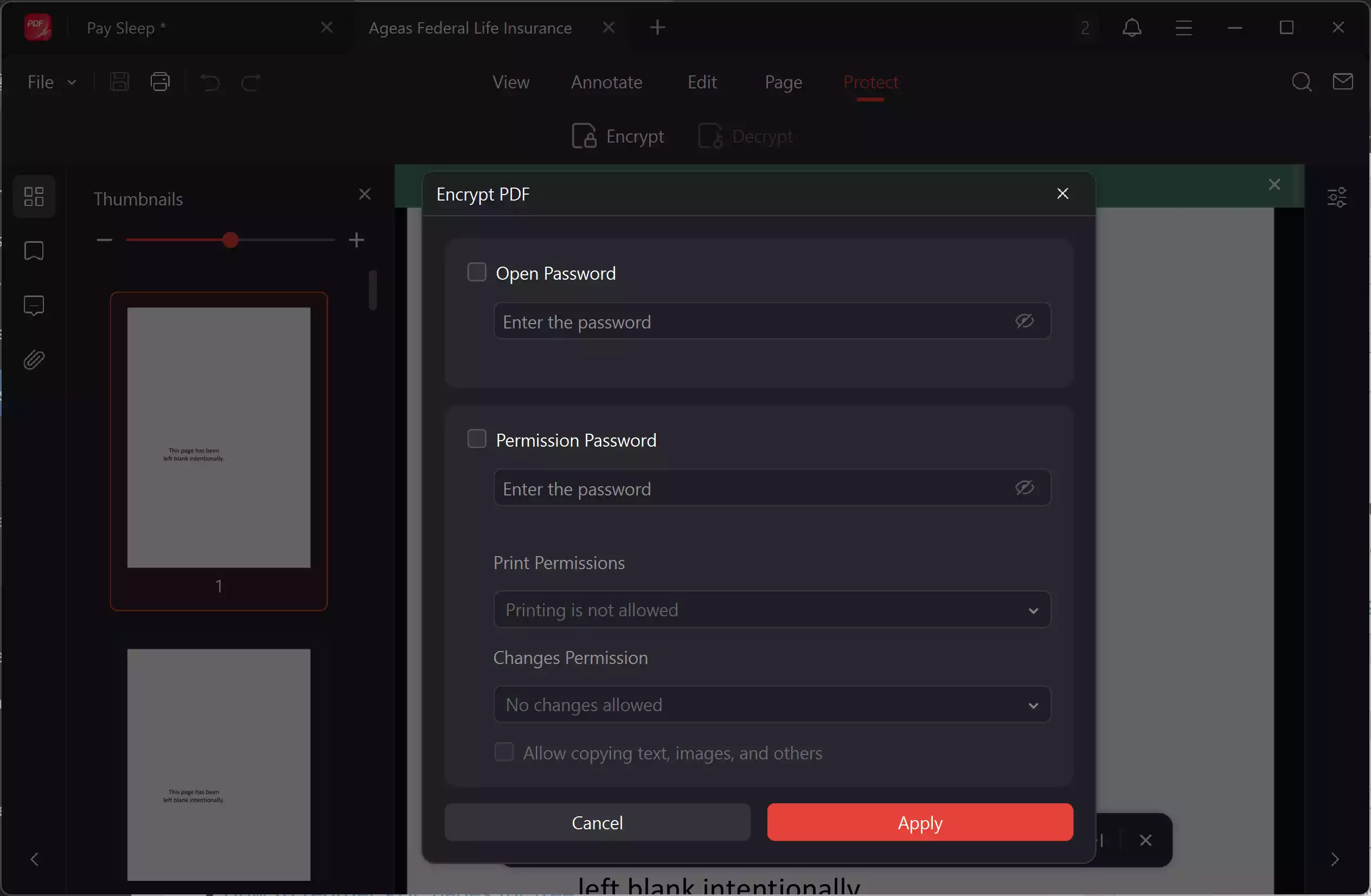
Password Protect: Choose Protect → pick Encrypt → apply Password and save.
Related Free Tools on GearUpWindows
Want extra helpers while working with PDFs? These internal tools and guides pair well with JOPDF:
- Annotate PDFs online — GUW PDF tool
- How to reorder PDF pages for free
- Free PDF merger
- How to password-protect PDFs
- PDF metadata viewer & editor
- PDFgear – A free PDF editor, annotator, and more.
Supported Formats
JOPDF handles standard PDF formats and common image inputs (PNG, JPG) when embedding or exporting images. It also supports common text export and conversion options from within the app.
Pros
- Completely free — no signup, no limits for core features.
- Beginner-friendly UI with step-by-step guides and built-in tutorials.
- Cross-platform for Windows and macOS; Linux notes available on official site.
- Includes editing, annotation, page management, and protection in one package.
- Official site and installers are actively maintained, and the product is widely reviewed.
Considerations
- Linux support is marked “coming soon” on official pages — check the download center for current availability.
- As with any third-party installer, download from the official site or trusted distributors only and verify checksums if offered.
- If you need advanced enterprise workflows (shared review, cloud collaboration), confirm those features on JOPDF’s product pages — the app focuses on local desktop editing.
FAQs
Q. Is JOPDF really free with no signup?
A. Yes — official documentation states that JOPDF is completely free with no hidden costs and no registration required.
Q. Which operating systems does JOPDF support?
A. Official pages list Windows and macOS support (Windows 11/10/8.1/8/7 and macOS 10.13+ with Apple Silicon optimizations). Linux is mentioned on the site as coming soon.
Q. Is JOPDF safe to install?
A. JOPDF’s about and download pages describe the product as secure and free from bundled malware; still, always download from the official site and keep antivirus signatures up to date.
Q. Can JOPDF remove passwords from a locked PDF?
A. JOPDF provides tools for encrypting and decrypting PDFs; removing protection requires proper authorization or the password. Refer to the JOPDF guide on editing locked PDFs for details.
Conclusion
JOPDF is a solid, beginner-friendly PDF toolkit for everyday tasks: editing, annotating, reorganizing, and protecting PDFs without subscriptions or signups. If you prefer a desktop app with a familiar workflow and official guides, JOPDF is worth trying — just download from the official site and pair it with GearUpWindows’ free online helpers when needed.