

Need to switch your drive from NTFS to FAT32 without losing data? Macrorit NTFS to FAT32 Converter is a lightweight, free tool designed specifically for that purpose. If you’re using Windows and want a simple solution to change your file system without formatting, Macrorit offers an effective alternative to complex command-line tools or risky reformatting methods.
This tool is ideal for users who want quick, safe, and hassle-free conversions—especially when preparing USB drives for older hardware or gaming consoles. Best of all, Macrorit NTFS to FAT32 Converter supports volumes larger than 32GB, overcoming one of the key limitations of Windows’ built-in formatting utility.
What Is Macrorit NTFS to FAT32 Converter?
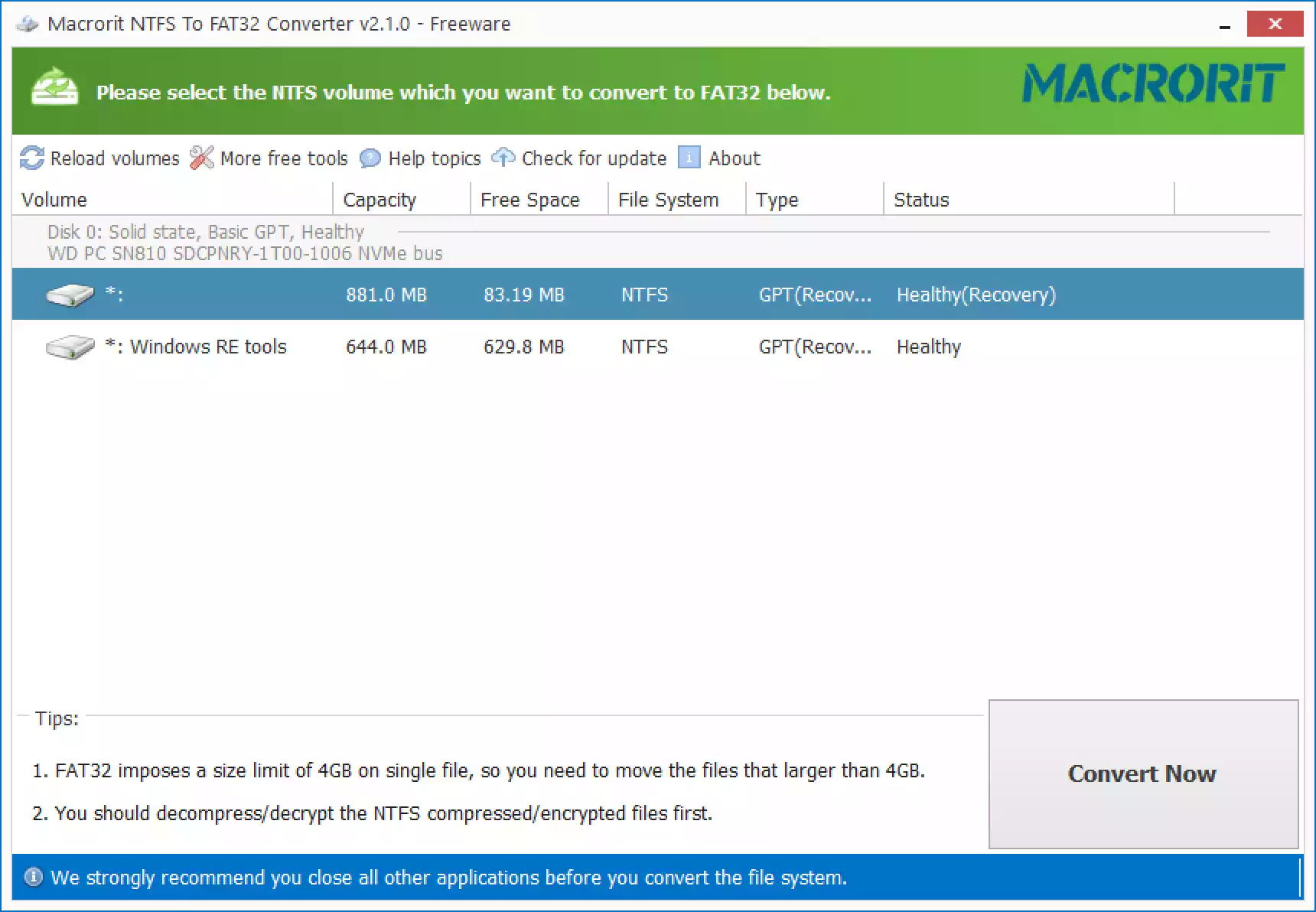
Macrorit NTFS to FAT32 Converter is a standalone Windows utility that enables users to convert NTFS-formatted drives to FAT32. Unlike Windows’ built-in tools, it does not require formatting or deletion of data during the conversion process. It’s built with a clean interface and does not bundle unnecessary software or ads, making it perfect for casual and tech-savvy users alike.
Important: This tool supports only NTFS to FAT32 conversion. It does not allow converting FAT32 back to NTFS. For two-way conversion, consider AOMEI Partition Assistant Standard.
If you’re exploring alternatives, you might also want to check out our article on Top 4 Free NTFS to FAT32 Converter Software for Windows 11, where Macrorit is featured along with other trusted tools.
Key Features of Macrorit NTFS to FAT32 Converter
- No Data Loss: Converts file systems without erasing files.
- Volume Support: Handles drives larger than 32GB (up to 2TB).
- Simple Interface: Clear layout with minimal steps involved.
- Portable Option: Also available as a portable tool with no installation required.
- Supports External Devices: Works with USB flash drives, SD cards, and external HDDs.
Why Convert NTFS to FAT32?
- Device Compatibility: FAT32 is widely supported by gaming consoles, media players, and older devices.
- Boot Support: Some bootable drives and legacy systems require a FAT32 format.
- Software Requirements: Certain apps and OS installers only support FAT32 during setup.
How to Use Macrorit NTFS to FAT32 Converter?
Using the software is straightforward. Here’s how to do it:
Step 1. Download and launch Macrorit NTFS to FAT32 Converter. You can use the installer or the portable version.
Step 2. From the main window, choose the drive you want to convert.
Step 3. Click Convert Now.
Step 4. Wait for the process to complete. Once done, your drive will be in FAT32 format, and all your data will remain intact.
System Requirements
- OS: Windows 11, 10, 8.1, 8, 7, Vista, XP
- Supported File Systems: NTFS and FAT32
- Max Supported Volume Size: Up to 2TB
- Devices: HDDs, SSDs, USB flash drives, SD cards
Macrorit vs AOMEI NTFS to FAT32 Converter
If you’re deciding between converters, AOMEI NTFS to FAT32 Converter (now part of AOMEI Partition Assistant) is another solid option. It offers broader disk management features, but Macrorit is a great pick if you want a lightweight tool solely for file system conversion with no additional clutter.
Final Words
Macrorit NTFS to FAT32 Converter is a no-nonsense solution for users who want to switch file systems without dealing with data loss, formatting, or complex settings. Its simplicity, speed, and support for large drives make it one of the best free tools in its category.