

PDF files are widely used in businesses, schools, and personal settings for sharing and storing information. However, as the number of PDF files on a network grows, they can take up valuable space and slow down network performance. To combat this issue, many users turn to PDF compression software to reduce the size of their PDF files. PDF Compressor Server is one such software that offers a convenient way to compress PDF files on a network.
If you prefer a lightweight browser-based option, try our free GUW PDF Compressor & Optimize tool that works instantly in your browser.
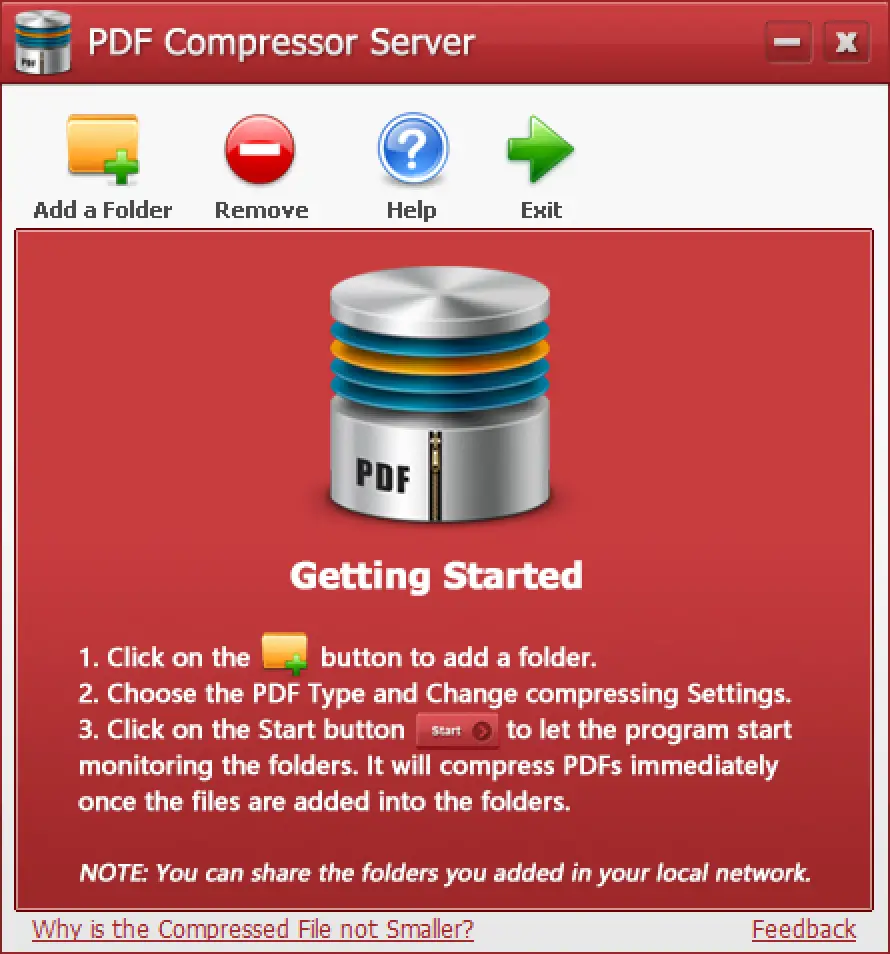
What is PDF Compressor Server?
PDF Compressor Server is a software application that monitors one or more folders on a network for newly added PDF files. Once a new PDF file is added to a monitored folder, PDF Compressor Server will automatically compress it and save it to a new location. The software is designed to save time and effort by eliminating the need to compress each PDF file manually.
PDF Compressor Server is easy to use. Users can install the software on their server computer and configure it to monitor the folders they want to compress. Once the software is configured, it will start working automatically. Users can view the status of the compression process in the PDF Compressor Server console.
How Does PDF Compressor Server Work?
PDF Compressor Server works by compressing PDF files using a variety of compression settings. Users can choose to compress PDF files using different compression rates and levels. The compression level determines the size of the compressed file and the quality of the output.
PDF Compressor Server supports different compression algorithms such as JPEG, ZIP, and LZW. It also supports different color spaces such as RGB, CMYK, and grayscale. These compression settings allow users to choose the best compression algorithm and color space for their specific needs.
You can also use a quick client-side PDF compressor for smaller, local tasks where uploading files to a server isn’t necessary.
Key Benefits
There are several benefits to using PDF Compressor Server:-
- Saves space on your network: Compressing PDF files can save valuable space on a network. This is especially helpful for users who have a large number of PDF files. For deeper analysis of disk usage, check out JDiskReport, a free disk space analyzer for Windows.
- Reduces file transfer times: Compressed PDF files are smaller than uncompressed PDF files, which means they transfer faster over a network. This can save time and improve network performance.
- Improves the performance of PDF viewers: Compressed PDF files are easier for PDF viewers to process, which can improve the performance of the viewers. This can make it faster to open and view PDF files.
- Protects your privacy: Compressing PDF files can help protect your privacy by making it more difficult for unauthorized users to view the contents of your PDF files.
How to Use PDF Compressor Server?
Using PDF Compressor Server is straightforward. Users can follow these steps:-
Step 1. Download and install the software on their server computer.
Step 2. Configure the software to monitor the folders they want to compress.
Step 3. Start the compression process.
Once the compression process is complete, users can view the compressed files in the output folder.
For converting or lightening PDFs before compression, try our PDF Light Mode Converter, which can make files smaller before you even start compressing them.
FAQs about PDF Compressor Server
1. Is PDF Compressor Server free?
PDF Compressor Server offers a free trial version, but a license may be required for long-term use in commercial environments.
2. Can it handle multiple folders at once?
Yes, you can configure multiple network folders to be monitored simultaneously.
3. Does it change the visual quality of PDFs?
Compression may slightly reduce image resolution depending on the chosen settings, but text quality remains unaffected.
4. Can I use it with password-protected PDFs?
You may need to unlock secured PDFs first, using a tool such as Free PDF Password Remover, before compression.
Conclusion
PDF Compressor Server is a powerful tool for compressing PDF files on a network. It can save valuable space on a network, reduce file transfer times, improve the performance of PDF viewers, and protect privacy. The software is easy to use and supports different compression settings, allowing users to choose the best compression algorithm and color space for their specific needs. If you are looking for a way to manage your PDF files more effectively on a network, PDF Compressor Server is a great option.
After compression, you can view your optimized files faster using Sumatra PDF, a lightweight and portable PDF viewer that loads documents instantly.