

In this gearupwindows guide, we’ll show you how to use RyTuneX—a powerful, open-source Windows optimization tool built with modern WinUI 3 and .NET 8. Whether you’re using Windows 10 or Windows 11, RyTuneX helps improve performance, enhance privacy, and remove bloatware—all from a clean and beginner-friendly interface. It’s an excellent choice if you’re looking for a modern alternative to tools like Win11Debloat.
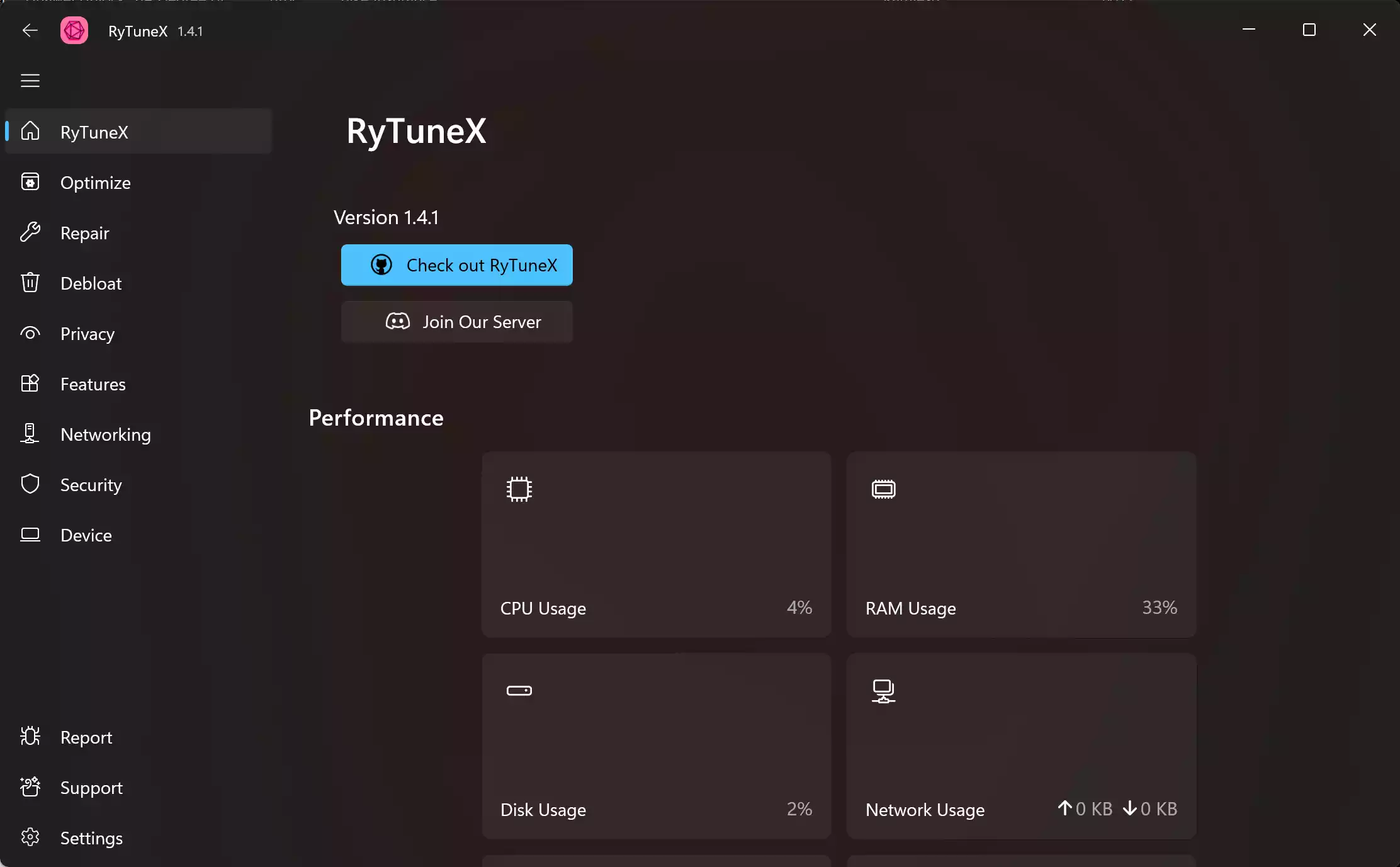
What is RyTuneX?
RyTuneX is a free Windows utility that provides all-in-one system tuning. It enables users to debloat Windows, disable unnecessary services, enhance privacy, and enable or disable various Windows features. Featuring a modern interface, RyTuneX is compatible with Windows 10 (20H1 and newer) and Windows 11.
Key Features of RyTuneX
- System Optimizations: Apply tweaks for CPU performance, background apps, ServiceHost splitting, and more.
- Debloat Tool: Remove pre-installed and unnecessary Windows apps with a simple scan-and-remove process.
- Privacy Controls: Disable telemetry, advertising ID, clipboard sync, and various data-collection features.
- Feature Management: Toggle Windows features such as Copilot, dark mode, transparency effects, and the Recommended section in the Start menu.
- Network Settings: Set DNS preferences using built-in presets or custom addresses.
- System Information: View detailed hardware specs, including CPU, RAM, GPU, and OS version.
- Repair Windows: Use the Repair tab to run DISM, SFC, and CHKDSK scans. It also provides diagnostics for battery health, memory, disk optimization, and access to the Event Viewer.
Why Use RyTuneX?
RyTuneX stands out because it combines performance, simplicity, and customization in a single, open-source package. It’s ideal for users who want to:
- Speed up a slow PC or laptop
- Disable telemetry and improve privacy
- Clean up unwanted system components and apps
- Customize Windows features and behavior easily
Unlike traditional tweaking tools, RyTuneX is transparent, actively maintained, and designed using Microsoft’s latest development frameworks.
How to Install RyTuneX?
Option 1: Install via Winget (Command Line)
Open Command Prompt or PowerShell as an administrator and run the following command:
winget install rytunexOption 2: Manual Installation
Download the latest release from the official GitHub page. Extract the ZIP file and run RyTuneX.Setup.exe to install it. It’s recommended to create a system restore point before applying any tweaks.
How to Use RyTuneX?
- Go to the Optimize tab to apply performance tweaks like disabling background apps or Superfetch.
- Use the Debloat tab to scan and remove bloatware or pre-installed Windows Store apps.
- Head to the Privacy section to disable telemetry, activity tracking, advertising ID, and more.
- In the Features tab, enable or disable optional Windows features like Copilot and transparency effects.
- Set custom DNS servers in the Network tab or use one of the built-in presets.
- Check system specifications from the System Info tab.
- Use the Repair tab to run DISM, SFC, and CHKDSK. You can also access tools for diagnosing battery health, memory, disk optimization, and the Event Viewer.
- In the Networking tab, you can view your PC’s IP address and DNS and make changes as needed.
Latest Version Highlights
The current version (as of this writing) includes new privacy toggles, a faster debloat engine, and enhanced support for disabling Windows 11 features. The developer has also added support for right-to-left languages such as Arabic.
Conclusion
If you’re looking for a lightweight, open-source, and user-friendly Windows optimizer, RyTuneX is a top choice. It helps speed up your PC, protects your privacy, and removes unnecessary software with just a few clicks. With support for both Windows 10 and Windows 11, it’s a valuable tool for both beginners and power users.
You can learn more or contribute to development on GitHub or check for updates at rayenghanmi.me.