

If you are someone who loves jotting down quick reminders, ideas, or to-do lists, then Simple Sticky Notes might be the tool you need. It is a lightweight and free note-taking application for Windows that mimics the familiar sticky notes you would keep on your desk — but in digital form. Unlike the built-in Sticky Notes app on Windows, this tool offers extra flexibility and customization for users who want more control over their notes.
What is Simple Sticky Notes?
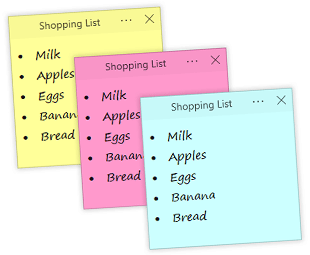
Simple Sticky Notes is a freeware note-taking program designed for Windows users who want a clean and distraction-free way to organize their thoughts. It works just like physical sticky notes, but sits right on your desktop, always within reach when inspiration strikes or when you need a reminder.
Why Would a Beginner Use Simple Sticky Notes?
Beginners love Simple Sticky Notes because it’s incredibly easy to use. There’s no steep learning curve — just install, run, and start typing your notes. Compared to other note-taking apps, it doesn’t overwhelm you with complex features, making it a perfect fit for people who want something straightforward yet powerful.
Main Features of Simple Sticky Notes
Here are some of the highlights:
- Create unlimited sticky notes on your desktop.
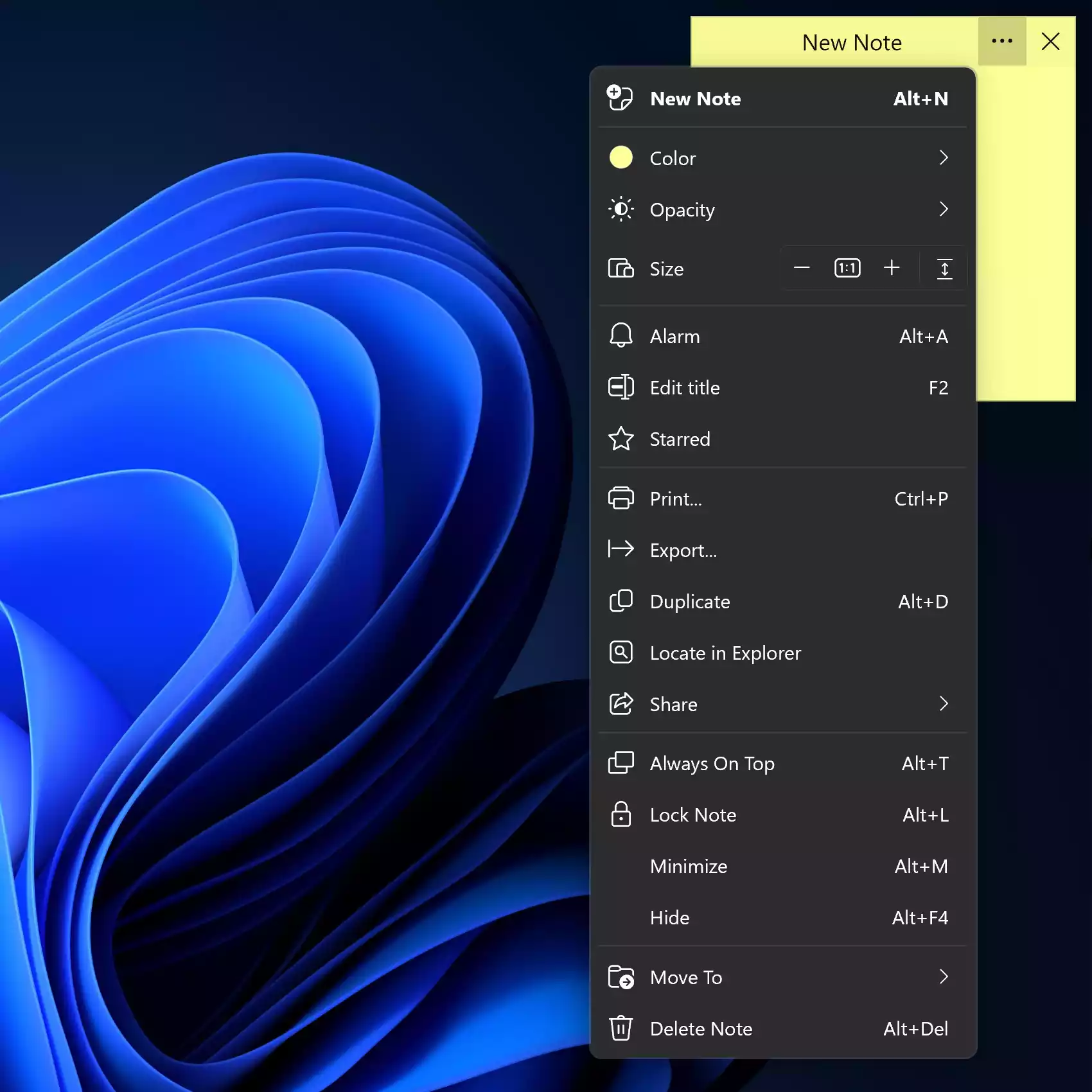
- Customize fonts, colors, and transparency to suit your style.
- Resize notes easily to fit your content.
- Stay organized with search and sorting options.
- Always on top feature for quick visibility.
To customize a sticky note, click on the three-dots menu as shown in the screenshot below.
If you are curious about other apps like this, don’t miss our guide to the best free Sticky Notes alternatives for Windows 11/10.
How to Use Simple Sticky Notes
Using the program is straightforward:
- Download and install Simple Sticky Notes from the official website.
- Create a new note by right-clicking the tray icon or using the shortcut (Alt+N).
- Type your text directly into the sticky note.
- Customize colors, fonts, or set it to stay on top of other windows.
Safe Use Tips for Beginners
Since sticky notes may contain personal or work-related information, avoid placing sensitive details like passwords on them. If you do, pair it with a tool like Secure Password Generator to ensure your data stays safe.
When Simple Sticky Notes Can Help You
Whether you’re a student noting down assignments, a professional keeping track of deadlines, or just someone who likes to remember grocery lists, Simple Sticky Notes can make life easier. It helps you organize thoughts without cluttering your workspace.
Download Simple Sticky Notes
You can download the latest version of Simple Sticky Notes directly from the official site: Download Simple Sticky Notes.
Frequently Asked Questions About Simple Sticky Notes
Is Simple Sticky Notes free?
Yes, it is completely free to download and use.
Does Simple Sticky Notes work on Windows 11?
Yes, the software is compatible with Windows 11 as well as older versions like Windows 10.
Can I back up my notes?
Yes, the app allows you to export and back up your notes to ensure they’re safe.
Conclusion
Simple Sticky Notes is one of the easiest ways to keep your reminders and quick notes handy on your desktop. With features like customization, always-on-top support, and easy backup, it offers more than the default Windows Sticky Notes app. If you need a lightweight yet effective solution for note-taking, this is a great choice.