

Even the best antivirus programs can sometimes miss threats. That’s why it’s smart to have a one-time malware scanner ready. Sophos Scan & Clean is a free, portable security tool that works alongside your existing antivirus to detect and remove deeply hidden malware such as trojans, spyware, and rootkits. You can run it without installation, making it ideal for quick system checks or cleaning infected PCs.

What is Sophos Scan & Clean?
Sophos Scan & Clean is an on-demand malware scanner developed by Sophos, a trusted cybersecurity brand. Unlike traditional antivirus software, it doesn’t run in the background — you simply download, run, scan, and remove threats. Its portable design makes it perfect for use from a USB drive, whether on your own computer or when helping others.
Why Use Sophos Scan & Clean?
- Scan systems that behave suspiciously despite showing as “clean” in your main antivirus.
- Remove advanced threats without interfering with your current security setup.
- Carry it on a USB stick for quick scans on multiple PCs.
- Get an extra layer of protection without replacing your existing antivirus.
Main Features
- Portable and no installation required — runs directly from the executable.
- Cloud-assisted detection for the latest threat intelligence.
- Identifies rootkits, bootkits, and other hard-to-remove malware.
- Options to quarantine or remove threats after review.
- Fully compatible with your existing antivirus software.
How to Use Sophos Scan & Clean
Step 1. Download the latest version from the official Sophos website. Enter your email address when prompted (required for scanning).
Step 2. Right-click the file and select Run as administrator, then approve the UAC prompt.
Step 3. Adjust settings if needed, then click OK.
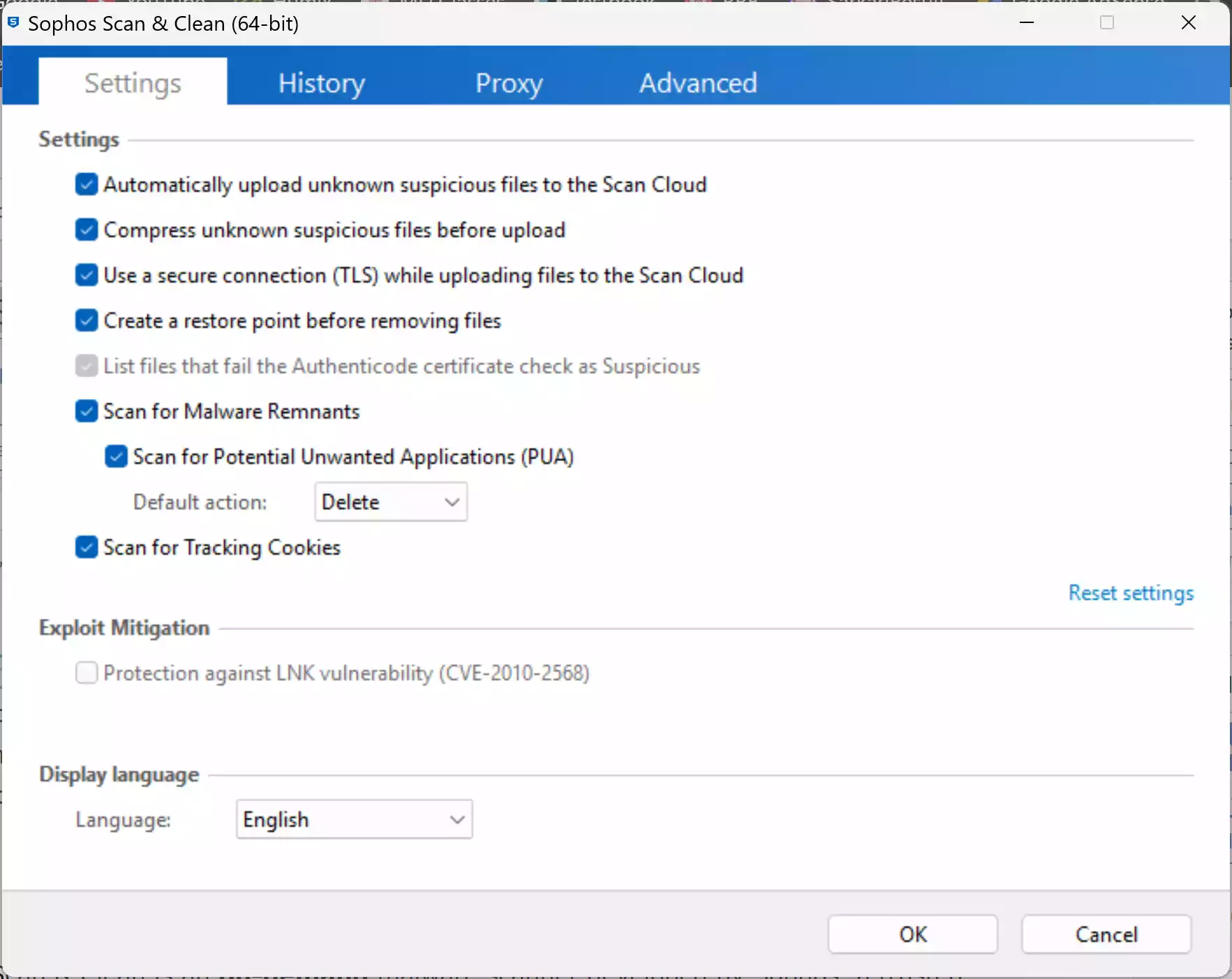
Step 4. Click Next > Next to start scanning.
Step 5. Let the tool update and check memory, startup items, and key system areas.

Step 6. Review scan results, quarantine suspicious items, then remove confirmed threats.
Step 7. Reboot your PC if requested to complete the cleanup.
If Sophos Scan & Clean is Blocked
- Boot into Safe Mode with Networking and run the scan again.
- Try Dr.Web CureIt! for a portable deep scan.
- Run ESET Online Scanner for cloud-based malware detection.
- Use Malwarebytes AdwCleaner to remove adware and browser hijackers.
- Try Norton Power Eraser for aggressive threat removal.
- Run an offline scan with Microsoft Defender for deeply embedded threats.
Best Practices After Cleaning
- Update Windows and all installed software regularly.
- Uninstall programs you don’t recognize or no longer use.
- Reset browsers if you had pop-ups or redirects.
- Change passwords for important accounts if malware was detected.
- Consider upgrading to a strong security suite from our best antivirus for Windows guide.
Pros
- Completely free and portable — no installation required.
- Cloud-based detection ensures up-to-date scanning.
- Effective against advanced threats like rootkits and bootkits.
- Works seamlessly with your main antivirus.
Considerations
- Not a full antivirus — for on-demand scanning only.
- Full scans on large drives can take time.
- Requires internet access for best detection rates.
Conclusion
Sophos Scan & Clean is a reliable, easy-to-use malware removal tool that’s perfect for double-checking your system or cleaning up an infection. With its portable design and advanced detection, it’s an excellent choice for anyone who wants an extra layer of protection without replacing their existing antivirus. For a similar one-time scan inside Windows, try Trend Micro HouseCall as a second opinion.