

LockHunter is a popular freeware file unlocker tool that helps users delete files blocked by unknown processes or programs. If you have ever encountered a message that says a file or folder is in use and can’t be deleted, LockHunter can help you overcome this frustrating issue. You may also find useful information about similar tools like IObit Unlocker or Free File Unlocker to manage your files more effectively.
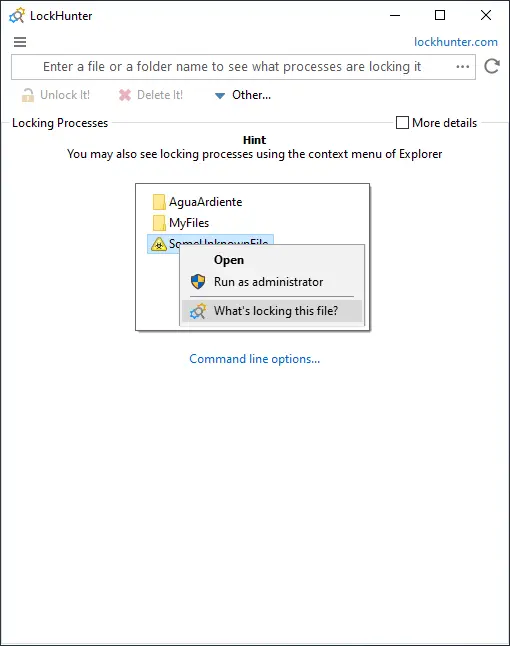
Why LockHunter?
The tool’s interface is straightforward and user-friendly, making it easy to use even for those who are not tech-savvy. It can detect the processes and services that are holding a file or folder, and then terminate them to unlock the file or folder. Once the file or folder is unlocked, LockHunter provides you with the option to either delete, rename, or move it.
One of the advantages of LockHunter over other similar tools is that it deletes the files permanently, unlike other tools that move the files to the recycle bin. This means that once you use LockHunter to delete a file, there is no way to recover it. However, this also means that you should use LockHunter with caution, as you cannot undo its actions. If you’re looking for alternative ways to securely delete files, check out our guide on WipeFile to ensure complete data removal.
LockHunter supports both 32-bit and 64-bit versions of Windows and integrates with the Windows Explorer context menu, making it convenient to use. Additionally, LockHunter is compatible with most versions of Windows, including Windows 11, 10, 8, 7, Vista, XP, 2003, and 2008.
Download LockHunter
You can download it from its official website.
Conclusion
In conclusion, LockHunter is an essential tool for anyone who regularly deals with locked files or folders. It’s a lightweight, easy-to-use, and free solution that can save you time and frustration. With its ability to permanently delete locked files, LockHunter offers a unique advantage over other file unlocker tools. For additional file management solutions, explore other tools like Abelssoft FileFusion 2025 and Process Lasso to further optimize your system.