

Keeping your computer’s drivers up to date is crucial for ensuring optimal performance and stability. However, manually updating drivers can be a tedious and time-consuming task. That’s where DriverHub comes in. DriverHub is a free driver updater tool for Windows that makes it easy to keep your drivers up to date.
For those exploring similar utilities, you might also like our guide on Best Free Driver Update Software for Windows 11 and 10.
What is DriverHub?
DriverHub is a free driver updater tool for Windows that helps you keep your computer’s drivers up to date. It scans your computer to detect outdated or missing drivers and provides you with a list of recommended updates. You can then choose which drivers to update, and the tool will download and install them for you.
Another excellent option for updating and managing drivers is Auslogics Driver Updater – Free Version: Scan, Update & Protect Your PC Drivers.
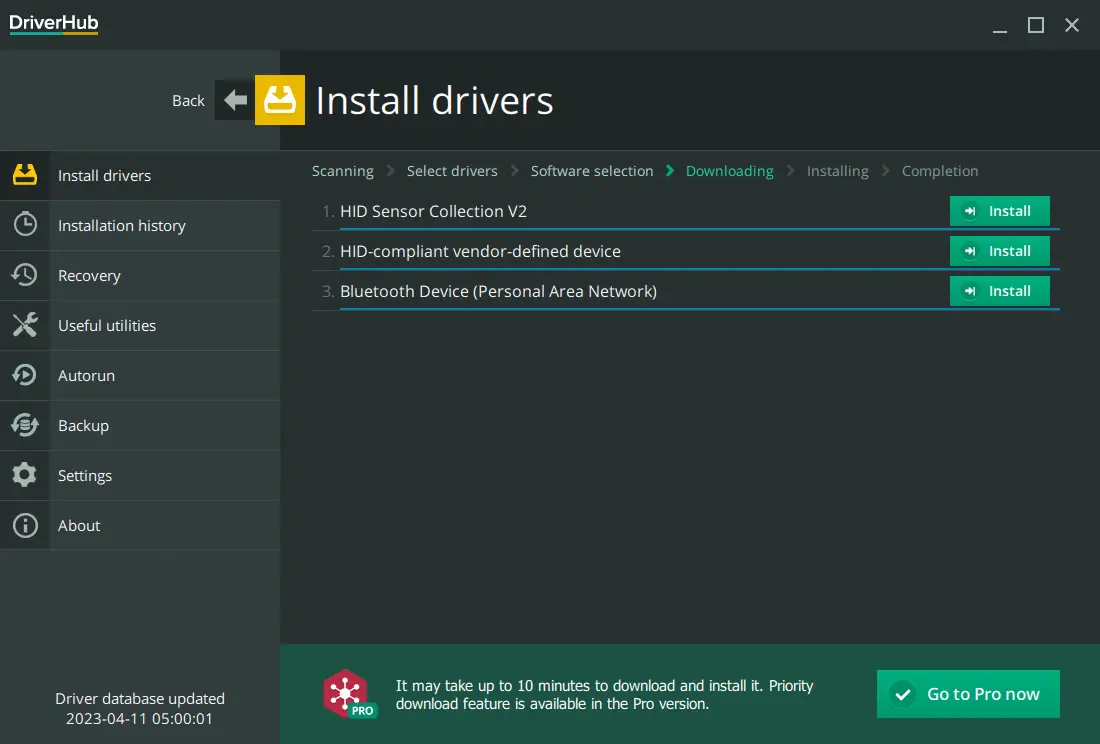
Key Features
- Automatic Driver Detection: DriverHub automatically detects outdated or missing drivers on your computer, saving you the time and hassle of manually searching for updates.
- Large Database: DriverHub has a large database of over 2 million drivers, supporting a wide range of devices and manufacturers.
- Fast and Easy to Use: DriverHub is fast and easy to use, allowing you to scan and update your drivers in just a few clicks.
- Backup and Restore: DriverHub allows you to backup and restore your drivers, ensuring that you can easily roll back to a previous version if needed.
- Scheduled Scans: DriverHub allows you to schedule automatic scans to ensure that your drivers are always up to date.
Key Benefits
- Improved Performance and Stability: Updating your drivers can improve your computer’s performance and stability, ensuring that it runs smoothly and without errors.
- Easy to Use: DriverHub is easy to use, even for novice users, allowing you to keep your drivers up to date without any technical knowledge.
- Saves Time and Hassle: DriverHub saves you the time and hassle of manually searching for driver updates, allowing you to update your drivers quickly and easily.
- Large Database: DriverHub has a large database of drivers, supporting a wide range of devices and manufacturers, ensuring that you can find the right drivers for your system.
How to Use DriverHub?
Using DriverHub is easy. Here’s how to use it to scan and update your drivers:-
Step 1. Download and install DriverHub from the official website.
If you prefer manual control over driver management, check out this guide on how to manually update drivers on Windows 10.
Step 2. Launch it and click the “Find now” button to scan your computer for outdated or missing drivers.
Step 3. Once the scan is complete, it will display a list of recommended driver updates.
Step 4. Choose which drivers to update and click the “Download” button to download and install them.
Step 5. When you’re prompted, click on the Continue button.
Step 6. Once files are downloaded, click on the Install button.
Step 7. If you want to back up your drivers before updating them, click the “Backup” button to create a backup.
To ensure added safety, you can also create a one-click backup using Driver Backup Restore Offline – One-Click Driver Export & Restore for Windows 11/10.
Conclusion
DriverHub is a free and easy-to-use driver updater tool for Windows that helps you keep your computer’s drivers up to date. With its large database, automatic driver detection, and backup and restore features, DriverHub is a must-have tool for anyone who wants to ensure optimal performance and stability.
If you also wish to automate your software updates, consider using Patch My PC Home Updater – Free App Auto Updater for Windows to keep all your installed programs current.