

Duo Video Converter is a powerful and user-friendly video converter software designed for Windows operating systems. With its simple interface, it allows you to convert any video or audio file format, including MP4, MOV, M4V, MKV, AVI, WMV, FLV, MPEG, MTS, WEBM, M2TS, TS, TRP, WTV, MP3, FLAC, 3G2, WMA, AAC, FLC, M4A, and WAV to any popular video or audio format. For users looking for an additional conversion tool with editing features, Free HD Video Converter Factory is another excellent choice. Duo Video Converter also supports different resolutions, including 4K, HD1080p, HD720p, and 480p, making it a versatile tool for all your video conversion needs.
Why Duo Video Converter?
One of the best features of the Duo Video Converter is its ability to compress videos to smaller sizes without compromising quality. This makes it a great tool for those who want to save space on their devices or upload videos to the internet quickly. Additionally, it does not add any watermarks to the converted videos, making it suitable for personal as well as professional use. If you wish to repurpose your videos creatively, you can also convert videos to GIFs online directly from your browser.
How to Use Duo Video Converter?
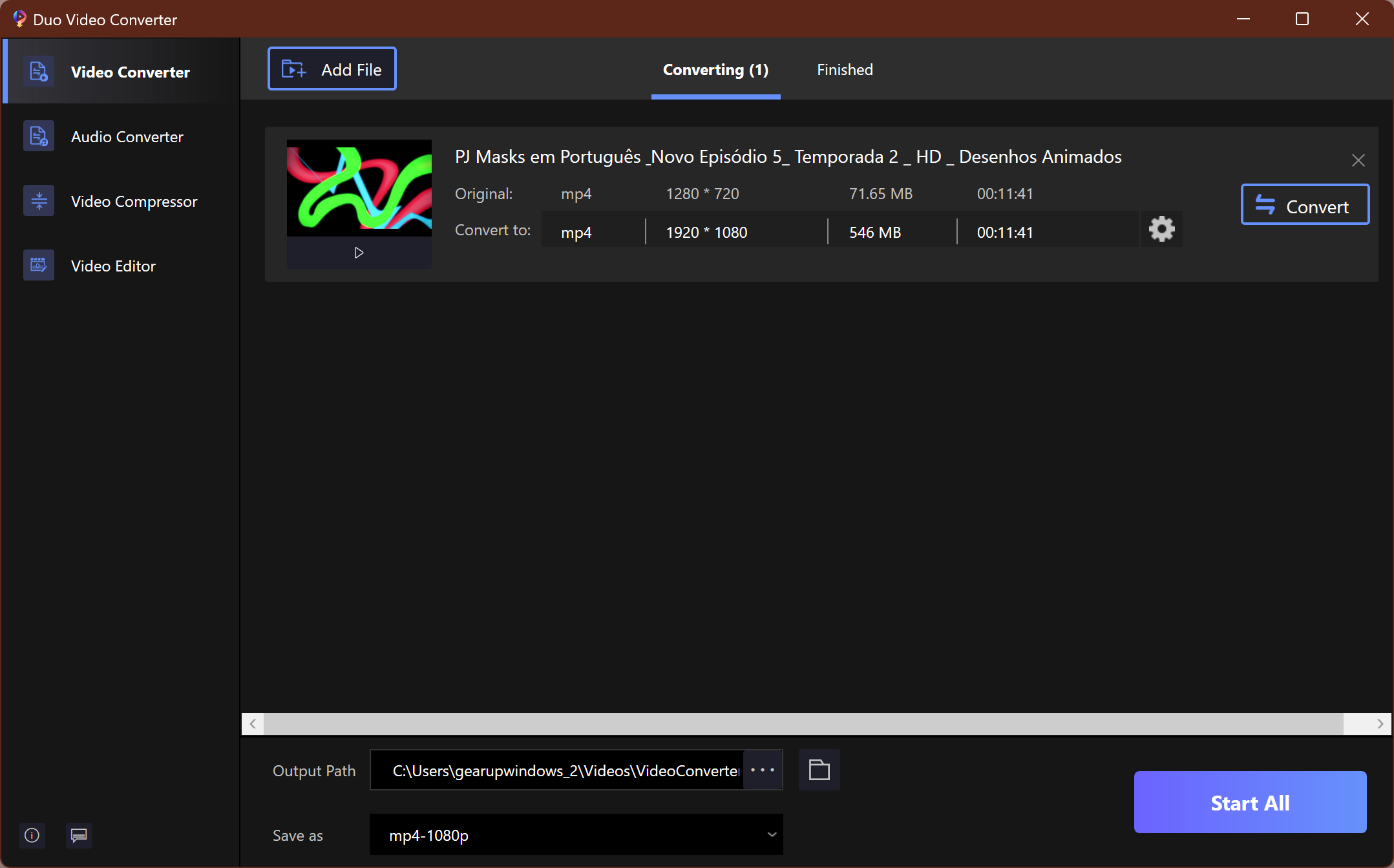
Using the Duo Video Converter is simple and easy. After downloading and installing the app from the Microsoft Store on your Windows 11 or 10 machine, run the app and click on Video Converter in the top-left corner. Then, click the Add File button to select the video you want to convert, or simply drag and drop the video file into the application. Choose a path to save the converted video on your computer and select the format of the video that you want to save. Finally, click the Start All or Convert button to begin the conversion process. Once completed, click on the Open button to watch your converted video.
For those exploring similar options, check out our list of best free video converter tools for Windows 11 and 10 that deliver professional-quality results.
Alternative Video Converters
If you’re looking for other free converters with unique features, you can try Any Video Converter, a trusted tool that supports a wide range of file formats and fast conversion speeds. Another excellent option is XMedia Recode, which combines speed, format versatility, and basic editing capabilities, making it a great addition to your video toolkit.
Download Duo Video Converter
You can download Duo Video Converter from Softonic.
Conclusion
Duo Video Converter is a powerful yet simple-to-use video converter software that offers a range of features and functionalities to users. With support for a wide range of file formats and resolutions, Duo Video Converter is a reliable choice for converting videos to the desired format quickly and easily. Whether you need to convert videos for personal or professional use, Duo Video Converter can help you get the job done. Its lightweight design, no-watermark output, and quick performance make it one of the best tools available for Windows users who want hassle-free conversion.