

If your Windows operating system fails frequently and you plan to reinstall Windows 11/10/8/7 on your computer or laptop, you may want to note down the currently installed software so you can reinstall it afterward. If you’ve installed a lot of applications and wish to reinstall them after a fresh installation of the OS, there’s a way to generate a list of installed apps in a Notepad file. To do this in Windows 11/10/8/7, you’ll use specific commands in the Command Prompt.
In this post, we’ll guide you through the process of exporting a list of installed apps in Windows 11/10/8/7.
How to get a list of installed apps in Windows 11/10/8/7 without any software?
To export the installed apps list in a Notepad file, perform the following steps:-
Step 1. Open Command Prompt with elevated rights.
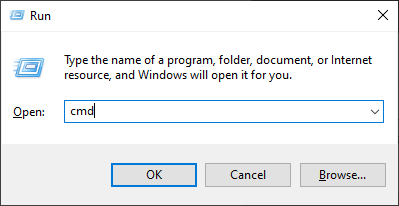
To open the Command Prompt with administrative rights, press the Windows Logo + R keys to open the Run dialog box. Type cmd in the Run box and press Ctrl + Shift + Enter to open the command prompt with admin rights.
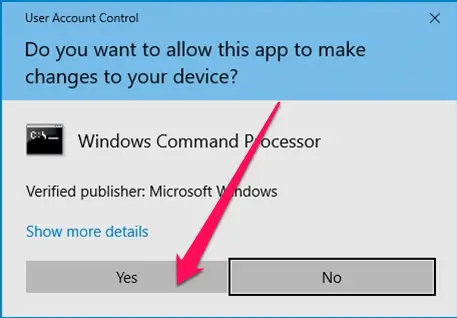
Step 2. If User Account Control (UAC) prompts, click Yes to continue.
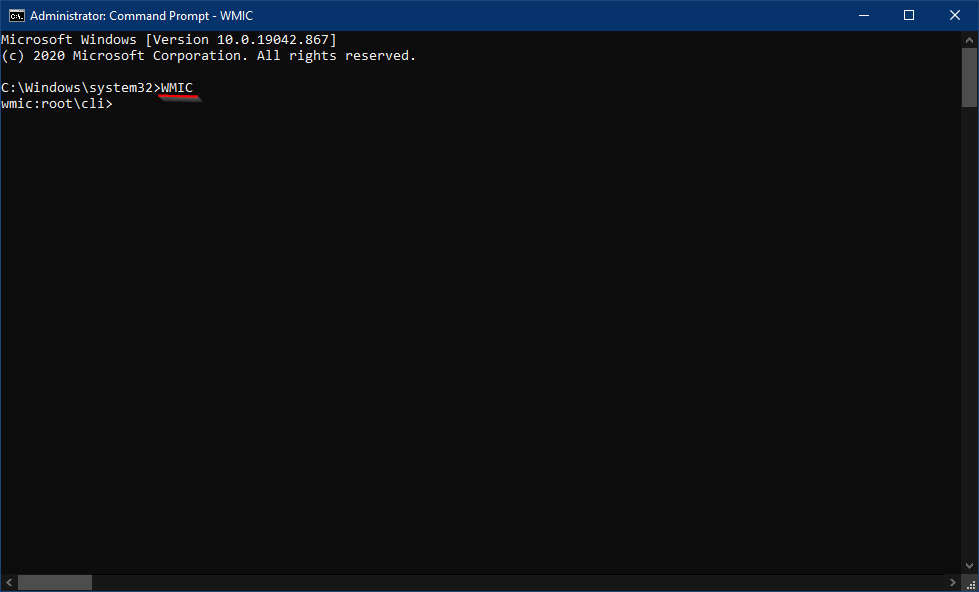
Step 3. The Command Prompt window with admin privileges opens. Type the following command and press Enter on the keyboard to execute it:-
WMIC
Step 4. Next, type the following and hit Enter on the keyboard:-
/output:C:\InstallList.txt product get name,version

Step 5. Once you execute the above command, you will see a new file in the “C” drive with the name InstallList. Double-click to open and see the list of installed programs.
Note: If you want to see the output in any other drive, change the path from “C:\InstallList.txt” to “D:\InstallList.txt” or any other drive as you wish.

Once you complete the above steps, you should see a list of installed apps on your computer or laptop.
The above-mentioned procedure works in Windows 11/10/8/7/Vista/XP/2000.
Conclusion
In conclusion, reinstalling the operating system on your computer or laptop can be a daunting task, especially when you have numerous installed apps. However, creating a list of installed apps can make the process a lot easier. By following the simple steps mentioned in this post, you can easily export a list of installed apps in Windows 11/10/8/7 without the need for any additional software. This method works on all Windows operating systems, making it a versatile and convenient option for users. Creating a list of installed apps can save you a lot of time and effort during the reinstallation process, ensuring that you have all the necessary apps installed on your system.