

Managing the partitions on your hard drive is an important task that can help optimize your computer’s performance and storage capacity. While most operating systems come with built-in tools to manage partitions, they can often be limited in functionality and may not provide advanced features that IT professionals and power users require. This is where Macrorit Disk Partition Expert Free comes in — a comprehensive and user-friendly tool for managing hard drive partitions.
Macrorit Disk Partition Expert Free for Windows
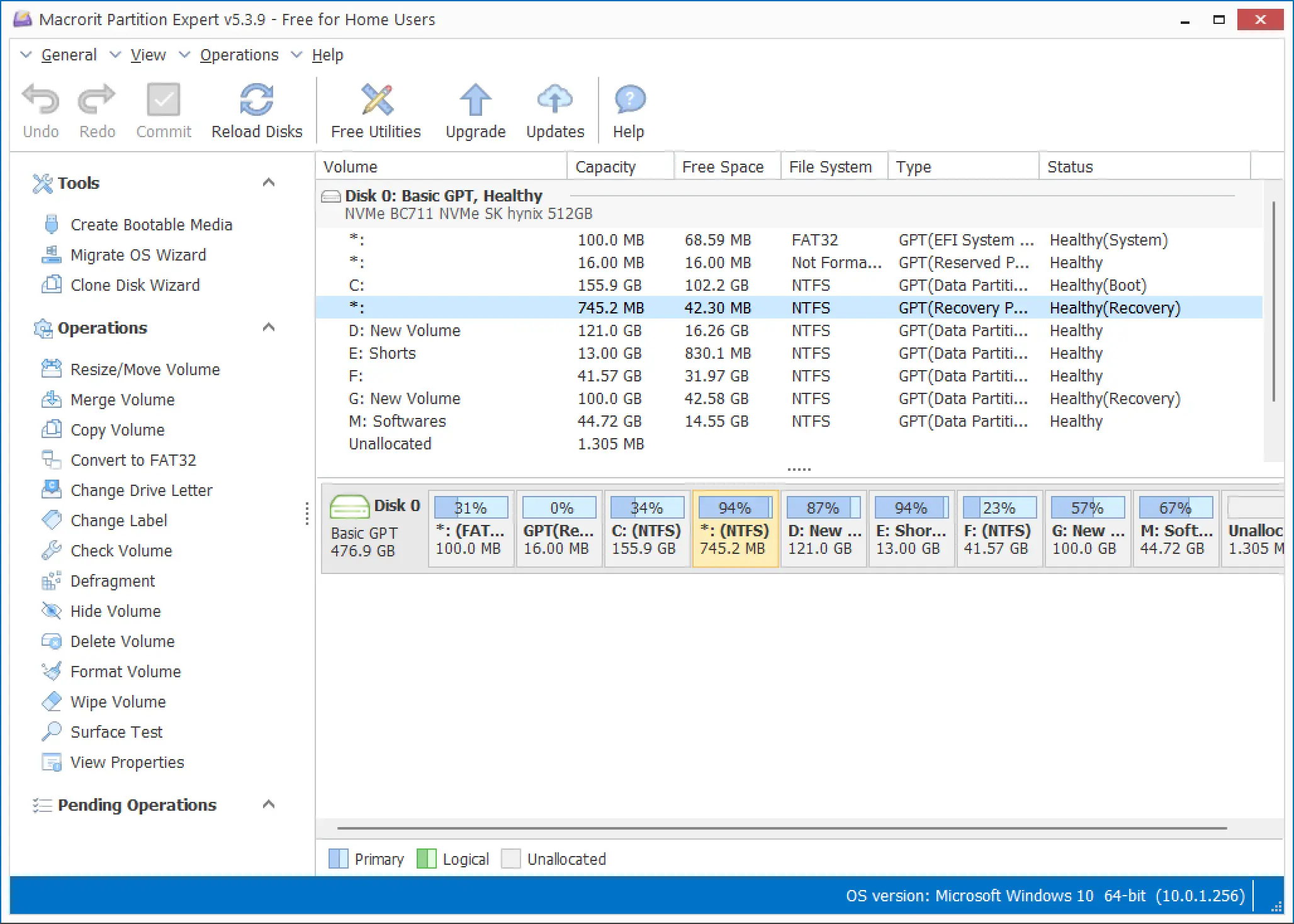
Features
Macrorit Disk Partition Expert Free provides a range of features to manage the partitions on your hard drive. It allows you to create, resize, move, copy, and delete partitions. The software supports various file systems, such as NTFS, FAT32, and exFAT. Additionally, Macrorit Disk Partition Expert Free offers the ability to convert file systems between different formats, such as converting NTFS to FAT32 and vice versa. The software also provides advanced features for IT professionals and power users, such as securely wiping partitions and checking for bad sectors on the hard drive.
User Interface
The user interface of Macrorit Disk Partition Expert Free is clean, intuitive, and beginner-friendly. It includes a step-by-step wizard that guides users through the partitioning process, making it accessible even for non-technical users. Power users, on the other hand, can access advanced tools such as disk information, partition alignment, and optimization options that help improve overall system performance.
Advanced Features
Macrorit Disk Partition Expert Free provides a range of advanced features that make it a valuable tool for IT professionals and power users. One of the most useful is the ability to securely wipe partitions, which helps permanently erase sensitive data. Additionally, the program allows users to check and fix bad sectors to prevent data loss or system slowdowns. For more dedicated disk scanning, you can also try Macrorit Disk Scanner, a lightweight utility for detecting bad sectors on hard drives and USBs.
Partition Alignment
Another useful feature of Macrorit Disk Partition Expert Free is partition alignment, which ensures optimal performance by aligning partitions with physical disk sectors. Proper alignment helps prevent slow read/write speeds and reduces the risk of data corruption. You can also explore other free tools like EaseUS Partition Master Free to perform disk conversions or optimize partitions effectively.
Download Macrorit Disk Partition Expert Free
You can download this free software from CNET.
Conclusion
Overall, Macrorit Disk Partition Expert Free is a comprehensive and user-friendly tool for managing hard drive partitions. It provides essential functions for both casual users and advanced features for IT professionals. With its easy interface, wide format support, and advanced data management tools, it’s an excellent choice for Windows users looking to manage their storage efficiently. If you’re exploring other capable alternatives, you may also check out Active Partition Manager for a similar set of powerful features.