

Windows 11 is being hailed as one of the best operating systems in Microsoft’s history. With its new and improved features, it offers a beautiful and modern look that simplifies the user experience. The redesigned Windows Store and enhanced Android app support are just a few reasons why Windows 11 is so attractive.
One of the standout features of Windows 11 is its ability to run thousands of third-party apps, including desktop-style programs such as WinZip, Canva, and Zoom. With so many freeware apps available, choosing the right one can be overwhelming. In this article, we focus on the benefits of using OneNote, a powerful note-taking app that helps you stay organized and productive.
OneNote for Windows 11 and 10
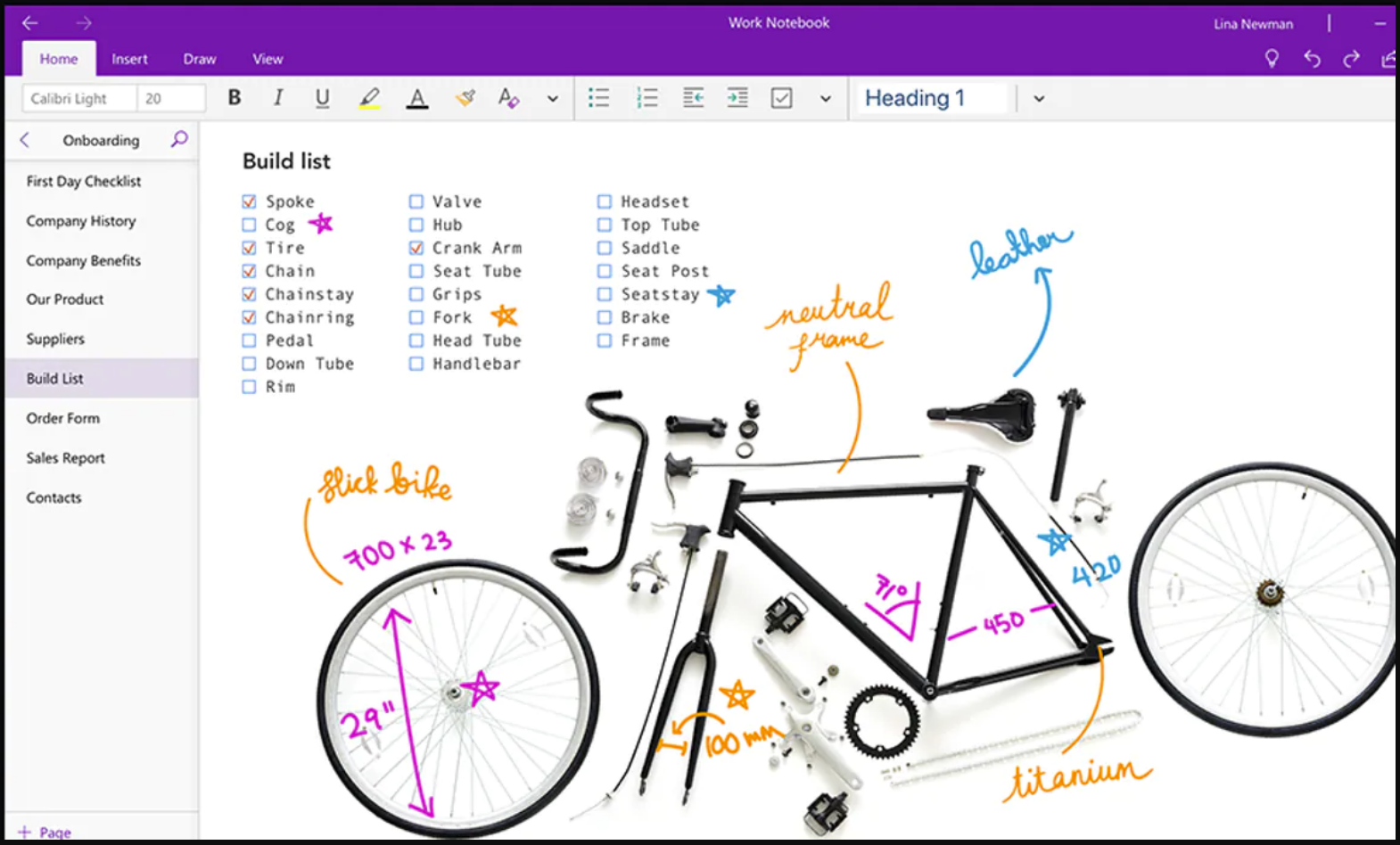
OneNote is a flexible digital notebook that allows users to organize their thoughts and notes on a Windows PC. Compatible with Windows 11, it lets you jot down ideas, draw, write, and even capture web pages. You can also share your notes in real-time across platforms like iOS and Android, and access them from virtually any device.
This free note-taking app serves as an excellent productivity tool for Windows 11 users. It supports audio recording, screenshots, and note sharing. OneNote is available for Windows, iOS, macOS, Android, and other platforms, making it a versatile option for nearly everyone.
Also Read: How to extract text from an image using OneNote?
OneNote can be downloaded and used for free on all supported devices. While some premium features are available only through a Microsoft 365 or Office 2019 subscription, the core functionality of OneNote is completely free of charge. This is in contrast to other Microsoft applications that often require a paid subscription. You can download OneNote on PCs, iPhones, Macs, Android devices, and iPads. For personal computers, it’s available through the Microsoft Store.
Key Benefits
- OneNote enables the user to work in real-time.
- Collaboration.
- It secures sensitive and valuable information.
- The user of Windows 11 can use OneNote for recording information and ideas.
- Easy to support and share the notes in multimedia.
- You can integrate OneNote with other software.
Problems that May Arise
It’s important to note that some users may face issues with OneNote’s settings.dat file on Windows 11. If this file becomes corrupted, the app may stop functioning properly. If you experience this, try restarting the app to see if the problem resolves.
For Windows 11
With a Microsoft 365 subscription or Office 2019, users of OneNote on Windows 11 can unlock premium features like:
- Researcher – Helps find and include reliable content in your notes.
- Ink Replay – Lets you replay handwritten notes and drawings.
- Math Assistant – Solves math equations and provides step-by-step explanations.
Download OneNote
You can download the OneNote application from here.
Conclusion
As Microsoft continues to reshape the digital landscape with groundbreaking updates, Windows 11 stands out as a symbol of innovation. By combining style and functionality, it delivers a refreshed Windows Store and improved support for Android apps.
Among its many features, third-party app compatibility truly shines, offering users a wide range of tools like WinZip, Canva, and Zoom. OneNote, in particular, is a robust note-taking tool suited for casual users and professionals alike.
Its smooth integration across multiple platforms and rich feature set make it an essential productivity solution. While the basic features are free, upgrading to premium gives access to specialized tools for research, math, and more.
Whether you’re a student, a business professional, or someone who just likes to stay organized, OneNote is a tool worth exploring. As with any software, occasional bugs may occur—but often, a simple restart is all it takes. Embrace OneNote and experience a new level of organized digital note-taking on Windows 11.