

WinRAR is the best and most popular software to extract an archive file on Windows 11/10 PC. It is paid software, but the developer allows you to use it for free with a few tricks without hacking or cracking this tool. For those who don’t love to use any trick on Windows 11/10, there is a piece of good news; you can download a freeware tool from the Microsoft Store, the RAR Opener.
What is RAR Opener?
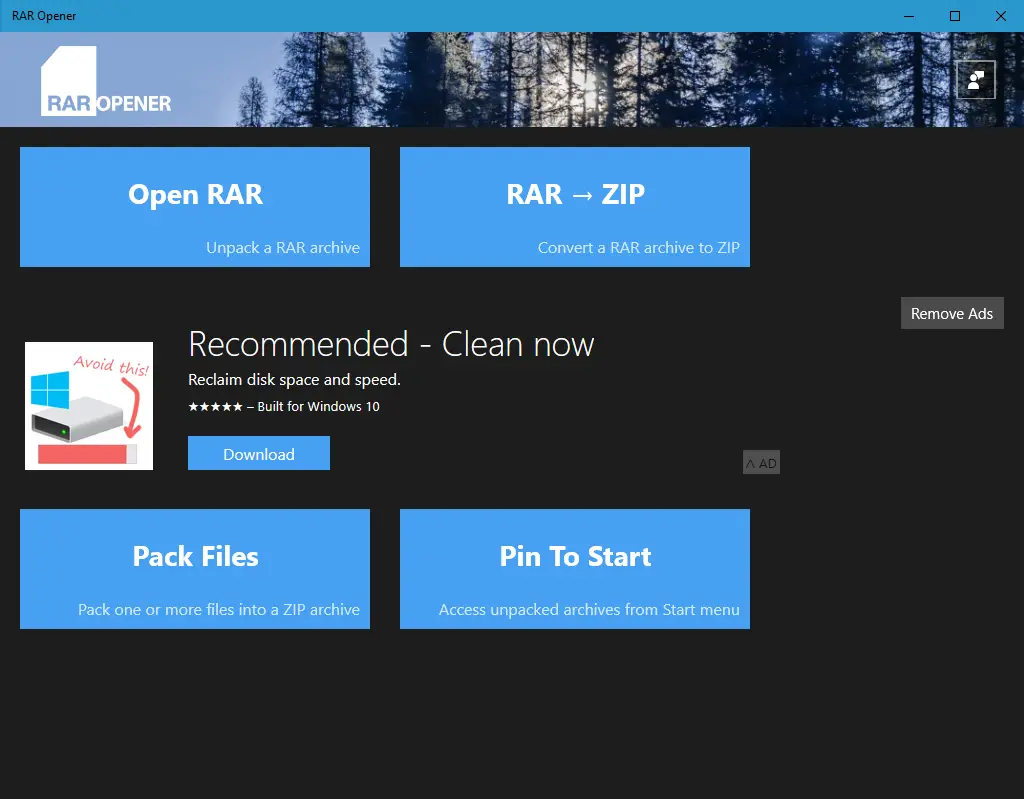
Those who don’t mind advertisements can use the free and lightweight RAR Opener software directly from the Microsoft Store. This utility is specifically built for Windows 11/10 and works well on the 64-bit version.
Unlike WinRAR, which can compress files and extract their contents into a folder, RAR Opener only extracts the contents of RAR files. Therefore, it cannot be used as a substitute for WinRAR. The latest version of RAR Opener not only opens RAR files but also supports dozens of popular archive formats, such as 7Z, ZIP, TAR, LZH, and more. RAR to ZIP file conversion is also possible using this free software.
How to Extract Contents of a RAR or ZIP file using RAR Opener?
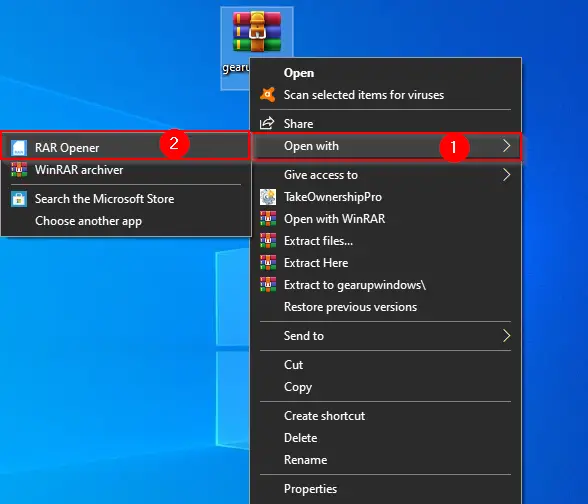
Once you have a RAR or ZIP file, right-click on it and select Open with and then RAR Opener.
The RAR Opener utility opens automatically.
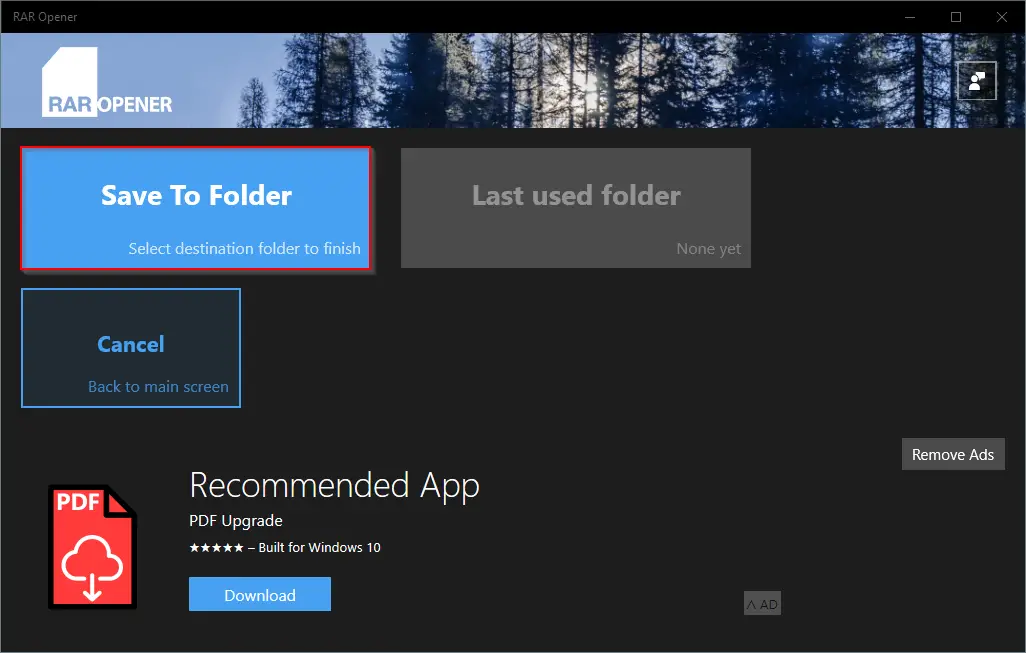
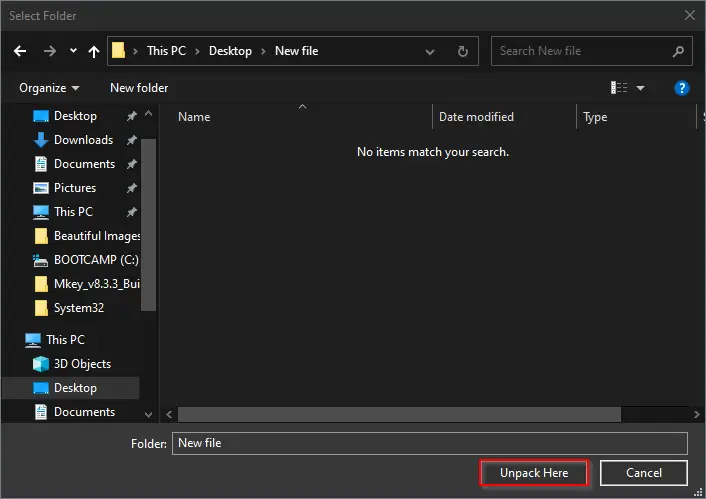
Click the “Save to Folder” option. Select the location on your PC where you want to extract the archive file. Finally, click on the “Unpack here” button to extract the RAR or ZIP file contents.
How to Convert RAR to ZIP using RAR Opener?
As said above, the free RAR Opener lets you convert the RAR file to a ZIP format. To convert the .RAR file into a .ZIP file, perform the following steps:-
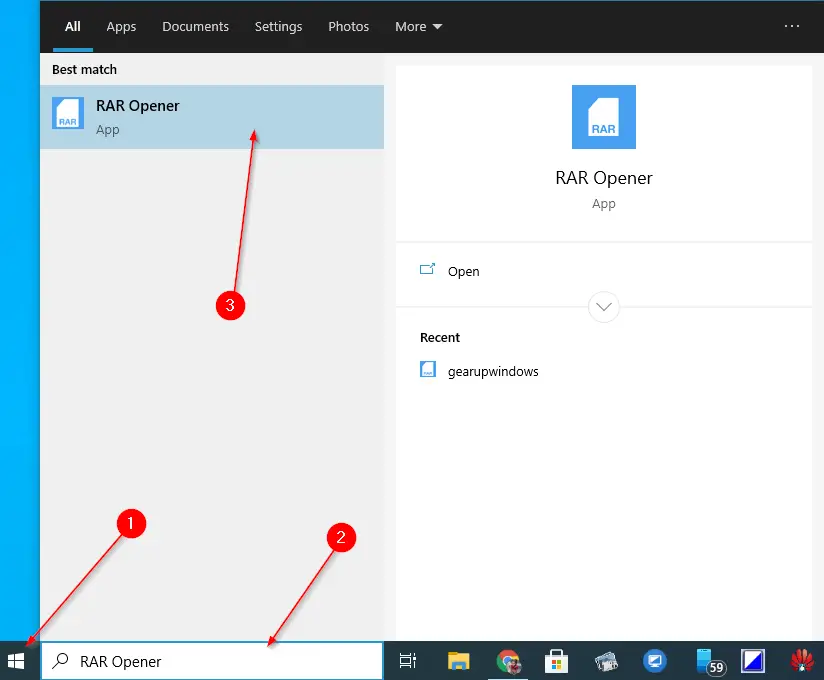
Step 1. Click on the Start button and search for “RAR Opener.”
Step 2. In the available top results, click on the “RAR Opener” entry to open it.
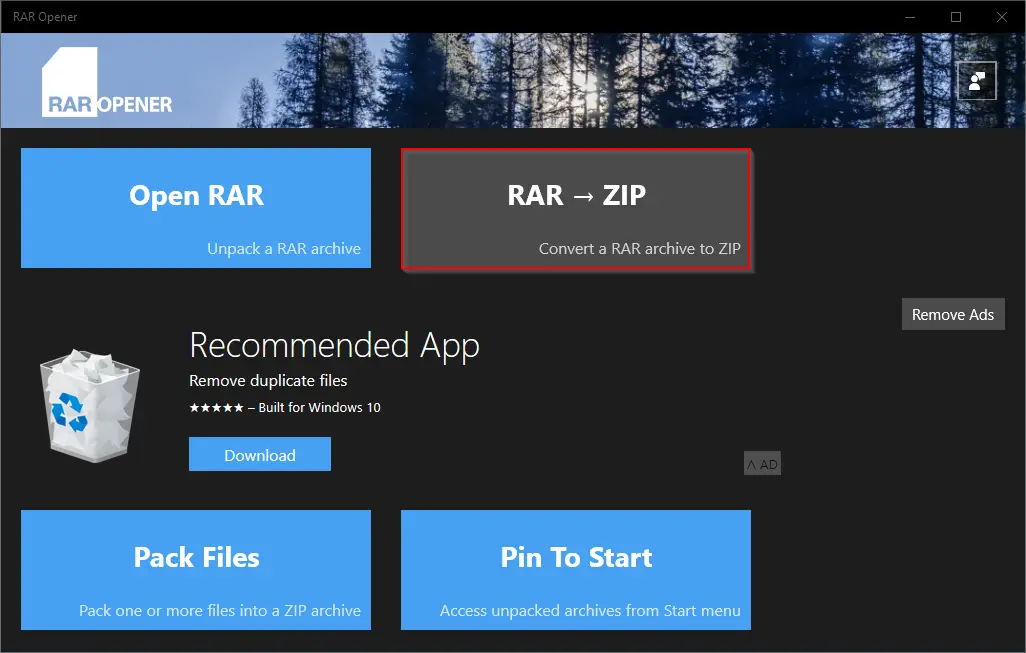
Step 3. Click the button RAR → ZIP.
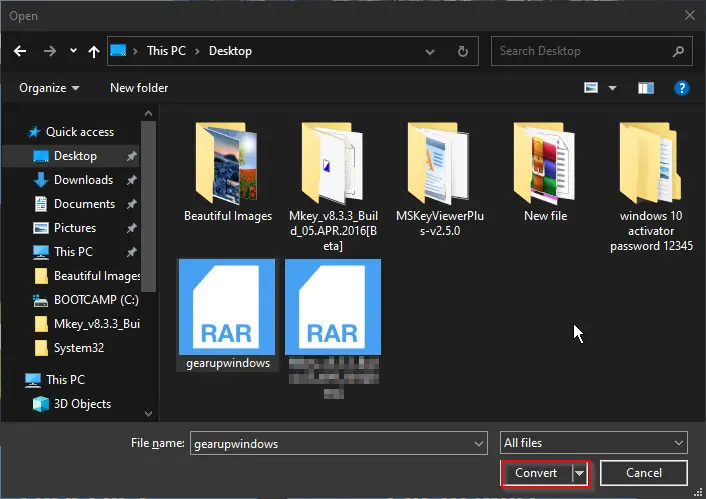
Step 4. Select the RAR file from your computer or laptop hard disk and click on the “Convert” button.
Step 5. The RAR Opener application will ask for the destination where the file will be extracted.
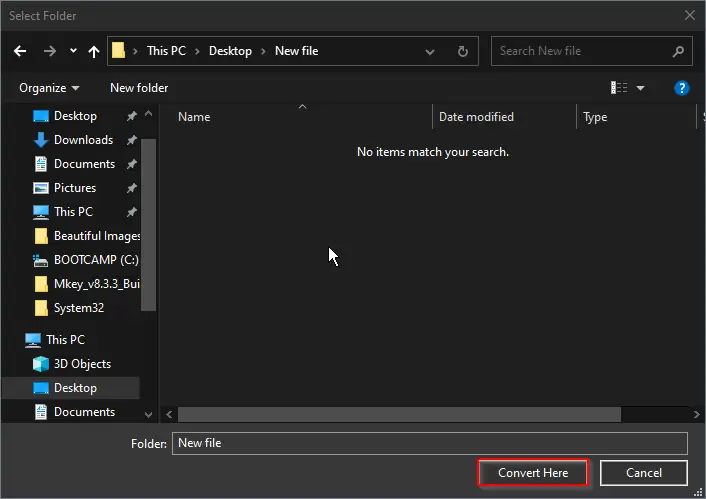
Step 6. Finally, click on the “Convert Here” button to see the converted ZIP file on your Windows 11/10 PC.
Download RAR Opener
You can download the RAR Opener from here.
Conclusion
In conclusion, WinRAR is a paid software that is the best and most popular option for extracting archive files on Windows 11/10. However, for those who do not want to use any tricks to use WinRAR for free, the RAR Opener is a good alternative. It is a free utility available on the Microsoft Store that can handle popular archive formats, including RAR, ZIP, 7Z, TAR, and LZH. Although it cannot replace WinRAR, it can extract archive contents and even convert RAR files to ZIP format. Overall, RAR Opener is a great option for those who do not want to pay for file extraction software and do not need all the advanced features of WinRAR.