

Many professionals and students often encounter the need to convert PDF documents into editable Word files. However, finding a user-friendly and efficient converter tool can be a daunting task. In this article, we will explore Ezovo’s free Convert PDF to Word Converter, a software designed to simplify the conversion process while providing a hassle-free user experience.
Why Ezovo Free Convert PDF to Word Converter?
Ezovo Free Convert PDF to Word Converter offers a fast and user-friendly way to convert multiple PDF files into editable Word documents. Ideal for beginners and casual users, this tool simplifies the batch conversion process with one-click operation, automatic file management, and a clean interface.
Key Features
- Batch Conversion: Convert multiple PDF files to Word in one go.
- Folder Import: Add individual files or entire folders for processing.
- One-Click Operation: Start conversions instantly with a single click.
- Automatic Output Access: Opens the folder containing converted files automatically.
- File Management: Easily remove files from the queue as needed.
- Simple Interface: Designed for all skill levels.
- Output Format: Converts PDFs to DOC format only.
- Free to Use: No cost, though occasional ads may appear.
How to Use Ezovo Free Convert PDF to Word Converter?
To use the Ezovo Free Convert PDF to Word Converter, follow these step-by-step instructions:-
Step 1. Download Ezovo Free Convert PDF to Word Converter and install it on your computer.
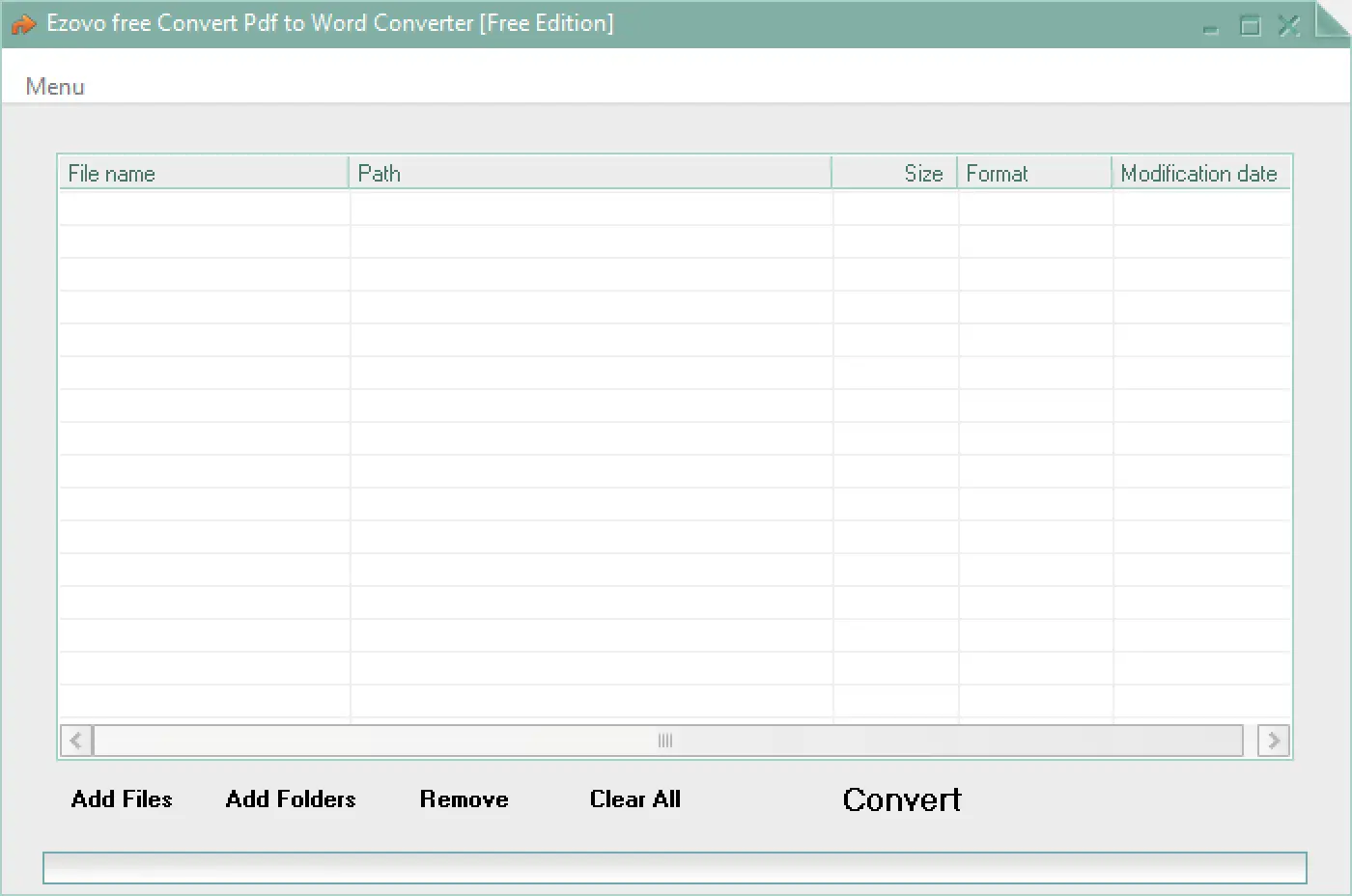
Step 2. Launch the software. You have two options for adding PDF files. Firstly, you can click on the “Add Files” button and select individual PDF files from your computer. Secondly, you can gather all your PDF files in a single folder on your computer and use the “Add Folders” button to select the entire folder.
Step 3. If you want to remove a specific PDF file from the conversion list, select it and click on the “Remove” button. If you want to exclude certain files from the conversion, uncheck the respective checkboxes.
Step 4. Once you have added all the desired PDF files, click on the “Convert” button. Please note that after clicking the Convert button, you may encounter an ad. Close the ad to initiate the conversion process.
Step 5. After the conversion process is complete, a message will be displayed. Close this message window.
Step 6. The software automatically opens the folder containing the converted files. You can locate and access your converted Word documents in this folder.
By following these steps, you can effectively utilize the Ezovo Free Convert PDF to Word Converter to convert your PDF files into Word documents.
Download Ezovo free Convert PDF to Word Converter
You can download the Ezovo free Convert PDF to Word Converter from here.
Conclusion
Ezovo Free Convert PDF to Word Converter offers a user-friendly approach to converting PDF files into Word documents. Its streamlined interface, one-click conversion process, and efficient file management make it accessible to users of all levels of technical expertise. While lacking customization options, Ezovo prioritizes simplicity and ease of use. For individuals seeking a hassle-free solution to convert PDFs to Word, Ezovo’s free Convert PDF to Word Converter is worth considering.