

While we all use antivirus software to protect our computers from various threats, we often overlook the security of our USB drives. Fortunately, there is a useful tool available for this purpose called SmadAV AntiVirus. This antivirus software is specifically designed to protect USB drives and pen drives from malware and other malicious programs. Although it is not intended for the core protection of your Windows PC, it can be used as a secondary antivirus to complement your existing antivirus software in case it fails to protect your USB drive.
SmadAV Antivirus for Your USB
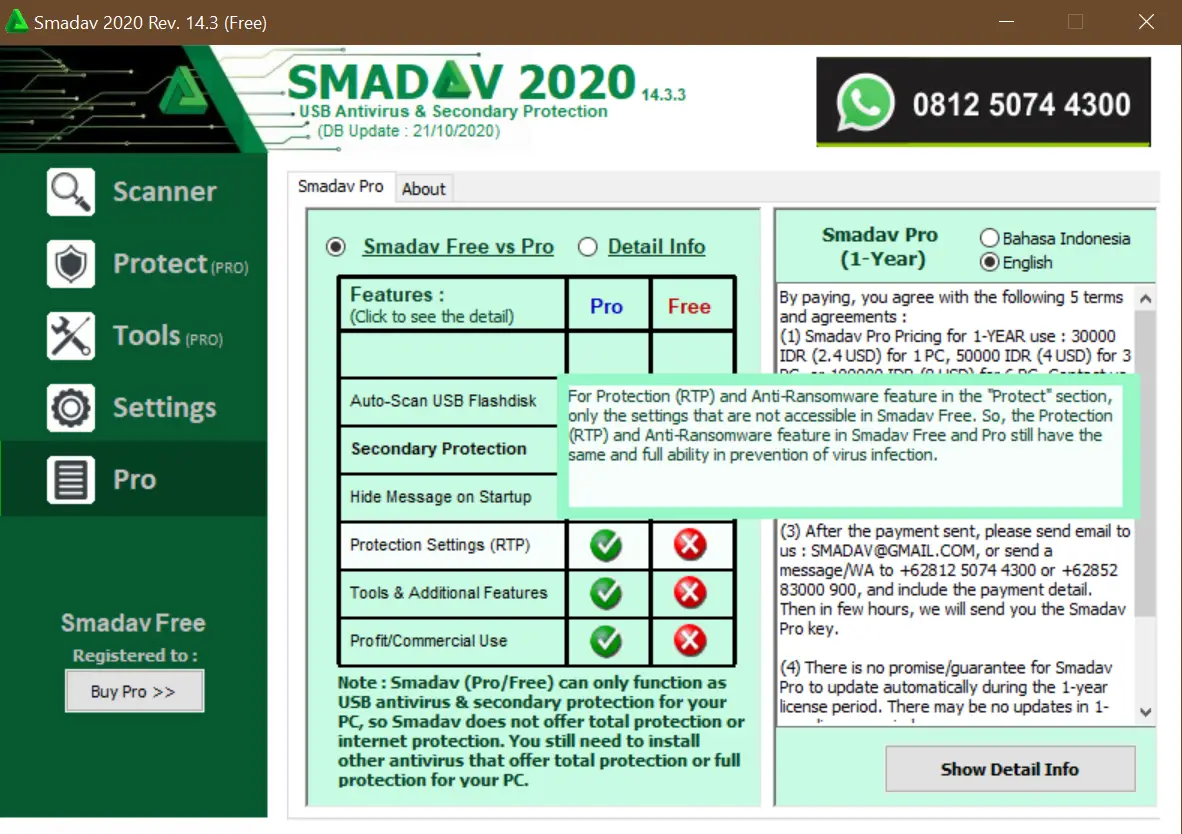
SmadAV AntiVirus is a lightweight tool that can scan and protect your USB drive or pen drive from potential threats. It can be used as a secondary antivirus for your PC, as it is not primarily designed for core protection. When other antivirus programs fail to protect your USB drive, SmadAV can come in handy.
One of the notable features of SmadAV is that it automatically starts scanning your USB drive as soon as you connect it to your PC. This can help detect any potential threats and prevent them from infecting your system.
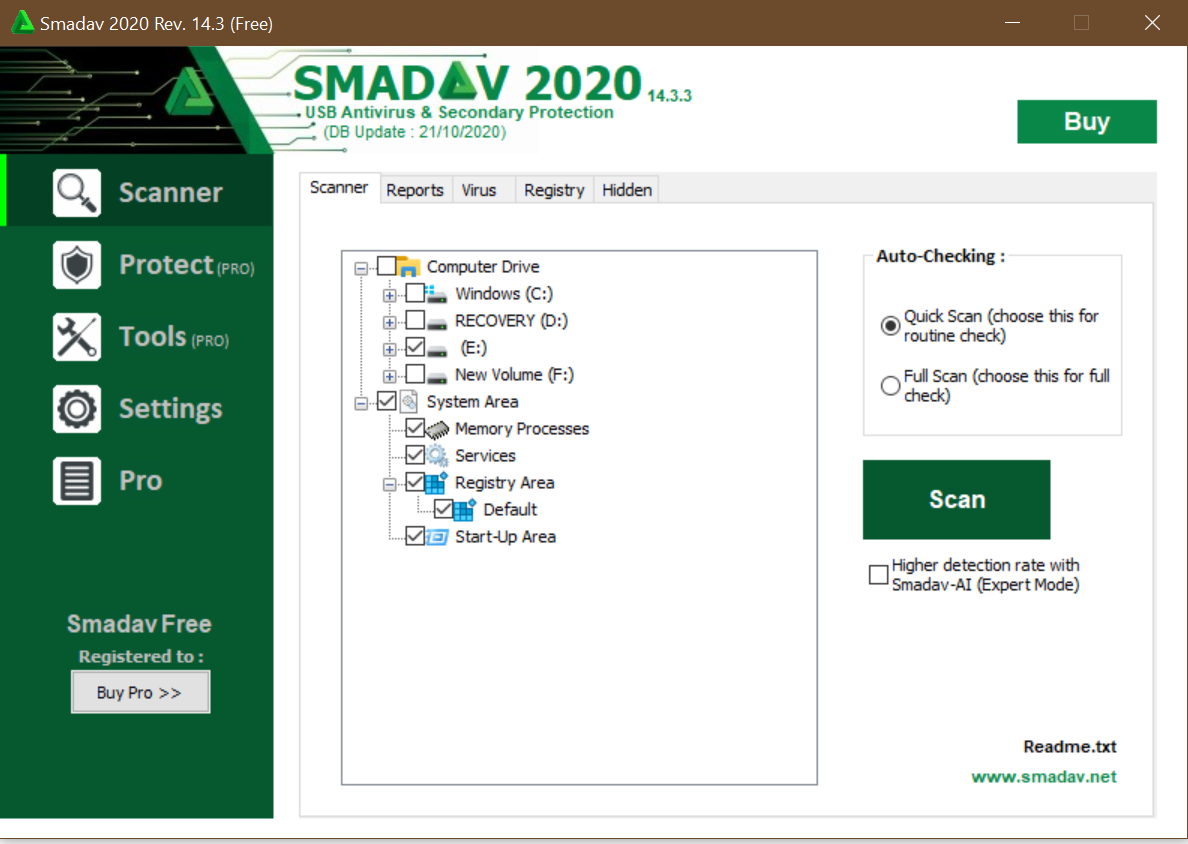
Both free and paid versions of SmadAV AntiVirus are available. The free version is capable of detecting and containing unusual malware. However, the tool is primarily designed for scanning USB drives, and its usefulness in scanning PC drives is limited.
In addition to scanning PC drives, SmadAV AntiVirus can also scan critical system areas such as Memory Processes, Services, Registry Areas, and Start-Up Areas. The tool offers two types of scanning options: Quick Scanning for routine scanning and Full Scanning for virus or malware removal.
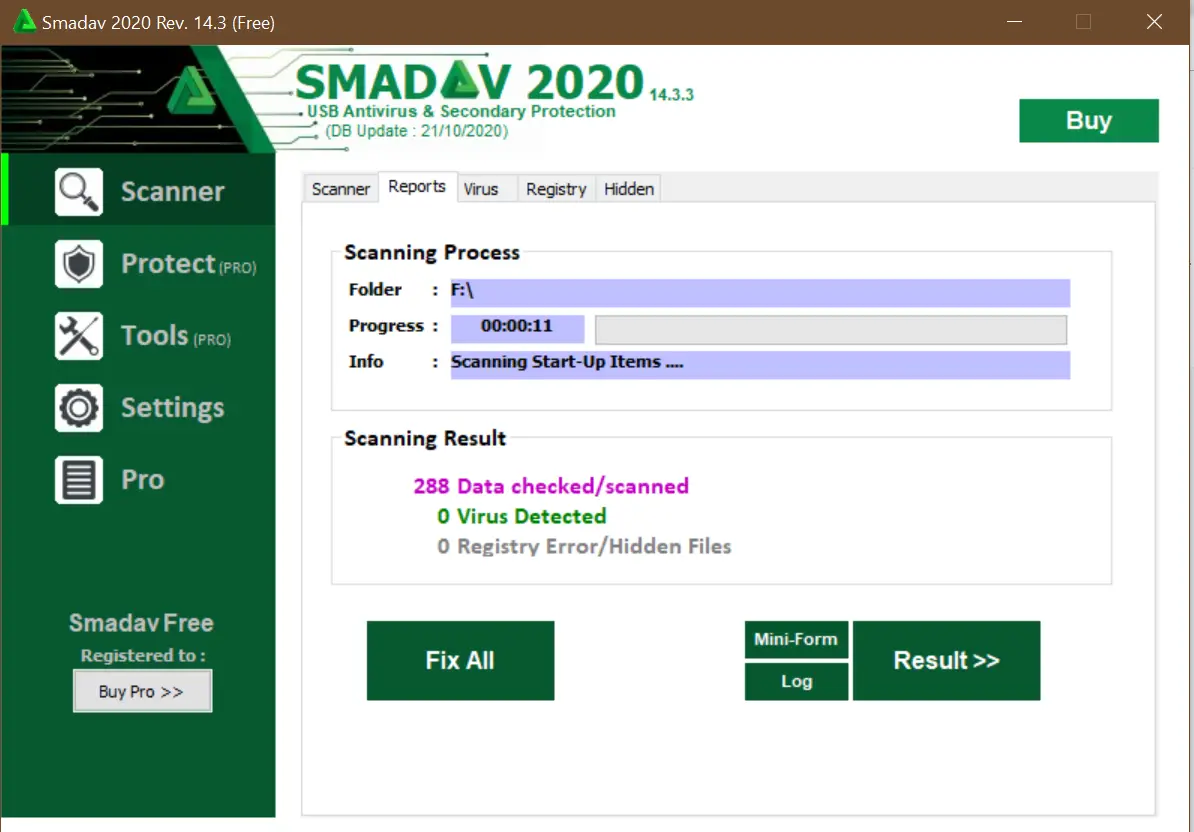
The scanning capability of SmadAV is remarkable, especially in Quick mode, which only takes a few seconds. After completion, the scan results are categorized into Virus, Registry, and Hidden fields. However, the free version of SmadAV has a drawback in that it repeatedly prompts users to purchase the software after each action.
Download SmadAV
You can download SmadAV directly from the official website.
Similar Freeware Tools You May Like
- Ratool – USB Security Tool – Control USB access and protect your system from unauthorized USB devices.
- USB Write Protect – Prevent unauthorized writing on USB drives.
- Windows Update Blocker – Manage Windows updates easily with a single click.
- MCShield USB Security – Automatically scan and protect against USB-based malware.
FAQs
Is SmadAV a full antivirus for Windows?
No, SmadAV is not meant to replace your primary antivirus. It is designed mainly as a secondary tool to scan USB drives and detect unusual malware that other antivirus programs might miss.
Can SmadAV protect my USB drives automatically?
Yes, SmadAV automatically scans your USB drive as soon as it is connected to the computer. This helps detect and block threats before they spread.
Does SmadAV slow down the computer?
No, SmadAV is lightweight and has minimal impact on system performance. Its quick scanning mode completes in just a few seconds.
What are the limitations of the free version of SmadAV?
The free version frequently prompts users to upgrade to the paid version and has fewer advanced control options. However, it still performs effective USB and basic system scans.
Can SmadAV detect all types of malware?
SmadAV is strong at detecting USB-based malware and unusual threats. However, for complete system protection, you should still rely on a full antivirus solution.
Does SmadAV scan Windows system areas?
Yes, it can scan key system areas such as memory processes, services, registry entries, and startup programs.
Is SmadAV safe to use alongside another antivirus?
Yes, SmadAV is designed to work as a companion tool and does not conflict with most major antivirus programs.
How often does SmadAV update its virus definitions?
In the free version, you must manually check for and download updates. The paid version allows automatic updates.
Can SmadAV clean registry issues?
Yes, SmadAV can detect and clean certain registry problems along with malware-related entries.
Is SmadAV effective for scanning internal PC drives?
It can scan PC drives, but its capabilities are limited compared to full antivirus software. Its primary focus remains USB and external drive protection.
Conclusion
SmadAV Antivirus is not just a virus and malware scanner; it also examines corrupt or faulty registry files. This means it can clean up your registry in a similar way to other registry cleaner tools. As the free version of SmadAV, you must manually check for virus definition updates.
In general, SmadAV is sufficient for its intended purpose. It can serve as a secondary antivirus program, but should not be relied upon as the primary antivirus software. Our team tested SmadAV on Windows 10 and encountered no issues.