

WinfrGUI is a free program for Windows 11 and 10 that helps recover deleted files from your PC. This program is an alternative to Microsoft Windows File Recovery, and the firm has just added a GUI and named it WinfrGUI. Using this application, you can recover media files, office files, ZIP files, etc., including JPEG, PDF, DOCX, MP3, EXCEL, ZIP, and more.
You can also check out other free recovery tools, such as Glary Undelete and Puran File Recovery — both lightweight and easy-to-use options for restoring deleted data.
Why WinfrGUI?
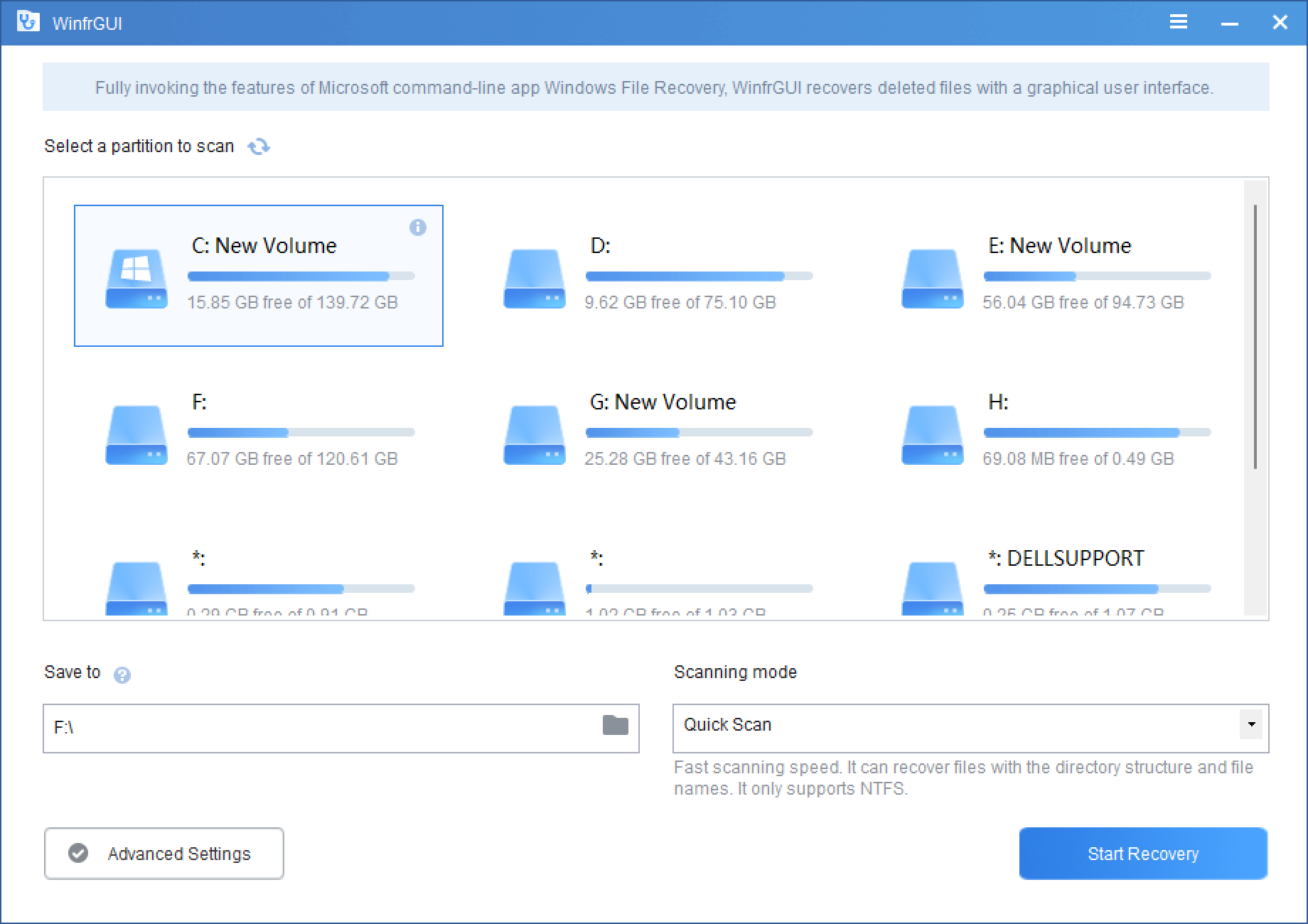
Once you download, install, and run WinfrGUI, it displays all available partitions on your computer. If you need, you can run a quick scan or full scan right away to display all files that may be recovered. For that, select a partition, then choose a location where you want to save the recovered file, pick the scan mode (quick or deep), and click Start Recovery. Next, wait a long time, depending on your drive size, to get the files listed that can be recovered.
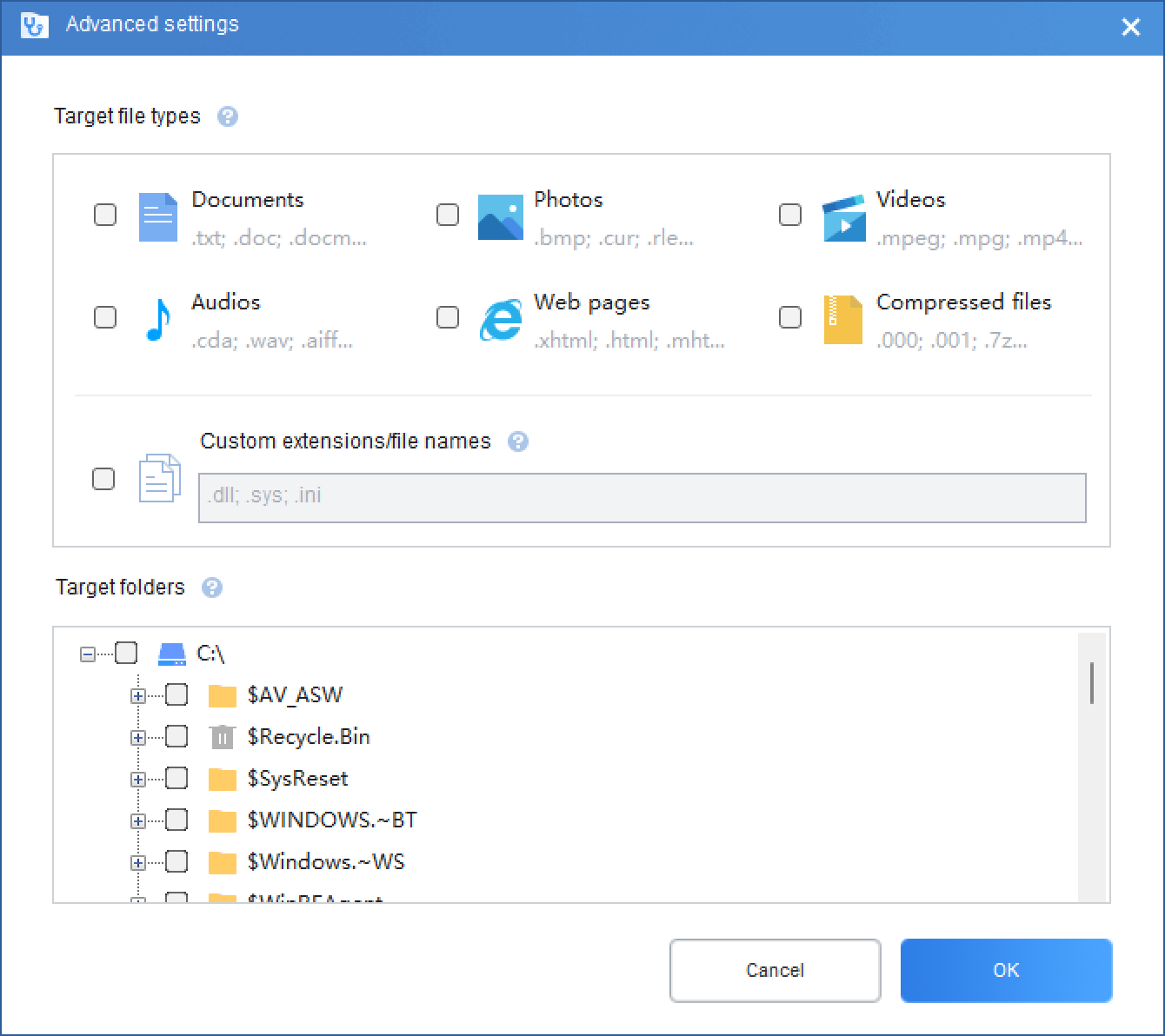
The WinfrGUI also comes with advanced settings. For that, click on the Advanced Settings button on the homepage of this application. You can use the advanced settings options before scanning to find the best results in less time. Here, it allows you to choose a file type (documents, photos, videos, audio, web pages, and compressed files). Besides that, you can also add a custom extension and specify specific folders to scan. If you often work with compressed archives, Zip2Fix is a great companion tool to repair corrupted ZIP files before attempting recovery.
After clicking the OK button, it will take you to the main page of the WinfrGUI application again. There, you may choose the quick or deep scan options and begin the scan by clicking on the Start Recovery button.
One downside of the WinfrGUI application is that it lacks options to select files after the scan is finished. All files will be saved to the targeted folder if they match the filters. Still, WinfrGUI may be helpful to many users who want to restore files from a specific folder that may have been accidentally deleted, erased by malware, or other events. For a more advanced data recovery suite, you can also try EaseUS Data Recovery Wizard Free, which offers detailed file previews and selective recovery options.
Download WinfrGUI
Those who need freeware and a slight recovery program can download WinfrGUI from its official website.
Conclusion
In conclusion, WinfrGUI is a useful and free program that provides an alternative to Microsoft Windows File Recovery. With its intuitive interface and advanced settings, users can easily recover various types of files, including media files, office files, and ZIP files. Although it lacks options to select files after the scan is finished, it is still a handy tool for restoring accidentally deleted or erased files. Those who need a lightweight and free recovery program can download WinfrGUI from its official website.