

Wintoys is a new software application that offers a safe and easy way to optimize and repair Windows 11. This free program is available in the Microsoft Store and provides users with a sleek, modern user interface that matches the aesthetics of Windows 11. Wintoys offers a range of features that allow users to tweak, service, and debloat Windows 11, providing a streamlined experience for users who want to optimize their system’s performance.
Why Wintoys?
Wintoys is a powerful system utility designed to streamline Windows optimization, debloating, and service management. It offers users an intuitive interface that consolidates key system settings and tools, enabling efficient performance tuning and customization. From managing Windows services and uninstalling built-in apps to applying system tweaks, Wintoys helps users enhance speed, reclaim resources, and maintain system health effortlessly.
Key Features
- Service Manager: View, understand, and toggle Windows and third-party services with one click.
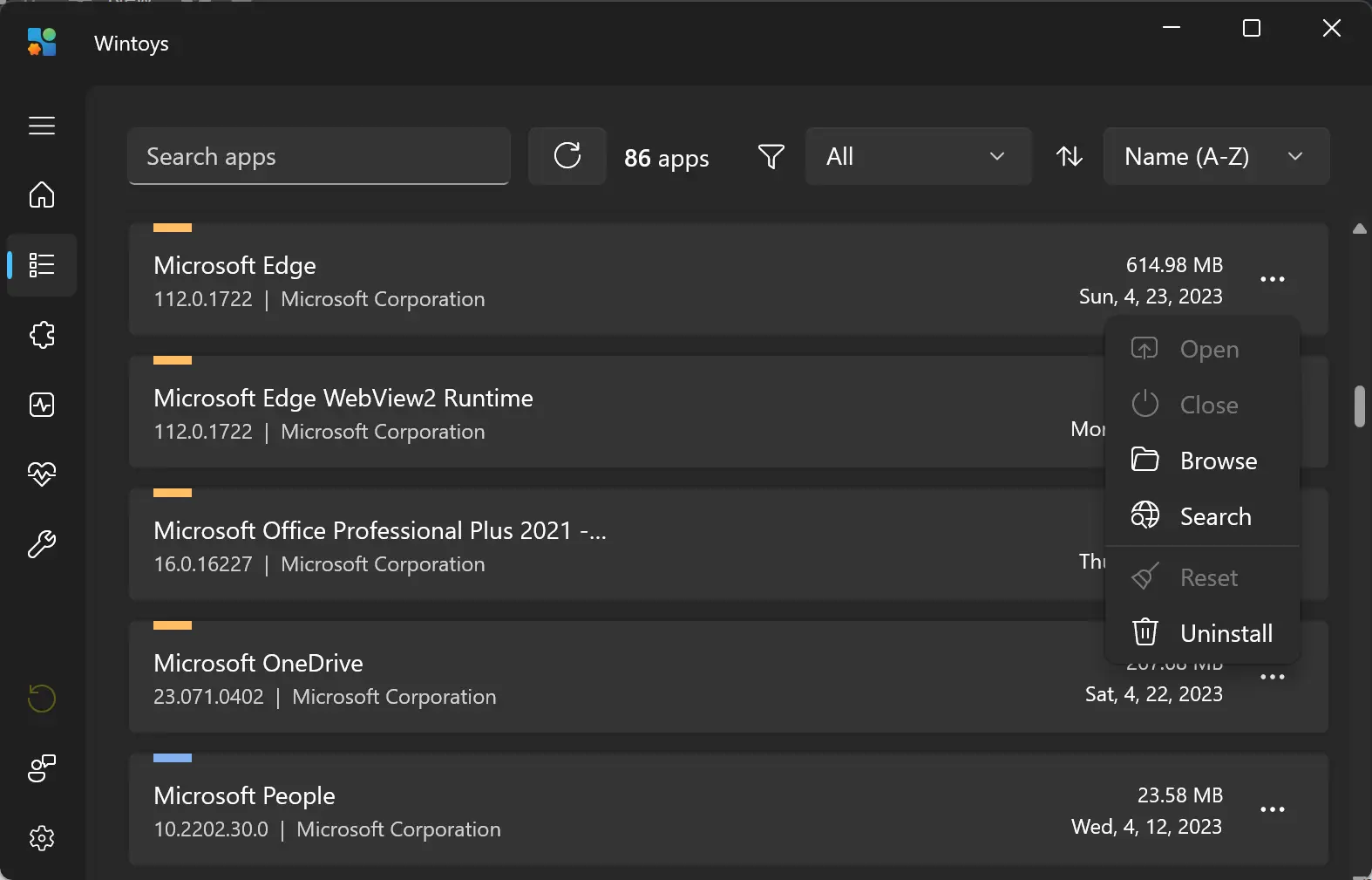
- App Uninstaller: Remove or reset built-in and third-party apps, including non-removable Microsoft apps.
- Debloat Tool: Identify and eliminate unnecessary apps or services hogging system resources.
- Performance Tweaks: Access system health tools, apply tweaks to boost performance and stability.
- Centralized Controls: One interface to manage privacy settings, ads, services, startup apps, and more.
- User-Friendly Interface: Streamlined layout for quick access to advanced settings without navigating multiple menus.
- Caution for Advanced Tools: Some features require technical understanding—use with care to avoid system issues.
Conclusion
In conclusion, Wintoys offers users a safe and easy way to optimize and repair Windows 11. The program’s modern user interface, comprehensive features, and organization make it an excellent tool for users who want to improve their system’s performance. While users should be careful when using advanced commands, the program’s range of benefits makes it an excellent option for those who want to optimize their Windows 11 experience. Download Wintoys from the Microsoft Store to give it a try.
Thanks a lot for featuring my app! I’m really glad you like it!
Thanks, Bogdan.