

If you’re looking for a reliable way to keep your private files away from prying eyes, folder locker software is the way to go. With so many free tools available, choosing the right one can be tricky. That’s why we recommend Folder Lock Lite for most users—it’s simple, effective, and beginner-friendly. However, every tool on this list has its strengths. Whether you need to hide multiple folders, lock USB drives, or assign custom file permissions, there’s a solution here for you. Read on to find the best free folder locker software for Windows 11 and 10.
Best Folder Locker Software for Windows 11 and 10
Folder Lock Lite

Folder Lock Lite offers a straightforward and efficient way to password-protect your sensitive files and folders. Designed with simplicity in mind, this tool is ideal for beginners who want quick protection without diving into complex settings. It features a clean, intuitive interface with drag-and-drop support, allowing you to lock folders within seconds. Once locked, your folders remain completely hidden—even after rebooting your PC—adding an extra layer of security.
This software focuses on essential security features that are easy to use but still powerful enough to deter unauthorized access. Whether you’re hiding personal documents or sensitive work files, Folder Lock Lite gives you peace of mind without overcomplicating things. Best of all, it doesn’t require any advanced technical skills, making it perfect for everyday users.
Key Features:
- Password-protect folders with a single click
- Keep files hidden from File Explorer and unauthorized users
- User-friendly interface with drag-and-drop support
- Folder protection remains active even after system reboots
Easy File Locker
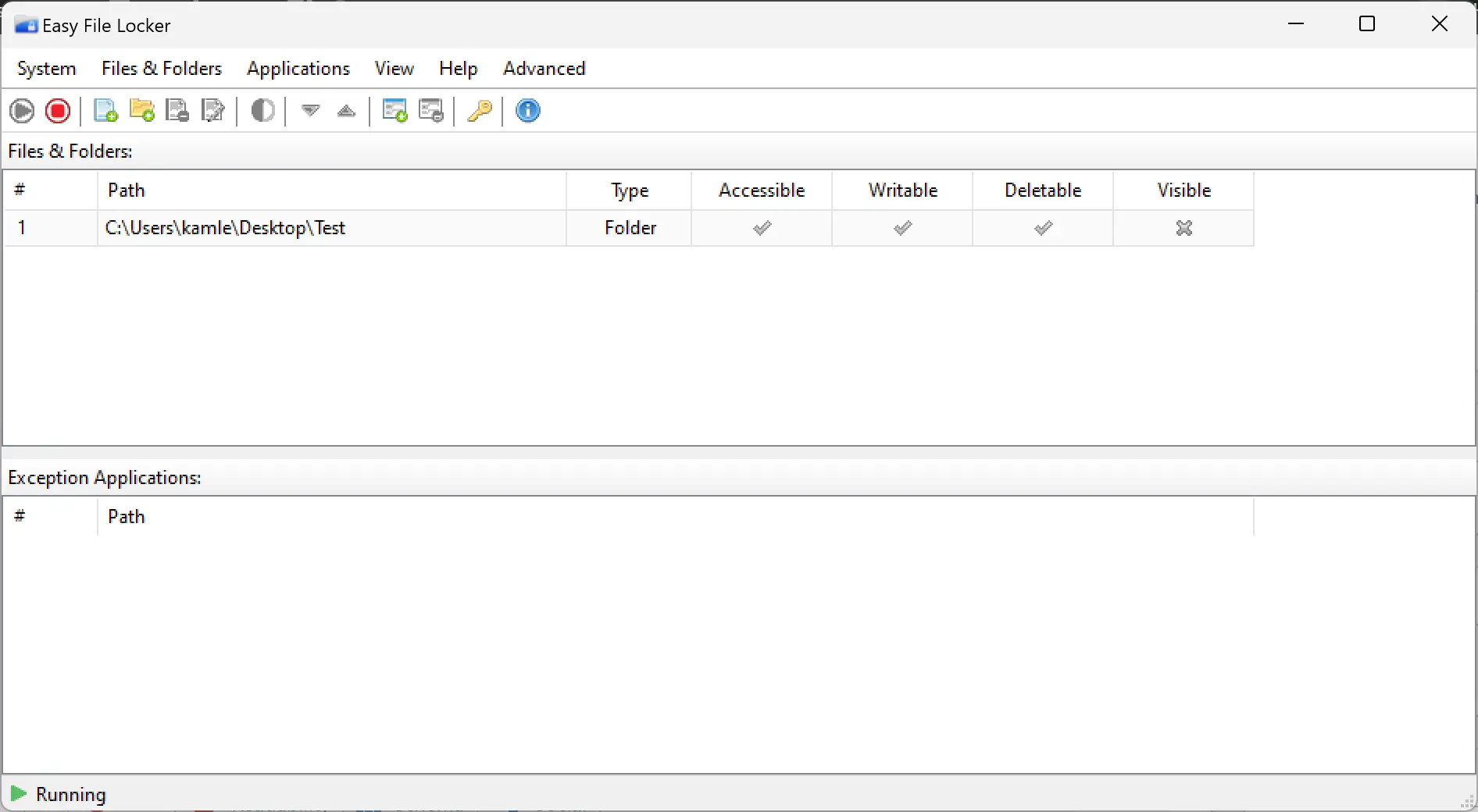
Easy File Locker is a lightweight yet highly effective tool for securing your private data. Despite its small size, this software delivers strong protection by not only hiding your files and folders but also rendering them completely inaccessible, unmovable, and undeletable. Even if someone gains access to your PC, they won’t be able to interact with the protected files in any way unless they have the correct password to unlock them.
Its minimal system footprint makes it an excellent choice for older machines or users who prefer security solutions that don’t slow down their computers. With a simple password-protected interface, Easy File Locker ensures that only authorized users can make changes or remove restrictions. Whether you’re looking to protect confidential documents or personal photos, this tool offers reliable security without any learning curve.
Key Features:
- Prevents access, modification, and deletion of files and folders
- Consumes very low system resources
- Password-protected interface for added security
- Invisible and tamper-proof protection
BulkFolderLocker

BulkFolderLocker is a fast, lightweight utility built specifically for Windows users who need to secure multiple folders at once. This powerful tool is perfect for those who want to lock down a large number of directories without having to do it one by one. With just a few clicks, you can batch lock several folders, preventing unauthorized access and keeping your private files safe from prying eyes.
Whether you’re managing personal documents, business files, or any sensitive data, BulkFolderLocker ensures that everything stays protected. Its user-friendly interface makes the process quick and straightforward, while its compatibility with both Windows 10 and Windows 11 ensures reliable performance across modern systems. For users who value speed, efficiency, and simplicity, this tool checks all the boxes.
Key Features:
- Lock multiple folders simultaneously with ease
- Fast, lightweight, and resource-efficient interface
- Compatible with both Windows 10 and Windows 11
- Designed for quick and secure folder protection
SecretFolder
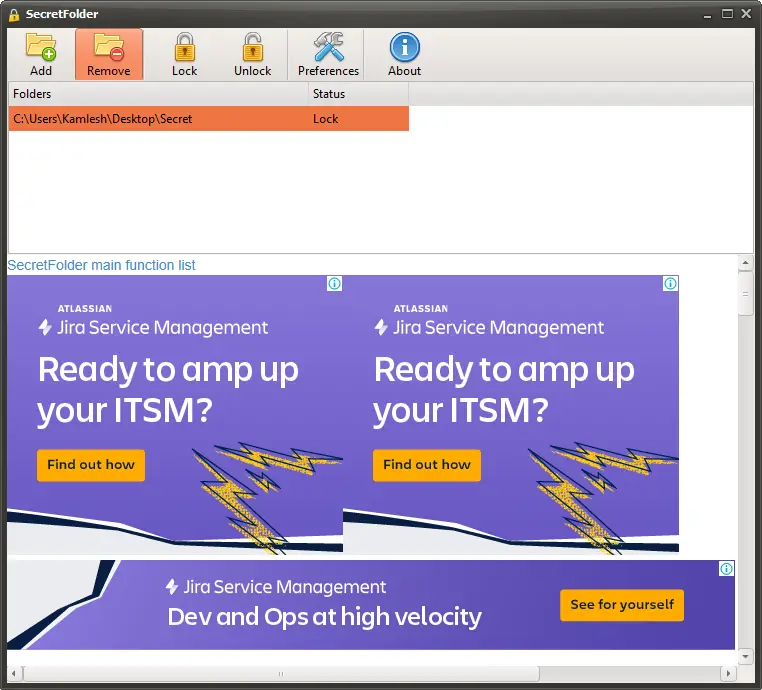
SecretFolder is a straightforward yet effective solution for hiding your confidential data from plain view. With its minimalistic design, the program allows you to quickly select and hide any folder, making it completely invisible in File Explorer. Unlike some basic hiding tools, SecretFolder provides advanced protection that even works in Safe Mode, ensuring your sensitive information remains secure under all circumstances.
This tool supports both NTFS and FAT32 file systems, offering broad compatibility with various types of storage drives. It also includes simple yet strong password protection, so only you can access or unhide the secured folders. Whether you want to protect personal photos, work documents, or private notes, SecretFolder provides reliable protection with zero hassle.
Key Features:
- Supports both NTFS and FAT32 file systems
- Prevents deletion or access, even in Safe Mode
- Easy-to-use interface with one-click folder hiding
- Simple password protection for authorized access
Wise Folder Hider
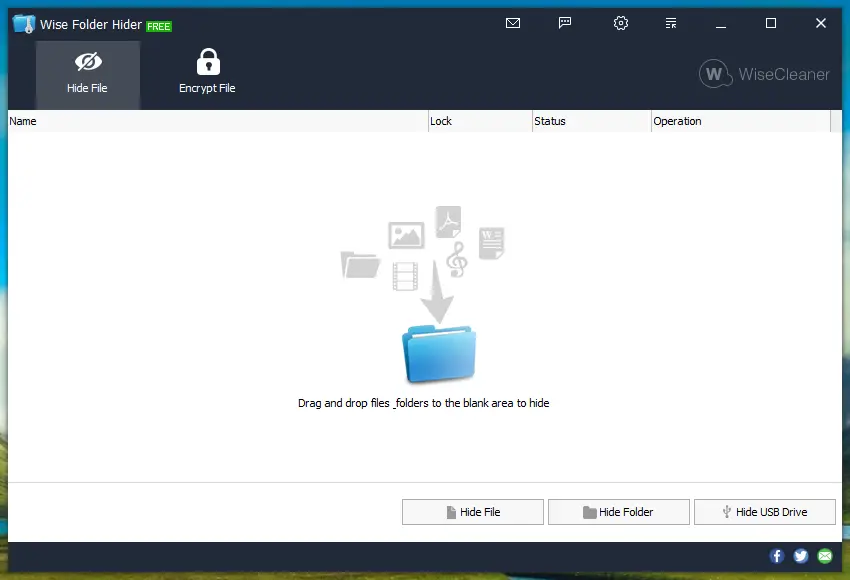
Wise Folder Hider is a trusted folder protection tool that goes beyond basic hiding features. It provides dual-layer security by allowing you to set two passwords — one for opening the program and another for accessing each hidden folder. This double protection makes it extremely difficult for unauthorized users to view or tamper with your private files.
What sets Wise Folder Hider apart is its ability to hide not just local files and folders, but also entire USB drives. This makes it a great option for users who frequently carry sensitive data on portable storage. The software comes with a clean and intuitive interface, making it easy to use even for beginners. Whether you want to hide personal documents, important business files, or external USB data, Wise Folder Hider gives you a secure and flexible solution.
Key Features:
- Dual password protection for enhanced security
- Ability to hide entire USB drives safely
- Clean, user-friendly interface for effortless navigation
- Supports both local drives and removable storage
WinMend Folder Hidden
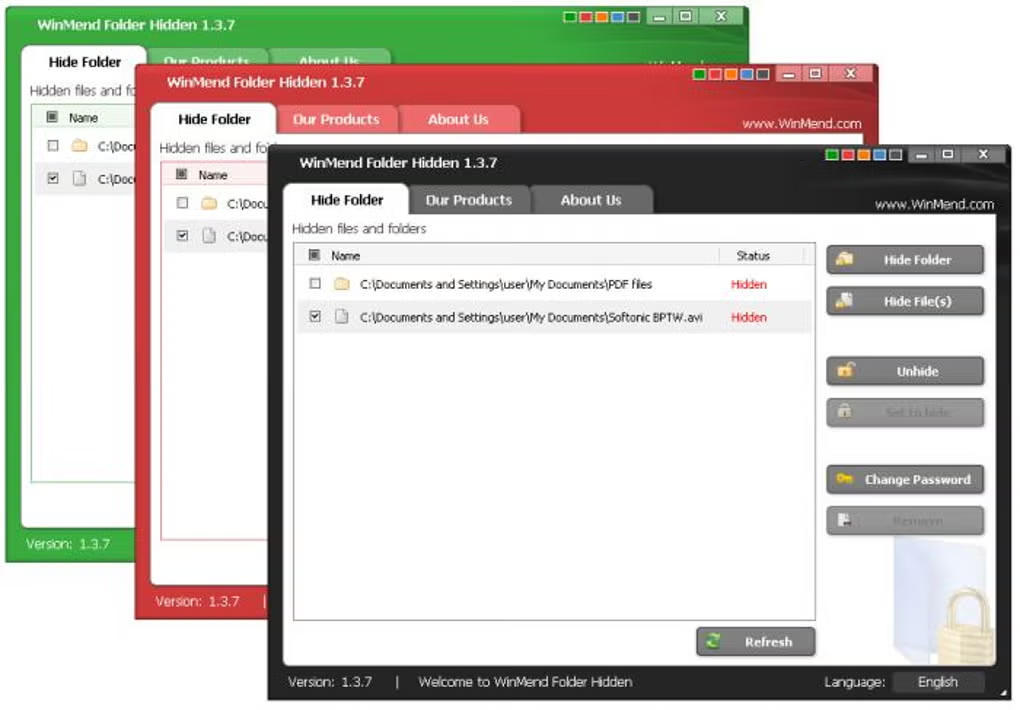
WinMend Folder Hidden is a handy tool that lets you hide your sensitive files and folders with just one click. Once hidden, your data becomes completely invisible and inaccessible to anyone without the correct password. Whether you’re protecting personal documents or confidential work files, this software offers a fast and secure way to keep your information private.
One of its standout features is the ability to hide content on both internal and external drives, including USB flash drives and external hard disks. This makes it a great choice for users who need on-the-go data protection. The application is lightweight and portable, meaning it won’t slow down your system and can even be used without installation on multiple PCs. With a simple interface and effective protection, WinMend Folder Hidden is ideal for anyone who values privacy and convenience.
Key Features:
- Lock or unlock files and folders with a single click
- Supports hiding content on external drives
- Lightweight, portable, and easy to use
- Password protection ensures secure access
Anvi Folder Locker
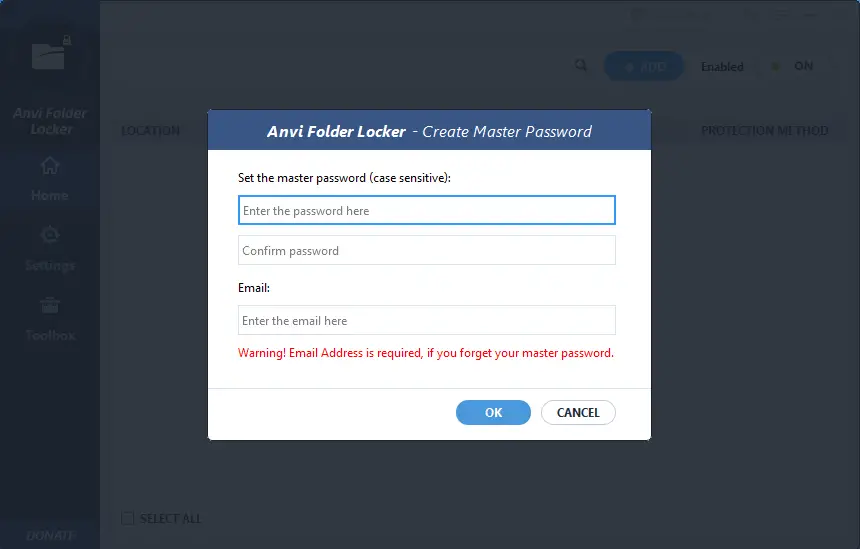
Anvi Folder Locker is a versatile folder protection tool that gives you full control over how your files and folders are accessed. Unlike basic folder locking utilities, this software lets you assign specific permissions such as “read-only,” “hide,” “lock,” or “deny delete.” This level of customization makes it perfect for users who want more than just simple password protection.
With a clean and modern interface, Anvi Folder Locker makes it easy to lock or unlock items with just a few clicks. It also includes a password recovery option, so you won’t lose access to your data in case you forget your master password. Whether you’re securing work documents, personal photos, or system folders, this tool offers advanced protection while remaining easy to use.
Key Features:
- Set custom file and folder permissions for added control
- Quick and easy lock/unlock operations
- Includes password recovery to avoid lockouts
- User-friendly design suitable for all experience levels
My Lockbox
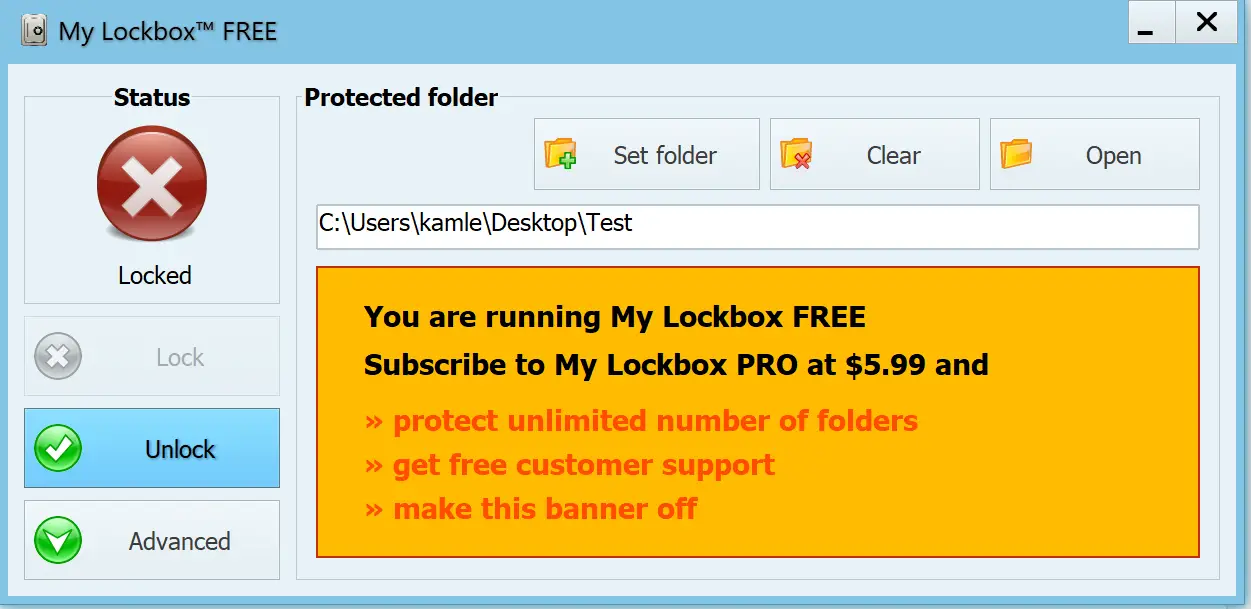
My Lockbox is a simple yet effective software that enables you to lock and hide any folder on your Windows PC. This program is designed to provide an additional layer of security for your important files and folders, so you can prevent unauthorized access and protect your sensitive data from prying eyes.
With My Lockbox, you can create a virtual lockbox on your PC that will remain hidden from view and require a password to access. This lockbox can contain any number of files and folders, and the software allows you to configure hotkeys for quick access and locking. Its intuitive design and user-friendly controls make it an excellent choice for beginners who want fast, no-fuss folder protection.
Key Features:
- Completely hides the selected folder from all users and applications
- Hotkey support for quick locking and unlocking
- Simple, efficient, and easy-to-configure interface
- Ideal for protecting personal or professional data
Conclusion
Choosing the right folder locker software can make a big difference in protecting your privacy and sensitive data. Whether you need a simple solution like Folder Lock Lite or advanced control with Anvi Folder Locker, there’s a free tool that fits your needs. Each option we’ve covered is compatible with Windows 11 and 10, offering features like password protection, file hiding, and folder access control.
So why wait? Pick the tool that suits you best and secure your folders today. It’s an easy step toward a safer digital experience.