

PrimoPDF is a free PDF converter tool that allows users to create PDF files from various types of documents, including Word, Excel, PowerPoint, and more. It is a useful tool for anyone who needs to create PDF files quickly and easily.
PrimoPDF works by installing a virtual printer on your computer. Once installed, you can use it to generate a PDF from any printable document. To create a PDF file using PrimoPDF, select the print option in your document, choose the PrimoPDF printer, and follow the on-screen instructions.
Why Choose PrimoPDF?
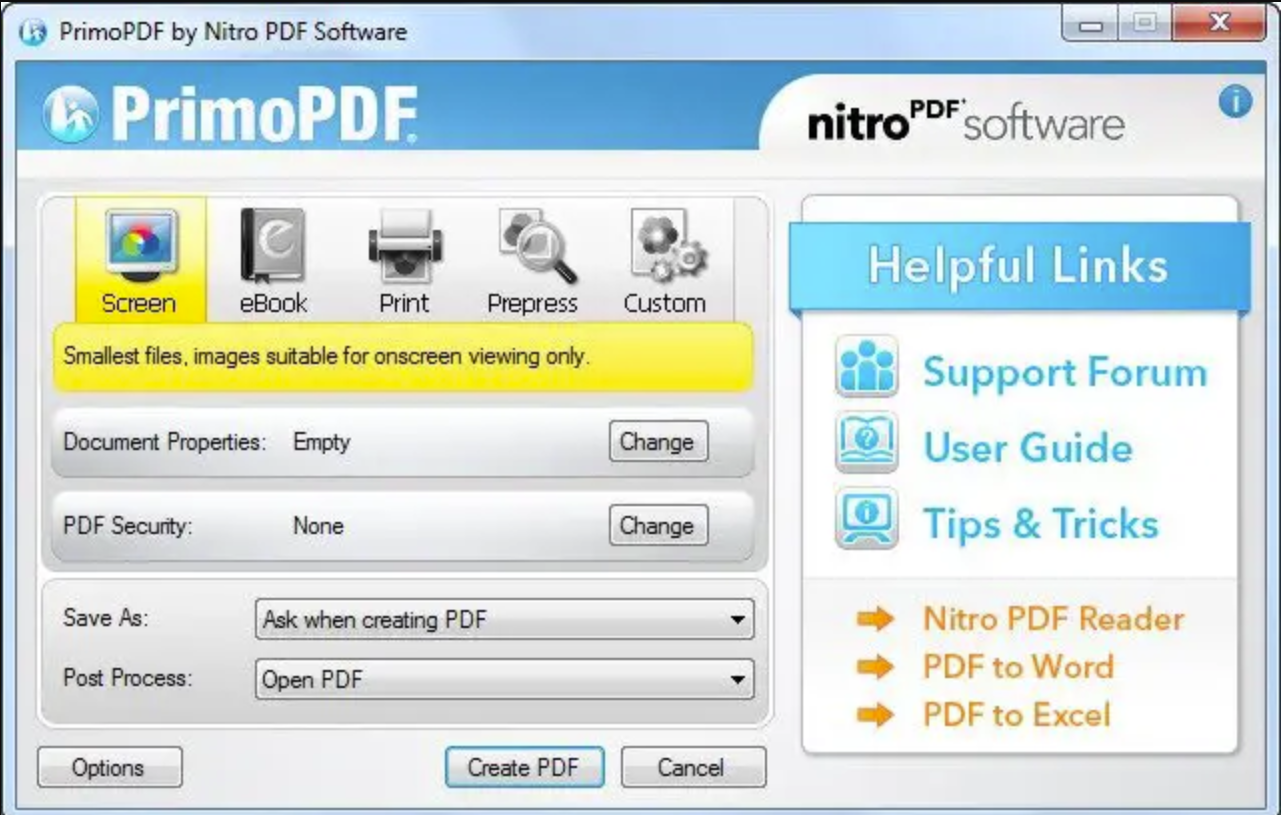
One of the standout features of PrimoPDF is its range of customization options for PDF output. For example, you can optimize the PDF for printing, screen viewing, or mobile devices. Additionally, users can adjust file quality and size, and even add security features such as passwords and encryption.
PrimoPDF is very easy to use. It offers several advantages for users. For starters, it’s completely free, making it ideal for those who need to create PDFs without purchasing expensive software. Moreover, it’s lightweight and does not consume much system memory, which is perfect for users with older or lower-spec machines.
Overall, PrimoPDF is a reliable and efficient solution for generating PDFs. Its customization capabilities and simple workflow make it a popular choice among both individual users and businesses.
Download PrimoPDF
You can download PrimoPDF from Softpedia.
Conclusion
In conclusion, PrimoPDF is a convenient and practical tool that simplifies PDF creation. Its straightforward installation and intuitive interface make it suitable for personal and professional use. Thanks to its customizable PDF output and lightweight build, this free PDF converter is an excellent option for users with diverse needs. Whether you’re converting documents occasionally or regularly, PrimoPDF is definitely worth trying.
FAQ
Is PrimoPDF safe to use?
Yes, PrimoPDF is safe to install and use, especially when downloaded from reputable sources like Softpedia.
Can I use PrimoPDF offline?
Yes, PrimoPDF works entirely offline once installed, with no need for an internet connection to create PDFs.
Does PrimoPDF support Windows 11?
While PrimoPDF is designed for older versions of Windows, it typically works well on Windows 11 using compatibility settings if needed.