

In the realm of operating systems, Windows and macOS stand as giants, each with its own legion of loyal followers. While Windows is celebrated for its versatility and extensive software compatibility, macOS is revered for its sleek design and user-friendly interface. However, for Windows users who admire the elegance of macOS but prefer to stick with their familiar environment, Aqua Dock emerges as a compelling solution. In this GearUpWindows article, we explore the world of Aqua Dock, its key features, customization options, and how it can elevate your Windows experience.
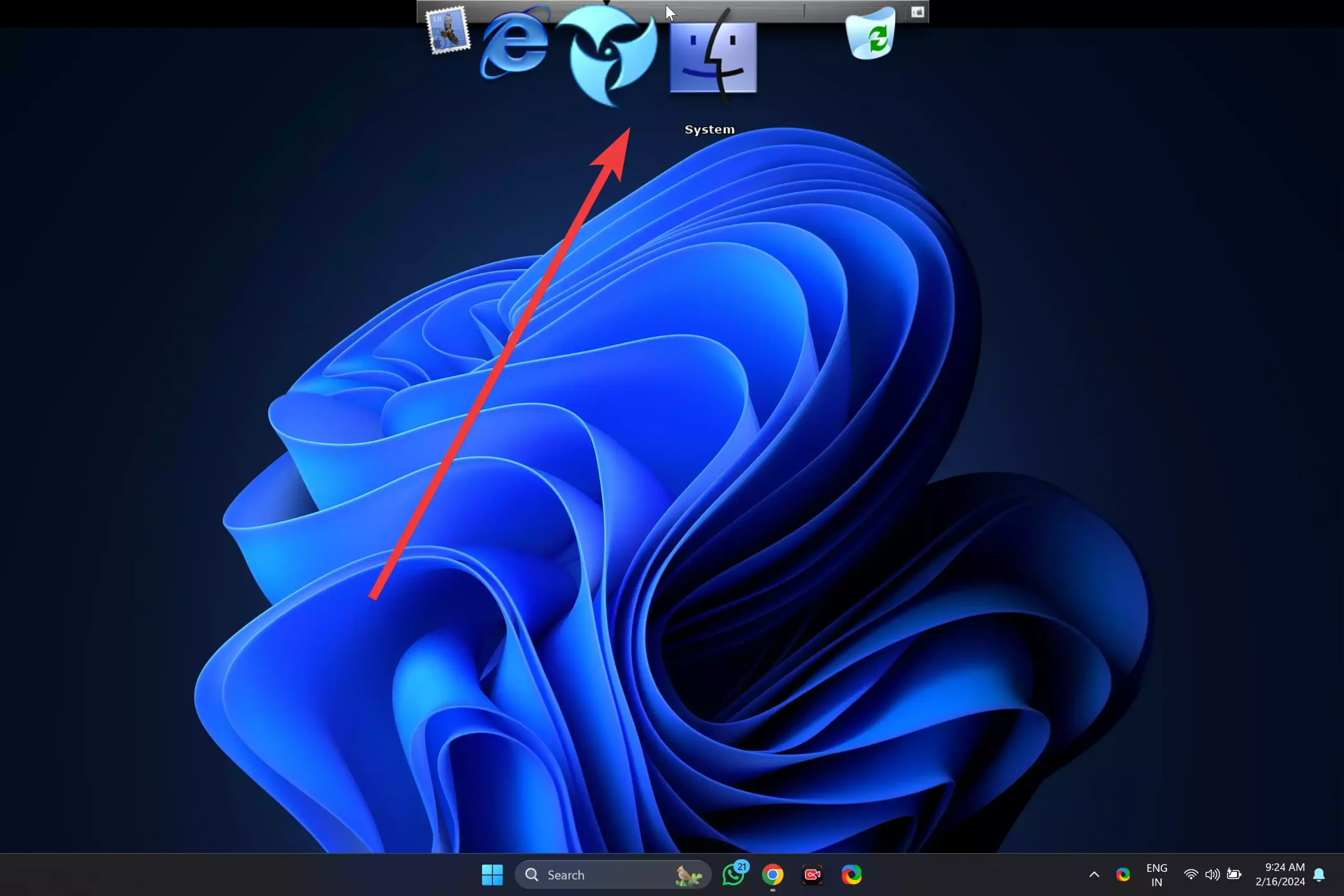
What is Aqua Dock?
Aqua Dock is a graphical interface enhancement tool designed to replicate the look and feel of the macOS dock on Windows. It lets you quickly access your favorite apps, folders, and shortcuts through a central, visually pleasing dock—bringing a touch of Apple-style elegance to your Windows desktop.
Key Features
- Application Docking: Simply drag and drop your most-used programs onto the dock for quick access. This helps reduce desktop clutter and offers faster navigation.
- Customizable Themes: Aqua Dock comes with a variety of themes so you can adjust its look based on your preferences. Whether you like clean minimalism or something more colorful, there’s a theme for you.
- Animated Icons: Add life to your desktop! Aqua Dock features animated icons that respond when hovered over, providing a modern and interactive user experience.
- Folder Browsing: You can open folders directly from the dock, making it easier to navigate your file system without relying solely on File Explorer.
- System Tray Integration: Aqua Dock integrates with your Windows system tray, allowing quick access to essential utilities and notifications—all from the dock itself.
Customization Options
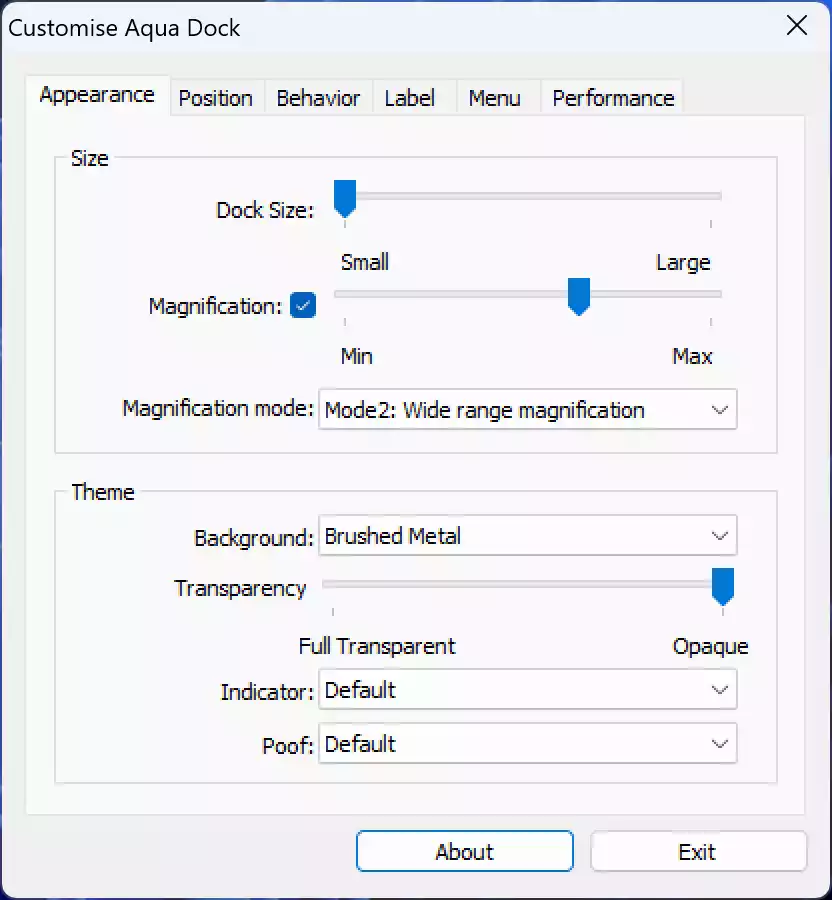
Aqua Dock offers a wide range of customization settings. You can change icon sizes, spacing, animations, and even apply third-party icon packs for a personalized look. Whether you want a minimalist dock or a fully themed experience, Aqua Dock adapts to your vision.
Installation and Setup
Getting started is easy:
- Download Aqua Dock from a reliable source (link below).
- Run the installer and follow the on-screen instructions.
- Launch the application and start customizing using the built-in settings panel.
Compatibility
Aqua Dock works smoothly with Windows 7, 8, 10, and 11. It’s suitable for personal, academic, and professional use—offering elegant navigation on any setup.
Download Aqua Dock
You can download Aqua Dock from here.
Conclusion
In conclusion, Aqua Dock is an excellent utility for Windows users who admire macOS aesthetics. With features like quick app access, customizable themes, animated icons, and system tray integration, it transforms your Windows desktop into a more organized and stylish workspace. Whether you’re looking to improve productivity or just love macOS visuals, Aqua Dock is a fantastic choice to modernize your interface.
You might also be interested in RocketDock, which offers another animated Mac-style dock for Windows 10 and 11.