

Bluetooth is an old short-range networking technology on Windows 11 that allows users to connect compatible devices (such as headphones, speakers, mice, smartphones, and keyboards) to their computers wirelessly.
Although in most cases, you don’t have to worry about the version of the Bluetooth adapter you use. Sometimes, you must have a specific version that includes a specific technology to use a specific feature. For example, your computer must have Bluetooth 4.0 with Low Energy (LE) support to send files and links to nearby devices using the Nearby sharing feature.
How to Check Bluetooth Version on Windows 11?
If you need to know the wireless adapter version, you can quickly find out by referring to the above video. To check the Bluetooth version on Windows 11, follow these steps:-
Step 1. First, press the Windows key + X on your keyboard to open the Power User Menu.
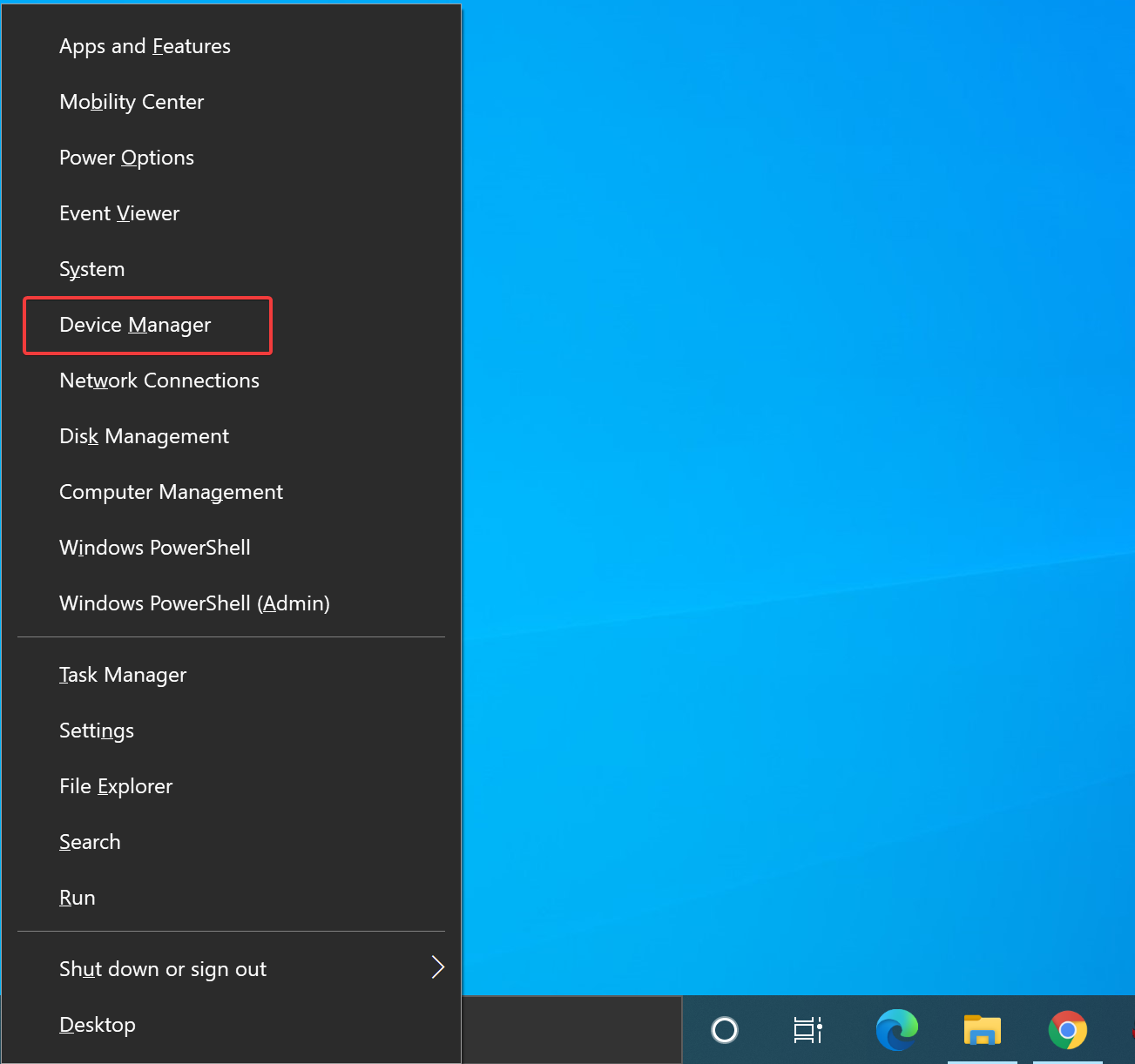
Step 2. Then, select “Device Manager” from the list of options.
Step 3. In the Device Manager window, locate “Bluetooth” under the list of devices and expand the category.
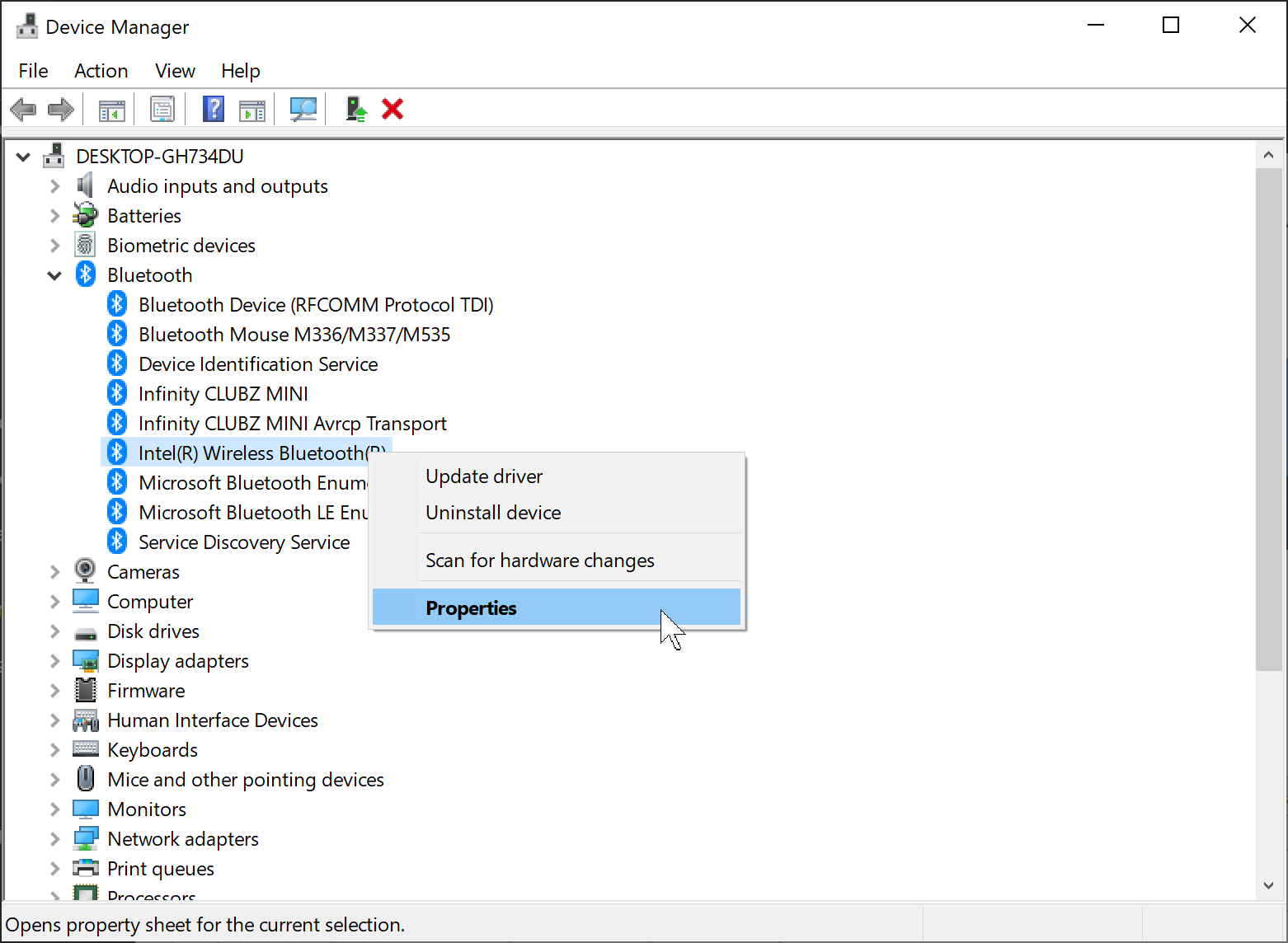
Step 4. Here, right-click on your Bluetooth adapter and select “Properties” from the context menu.
Step 5. In the Bluetooth Properties window, click on the “Advanced” tab.
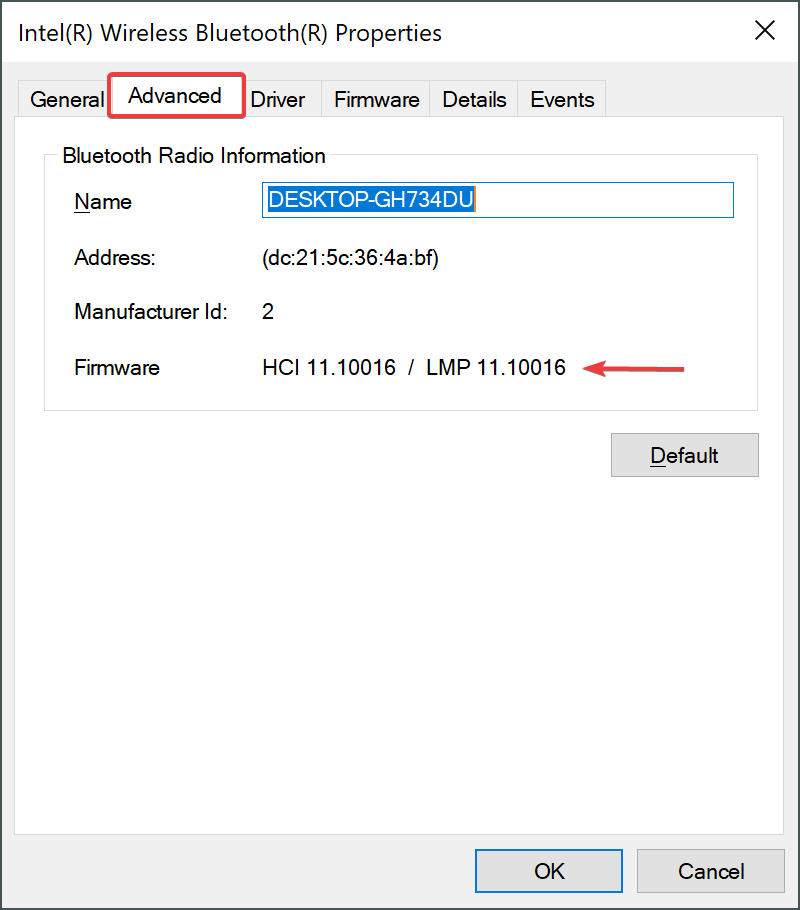
Step 6. Under “Firmware,” you will see the Bluetooth version listed.
That’s it!
FAQs
How can I improve Bluetooth performance on Windows 11?
Keep your drivers updated and minimize wireless interference. If your current adapter struggles, consider using optimization tools like Process Lasso to free system resources for smoother connectivity.
Does Bluetooth 4.0 support Nearby Sharing?
Yes. Nearby Sharing requires at least Bluetooth 4.0 with LE (Low Energy) support. Without this, the feature may not be available.
Can I upgrade my laptop’s Bluetooth version?
Yes. If your built-in adapter doesn’t support the latest version, you can disable it and use an external USB Bluetooth dongle that supports Bluetooth 5.0 or later.
Why can’t my Bluetooth headphones connect properly?
Compatibility issues, outdated drivers, or interference from other devices may cause this. Updating drivers and cleaning the registry with tools like Windows Repair can sometimes fix persistent connectivity problems.
Is Bluetooth 5.0 faster than 4.0?
Yes. Bluetooth 5.0 offers better range, speed, and stability compared to 4.0, which is especially noticeable when transferring files or using multiple wireless devices at once.
Conclusion
Checking the Bluetooth version on Windows 11 is quick and straightforward using Device Manager. Knowing your adapter’s version helps when you want to use features like Nearby Sharing or connect to devices that require Bluetooth Low Energy (LE). If you discover that your adapter does not support the version you need, you can easily upgrade by purchasing a modern USB Bluetooth dongle. For best performance, keep your system updated and ensure you are using the latest drivers.