

The latest version of Google Chrome offers a built-in dark mode for Windows 11/10/8/7. If you are still using the old version of Google Chrome, you can manually update the Google Chrome browser to enable Dark Mode.
The Dark Mode settings/theme reduces the light transmitted by device screens while maintaining the minimum color contrast ratios required for readability. You can find Dark Mode settings or themes in almost all popular programs, and even Dark Mode is available in Windows 10. If you prefer to use dark mode, you can enable Dark Mode in Microsoft Office Word, Excel & PowerPoint.
Google Chrome comes with a built-in option to enable dark mode forcibly. It even forces Chrome into dark mode even if Windows 11/10’s default app mode is set to light mode.
How to Enable or Force Dark Mode for Web Contents in Google Chrome?
If you prefer to use dark mode for web content in Google Chrome, you can use the following recommended method to enable it:-
Step 1. Open the Google Chrome browser.
Step 2. In the address bar of Chrome, type the following and hit Enter on the keyboard to open the Experiments page:-
chrome://flags/
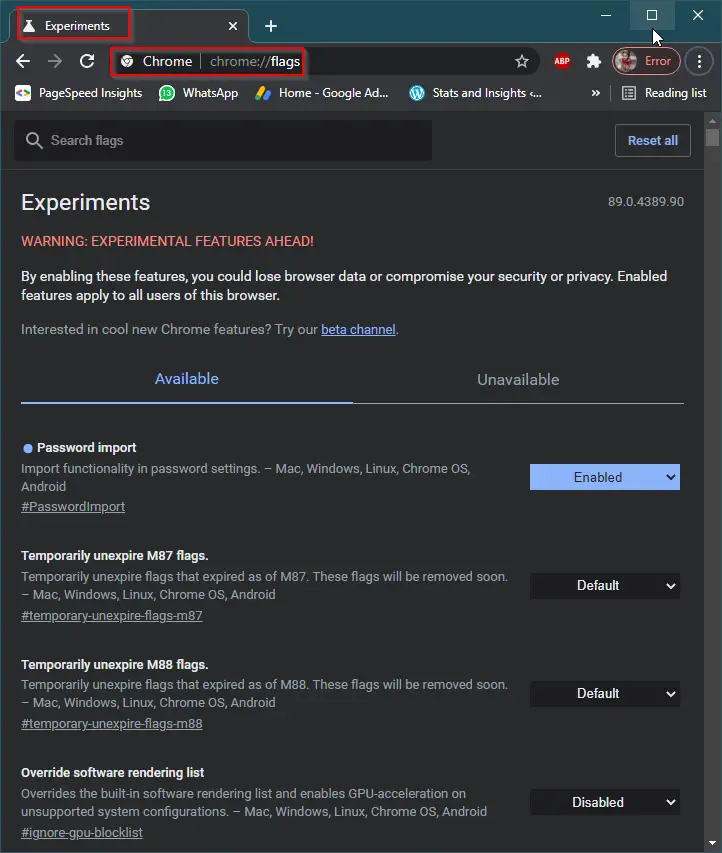 Step 3. In the “Search flags” box, type dark to see the “Auto Dark Mode for Web Contents” flag.
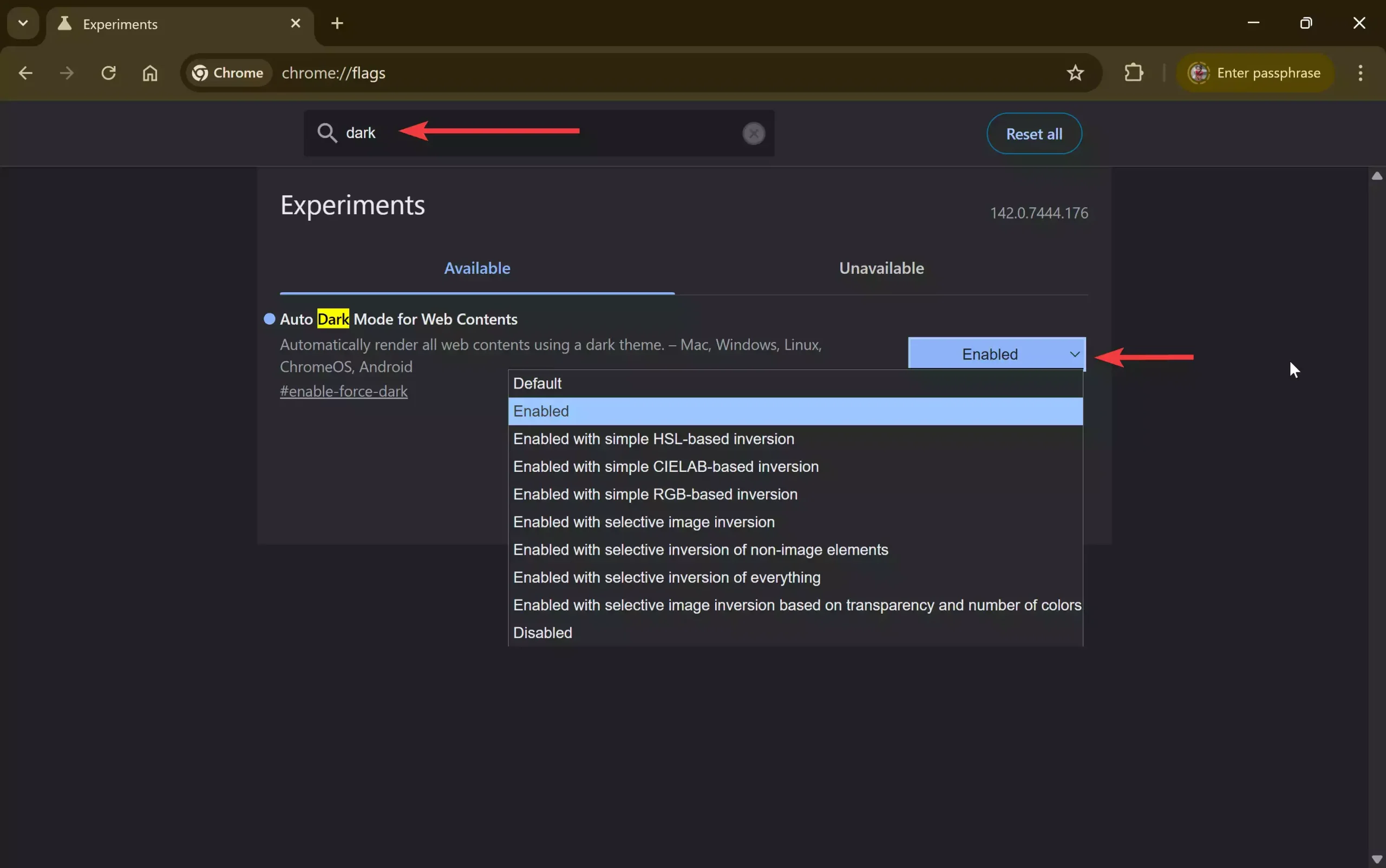
Step 4. Click on the drop-down next to “Auto Dark Mode for Web Contents.”
Step 5. Select the Enabled option from the drop-down menu that appears.
Step 6. Click the Relaunch button at the bottom to restart the Chrome browser.
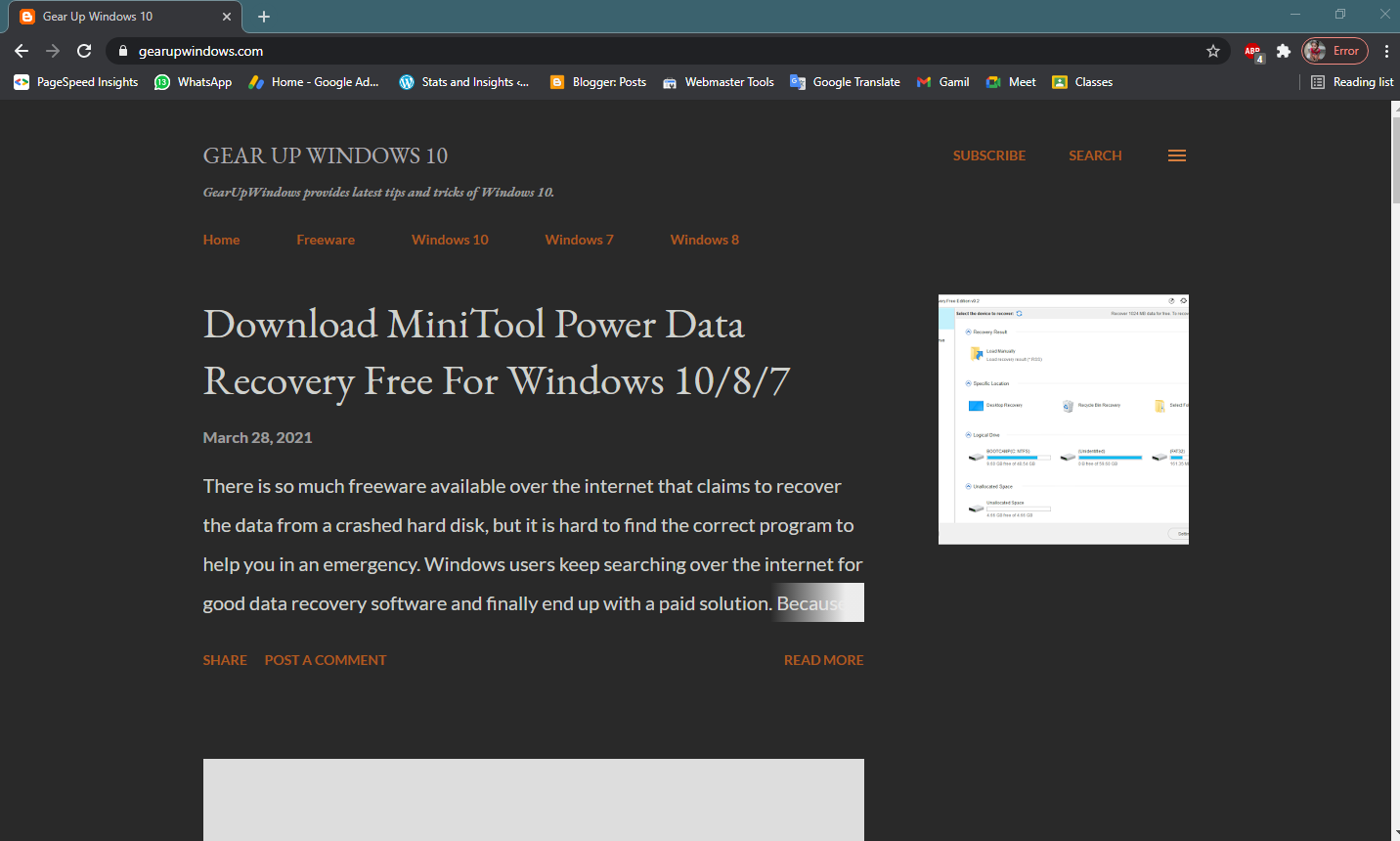
Step 7. Once you restart your browser by clicking the Relaunch button, Dark Mode for web content will be applied in the Google Chrome browser. You can see the following changes:-
Before applying dark mode, GearUpWindows looks:

After applying dark mode, GearUpWindows looks:
 If you want to disable the dark mode in Google Chrome, select the option Default in step 5 above.
FAQs
Does Google Chrome have a built-in dark mode?
Yes, modern versions of Google Chrome include a built-in dark mode. You can enable system-wide dark mode or force dark mode for web contents using the Chrome flags page.
Will Auto Dark Mode affect every website?
Yes. When you enable the “Auto Dark Mode for Web Contents” flag, Chrome forces all websites to use a dark theme, even if they do not natively support it.
Is using chrome://flags safe?
The flags page contains experimental features. Enabling a flag is generally safe, but it may cause unexpected behavior. You can always revert any change by setting the flag back to Default.
Why does my Chrome not show the dark mode option?
You may be using an outdated version of Google Chrome. Update your browser to the latest version to access the dark mode and related experimental features.
How do I disable forced dark mode in Chrome?
Go to chrome://flags, search for “Auto Dark Mode for Web Contents,” and change it back to Default. After relaunching Chrome, websites will appear in their normal light mode.
Does dark mode improve battery life?
On OLED and AMOLED displays, dark mode can help reduce battery consumption because dark pixels require less power. On traditional LCD screens, the benefit may be minimal.
Conclusion
In conclusion, using the dark mode feature can reduce the strain on your eyes and make it easier to view content in low-light environments. Google Chrome provides an option to enable or force dark mode for web content, which can be helpful if you prefer using dark mode. By following the simple steps mentioned above, you can enable the dark mode feature in the latest version of Google Chrome. It is recommended to keep your Google Chrome browser updated to the latest version to take advantage of new features and security patches.
When I enable the Auto Dark Mode for Web Contents flag, Gmail does not print normally. It is too light to read. Dark Reader works perfectly with Gmail, but the Chrome flag does not.